
Makita GCU06T1
Makita 40V Max XGT 18-Inch Cordless Chain Saw Instruction Manual
Model: GCU06T1
Introduction
This manual provides essential information for the safe and effective operation, maintenance, and troubleshooting of your Makita 40V Max XGT 18-Inch Cordless Chain Saw (Model GCU06T1). Designed for professional landscapers and contractors, this battery-powered chain saw offers a powerful, low-noise, and low-maintenance alternative to gas-powered equipment. Please read this manual thoroughly before first use and keep it for future reference.
Safety Information
WARNING: Read all safety warnings, instructions, illustrations, and specifications provided with this power tool. Failure to follow all instructions listed below may result in electric shock, fire, and/or serious injury.
- Always wear appropriate personal protective equipment (PPE), including safety glasses, hearing protection, gloves, and sturdy footwear.
- Ensure the work area is clear of obstacles, bystanders, and pets.
- Do not operate the chain saw in wet conditions or in the presence of flammable liquids or gases.
- Before performing any maintenance, adjustments, or cleaning, always remove the battery.
- Maintain a firm grip with both hands on the chain saw handles.
- Be aware of kickback and how to avoid it.
- Keep all parts of the body away from the saw chain when the engine is running.
Package Contents
Verify that all items listed below are included in your package:
- Makita 40V Max XGT Brushless 18-Inch Chain Saw (Model GCU06T1)
- 40V max XGT Lithium-Ion 5.0Ah Battery
- Rapid Optimum Charger
- 18-Inch Guide Bar
- 18-Inch Saw Chain (3/8 inch low profile pitch, .050 inch-gauge)
- Guide Bar Cover
- Wrench

Image: The complete Makita 40V Max XGT 18-Inch Cordless Chain Saw kit, including the chainsaw, a 40V Max XGT 5.0Ah battery, and a rapid optimum charger.
Setup
1. Battery Charging
Before first use, fully charge the 40V max XGT Lithium-Ion 5.0Ah battery using the provided rapid optimum charger.
- Connect the rapid optimum charger to a power outlet.
- Slide the battery into the charger until it clicks into place.
- The charger's indicator lights will show the charging status. Refer to the charger's manual for specific light patterns.
- Once fully charged, remove the battery from the charger.
2. Guide Bar and Saw Chain Installation
Ensure the battery is removed from the chain saw before installation.
- Place the chain saw on a stable, flat surface.
- Loosen the side cover nuts and remove the side cover.
- Carefully place the saw chain around the sprocket and guide bar, ensuring the cutting edges are facing the correct direction (refer to chain markings).
- Fit the guide bar onto the chain saw studs, aligning the chain tension pin with the hole in the guide bar.
- Replace the side cover and hand-tighten the nuts. Do not fully tighten yet.
- Adjust chain tension using the tool-less chain adjustment knob. The chain should be snug but still able to be pulled freely around the guide bar by hand.
- Once tension is correct, fully tighten the side cover nuts.
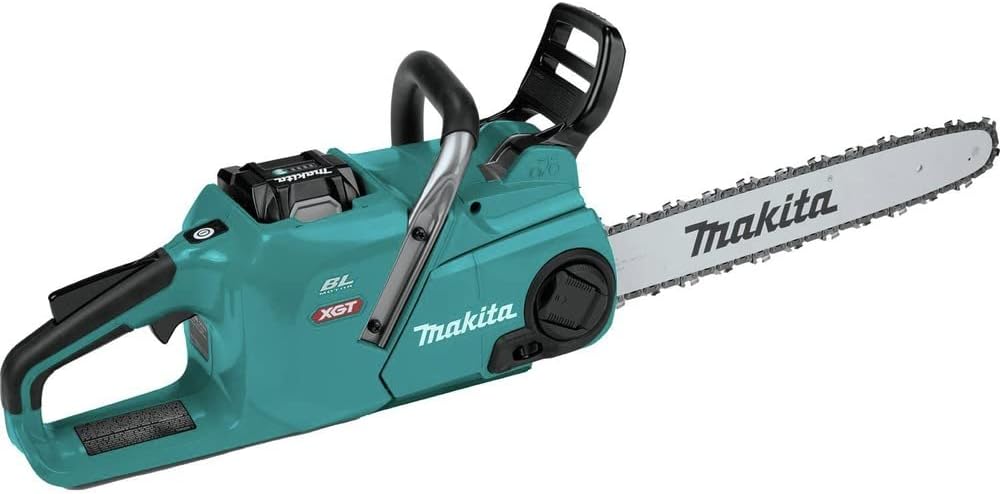
Image: The Makita 40V Max XGT 18-Inch Cordless Chain Saw with the 40V Max XGT battery inserted into its compartment, ready for operation.

Image: Close-up view of the tool-less chain adjustment mechanism on the side of the Makita chainsaw, allowing for easy tensioning without additional tools.
3. Filling Bar Oil Reservoir
The chain saw requires bar and chain oil for proper lubrication during operation. Use high-quality bar and chain oil.
- Locate the oil filling port on the top of the chain saw.
- Unscrew and remove the oil cap.
- Fill the reservoir with bar and chain oil, monitoring the oil level through the view window.
- Replace the oil cap securely.

Image: Close-up of the oil reservoir cap on the Makita chainsaw, designed for easy access to fill the bar and chain oil.

Image: Detail of the oil level view window and the adjustable automatic chain lubrication control on the Makita chainsaw, allowing users to monitor and regulate oil flow.
Operating Instructions
1. Starting the Chain Saw
- Ensure the battery is fully charged and securely inserted into the chain saw.
- Press the built-in LED on/off switch to power on the tool.
- Grip the chain saw firmly with both hands.
- Depress the trigger switch to start the chain. The variable speed trigger allows for controlled acceleration.

Image: Close-up of the built-in LED on/off switch located on the top of the Makita chainsaw, used to power the tool on and off.
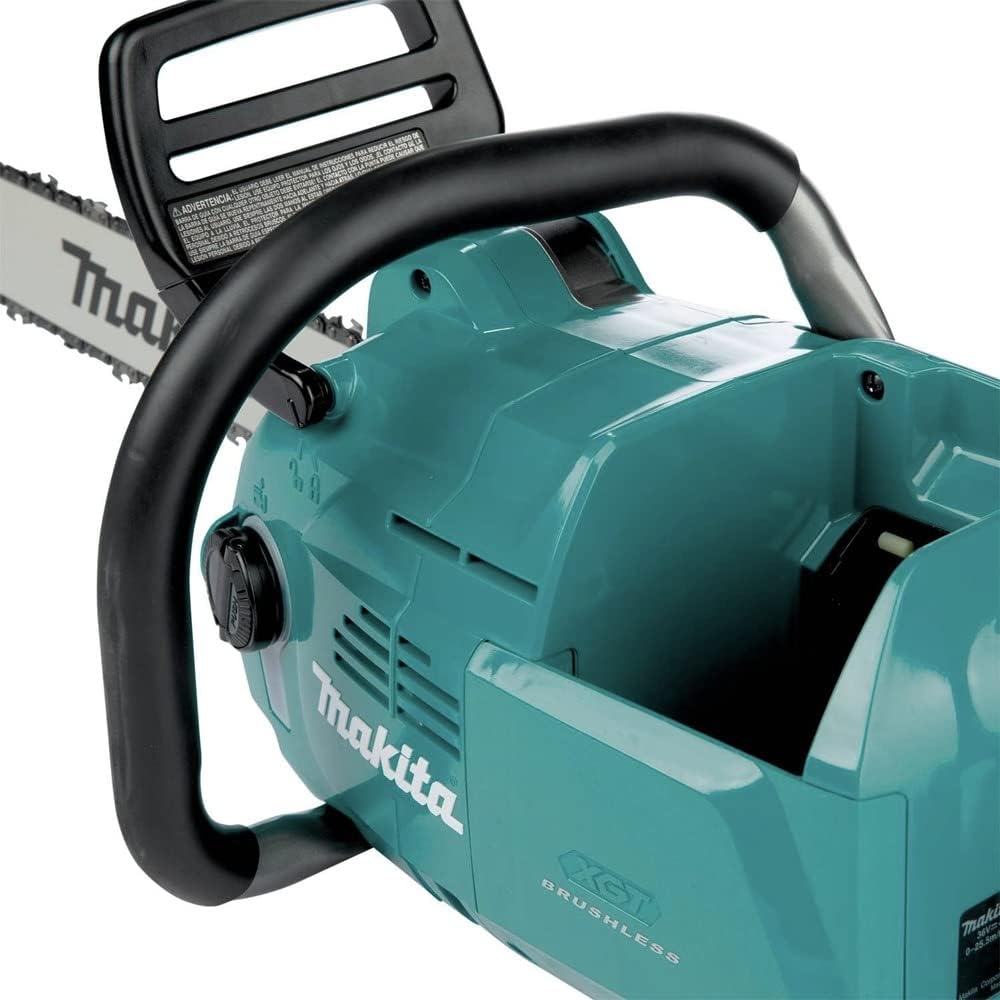
Image: View of the rubberized soft grip top handle of the Makita chainsaw, designed for comfortable and secure two-handed operation.
2. Cutting Techniques
- Always maintain a balanced stance and firm grip.
- Allow the chain to reach full speed before contacting the wood.
- Apply steady, even pressure. Do not force the saw.
- Be mindful of the Active Feedback-Sensing Technology (AFT) which will shut off the motor if the chain rotation is suddenly stopped.
- For felling trees, follow proper notching and felling procedures. For limbing, work from the bottom up, keeping the trunk between you and the branch.

Image: Close-up view of the saw chain and guide bar, showing the sharp teeth and the robust construction designed for efficient cutting.
3. Stopping the Chain Saw
Release the trigger switch to stop the chain. The auto power-off function will automatically shut off the saw when operation is delayed for extended battery life.
Maintenance
Regular maintenance ensures optimal performance and extends the life of your chain saw.
1. Chain Sharpening and Replacement
- A dull chain can lead to poor cutting performance and increased kickback risk. Sharpen the chain regularly using a round file of the correct diameter (refer to chain specifications).
- Replace the chain when it becomes excessively dull, damaged, or stretched beyond adjustment limits.
2. Guide Bar Maintenance
- Clean the guide bar groove regularly to remove sawdust and debris.
- Flip the guide bar periodically to ensure even wear.
- Check the guide bar for burrs or damage and file them smooth if necessary.
3. Cleaning
- After each use, clean the chain saw thoroughly, especially the chain, guide bar, and sprocket area, to remove sawdust, sap, and debris.
- Use a brush or compressed air. Do not use water to clean the electrical components.
4. Storage
- Store the chain saw in a dry, secure location, out of reach of children.
- Remove the battery before long-term storage.
- Apply a light coat of oil to the chain and guide bar to prevent rust.
Troubleshooting
| Problem | Possible Cause | Solution |
|---|---|---|
| Chain saw does not start | Battery not inserted correctly or discharged; Power switch off; Tool malfunction (AFT activated) | Ensure battery is fully charged and properly seated. Press the power switch. If AFT activated, clear obstruction and restart. |
| Chain does not cut efficiently | Dull chain; Incorrect chain tension; Insufficient bar oil | Sharpen or replace chain. Adjust chain tension. Refill bar oil reservoir. |
| Chain saw overheats | Overuse; Dull chain; Insufficient lubrication | Allow tool to cool down. Sharpen chain. Check bar oil level and adjust automatic lubrication. |
| Excessive vibration | Damaged chain or guide bar; Loose components | Inspect chain and guide bar for damage and replace if necessary. Check all fasteners for tightness. |
Specifications
| Feature | Detail |
|---|---|
| Model Number | GCU06T1 |
| Power Source | 40V Max XGT Lithium-Ion Battery |
| Guide Bar Length | 18 inches |
| Chain Speed | 0 to 5020 FPM (Feet Per Minute) |
| Equivalent Gas Engine | 42cc |
| Technology | Brushless Motor, Active Feedback-Sensing Technology (AFT), Extreme Protection Technology (XPT) |
| Weight (Tool Only) | Approximately 16 ounces (without battery) |
| Dimensions (L x W x H) | 21.7 x 10.7 x 12.3 inches |
Warranty and Support
Makita power tools are backed by a limited warranty. For specific warranty details, please refer to the warranty card included with your product or visit the official Makita website. Keep your purchase receipt as proof of purchase.
For technical support, service, or to locate an authorized service center, please contact Makita Customer Service:
- Website: www.makitatools.com
- Phone: Refer to your regional Makita contact information.
When contacting support, please have your model number (GCU06T1) and serial number (if applicable) ready.
Related documentsGCU06T1


Ask a question about this manual
Ask about setup, troubleshooting, compatibility, parts, safety, or missing instructions. Manuals+ will review the question and use this page’s manual context to help answer it.