
1. Introduction
Thank you for choosing the Statik 65W Laptop Power Bank. This portable power solution is designed to keep your laptops, tablets, and smartphones charged and ready, whether you're traveling, commuting, or simply away from a wall outlet. With its high capacity and versatile charging options, the Statik Power Bank ensures you stay connected and productive on the go.
2. Product Features
- High Capacity: 20,000mAh (74Wh) battery provides multiple charges for smartphones and a full charge for most laptops.
- 65W Power Delivery: Capable of charging laptops at full speed via the USB-C port.
- Multi-Device Charging: Charge up to three devices simultaneously (1x USB-C, 2x USB-A).
- Rapid Recharge: Fully recharges in approximately 1.25 hours when using a 65W or higher output charger (not included).
- Versatile Input Ports: Recharge the power bank using USB-C, Lightning, or MicroUSB inputs.
- Durable Design: Slim and robust metal body built for travel and daily use.
- Safety Features: Includes short circuit protection and over-charging protection.

Image 1: The Statik 65W Laptop Power Bank, showcasing its sleek design and port layout.
3. Package Contents
Please check the package for the following items:
- Statik 65W Laptop Power Bank (1 unit)
- USB-C to USB-C Charging Cable (1 unit)
- User Manual (this document)
4. Setup
4.1 Initial Charge
Before first use, it is recommended to fully charge your Statik Power Bank.
- Connect the provided USB-C to USB-C cable to the USB-C port on the power bank.
- Connect the other end of the cable to a compatible USB-C wall charger (65W or higher recommended for fastest charging).
- The LED indicator lights on the power bank will illuminate to show the charging progress. All four lights will be solid when fully charged.
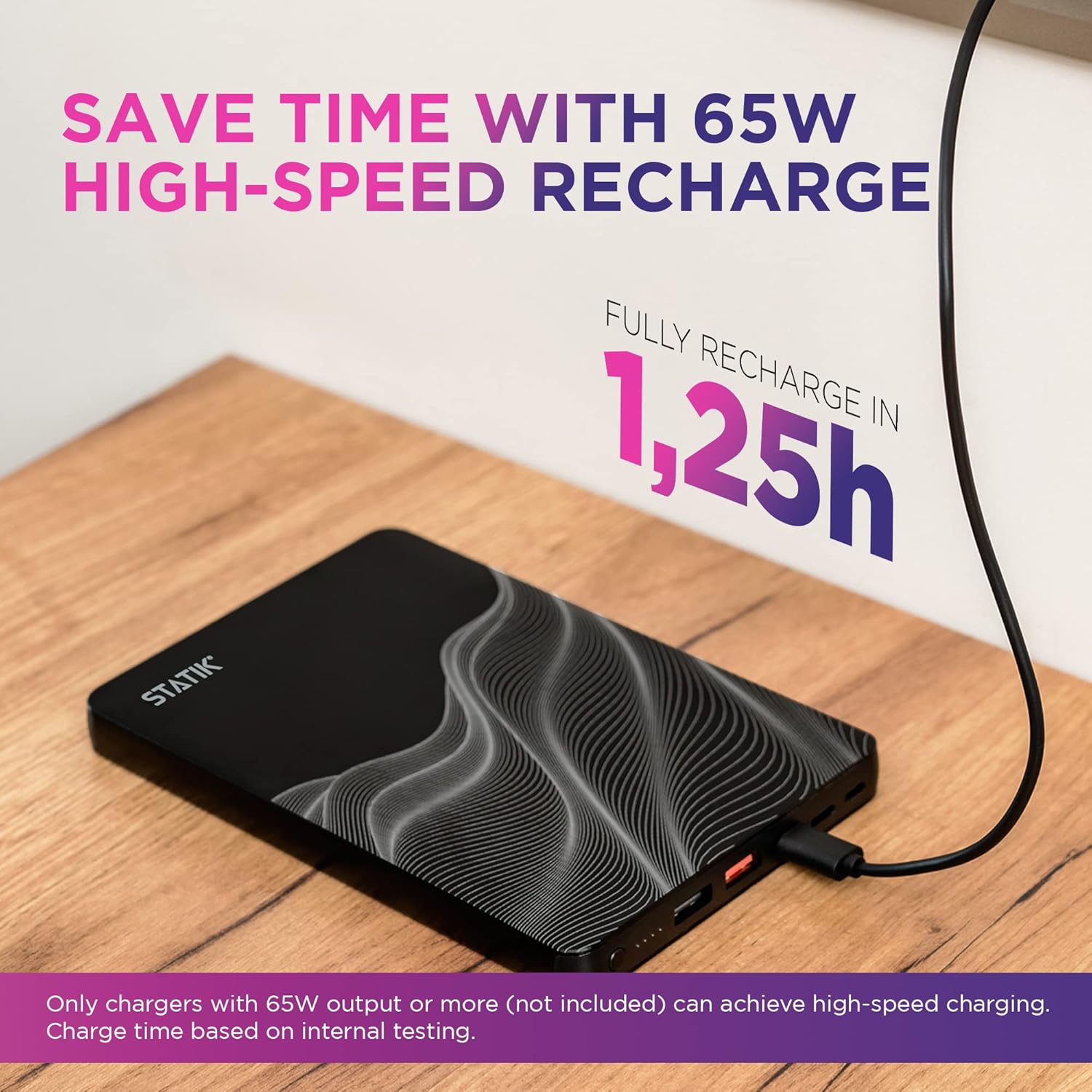
Image 2: The Statik Power Bank connected to a wall charger for recharging.
5. Operating Instructions
5.1 Charging the Power Bank
The Statik Power Bank offers multiple input options for recharging:
- USB-C Input: Use a USB-C to USB-C cable and a compatible USB-C power adapter. This port supports 65W input for rapid recharging.
- Lightning Input: Use a Lightning cable to recharge the power bank.
- MicroUSB Input: Use a MicroUSB cable to recharge the power bank.
The LED indicator lights show the remaining battery level:
- 1 Light: 0-25%
- 2 Lights: 25-50%
- 3 Lights: 50-75%
- 4 Lights: 75-100%
5.2 Charging Your Devices
The power bank features one USB-C output and two USB-A outputs to charge your devices.
- Connect your device's charging cable to the appropriate port on the power bank (USB-C or USB-A).
- Connect the other end of the cable to your device.
- The power bank will automatically begin charging your device.
Note on Simultaneous Charging:
- When charging a laptop using the USB-C port, the maximum output power is 65W.
- When charging 2 or more devices at once, the maximum output per port is 15W.

Image 3: The Statik Power Bank simultaneously charging a laptop, smartphone, and earbuds.

Image 4: Close-up view of the Statik Power Bank fast charging a laptop via its USB-C port.

Image 5: Visual representation of the power bank's wide compatibility with laptops, tablets, and phones.
6. Maintenance
- Keep the power bank away from extreme temperatures, direct sunlight, and humid environments.
- Do not expose the device to water or other liquids.
- Clean the power bank with a soft, dry cloth. Do not use abrasive cleaners or solvents.
- Store the power bank in a cool, dry place when not in use. For long-term storage, charge the power bank to approximately 50-75% every 3-6 months to maintain battery health.
7. Troubleshooting
| Problem | Possible Cause | Solution |
|---|---|---|
| Power bank not charging |
|
|
| Device not charging from power bank |
|
|
| Slow charging speed |
|
|
| Power bank loses charge quickly when idle |
|
|
8. Specifications
| Attribute | Value |
|---|---|
| Model Number | 20000mAh Li-ion Polymer Battery //74Wh |
| Battery Capacity | 20,000 mAh / 74 Wh |
| Input Ports | USB-C, Lightning, MicroUSB |
| Output Ports | 1x USB-C, 2x USB-A |
| USB-C Output (Max) | 65W Power Delivery |
| USB-A Output (Max) | 15W (when multiple devices are connected) |
| Dimensions (L x W x H) | 8.07 x 4.96 x 3.94 inches |
| Weight | 1.05 pounds |
| Color | Black |
9. Safety Information
Please read and follow these safety guidelines to prevent damage to the product or injury to yourself:
- Do not disassemble, open, or attempt to repair the power bank.
- Do not expose the power bank to fire or high temperatures (above 60°C / 140°F).
- Do not dispose of the power bank in household waste. Recycle responsibly.
- Avoid dropping or subjecting the power bank to strong impacts.
- Keep out of reach of children.
- Do not use the power bank if it is damaged, swollen, or leaking.
- Use only approved charging cables and adapters.
10. Warranty and Support
Statik products are designed for reliability and performance. For warranty information or technical support, please contact our customer service team.
Customer Support Email: customersupport@statikco.com
You can also visit the official Statik store for more information and product updates: Statik Amazon Store


