
Introduction
This manual provides detailed instructions for the Fastrack Reflex Nitro smartwatch, Model 38085PP01. It covers device setup, operational procedures, maintenance guidelines, and troubleshooting tips to ensure optimal performance and user experience. Please read this manual thoroughly before using your device.
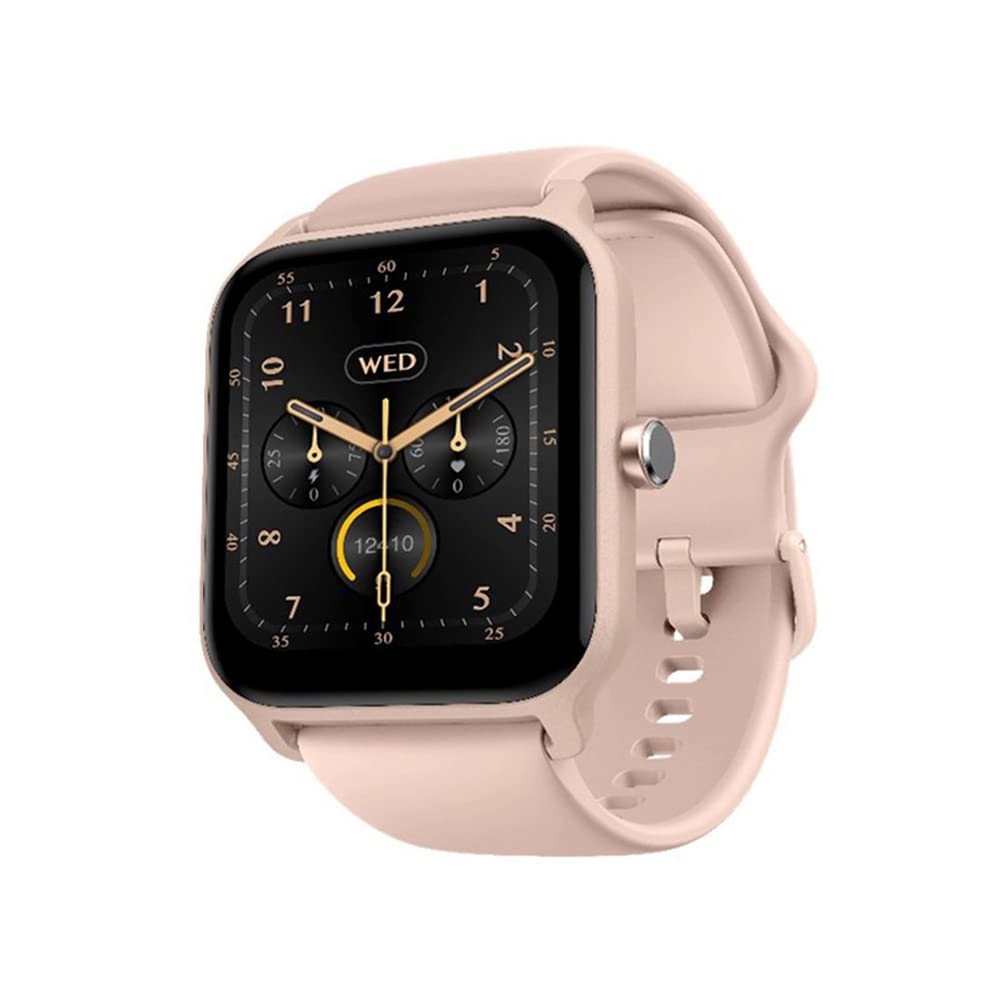
Image: Fastrack Reflex Nitro Smartwatch, showcasing its display and design.
What's in the Box
Upon unboxing your Fastrack Reflex Nitro, verify that all the following components are present:
- Watch Head: The main unit of the smartwatch.
- Watch Strap: The band for wearing the smartwatch.
- Magnetic Charging Cable: For charging the device.
- Quick Start Guide: A brief guide for initial setup.
- Warranty Card: Contains warranty information.
Ensure all components are present before proceeding with setup.
Setup
1. Charging the Smartwatch
- Connect the magnetic charging cable to a USB power adapter (not included) or a computer's USB port.
- Align the magnetic end of the cable with the charging contacts on the back of the smartwatch. The magnets will snap it into place.
- The watch display will indicate charging status. Allow approximately 2 hours for a full charge.
Use only the provided magnetic charging cable to prevent damage.
2. App Installation and Pairing
- Download the App: Search for "Fastrack Reflex World" in the Google Play Store (for Android devices) or the Apple App Store (for iOS devices) and install it.
- Create Account: Open the app and follow the on-screen instructions to create a new user account or log in if you already have one.
- Enable Bluetooth: Ensure Bluetooth is enabled on your smartphone.
- Pair Device: In the Fastrack Reflex World app, navigate to the device pairing section. Select "Fastrack Reflex Nitro" from the list of available devices.
- Confirm Pairing: A pairing request will appear on your smartwatch and smartphone. Confirm the pairing on both devices.
Maintain your smartphone close to the smartwatch during the pairing process.
Operating Instructions
Basic Navigation
- Swipe Up/Down: Access notifications or quick settings.
- Swipe Left/Right: Navigate through widgets and features like activity tracking, heart rate, and music control.
- Tap: Select an item or open an application.
- Press Side Button: Return to the home screen or access the app menu.
Bluetooth Calling (SingleSync BT Calling)
The Fastrack Reflex Nitro supports direct calling from your wrist after initial setup.
- Ensure your smartwatch is connected to your smartphone via Bluetooth.
- Access the call function on your watch (usually by swiping or through the app menu).
- You can dial numbers directly or select contacts from your synced phonebook.
- Answer incoming calls directly on the watch.
Sports Modes and AI Coach
The device offers over 100 sports modes with an integrated AI Coach.
- Navigate to the "Sports" or "Workout" section on your watch.
- Select your desired activity (e.g., Running, Cycling, Walking, Badminton, Basketball).
- The AI Coach provides guidance and tracks your performance metrics during the activity.
- Review your workout data in the Fastrack Reflex World app after completion.
Health Monitoring
The Fastrack Reflex Nitro provides comprehensive health tracking features:
- Heart Rate Monitor: Continuous 24x7 heart rate monitoring. Access data on the watch or in the app.
- SpO2 Monitor: Measures blood oxygen levels. Initiate a measurement from the watch.
- Stress Monitor: Tracks stress levels throughout the day. View insights in the app.
- Automatic Sleep Recognition: Monitors sleep patterns, including REM sleep. Data is available in the Fastrack Reflex World app.
Health monitoring features are for general wellness and fitness purposes only and are not intended for medical diagnosis or treatment.
Music Control
Control music playback on your smartphone directly from your watch.
- Ensure music is playing on your connected smartphone.
- Access the music control widget on your watch (swipe left/right from the home screen).
- You can play, pause, skip tracks, and adjust volume.
Camera Control
Use your smartwatch as a remote shutter for your smartphone camera.
- Open the camera function within the Fastrack Reflex World app on your smartphone.
- Navigate to the camera control feature on your smartwatch.
- Tap the screen on your watch to remotely trigger your phone's camera shutter.
Notifications and Smart Features
Receive notifications and manage smart features directly on your wrist.
- Notifications: Swipe down from the home screen to view incoming calls, messages, and app alerts.
- Alarms & Timers: Set and manage alarms and timers directly from the watch interface.
- Find My Phone: Use this feature on your watch to locate your paired smartphone.
Watch Faces
Customize your watch's appearance with over 100 available watch faces.
- Long-press on the current watch face to enter the watch face selection mode.
- Swipe left or right to browse through pre-installed watch faces.
- For more options, open the Fastrack Reflex World app on your smartphone and navigate to the watch face store.
Maintenance
Cleaning
- Wipe the watch screen and strap regularly with a soft, damp, lint-free cloth.
- Avoid using harsh chemicals, abrasive cleaners, or solvents.
- Ensure the charging contacts are clean and dry before charging.
Water Resistance (IP68)
The Fastrack Reflex Nitro is IP68 water-resistant, meaning it can withstand immersion in water up to 1.5 meters for 30 minutes.
- It is suitable for daily use, such as hand washing, rain, and shallow swimming.
- Not suitable for hot showers, saunas, diving, or high-pressure water activities.
- After exposure to water, dry the watch thoroughly before charging or operating.
Battery Care
- Avoid fully discharging the battery frequently.
- Charge the device regularly to maintain battery health.
- Store the watch in a cool, dry place when not in use for extended periods.
Troubleshooting
| Problem | Possible Solution |
|---|---|
| Watch not turning on | Ensure the watch is fully charged. Connect to the charger for at least 30 minutes. |
| Cannot pair with smartphone |
|
| Inaccurate health data | Ensure the watch is worn snugly on your wrist, about one finger-width above the wrist bone. Clean the sensor area regularly. |
| Short battery life | Reduce screen brightness, disable unnecessary notifications, and limit continuous heart rate monitoring if not required. |
| Bluetooth calling issues | Ensure the watch is within Bluetooth range of your phone. Check phone's audio output settings. |
Specifications
| Feature | Detail |
|---|---|
| Model Name | Fastrack Reflex Nitro |
| Model Number | 38085PP01 |
| Display | 1.8" UltraVU LCD, 360 x 360 Resolution |
| Chipset | ATS Chipset |
| Connectivity | Bluetooth |
| Battery Type | Lithium Polymer |
| Battery Capacity | 300 mAh |
| Battery Life | Up to 10 days (average use) |
| Water Resistance | IP68 (1.5m for 30 minutes) |
| Dimensions (LxWxH) | 46 x 38 x 11 mm |
| Weight | 38 g |
| Sensors | Heart Rate Monitor, SpO2 Monitor, Stress Monitor |
| Sports Modes | 100+ with AI Coach |
| Compatible OS | Android, iOS |
| Included Components | Watch Head, Watch Strap, Magnetic Charging Cable, Quick Start Guide, Warranty Card |
Warranty and Support
Your Fastrack Reflex Nitro smartwatch comes with a 1-year manufacturer's warranty from the date of purchase. Please retain your purchase receipt and warranty card for any claims.
For technical assistance, troubleshooting, or warranty claims, please contact Fastrack customer support:
- Customer Care Number: 1800-266-0123
- Email: customercare@titan.co.in
- Manufacturer/Importer: Imported by Titan Company Limited 3 Sipcot Industries complex, Hosur- 635126
For the most up-to-date support information, visit the official Fastrack website.