
1. Product Overview
The JYX Portable PA Speaker System is a versatile and powerful audio solution designed for a wide range of applications, including home parties, karaoke, street speeches, meetings, school events, seminars, outdoor activities, disaster prevention, and live performances. It features advanced audio technology, robust connectivity, and a portable design for exceptional sound quality and convenience.

Figure 1.1: JYX Portable PA Speaker System and included accessories.
Key Features:
- Compact & High-Capacity Battery: Weighing only 2.96KG, this portable speaker is lightweight and easy to transport. It includes a convenient strap for shoulder carrying. The built-in 3.7V / 6000mAh rechargeable lithium-ion battery provides up to 24 hours of continuous music playback on a single charge, making it ideal for extended use outdoors.
- Excellent Sound Quality: Equipped with high-performance audio drivers and an advanced digital signal processor (DSP), the speaker delivers clear vocals, powerful bass, and balanced volume without noise. It features a 6-inch woofer and a 2-inch tweeter (total of 2 units) to create an authentic audio environment with a strong sense of presence. A bass reflex port enhances low-frequency response, providing rich and powerful sound.
- Wireless Stereo Pairing (TWS): Featuring the latest Bluetooth 5.3 technology, the speaker offers stable and reliable connectivity. It significantly reduces sound skipping and cutting. The True Wireless Stereo (TWS) function allows you to connect two JYX speakers for an immersive 360-degree surround sound experience, enhancing the sense of presence and delivering powerful, high-volume music.
- Simple Operation & Wide Compatibility: The system supports multiple input modes including recording, AUX input, TF card, USB, and Bluetooth. It is compatible with various external devices such as mobile phones, iPads, TVs, and PCs. A 3.5mm stereo mini-plug connection is also available for TVs and other audio equipment. A remote control is included for convenient operation up to 10 meters away. The control panel also features a 6.35mm microphone input terminal, suitable for connecting a guitar.
- RGB LED Lights: The speaker features dynamic RGB LED lights that can be changed by long-pressing the 'mode' button. These lights add a vibrant atmosphere to any event and can be switched off if not desired.
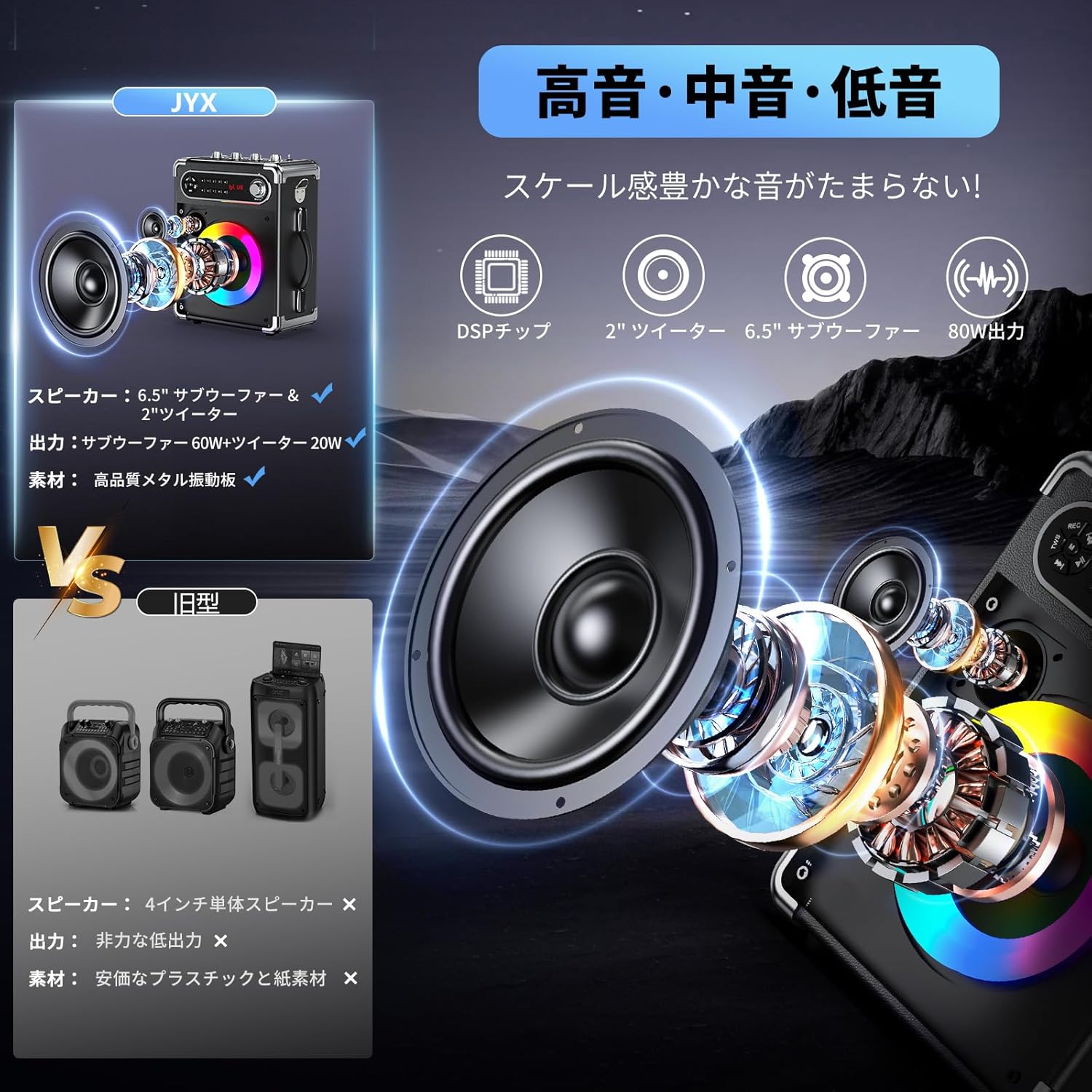
Figure 1.2: Internal speaker components and sound quality features.

Figure 1.3: TWS (True Wireless Stereo) function with two speakers.

Figure 1.4: Wide compatibility with various devices.

Figure 1.5: RGB LED light effects.
2. Setup Guide
2.1 Charging the Speaker
- Connect the provided Type-C cable to the speaker's charging port.
- Connect the other end of the Type-C cable to an AC adapter (not included) with an output of 5V=1A or higher (under 20W).
- The charging indicator light will illuminate. A full charge takes approximately 4 hours.
- Important Note: This speaker does not support fast charging. Using a fast charger may damage the device.

Figure 2.1: Battery life and charging information.
2.2 Powering On/Off
- To power on, press and hold the power button on the control panel until the display illuminates.
- To power off, press and hold the power button again until the display turns off.
2.3 Microphone Setup
- Insert two AA batteries into each wireless microphone (batteries not included).
- Turn on the microphones. They should automatically pair with the speaker.
- Adjust microphone volume using the dedicated knob on the speaker's control panel.
3. Operating Instructions
3.1 Mode Selection
Press the 'MODE' button on the control panel or remote control to cycle through available input modes:
- Bluetooth (BT): For wireless connection to smartphones, tablets, etc.
- AUX: For wired connection using the 3.5mm AUX cable.
- TF Card: For playing audio files from a TF (MicroSD) card.
- USB: For playing audio files from a USB flash drive.
- FM Radio: For listening to FM radio stations.
3.2 Bluetooth Pairing
- Switch the speaker to Bluetooth mode. The display will show 'BLUE' and flash, indicating it's ready for pairing.
- On your device (smartphone, tablet), enable Bluetooth and search for 'JYX-55'.
- Select 'JYX-55' to connect. Once connected, the 'BLUE' indicator will stop flashing.
3.3 TWS (True Wireless Stereo) Function
To pair two JYX-55 speakers for stereo sound:
- Ensure both speakers are powered on and in Bluetooth mode, but not connected to any device.
- On one speaker (this will be the master), long-press the 'TWS' button. You will hear a prompt indicating TWS pairing mode.
- The two speakers will automatically connect to each other. Once connected, you will hear a confirmation sound.
- Now, connect your Bluetooth device to the master speaker as described in section 3.2. Audio will play through both speakers in stereo.
3.4 FM Radio Operation
- Switch the speaker to FM Radio mode.
- Extend the high-sensitivity receiving antenna located on the speaker.
- Long-press the 'MODE' button to initiate automatic channel search.
- Press the 'Play/Pause' button to start playing the found channels. Use the 'Previous/Next' buttons to navigate between stations.
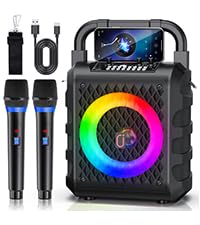
Figure 3.1: FM Radio antenna for improved reception.
3.5 Recording Function
The speaker supports recording audio. Insert a TF card or USB drive into the respective slot before recording. Press the 'REC' button to start and stop recording.
3.6 Adjusting Sound
- Master Volume: Use the 'MASTER' knob to adjust the overall volume of the speaker.
- Microphone Volume: Use the dedicated microphone volume knob to control the microphone input level.
- Echo: Adjust the echo effect for the microphones using the 'ECHO' knob.
- Bass/Treble: Use the 'BASS' and 'TREBLE' knobs to fine-tune the low and high frequencies of the audio output.
4. Maintenance
- Cleaning: Wipe the speaker and microphones with a soft, dry cloth. Do not use abrasive cleaners or solvents.
- Storage: Store the device in a cool, dry place away from direct sunlight and extreme temperatures.
- Battery Care: To prolong battery life, avoid fully discharging the battery frequently. Recharge the speaker regularly, even if not in use for extended periods.
5. Troubleshooting
| Problem | Possible Cause | Solution |
|---|---|---|
| No power | Battery is depleted; Power button not pressed correctly. | Charge the speaker; Press and hold the power button until the display illuminates. |
| No sound / Low volume | Volume too low; Incorrect input mode; Device not connected properly. | Increase master volume; Select correct input mode; Reconnect device. |
| Bluetooth connection unstable (skipping/cutting) | Device too far from speaker; Obstacles between devices; Interference. | Move device closer to speaker (within 10m); Remove obstacles; Avoid strong electromagnetic interference. |
| Microphone not working | Microphone batteries depleted; Microphone not powered on; Microphone volume too low. | Replace microphone batteries; Power on microphone; Increase microphone volume. |
| Cannot charge speaker | AC adapter output is too low; Cable is faulty. | Ensure AC adapter is 5V=1A or higher (under 20W); Try a different Type-C cable. |
6. Specifications
| Feature | Detail |
|---|---|
| Model Number | JYX-55 |
| Color | Black |
| Speaker Output Power | 20 Watts |
| Number of Speakers | 2 (6.5" Woofer, 2" Tweeter) |
| Battery Type | Rechargeable Lithium-ion (3.7V / 6000mAh) |
| Power Source | Rechargeable |
| Connectivity | Bluetooth 5.3, 3.5mm AUX, USB Type-C, TF Card, USB, 6.35mm Microphone Input |
| Compatible Devices | Smartphones, iPads, PCs, TVs, Guitars |
| Included Components | AUX Cable, Type-C Cable, 2 Wireless Microphones, User Manual, Remote Control |
7. Warranty and Support
JYX is committed to providing high-quality products and excellent customer service. All JYX products undergo thorough inspection before shipment and are certified with the TELEC mark (Japanese Ministry of Internal Affairs and Communications technical compliance mark), ensuring product quality and safety.
Warranty Information:
- 360-Day Extended Warranty: Your JYX product is covered by an extended warranty period.
- Return & Exchange Service: If you are not satisfied with the product, return, exchange, and refund services are available.
Customer Support:
- 12-Hour Speed Response: Our customer support team aims to respond to inquiries within 12 hours.
- 1-on-1 Dedicated Support: Receive personalized assistance for any issues or questions you may have.
- Contact: Please feel free to contact our customer support via email for any assistance. Refer to the contact information provided in the included user manual for specific details.