
1. Product Overview
The ODK L Shaped Gaming Desk is designed to maximize your workspace and enhance your gaming or work setup. Its ergonomic features and sturdy construction provide a comfortable and efficient environment.
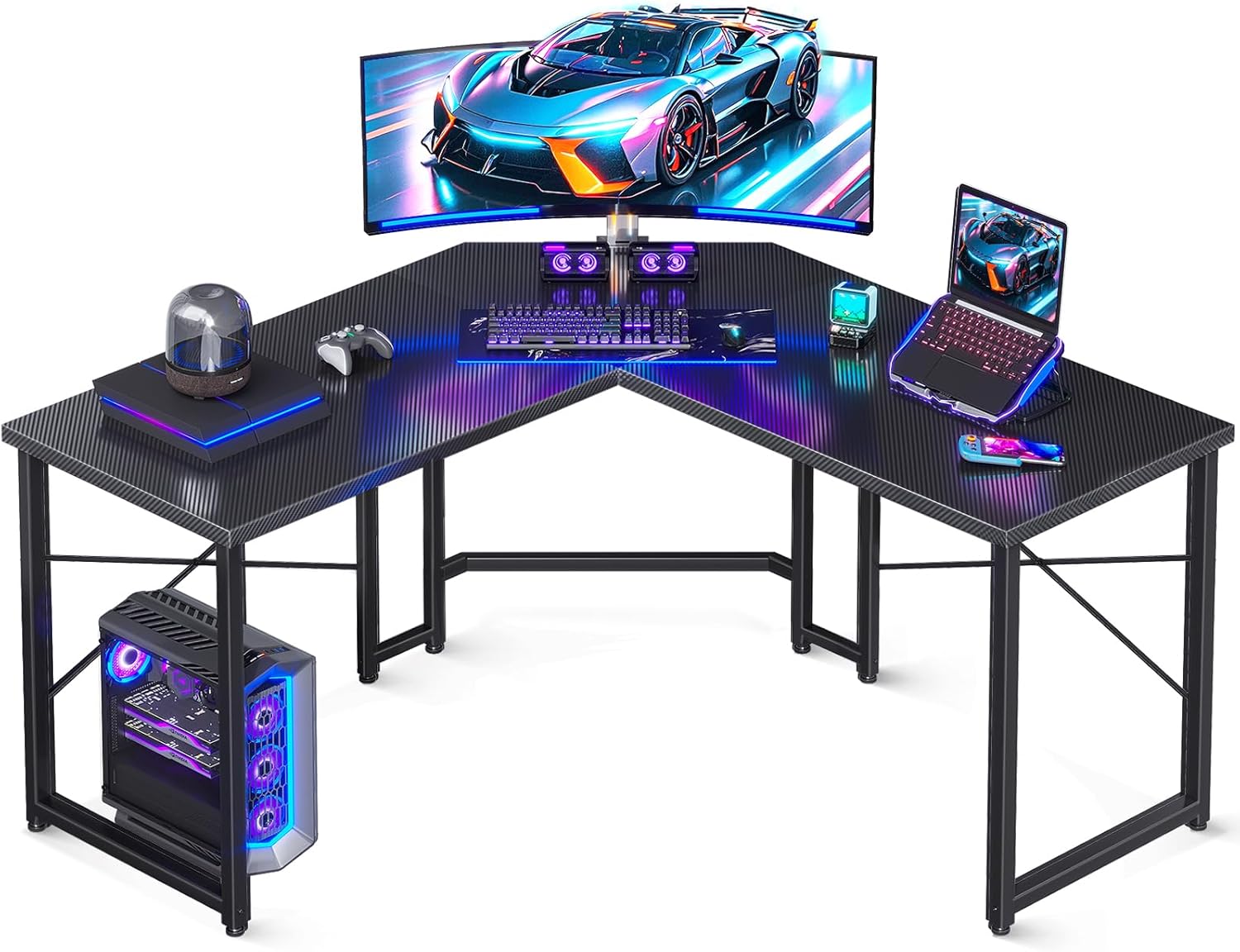
Figure 1: ODK L Shaped Gaming Desk in a typical setup, featuring a monitor, keyboard, mouse, and PC tower.

Figure 2: The L-shaped desk integrated into a gaming room environment, showcasing its corner-fitting design and ample surface area.
2. Setup and Assembly
Assembly of the ODK L Shaped Gaming Desk is designed to be straightforward. It is recommended that one person assembles the desk. All necessary tools and instructions are included in the package.
2.1 Unboxing and Preparation
- Carefully unpack all components from the box.
- Verify that all parts listed in the instruction manual are present and undamaged.
- Lay out the components on a clean, flat, and stable surface to prevent scratching.

Figure 3: Visual guide illustrating the quick and easy assembly process, typically completed within 25 minutes.
2.2 Assembly Steps
- Follow the step-by-step instructions provided in the included manual.
- Ensure all screws are tightened securely to guarantee stability.
- Attach the monitor stand to the desired side (left or right) as it is removable and can be installed based on user preference.
Video 1: Official ODK video demonstrating the assembly process and key features of the 51-inch L Shaped Gaming Desk.
3. Operating Instructions
The ODK L Shaped Gaming Desk is designed for optimal functionality in both gaming and office environments.
3.1 Workspace Utilization
- The L-shaped design fits neatly into corners, maximizing available space.
- The desk provides ample surface area for multiple monitors, a keyboard, mouse, and other gaming or office accessories.
- The built-in monitor stand elevates your screen to eye level, promoting proper sitting posture and reducing neck and spinal strain during extended use.

Figure 4: Illustration of the generous legroom provided by the desk's design, allowing for comfortable seating and movement.
3.2 Cable Management
The desk includes cable grommets to assist with organizing and routing cables, helping to maintain a clean and clutter-free workspace.
4. Maintenance
Regular maintenance will ensure the longevity and appearance of your ODK L Shaped Gaming Desk.
- Cleaning: The carbon fiber surface is smooth and easy to clean. Use a soft, damp cloth to wipe down the surface regularly. Avoid abrasive cleaners or harsh chemicals that could damage the finish.
- Tightening Screws: Periodically check and tighten all screws and fasteners to maintain the desk's stability.

Figure 5: Detail view highlighting the premium carbon fiber desktop and the adjustable foot pads designed for stability on uneven floors.
5. Troubleshooting
- Desk Wobbles: If the desk feels unstable or wobbles, ensure all assembly screws are fully tightened. Utilize the adjustable leg pads to level the desk on uneven floor surfaces.
- Missing Parts: If any parts are missing upon unboxing, refer to the customer support section for assistance.
6. Specifications
| Feature | Detail |
|---|---|
| Brand | ODK |
| Product Dimensions | 19"D x 51"W x 30"H |
| Color | Black |
| Style | Modern |
| Base Material | Alloy Steel |
| Top Material Type | Carbon Fiber |
| Finish Type | Powder Coated |
| Special Feature | L shaped |
| Recommended Uses | Writing, Working, Gaming |
| Item Weight | 39.68 Pounds |
| Maximum Weight Recommendation | 150 Pounds |
| Model Number | B01011523USAN0202AISQSGY |
7. Safety Information
- Always assemble the desk on a stable, level surface.
- Do not exceed the maximum weight recommendation of 150 pounds.
- Be cautious when using the monitor stand to avoid injury.
8. Warranty and Support
ODK offers a 30-day free return or exchange service for this product. For any inquiries or assistance, our 24-hour online professional customer service team is available to help you solve any problems you may encounter.
Please refer to your purchase documentation for specific contact details or visit the official ODK store on Amazon for further support.