
Introduction
Thank you for choosing the DELTACO GAMING GAM-055-P PT85 Gaming Desk. This manual provides essential information for the proper setup, operation, maintenance, and troubleshooting of your new gaming desk. Please read these instructions carefully before use and retain them for future reference.
Product Overview
The DELTACO GAMING GAM-055-P PT85 is a rectangular gaming desk designed for durability and functionality. It features a laminated engineered wood top surface, providing a stable and easy-to-maintain workspace for your gaming setup.
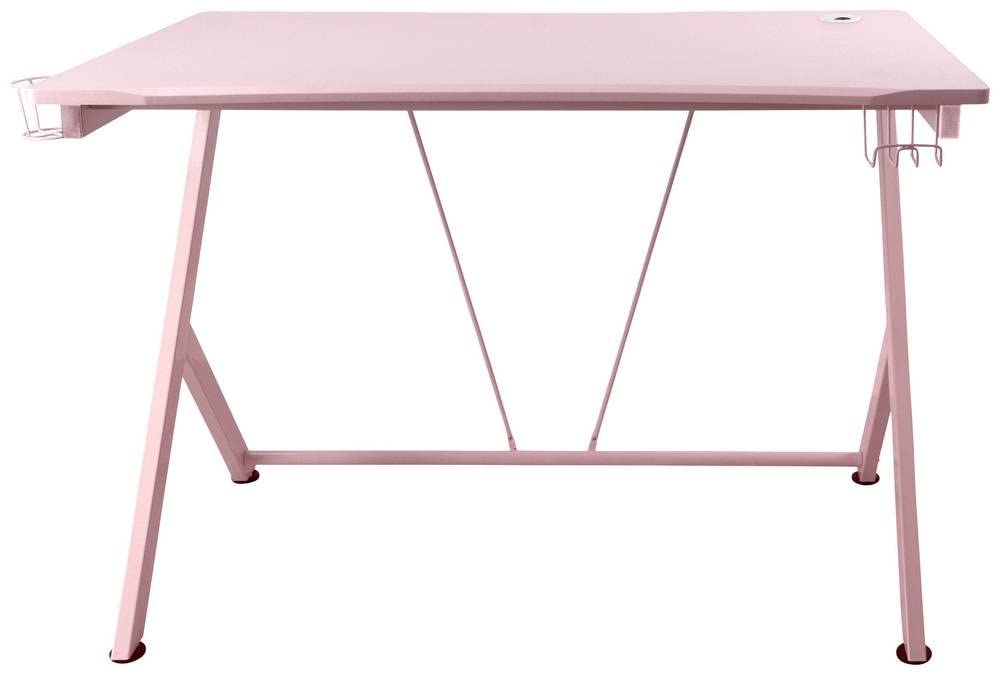
Image: The DELTACO GAMING GAM-055-P PT85 Gaming Desk, showcasing its rectangular form and surface.
Setup
The DELTACO GAMING GAM-055-P PT85 Gaming Desk requires minimal assembly. It is designed for straightforward installation.
- Unpacking: Carefully remove all components from the packaging. Inspect for any damage during transit.
- Placement: Choose a suitable location for your desk. Ensure the surface is level and stable to prevent wobbling. Avoid placing the desk in direct sunlight or near heat sources to prevent material degradation.
- Leveling: If the desk feels uneven, adjust the feet (if applicable) to ensure all four corners are firmly on the ground.
Operating Instructions
The DELTACO GAMING GAM-055-P PT85 Gaming Desk is designed for general use as a workstation or gaming surface. No specific operational steps are required beyond proper placement and use.
- Weight Distribution: Distribute weight evenly across the desk surface. Avoid placing excessively heavy items on one side.
- Cable Management: Utilize any integrated cable management features (if present) to keep your cables tidy and prevent tripping hazards.
Maintenance and Care
Proper care will ensure the longevity and appearance of your DELTACO GAMING GAM-055-P PT85 Gaming Desk.
- Cleaning: To clean the desk surface, simply wipe it with a dry cloth. Avoid using abrasive cleaners, harsh chemicals, or excessive moisture, as these can damage the laminated finish.
- Spills: In case of spills, wipe them immediately with a dry cloth to prevent staining or moisture absorption.
- Protection: Use coasters for drinks and protective pads under hot items to prevent marks or damage to the surface.
Troubleshooting
This section addresses common issues you might encounter with your gaming desk.
- Desk is Wobbly:
- Ensure the desk is placed on a flat, level surface.
- Check if all leg connections are secure.
- Adjust the leveling feet (if equipped) to stabilize the desk.
- Surface Scratches or Marks:
- Minor marks can often be removed with a soft, dry cloth.
- For stubborn marks, a slightly damp cloth with mild soap can be used, followed by immediate drying.
- Prevent scratches by using mouse pads and avoiding dragging sharp objects across the surface.
Specifications
| Feature | Detail |
|---|---|
| Brand | DELTACO GAMING |
| Model Number | GAM-055-P |
| ASIN | B0BTMVPPKK |
| Form | Rectangular |
| Top Material Type | Engineered Wood |
| Finish Type | Laminated |
| Number of Items | 1 |
| Assembly Required | No |
| Care Instructions | Wipe with dry cloth |
Warranty and Support
For information regarding warranty coverage and customer support, please refer to the documentation provided with your purchase or visit the official DELTACO GAMING website. Keep your proof of purchase for warranty claims.
If you encounter any issues not covered in this manual, please contact DELTACO GAMING customer support for assistance.


