
1. Introduction
Thank you for choosing the Xiaomi Mi Vacuum Cleaner G9 Plus. This manual provides essential information for the safe and efficient use, maintenance, and troubleshooting of your new vacuum cleaner. Please read this manual thoroughly before first use and retain it for future reference.

Figure 1: Xiaomi Mi Vacuum Cleaner G9 Plus main unit with extension rod and floor brush.
2. Safety Instructions
To prevent injury and property damage, always follow basic safety precautions when using electrical appliances, including:
- Read all instructions before using the appliance.
- Do not use the vacuum cleaner outdoors or on wet surfaces.
- Do not allow children to operate the vacuum cleaner. Close supervision is necessary when used near children.
- Do not pick up flammable or combustible liquids, such as gasoline, or use in areas where they may be present.
- Do not pick up anything that is burning or smoking, such as cigarettes, matches, or hot ashes.
- Do not use without the dust cup and/or filters in place.
- Turn off the appliance before connecting or disconnecting the battery pack, charging, or performing maintenance.
- Use only manufacturer-recommended attachments.
- Do not handle the charger or appliance with wet hands.
- Store the vacuum cleaner indoors in a dry place.
3. Package Contents
Verify that all components are present and in good condition upon opening the package. If any item is missing or damaged, contact customer support.
- Main Vacuum Unit
- Extension Rod
- High Torque Floor Brush
- Crevice Tool
- Brush Nozzle
- Power Adapter
- Wall-mounted Charging Dock
- User Manual
4. Product Overview
Familiarize yourself with the various parts of your Xiaomi Mi Vacuum Cleaner G9 Plus.

Figure 2: Overview of the vacuum cleaner's main components.
Main Unit Features:
- High-speed Digital Motor: Provides strong suction power.
- Multi-cyclone Separation System: Efficiently separates dust from air to prevent filter clogging.
- Replaceable Battery Design: Allows for extended cleaning time with an optional spare battery.
- Dust Cup: Transparent for easy monitoring of dust levels.
- Power Button: To turn the vacuum on/off.
- Mode Switch: To adjust suction power (Eco, Standard, Max).
Attachments:
- High Torque Floor Brush: Designed for various floor types, including carpets, with anti-tangle features.
- Extension Rod: For reaching high areas or cleaning floors comfortably.
- Crevice Tool: Ideal for narrow gaps and corners.
- Brush Nozzle: Suitable for upholstery, curtains, and delicate surfaces.
5. Setup
5.1 Assembly
- Attach the Extension Rod: Insert the extension rod into the main vacuum unit until it clicks securely.
- Attach the Floor Brush: Connect the high torque floor brush to the other end of the extension rod until it clicks.
- Alternative Attachments: For handheld use, attach the crevice tool or brush nozzle directly to the main unit.
5.2 Charging the Battery
Before first use, fully charge the battery. The battery can be charged while attached to the main unit or separately.
- Connect the power adapter to the charging port on the main unit or the wall-mounted charging dock.
- Plug the power adapter into a power outlet.
- The battery indicator lights will show the charging status. A full charge typically takes approximately 3.5 hours.
Note: For optimal battery life, avoid completely draining the battery before recharging.
6. Operating Instructions
6.1 Powering On/Off
- Press the power button once to turn on the vacuum cleaner.
- Press the power button again to turn off the vacuum cleaner.
6.2 Adjusting Suction Mode
The vacuum cleaner offers multiple suction modes for different cleaning needs:
- Eco Mode: For light cleaning and extended battery life (up to 60 minutes).
- Standard Mode: For daily cleaning tasks.
- Max Mode: For stubborn dirt and deep cleaning, providing maximum suction power.
Press the mode switch button on the main unit to cycle through the available modes.
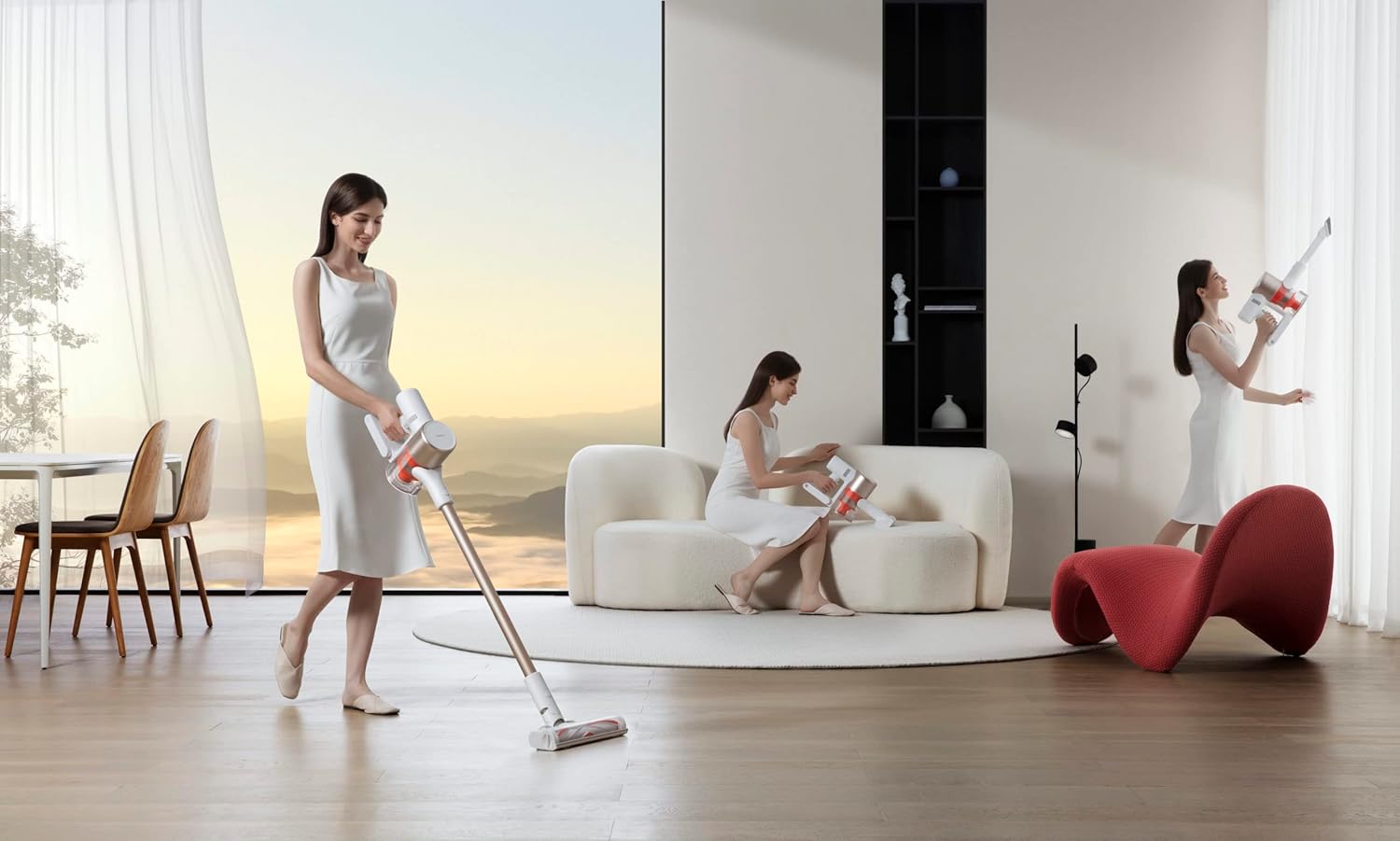
Figure 3: Demonstrating the vacuum cleaner in use for floor cleaning.
6.3 Cleaning Different Surfaces
- Hard Floors and Low-Pile Carpets: Use the high torque floor brush in Standard or Eco mode.
- High-Pile Carpets: Use the high torque floor brush in Max mode for deeper cleaning.
- Upholstery and Delicate Surfaces: Attach the brush nozzle to the main unit or extension rod.
- Corners and Crevices: Use the crevice tool for precise cleaning.

Figure 4: Handheld use of the vacuum cleaner for cleaning upholstery.
7. Maintenance
Regular maintenance ensures optimal performance and extends the lifespan of your vacuum cleaner.
7.1 Emptying the Dust Cup
Empty the dust cup when the MAX fill line is reached or after each use.
- Ensure the vacuum cleaner is turned off.
- Press the dust cup release button to detach it from the main unit.
- Hold the dust cup over a trash bin and press the bottom release latch to open the lid and empty the contents.
- Close the lid and reattach the dust cup to the main unit.

Figure 5: Proper method for emptying the dust cup.
7.2 Cleaning Filters
The filters should be cleaned regularly, typically once a month, or more frequently with heavy use.
- Turn off the vacuum cleaner and detach the dust cup.
- Remove the filter components (HEPA filter, mesh filter) from the dust cup.
- Tap the filters gently to remove loose dust.
- Rinse the filters under cold running water until the water runs clear. Do not use detergent.
- Allow the filters to air dry completely for at least 24 hours before reassembling. Do not use a dryer or direct heat.
- Reinstall the dry filters and reattach the dust cup.
7.3 Cleaning the Floor Brush
Periodically check the floor brush for tangled hair or debris.
- Turn off the vacuum cleaner and detach the floor brush.
- Locate the brush roll release latch or screw on the side of the brush head.
- Remove the brush roll.
- Use scissors or a cleaning tool to cut and remove any tangled hair or fibers.
- Clean any debris from the brush head housing.
- Reinsert the brush roll and secure it.

Figure 6: Detail of the anti-tangle floor brush, showing its V-shape design.
8. Troubleshooting
Refer to this section for common issues and their solutions.
| Problem | Possible Cause | Solution |
|---|---|---|
| Vacuum cleaner does not turn on. | Battery is depleted. | Charge the battery fully. |
| Low suction power. | Dust cup is full. Filters are clogged. Brush roll or hose is blocked. | Empty the dust cup. Clean or replace filters. Remove any blockages from the brush roll or hose. |
| Battery runtime is short. | Battery not fully charged. Using Max mode frequently. Battery degradation. | Ensure battery is fully charged. Use Eco or Standard mode for longer runtime. Consider replacing the battery if it's old. |
| Brush roll not spinning. | Hair or debris tangled in brush. Brush roll is jammed. | Clean the brush roll as described in Section 7.3. Check for any obstructions preventing rotation. |
9. Specifications
| Feature | Detail |
|---|---|
| Brand | XIAOMI |
| Model Number | G9 Plus |
| Color | Red (Note: Product images show a gold/white variant, but specifications list red. User should refer to their specific product color.) |
| Product Dimensions | 10.16 x 10.16 x 12.7 cm |
| Item Weight | 3.5 Kilograms |
| Power / Wattage | 120 watts |
| Voltage | 25.2 Volts |
| Noise Level | 68 dB |
| Runtime | Up to 1 hour (60 minutes) |
| Special Features | Wheels, High-speed digital motor, Multi-cyclone separation, Replaceable battery design, Anti-tangle floor brush |
| Filter Type | Cartridge (HEPA-type) |
| Surface Recommendation | Carpet, Hard Floors |
| Power Source | Battery Powered |
| Is Product Cordless | Yes |
10. Warranty and Support
For warranty information, technical support, or service inquiries, please refer to the warranty card included with your product or visit the official XIAOMI website. Keep your purchase receipt as proof of purchase.
XIAOMI Official Website: www.mi.com


