1. Introduction
This manual provides detailed instructions for the Timberland TDWGP2104704 digital watch. Please read this manual thoroughly before using your watch to ensure proper operation and care. Keep this manual for future reference.
2. Product Overview
The Timberland TDWGP2104704 is a men's digital watch featuring a round case and a durable black strap. It is designed for everyday use and offers essential timekeeping functions.
2.1 Components
- Digital Display: Shows time, date, and other functions.
- Control Buttons: Used for setting and navigating watch functions.
- Watch Case: Round, made of stainless steel.
- Watch Strap: Black, flexible material with a buckle closure.
- Case Back: Engraved with model information and water resistance rating.
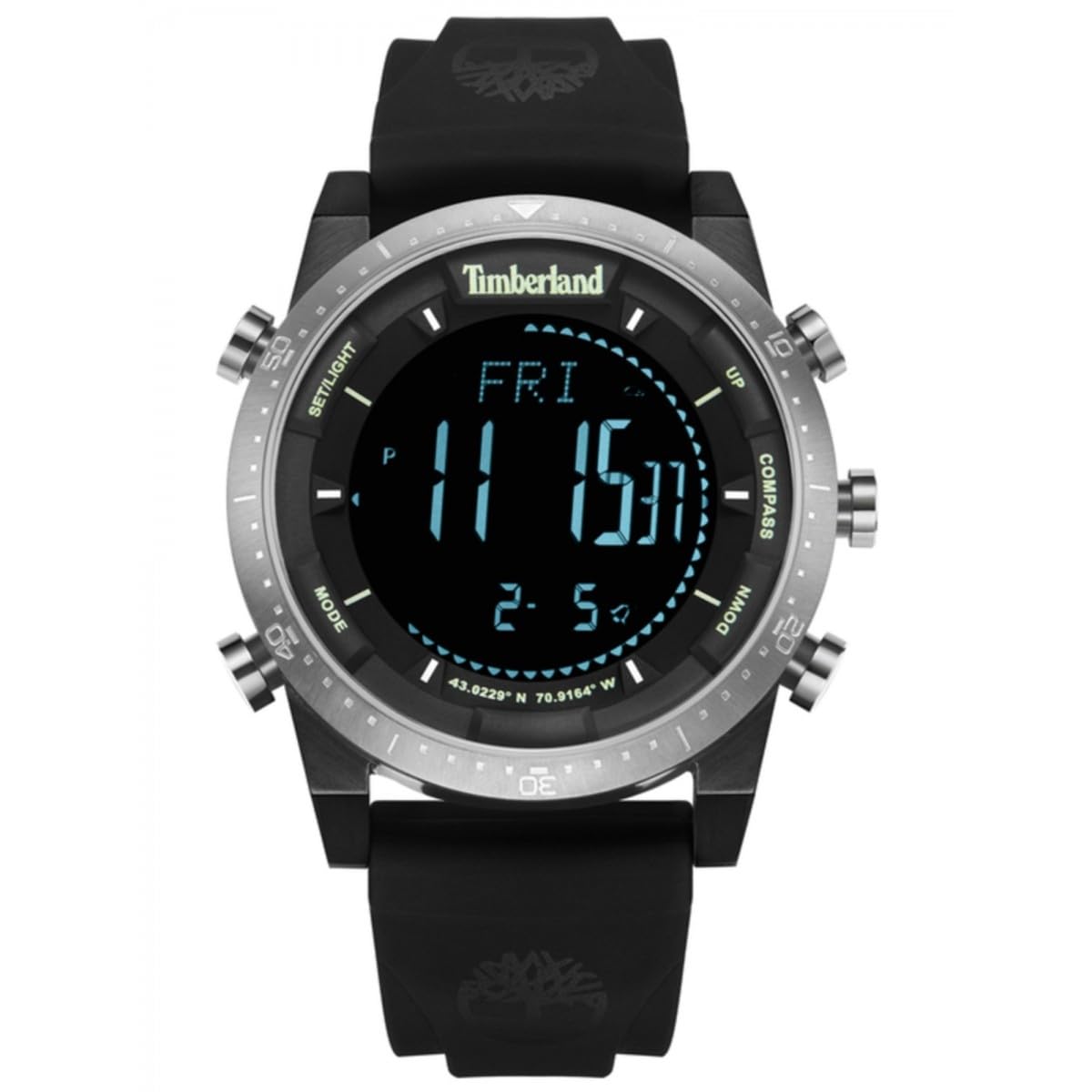
Image: Rear view of the Timberland TDWGP2104704 digital watch. The stainless steel case back is visible, engraved with '5 ATM WATER RESISTANT', 'ALL STAINLESS STEEL', 'Timberland', and the model identifier 'GP21047'. Three control buttons are visible on the side of the case. The black strap and its buckle are also shown.
3. Setup
3.1 Initial Power On / Display Activation
If the watch display is not active, press any button to activate it. The watch may be in a power-saving mode to conserve battery life.
3.2 Setting the Time and Date
- Press and hold the Mode button (typically located on the left side) until the time display begins to flash, indicating setting mode.
- Use the Adjust or Set button (typically on the right side) to change the flashing hour value.
- Press the Mode button again to move to the minute setting, then use the Adjust button to set the minutes.
- Continue this process for setting the year, month, and day, pressing the Mode button to cycle through each setting.
- Once all settings are complete, press the Mode button one last time or wait for the display to stop flashing to save the settings and exit setting mode.
Note: Specific button functions and labels may vary. Refer to the watch's physical buttons for exact labels or intuitive operation.
4. Operating the Watch
4.1 Basic Time Display
The watch primarily displays the current time (hours, minutes, seconds) in a clear digital format.
4.2 Switching Display Modes
Press the Mode button briefly to cycle through different display modes. These may include:
- Date display (Month, Day, Year)
- Alarm function
- Stopwatch function
- Timer function
Consult the watch's interface to identify all available modes and their specific indicators.
4.3 Using the Alarm
- Navigate to the alarm mode using the Mode button.
- Press and hold the Set button to enter alarm setting mode.
- Adjust the alarm time using the Adjust button.
- Activate or deactivate the alarm using a designated button (e.g., Start/Stop or a specific alarm ON/OFF button).
4.4 Using the Stopwatch
- Navigate to the stopwatch mode using the Mode button.
- Press the Start button to begin timing.
- Press the Stop button to pause or end timing.
- Press the Reset button to clear the stopwatch to zero.
5. Maintenance and Care
5.1 Cleaning
Wipe the watch case and strap with a soft, slightly damp cloth. Avoid using harsh chemicals, solvents, or abrasive materials, as these can damage the watch's finish and seals.
5.2 Water Resistance
This watch is rated 5 ATM (50 meters) water resistant. This means it is suitable for everyday use and can withstand splashes, rain, and brief immersion in water (e.g., washing hands). It is not recommended for swimming, diving, or prolonged water activities. Do not operate any buttons while the watch is submerged in water.
5.3 Battery Replacement
When the display dims, becomes erratic, or stops functioning, the battery may need replacement. Battery replacement should be performed by a qualified watch technician to ensure proper sealing and maintenance of water resistance.
6. Troubleshooting
6.1 Watch Display is Blank
- Press any button to check if the watch is in power-saving mode.
- The battery may be depleted. Consider professional battery replacement.
6.2 Incorrect Time Display
- Re-set the time and date following the instructions in Section 3.2.
- Ensure the watch is not exposed to strong magnetic fields, which can affect accuracy.
6.3 Buttons Not Responding
- Ensure the watch is not wet or submerged, especially if buttons were pressed underwater.
- If the issue persists after drying, contact customer support.
7. Specifications
| Feature | Detail |
|---|---|
| Brand | Timberland |
| Model Number | TDWGP2104704 |
| Type | Digital Watch |
| Gender | Men's |
| Case Shape | Round |
| Case Material | Stainless Steel |
| Strap Color | Black |
| Water Resistance | 5 ATM (50 meters) |
| Item Weight | 152 grams |
| Package Dimensions | 3.6 x 3.5 x 1.5 cm |
| Manufacturer | TIMBERLAND |
8. Warranty and Support
For warranty information and customer support, please refer to the official Timberland website or contact your authorized retailer. Keep your purchase receipt as proof of purchase for any warranty claims.
For further assistance, visit: www.timberland.com


