
1. Introduction
This manual provides detailed instructions for the installation, setup, operation, and maintenance of your Gelgey Z01B Keyless Entry Smart Door Lock. Please read this manual thoroughly before installation and use to ensure proper function and safety. Keep this manual for future reference.
2. Product Overview
The Gelgey Z01B Smart Door Lock offers multiple access methods for enhanced security and convenience. It features a touchscreen keypad, fingerprint recognition, IC card access, and traditional physical keys.
2.1. Package Contents
- Exterior Lock (1)
- Interior Lock (1)
- Deadbolt (1)
- Mounting Plate (1)
- Strike Plate (1)
- IC Cards (2)
- Physical Keys (3)
- Mounting Plate Screws (2)
- Deadbolt/Strike Plate Screws (2)
- Interior Lock Screws (3)
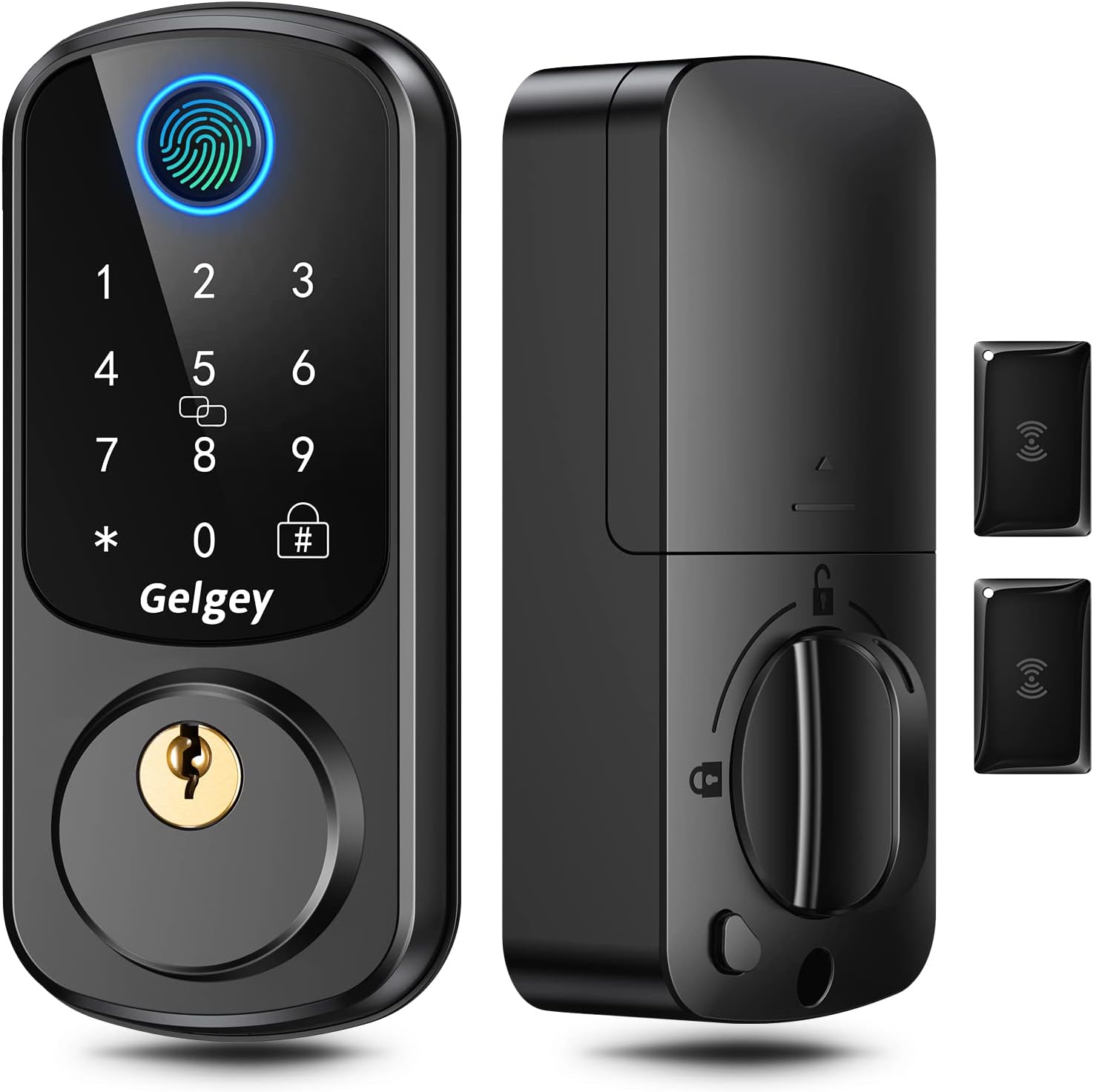
Image: Gelgey Z01B Smart Door Lock with its main components.
3. Installation Guide
Follow these steps carefully to install your Gelgey Z01B Smart Door Lock. Ensure you have all components listed in Section 2.1 before beginning.
3.1. Prepare the Door
Verify your door dimensions match the lock's requirements:
- Door thickness: 1.49-1.88 inches (38-48mm)
- Cross-bore diameter: 2-1/8 inches (54mm)
- Backset: 2-3/8 inches (60mm) or 2-3/4 inches (70mm)

Image: Door measurement specifications for installation.
3.2. Adjust the Deadbolt
Adjust the deadbolt length to match your door's backset (2-3/8" or 2-3/4").
3.3. Install the Deadbolt
Insert the deadbolt into the door edge. Ensure the 'UP' marking on the deadbolt is facing upwards and the cross-shaped hole in the latch is centered in the door hole. Secure it with the deadbolt screws.
3.4. Install the Exterior Lock
Ensure the spindle on the exterior lock is in a vertical position. Carefully route the IC cable through the door hole and align the exterior lock with the deadbolt. Do not insert the physical key during this step.
3.5. Fix the Mounting Plate
Route the IC cable through the cable hole in the mounting plate. Attach the mounting plate to the door, securing it with the mounting plate screws. Ensure the 'Top' marking on the plate is facing upwards.
3.6. Install the Interior Lock
Rotate the door knob on the interior lock to a vertical position. Connect the IC cable tightly to the interior lock. Insert the spindle into the interior lock mechanism. Align the interior lock with the mounting plate and secure it with the interior lock screws.
3.7. Install Batteries
Open the battery cover on the interior lock. Insert 4 AA batteries (not included), ensuring correct polarity. Close the battery cover. Important: Install batteries with the lock in an unlocked status and keep the door open to avoid being locked out.
3.8. Installation Video
Video: Official Gelgey installation guide for the keyless entry door lock.
4. Initial Setup and Programming
After installation, perform the initial setup to configure your lock.
4.1. Set Left/Right Hand Door
This step calibrates the lock for your door's orientation:
- Stand outside your door, facing the keypad. Locate the door hinge.
- If your door hinge is on the left side, input:
*46#→ Default Administrator Passcode (123456) →#→1#(L) - If your door hinge is on the right side, input:
*46#→ Default Administrator Passcode (123456) →#→2#(R)
Note: The default administrator passcode is 123456. It is recommended to change this after initial setup.

Image: Setting door orientation.
4.2. Adding Users (Fingerprints, Passcodes, IC Cards)
Refer to the detailed programming instructions in the full manual for adding and managing user fingerprints (up to 100), passcodes (up to 250), and IC cards (up to 1000).

Image: Multiple access methods supported.
5. Operating Instructions
The Gelgey Z01B Smart Door Lock provides various ways to unlock and lock your door.
5.1. Unlocking Methods
- Fingerprint: Place your registered fingerprint on the sensor.
- Passcode: Enter your registered passcode on the touchscreen keypad.
- IC Card: Present a registered IC card to the card reader area.
- Physical Key: Use the provided physical key as a backup.

Image: Four easy ways to unlock.
5.2. Locking Methods
- Auto-Locking: The lock can be customized to automatically lock after a set time (from 5 seconds to 900 seconds).
- One-touch Locking: Hold the '#' symbol on the keypad for 2 seconds to manually lock the door.
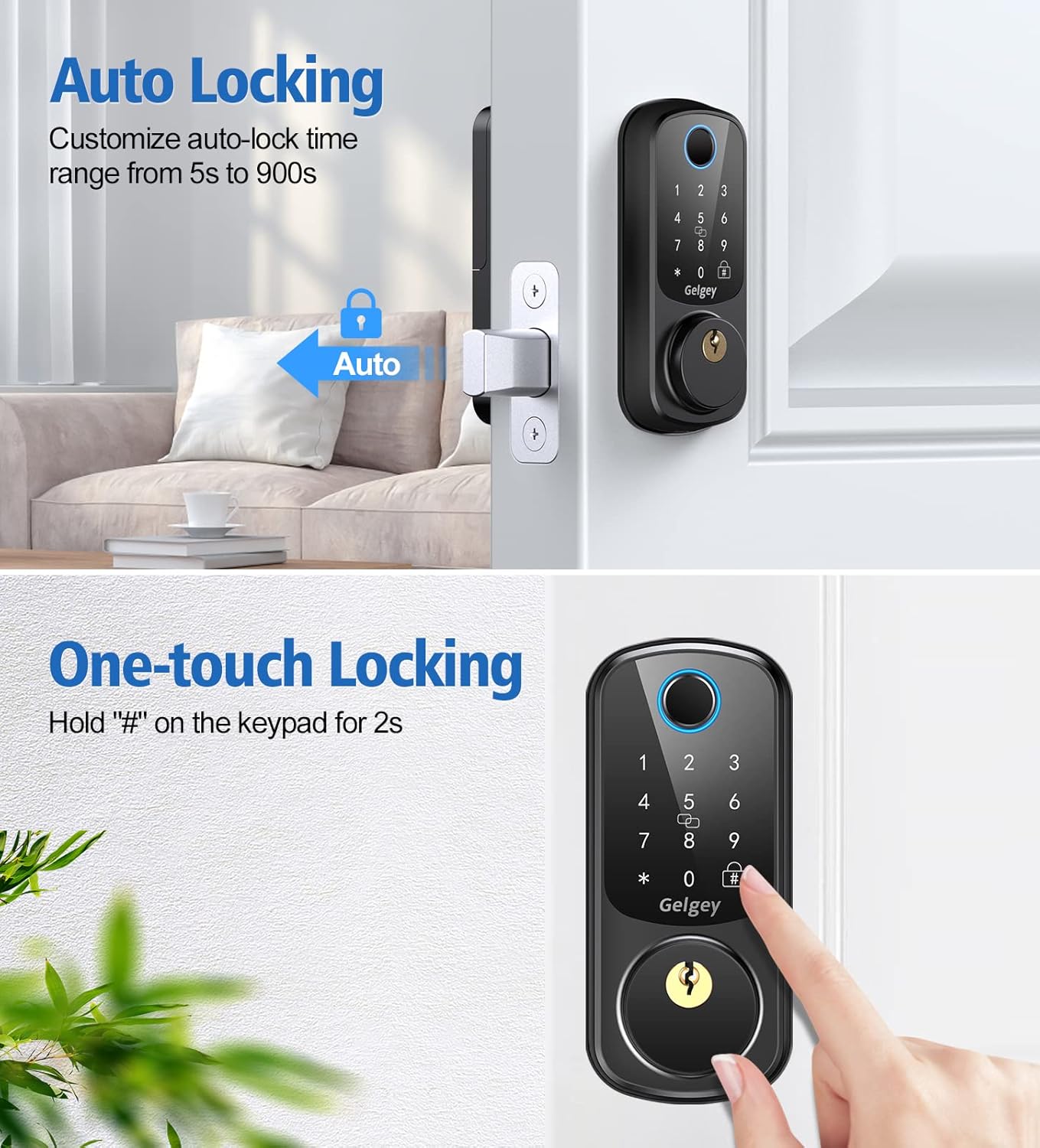
Image: Auto-locking and one-touch locking features.
5.3. Voice Menu
The lock features an intelligent voice menu that provides simple and clear voice reminders to guide you through operations.

Image: Intelligent Voice Menu in operation.
6. Maintenance
Regular maintenance ensures the longevity and optimal performance of your smart door lock.
- Cleaning: Wipe the keypad and fingerprint sensor with a soft, dry cloth. Avoid abrasive cleaners or solvents.
- Battery Replacement: Replace all 4 AA batteries when the low battery alert is triggered.

Image: Low battery warning and Type-C backup charging.
7. Troubleshooting
Address common issues with your Gelgey Z01B Smart Door Lock.
- Low Battery Alert: The keypad will blink for 1 second when the battery falls below 4.8V. Replace the 4 AA batteries immediately. Use the Type-C port for emergency power if batteries are completely drained.
- Password Error Protection: If an incorrect unlock attempt is made 5 times, the system will temporarily lock the keypad. The lock will be released after 2 minutes.
- Fingerprint Recognition Issues: Ensure your finger is clean and dry. Re-register your fingerprint if issues persist.

Image: Password Error Protection feature.
8. Specifications
| Brand | Gelgey |
| Model Number | Z01B |
| Lock Type | Digital Lock |
| Special Features | Fingerprint unlock, Voice menu, Auto lock, Electronic deadbolt |
| Material | Metal |
| Color | Black |
| Item Dimensions (L x W x H) | 2.55 x 1.88 x 5.59 inches |
| Item Weight | 1 Pounds |
| Connectivity Protocol | Wi-Fi |
| Control Method | Touch |
| Included Components | Keys/Key Fob, Mounting Hardware |
9. Warranty and Support
For warranty information, technical support, or any inquiries regarding your Gelgey Z01B Smart Door Lock, please contact Gelgey customer service through the official channels provided at the point of purchase or on the manufacturer's website. Please have your product model number and purchase details ready when contacting support.