
Introduction
Thank you for choosing the Tonnlog 64GB Digital Voice Recorder. This manual provides detailed instructions to help you understand and operate your device effectively. Please read this manual thoroughly before use and keep it for future reference.

The Tonnlog 64GB Digital Voice Recorder, a compact and versatile audio recording device.
Package Contents
Please check the package contents upon unboxing:
- 1 x Tonnlog 64GB Digital Voice Recorder
- 1 x USB C Cable
- 1 x Lanyard
- 1 x User Manual

Image showing the voice recorder, USB-C cable, and user manual included in the package.
Product Overview
Physical Features
The Tonnlog V62-64GB features a lightweight and durable zinc alloy casing. Its compact design makes it easy to carry.
- Dimensions: 9.4 x 2.3 x 1 cm (3.7 x 0.94 x 0.43 inches)
- Weight: 49g (1.72 oz)
- Material: Zinc Alloy

Detailed view of the device with its dimensions and weight.
Button Layout and Functions
Familiarize yourself with the device's buttons and ports:

Diagram illustrating the various buttons and their corresponding functions on the voice recorder.
- Vol+ / Vol- : Adjust volume.
- REC/SAVE Switch: Push up to start recording, push down to save.
- PREV / NEXT Buttons: Navigate through menus or tracks.
- POWER/PLAY Button: Long press to power on/off, short press to play/pause.
- BACK/DEL Button: Short press to return to the previous menu, long press to delete.
- MENU Button: Access the main menu.
- Type C Port: For charging and data transfer.
- Reset Pin Hole: For resetting the device.
Setup
Initial Charging
Before first use, fully charge the device. Connect the voice recorder to a computer or a USB power adapter using the provided USB C cable. The battery indicator on the screen will show charging status.
Powering On/Off
- To Power On: Long press the POWER/PLAY button.
- To Power Off: Long press the POWER/PLAY button until the screen turns off.
Setting Date and Time
To ensure accurate timestamping of your recordings, set the correct date and time:
- Power on the device.
- Press the MENU button to access the main menu.
- Navigate to 'Settings' and then 'Date & Time'.
- Adjust the year, month, day, hour, and minute using the PREV/NEXT buttons and confirm with POWER/PLAY.

Recordings are automatically named with a timestamp for easy organization.
Setting a Password
To protect your recordings, you can set a password:
- Power on the device.
- Press the MENU button to access the main menu.
- Navigate to 'Password' and select 'Set Password'.
- Enter your desired 4-digit password using the PREV/NEXT buttons to change digits and POWER/PLAY to confirm each digit.
- Confirm the password.

The device offers password protection for secure access to your recordings.
Operating Instructions
Recording
- One-Button Recording: To start recording, simply push the REC/SAVE switch upwards. The device will begin recording immediately.
- Saving a Recording: To stop and save the current recording, push the REC/SAVE switch downwards.
- Timed Recording: You can schedule recordings to start at a specific time. Access this feature through the main menu under 'Timed Recording'.

The device supports quick one-button recording for convenience.

The timed recording function allows for scheduled audio capture.
Recording Quality
The device supports various recording bitrates. The default setting is 512kbps. You can adjust this in the settings menu. The device supports playback of recordings from 32kbps to 1536kbps. Recordings at 3072kbps can be made but require playback on a computer.

Illustration of different recording bitrates supported by the device.
Playback
- Playing Recordings: From the main menu, navigate to 'Recordings' and select the file you wish to play. Press the POWER/PLAY button to start playback.
- A-B Repeat: This function allows you to repeat a specific segment of an audio file. During playback, press the MENU button and select 'A-B Repeat' to set the start (A) and end (B) points.
- Variable Speed Playback: Adjust the playback speed of your recordings through the menu options.
- Headphone Use: For optimal sound quality, connect headphones to the 3.5mm jack. Playback through headphones or a computer generally provides better sound quality than through the built-in speaker.

The A-B Repeat function is useful for reviewing specific sections of recordings.
File Management
- Automatic Save: The device automatically saves recordings before the battery depletes to prevent data loss.
- Connecting to PC: Connect the recorder to your computer using the USB C cable to transfer, view, delete, or rename recording files. The device will appear as a removable disk.
- LINE IN Function: The device supports LINE IN recording, allowing you to record audio directly from external sources.
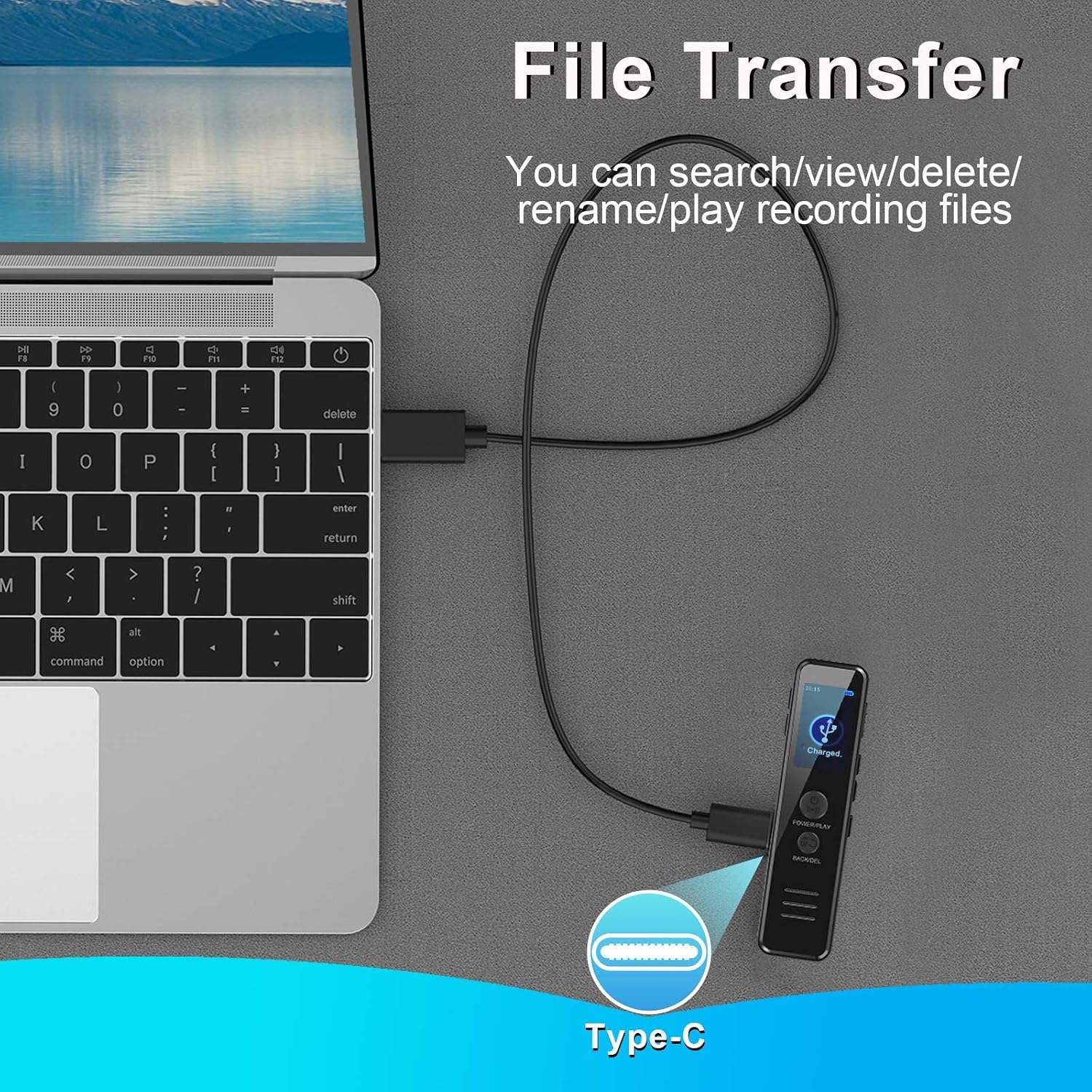
The voice recorder connected to a laptop via USB-C for file management.
Maintenance
- Cleaning: Use a soft, dry cloth to clean the device. Avoid using liquid cleaners or solvents.
- Storage: Store the device in a cool, dry place away from direct sunlight and extreme temperatures.
- Battery Care: Charge the battery regularly, even if the device is not in use, to maintain battery health.
Troubleshooting / FAQ
- Q1: Does the device have a voice activation function?
- A1: No, the device does not have a voice activation function.
- Q2: Can the voice recorder play 3072kbps recordings?
- A2: The device supports playback of recordings from 32kbps to 1536kbps. For 3072kbps recordings, please play them on your computer.
- Q3: Why can't I format the recorder on my computer?
- A3: The voice recorder's memory format is FAT32. Formatting it on a computer may change its format, leading to malfunction or data loss. To format, enter the recorder's menu and select the format option. If a 'disk error' occurs due to interruption during formatting or data transfer, try the 'Reset' button and then format again.
- Q4: The recorder is not working.
- A4: If the device is connected to a computer, it will not accept commands (this is normal). If you formatted the device on a computer and changed the memory format, refer to Q3. Otherwise, try the 'Reset' button.
- Q5: Why does the device show only about 59GB of memory on my computer?
- A5: Memory manufacturers calculate 1GB as 1000MB, while computers recognize 1GB as 1024MB. This difference accounts for the discrepancy.
- Q6: What if the connection to the computer fails?
- A6:
- Turn off the voice recorder before connecting it to the computer, and place it carefully without pressing any buttons.
- Try resetting the device.
- Replace the data cable or try a different computer or USB port.
- For MAC users: Try a different USB-C adapter or another computer/port.
- Your computer might lack a necessary driver; search online to install it.
- Q7: How to get clearer recordings?
- A7: Place the recorder stably and avoid rubbing it against other objects (hands, clothes, etc.). Keep it away from noise sources (e.g., air conditioning, typing, scratches, or subtle noises from operating computers). Record in a quiet environment for best results.
Specifications
| Feature | Specification |
|---|---|
| Brand | Tonnlog |
| Model Number | V62-64GB |
| Memory Storage Capacity | 64 GB |
| Recording Format | WAV |
| Microphone Form Factor | Built-in |
| Hardware Interface | USB Type C |
| Compatible Devices | Personal Computer |
| Headphone Jack | 3.5 Millimeter |
| Battery Life | 15 hours (continuous recording at 512kbps) |
| Battery Type | 1 Lithium-ion (included) |
| Item Weight | 49 Grams |
Warranty and Support
The Tonnlog 64GB Digital Voice Recorder comes with a 1-year warranty. For any product-related inquiries, technical assistance, or warranty claims, please contact Tonnlog customer support. We offer lifetime online/email support to ensure your satisfaction.
Please refer to the contact information provided on the official Tonnlog website or your purchase platform for support details.