
Introduction
This manual provides instructions for the EGO Power+ 3127201001 Battery Release Button, a genuine replacement part designed for various EGO Power+ outdoor power equipment. This component is crucial for securely holding and easily releasing the battery from your tool.
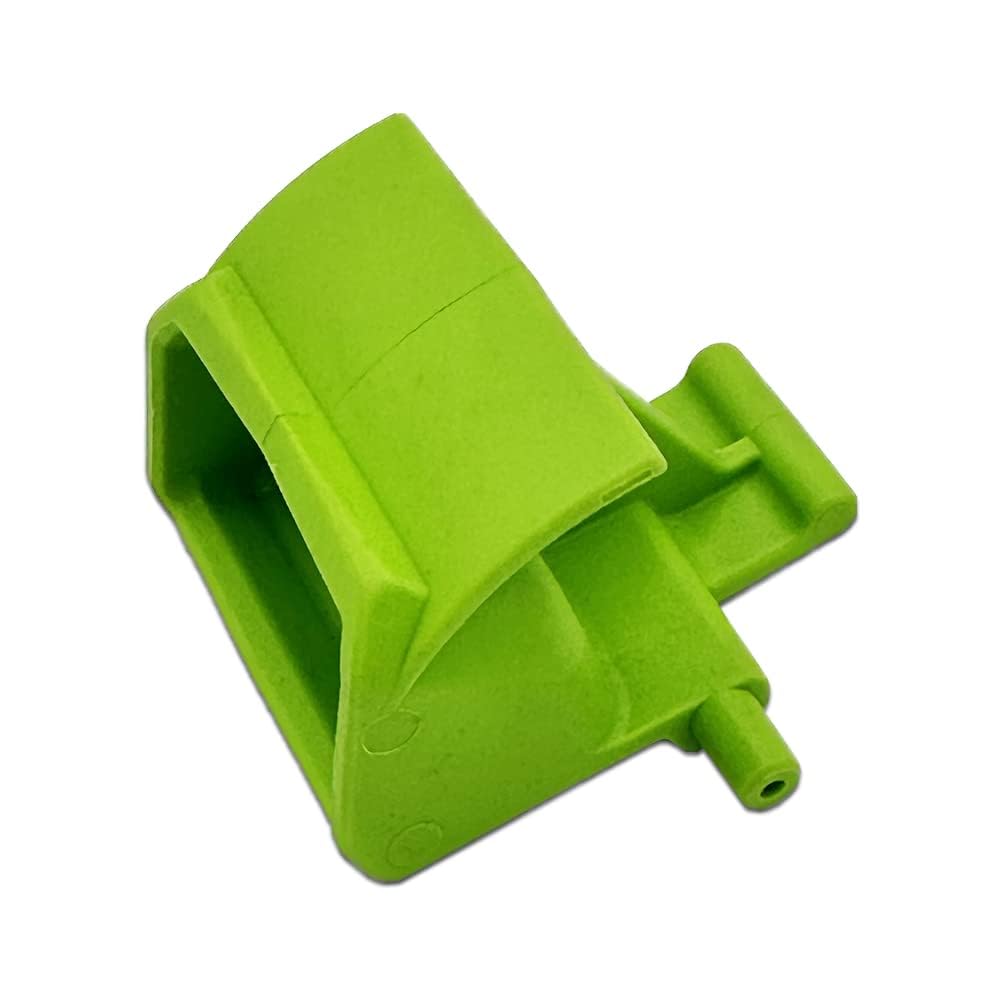
Image: The EGO Power+ 3127201001 Battery Release Button. This image shows the small, black plastic button designed for battery retention and release in compatible EGO Power+ tools.
Ensure you have the correct part number (3127201001) for your specific EGO Power+ tool model before proceeding with installation or use.
Installation
The battery release button is a user-replaceable part. Follow these general steps for installation. Specific procedures may vary slightly depending on your EGO Power+ tool model. Always refer to your tool's original instruction manual for detailed disassembly and reassembly steps.
- Safety First: Ensure the tool is turned off and the battery is removed before attempting any installation or repair. Wear appropriate safety gear, such as gloves and eye protection.
- Access the Button Area: Depending on your tool, you may need to remove covers or housing components to access the existing battery release button.
- Remove Old Button: Carefully detach the old or damaged battery release button. This may involve releasing clips, unscrewing fasteners, or gently prying it out. Note its orientation for correct installation of the new part.
- Install New Button: Position the new EGO Power+ 3127201001 Battery Release Button into its designated slot. Ensure it seats correctly and any clips or fasteners engage properly.
- Reassemble Tool: Reattach any covers or housing components that were removed.
- Test Functionality: Insert a compatible EGO Power+ battery and ensure it locks securely into place. Press the new release button to verify that the battery releases smoothly and without excessive force.
Important Note: If you are unsure about any step, consult a qualified service technician or contact EGO Power+ customer support.
Operating the Battery Release Button
The EGO Power+ 3127201001 Battery Release Button is designed for straightforward operation:
- To Insert Battery: Align the battery with the tool's battery port and slide it in until you hear a click, indicating it is securely latched by the release mechanism.
- To Release Battery: Firmly press the battery release button. While holding the button, slide the battery out of the tool. Do not force the battery if it does not release easily; ensure the button is fully depressed.
Maintenance
Proper maintenance ensures the longevity and reliable function of your battery release button:
- Keep Clean: Periodically inspect the button and surrounding area for dirt, dust, or debris. Clean with a dry cloth or a soft brush. Avoid using harsh chemicals or solvents.
- Inspect for Damage: Regularly check the button for any signs of wear, cracks, or damage. A damaged button may not securely hold the battery or could fail to release it properly.
- Avoid Excessive Force: Do not apply excessive force when inserting or removing batteries. If a battery is difficult to insert or remove, inspect both the battery and the tool's port for obstructions or damage.
Troubleshooting
If you encounter issues with your EGO Power+ 3127201001 Battery Release Button, consider the following:
- Battery Not Releasing:
- Ensure the button is fully depressed.
- Check for any obstructions around the battery or in the battery port.
- Inspect the button for physical damage or if it feels stuck.
- Battery Not Locking Securely:
- Verify the battery is fully inserted until a click is heard.
- Inspect the button and the battery's locking tabs for damage or wear.
- Ensure no debris is preventing the battery from seating correctly.
If troubleshooting steps do not resolve the issue, contact EGO Power+ customer support for further assistance.
Compatibility
The EGO Power+ 3127201001 Battery Release Button is compatible with the following EGO Power+ models:
- Lawn Mowers: LM2130, LM2130SP, LM2150SP (21" Walk Behind Lawnmowers)
- Power Head: PH1400
- Hedge Trimmers: HT2400 (24"), HT2500 (25")
- String Trimmers: ST1200 (12"), ST1500, ST1500-S, ST1500F, ST1500XY, ST1530 (Version B), ST1500SF (15" String Trimmers)
- Edger: ED0800 (8")
- Leaf Blowers: LB5750, LB5300, LB4800
IMPORTANT NOTE: Please verify that this part fits your specific model before purchasing. If you are unsure, contact the seller or EGO Power+ customer support for assistance.
Specifications
| Part Number | 3127201001 |
| Manufacturer | EGO Power+ |
| Product Dimensions | 2 x 1.75 x 1.5 inches |
| Item Weight | 0.6 ounces |
| ASIN | B0BTKG7Q85 |
Warranty Information
As a genuine EGO Power+ replacement part, this battery release button is covered under the standard EGO Power+ warranty policy for replacement parts. For specific details regarding warranty coverage, duration, and claims, please refer to the official EGO Power+ website or the warranty documentation provided with your original EGO Power+ tool.
Retain your proof of purchase for any warranty claims.
Support
For technical assistance, troubleshooting beyond this manual, or to inquire about other EGO Power+ parts and accessories, please contact EGO Power+ customer support:
- EGO Power+ Official Website: egopowerplus.com
- Refer to your original tool's manual for specific contact information or service center locations.