
1. Introduction
This manual provides essential information for the installation, operation, and maintenance of your GIGABYTE GP-UD850GM PG5 Rev2.0 850W 80 Plus Gold Certified Fully Modular Power Supply.
The GP-UD850GM PG5 Rev2.0 is designed to deliver stable and efficient power to your system, featuring high-quality Japanese capacitors and a +12V Single Rail for exceptional power output. It is compliant with PCI Gen 5 and ATX 3.0 standards.

Image description: The GIGABYTE GP-UD850GM PG5 Rev2.0 850W power supply unit, showcasing its compact design and fan grill.
2. Package Contents
Verify that all items are present in the package before proceeding with installation:
- GIGABYTE GP-UD850GM PG5 Rev2.0 Power Supply
- Modular Cables (various types for motherboard, CPU, PCIe, SATA, Peripheral)
- AC Power Cord
- Mounting Screws
- User Guide

Image description: An angled view of the GIGABYTE GP-UD850GM PG5 Rev2.0 power supply unit, displaying its modular cable connectors and overall design.
3. Product Features
- 850W Capacity with Single +12V Rail
- Supports PCIe Gen 5.0 graphics cards (12+4 Pin)
- Intel ATX 3.0 Certified
- 80 Plus Gold Certified for high efficiency
- ATX Form Factor
- Fully Modular Design for improved cable management
- Japanese Capacitors for enhanced reliability
- 120mm Hydraulic Bearing Fan for quiet and efficient cooling

Image description: A close-up view of the GIGABYTE GP-UD850GM PG5 Rev2.0 power supply's modular connector panel, showing labeled ports for various components.
4. Setup and Installation
Safety Precautions
- Ensure the power supply is disconnected from the AC power outlet before installation.
- Do not open the power supply unit. High voltages are present inside.
- Use only the original cables provided with this power supply.
Physical Installation
- Mount the power supply into your computer case using the provided screws.
- Connect the necessary modular cables to the power supply unit. Refer to the labels on the power supply for correct connections (M/B, CPU/PCI-E, Peripheral/IDE/SATA/Molex, 12VHPWR).
- Connect the other ends of the modular cables to your motherboard, CPU, graphics card, storage drives, and other peripherals.
- Connect the AC power cord to the power supply and then to a wall outlet.
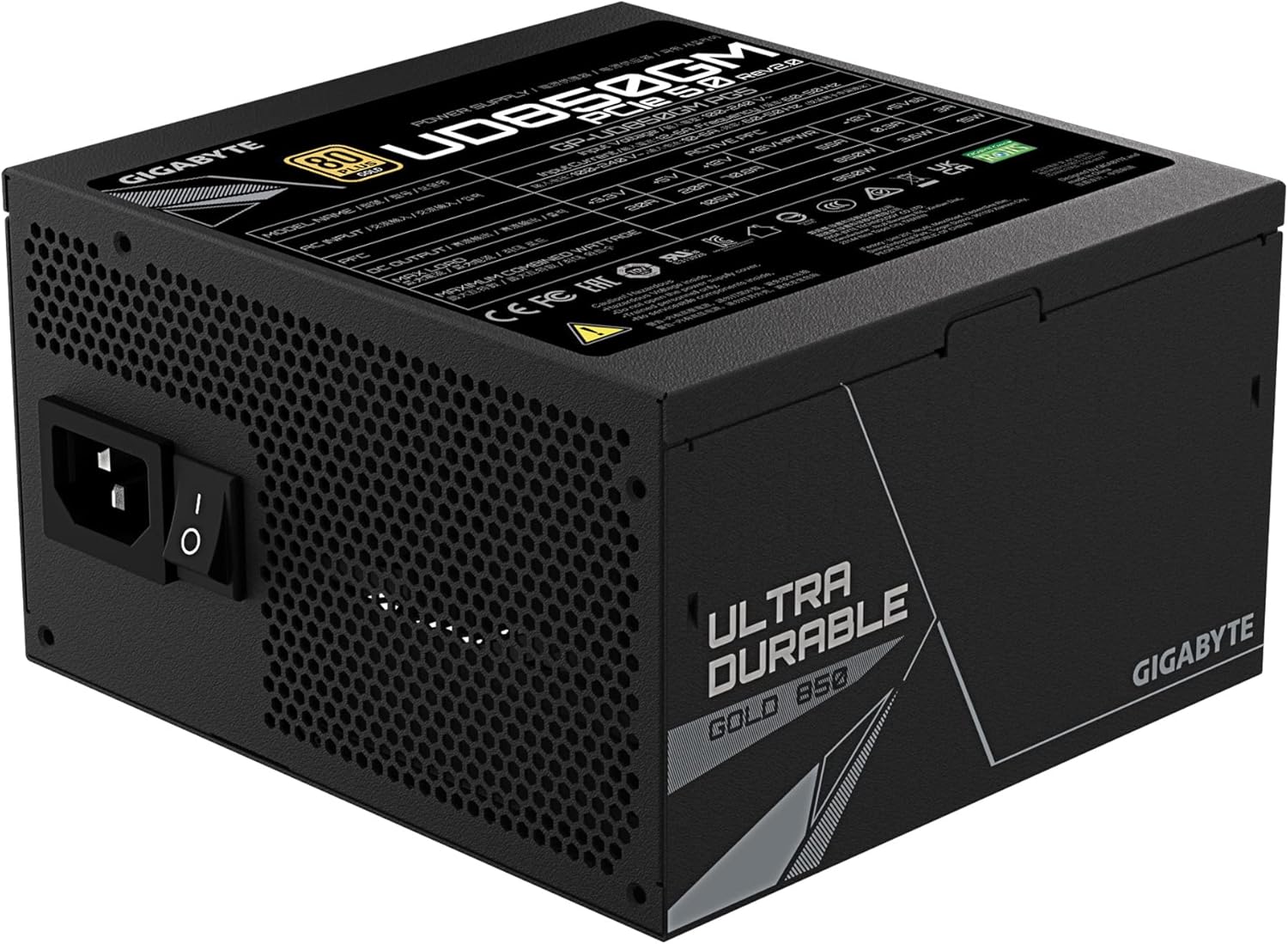
Image description: Rear view of the GIGABYTE GP-UD850GM PG5 Rev2.0 power supply, showing the AC power input and the power on/off switch.
5. Operating Instructions
Once installed, ensure all connections are secure. Flip the power switch on the back of the power supply to the 'ON' position.
Fan Operation
The 120mm hydraulic bearing fan is designed for quiet operation. It will automatically turn off when the system load is low, providing silent performance. The fan will activate as needed to maintain optimal operating temperatures under higher loads.

Image description: Top-down view of the GIGABYTE GP-UD850GM PG5 Rev2.0 power supply, highlighting the 120mm cooling fan with the GIGABYTE logo.
6. Maintenance
To ensure optimal performance and longevity of your power supply:
- Keep the power supply's fan intake and exhaust vents clear of dust and obstructions.
- Periodically clean the exterior of the power supply with a soft, dry cloth. Do not use liquid cleaners.
- Ensure proper airflow within your computer case to prevent overheating.
- Do not attempt to disassemble the power supply unit.
7. Troubleshooting
If you encounter issues with your power supply, consider the following:
- No Power: Check all cable connections, especially the AC power cord and the main motherboard power connector. Ensure the power switch on the PSU is in the 'ON' position.
- System Instability/Crashes: Verify that your power supply wattage is sufficient for all components. Ensure all power connectors are securely seated.
- Fan Not Spinning: The fan is designed to turn off under low load for silent operation. This is normal behavior. If the fan does not spin under load and the system is overheating, contact support.
For further assistance, refer to the official GIGABYTE support resources.
8. Specifications
| Feature | Value |
|---|---|
| Brand | GIGABYTE |
| Series | GP-UD850GM PG5 REV2.0 24242220 |
| Model Number | GP-UD850GM PG5(Ver2.0) |
| Item Weight | 4.4 pounds (2 Kilograms) |
| Product Dimensions (LxWxH) | 5.9 x 5.51 x 3.38 inches |
| Color | Black (80+ Gold PCIE 5.0) |
| Manufacturer | GIGABYTE |
| Date First Available | February 1, 2023 |
| Compatible Devices | High-end Gaming PC, Workstation |
| Connector Type | ATX |
| Output Wattage | 850.0 W |
| Form Factor | ATX |
| Wattage | 850 watts |
| Cooling Method | Air (120mm Hydraulic Bearing Fan) |
| Efficiency | 80 Plus Gold Certified |
| ATX Standard | ATX 3.0 |
| PCIe Standard | PCIe 5.0 Ready |

Image description: A label on the GIGABYTE GP-UD850GM PG5 Rev2.0 power supply detailing its electrical specifications, model number, and certifications.
9. Warranty and Support
GIGABYTE products are designed for durability and performance. For warranty information and technical support, please visit the official GIGABYTE website or contact their customer service.
Product registration may extend your warranty. Refer to the GIGABYTE website for details.


