
KEMEI KM-8512
KEMEI KM-8512 3D Cordless Rotary Shaver User Manual
Model: KM-8512
Product Overview
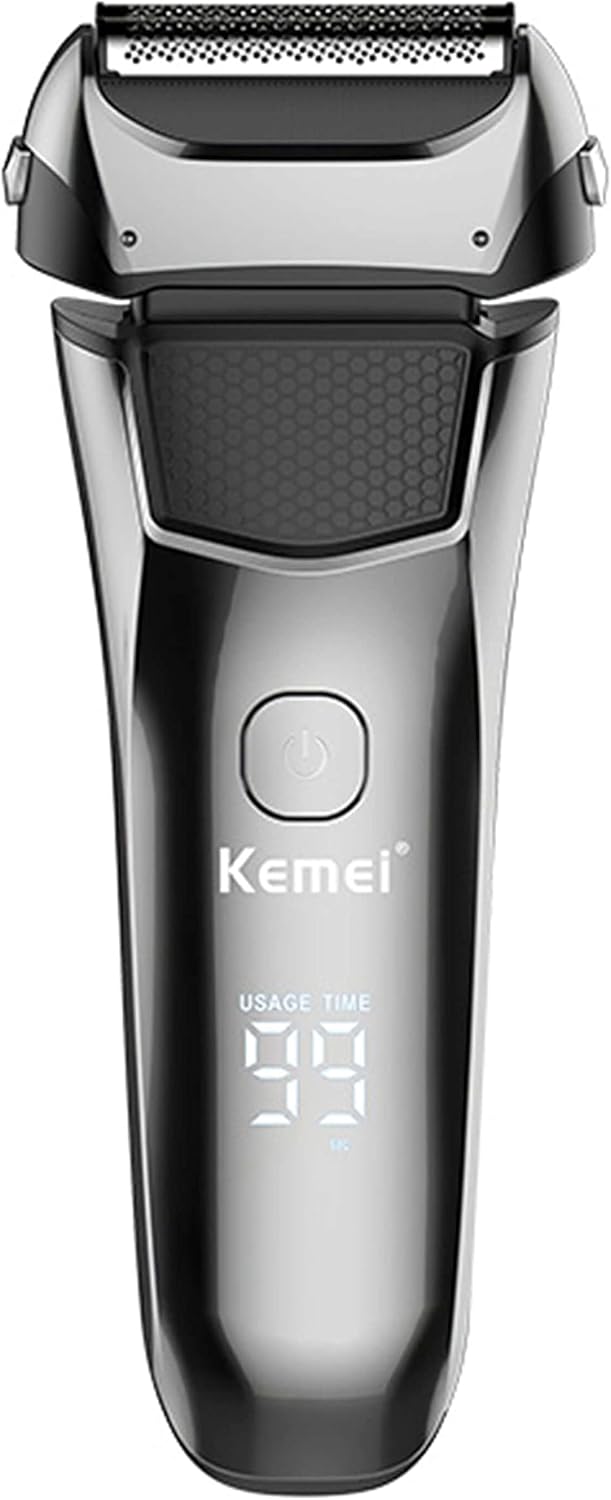
The KEMEI KM-8512 is a versatile 3D cordless rotary shaver designed for men, featuring an LED display for usage time. It offers a comfortable and efficient shaving experience for beards and sideburns, combining advanced technology with user-friendly design.
Key Features
- 2-in-1 Functionality: Functions as both a primary shaver and includes a pop-up trimmer for versatile grooming.
- Independent Floating System: Features three independently floating knife heads for a closer and more complete shave.
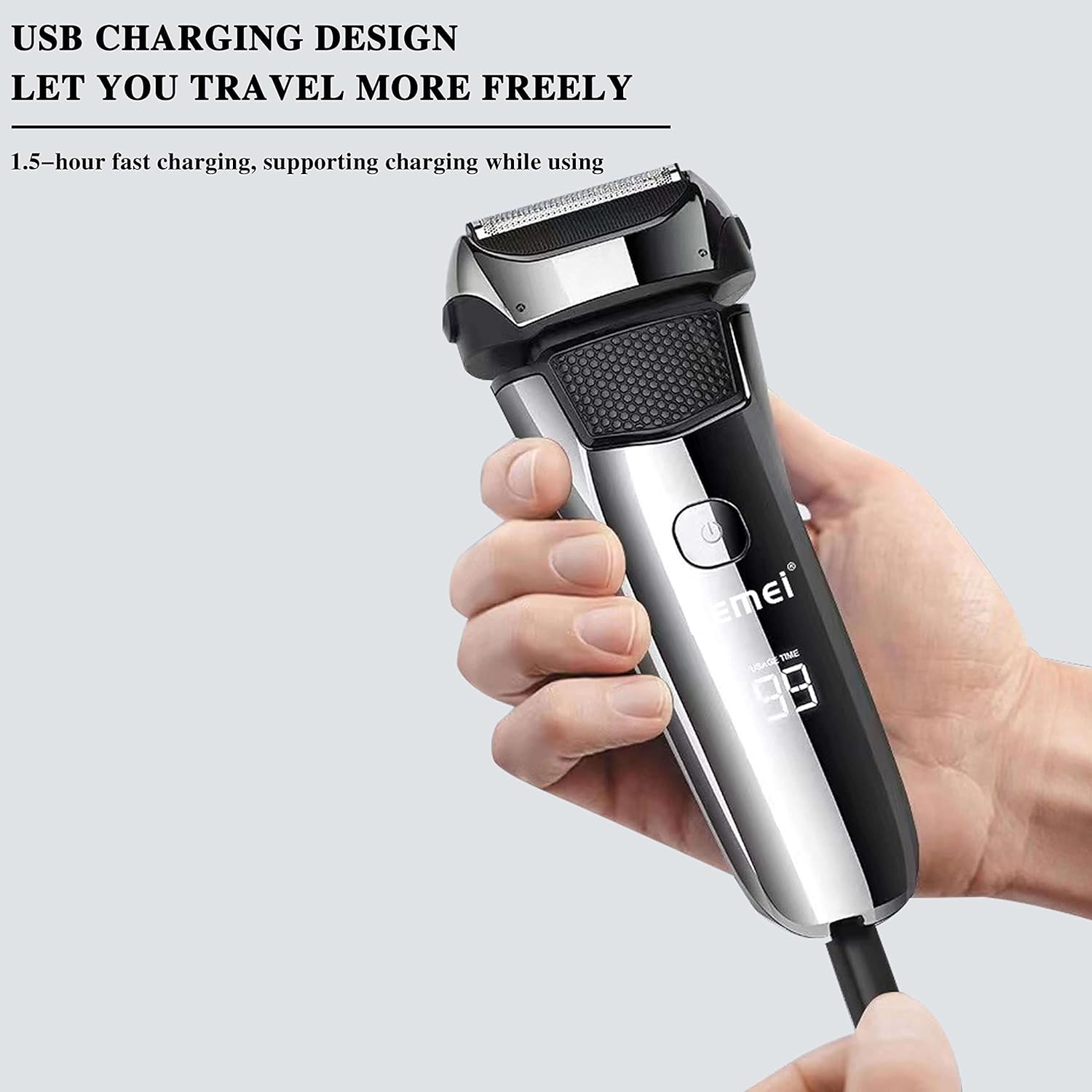
- Convenient USB Type-C Charging: Supports 1.5-hour fast charging and allows for use while charging, compatible with various USB power sources.
- IPX6 Waterproof Rating: Designed for full body washing, enabling both dry and wet shaving.
- High-Speed Motor: Provides powerful and sharp cutting performance without pulling, ensuring a smooth shave.
- LED Display: Intuitive screen displays usage time and battery status.



Setup
Unpacking
Carefully remove all components from the packaging. Ensure you have the following items:
- KEMEI KM-8512 Shaver Unit
- USB Charging Cable (Type-C)
- Cleaning Brush
- User Manual
Initial Charge
Before first use, fully charge the shaver. Connect the USB Type-C charging cable to the shaver's charging port and plug the other end into a compatible USB power source (e.g., computer, power bank, or wall adapter). The LED display will indicate charging status. A full charge takes approximately 1.5 hours.
Operating Instructions
Basic Shaving
- Ensure the shaver is charged.
- Press the power button to turn on the shaver.
- Hold the shaver at a right angle to your skin and move it in small, circular motions against the direction of hair growth.
- Apply gentle pressure; do not press too hard.
- After shaving, press the power button again to turn off the shaver.
Using the Pop-up Trimmer
The integrated pop-up trimmer is ideal for shaping sideburns, mustaches, and detailing.
- Locate the pop-up trimmer release button/lever on the side of the shaver.
- Slide or press the button to extend the trimmer.
- Use the trimmer to precisely shape and trim desired areas.
- Once finished, push the trimmer back into its housing until it clicks into place.
Wet and Dry Shaving
The KM-8512 supports both dry and wet shaving due to its IPX6 waterproof rating.
- Dry Shaving: For a quick and convenient shave, use the shaver on dry skin.
- Wet Shaving: For a more comfortable shave, especially for sensitive skin, you can use the shaver with shaving foam or gel. Rinse the shaver head under running water during and after use.
Maintenance
Cleaning
Regular cleaning ensures optimal performance and hygiene.
- Turn off the shaver and disconnect it from the charging cable.
- Open the shaver head by pressing the release button (if applicable) or gently pulling it open.
- Rinse the shaver head and the internal cutting unit under warm running water. For a thorough clean, you can use the included cleaning brush to remove trapped hairs.
- Shake off excess water and allow the shaver head to air dry completely before closing or storing.
- Do not use abrasive cleaners or harsh chemicals.
Blade Care
To maintain the sharpness and effectiveness of the blades, avoid dropping the shaver or exposing the blades to hard surfaces. Replace the shaver heads periodically (e.g., every 12-18 months, depending on usage) for best results.
Troubleshooting
| Problem | Possible Cause / Solution |
|---|---|
| Shaver does not turn on. | Battery is depleted. Charge the shaver for 1.5 hours. Ensure the charging cable is properly connected. |
| Poor shaving performance. | Shaver head is dirty or clogged with hair. Clean the shaver head thoroughly. Blades may be dull. Consider replacing the shaver head. |
| Battery not charging. | Charging cable or adapter may be faulty. Try a different USB cable or power source. Ensure the charging port is clean. |
| Shaver makes unusual noise. | Shaver head may not be properly attached or is damaged. Reattach or inspect the shaver head. |
Specifications
| Feature | Detail |
|---|---|
| Brand | KEMEI |
| Model | KM-8512 |
| Charging Mode | USB Type-C |
| Charging Time | 1.5 hours |
| Battery Capacity | 600 mAh |
| Waterproof Rating | IPX6 |
| Dimensions (L x W x H) | 15.98 x 6.38 x 3.99 cm |
| Power Source | Battery Powered |
| Special Feature | Cordless |
| Blade Material | Stainless Steel |
| Included Components | Shaver unit, USB cable, Cleaning brush |
Warranty and Support
KEMEI provides a 365-day warranty service for this product. This warranty covers manufacturing defects and issues arising from normal use.
If you encounter any problems or have questions regarding your KEMEI KM-8512 shaver, please do not hesitate to contact KEMEI customer support. Please refer to the product packaging or the retailer's website for specific contact details.
Ask a question about this manual
Ask about setup, troubleshooting, compatibility, parts, safety, or missing instructions. Manuals+ will review the question and use this page’s manual context to help answer it.