1. Introduction
Welcome to the user manual for your new HONOR Pad X8. This document provides essential information to help you set up, operate, and maintain your tablet, ensuring you get the most out of its features. The HONOR Pad X8 is designed for a smooth and immersive experience, whether for entertainment, learning, or productivity.
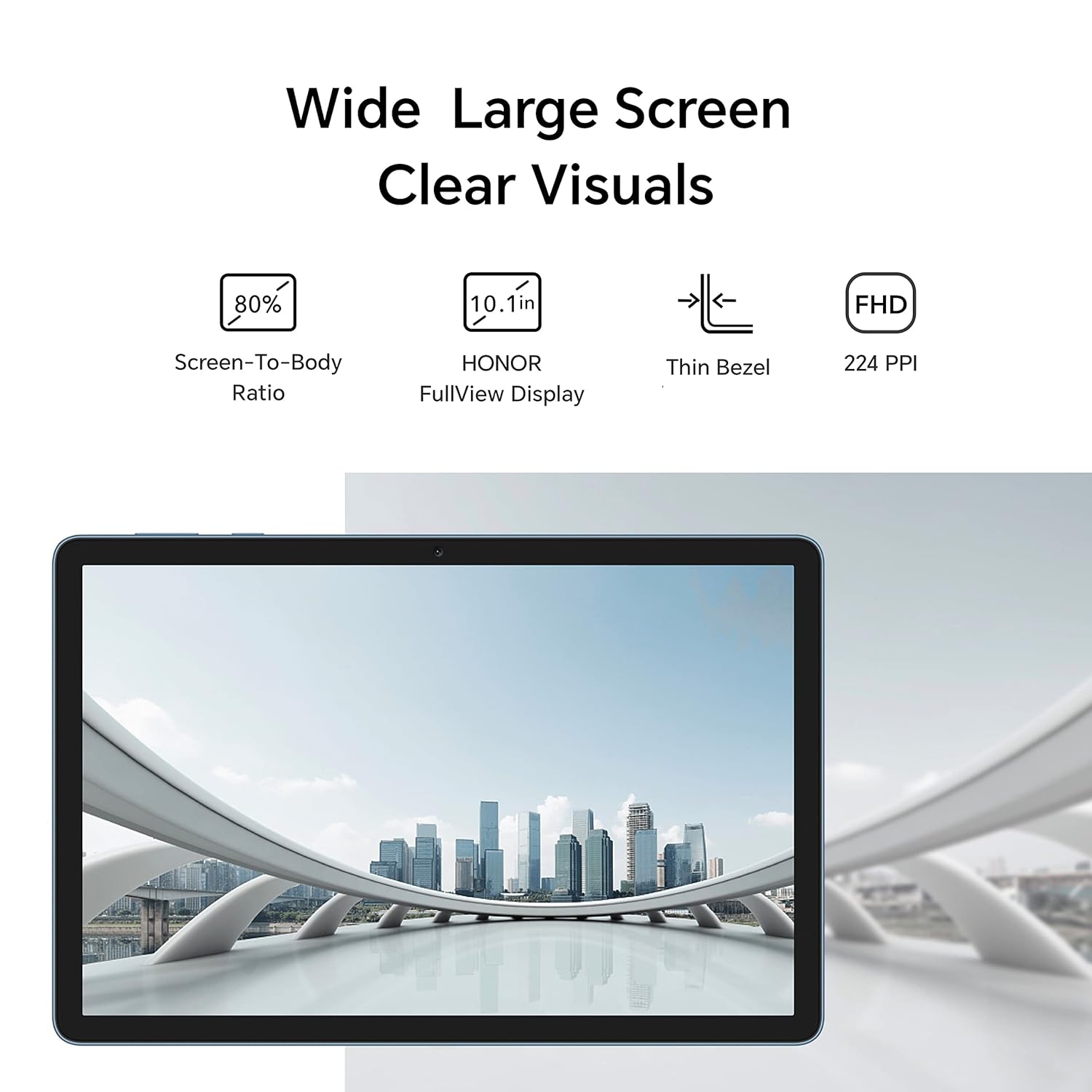
Image: Front view of the HONOR Pad X8 tablet.
2. Getting Started
2.1. Unboxing Your Device
Upon opening the package, ensure all components are present:
- 1x HONOR Pad X8 Tablet
- 1x USB Type-C Charging Cable
- 1x User Manual (this document)
- 1x Warranty Card
Note: A power adapter is not included in the box. A 10W Type-C charger (Output 5V/2A) is recommended.

Image: The contents typically found inside the HONOR Pad X8 product box.
2.2. Charging the Tablet
Before first use, fully charge your HONOR Pad X8. Connect the provided USB Type-C cable to the tablet's charging port and the other end to a compatible USB power adapter (not included) or a computer's USB port. The battery indicator on the screen will show charging status.
2.3. Power On/Off
- To Power On: Press and hold the Power button until the HONOR logo appears.
- To Power Off: Press and hold the Power button, then select 'Power off' from the options that appear on the screen.
3. Key Features & Operation
3.1. Display
The HONOR Pad X8 features a 10.1-inch HONOR FullView Display with an 80% screen-to-body ratio, providing sharp and clear visuals for an immersive viewing experience. The resolution is 1920 x 1200 pixels.

Image: The tablet's display highlighting its wide screen and clear visuals.
Eye Protection & E-book Mode
For enhanced eye comfort, the tablet is TÜV Rheinland certified for low blue light. It includes multiple eye protection modes to effectively filter harmful blue light and reduce eye fatigue. The dedicated E-book Mode offers a paper-like display effect, making extended reading sessions more comfortable.

Image: Illustration of the tablet's eye protection mode in use.
3.2. Performance
The HONOR Pad X8 is powered by a Mediatek MT8786 8-core processor, ensuring smooth multitasking and efficient performance. It comes with 3GB RAM and 32GB internal storage, expandable up to 512GB via a microSD card, providing ample space for your applications and media.

Image: The tablet's smooth performance is visually represented.
3.3. Multitasking with Split-Screen
Boost your productivity with the Split-Screen function, which allows you to open and use multiple applications simultaneously on the same screen. This feature is ideal for efficient learning and managing various tasks without switching between apps.

Image: The multi-window feature displaying two applications concurrently.
3.4. Audio Experience
Experience rich and immersive audio with the HONOR Pad X8. It is equipped with 1620 high-amplitude dual speakers and Smart PA technology. With HONOR Histen's support, it delivers a 360° sound field, ensuring high-quality audio for all your media.
3.5. Operating System
The tablet runs on Magic UI 6.1, based on the latest Android 12, providing a smooth and user-friendly interface for easy navigation and efficient operation.
3.6. Design & Portability
Weighing only 460g and with a thickness of just 7.55mm, the HONOR Pad X8 is lightweight and portable. Its 93% aluminum body and curved surface design ensure comfortable handling, making it easy to carry wherever you go.

Image: The sleek and lightweight design of the HONOR Pad X8.
3.7. Battery Life
The HONOR Pad X8 is equipped with a 5100mAh battery, offering long-lasting performance to keep up with your daily activities, whether you are working, streaming, or gaming.
4. Product Videos
Video: An overview of the HONOR Pad X8's key features, including its processor, RAM, storage, display, audio capabilities, and battery life.
5. Specifications
| Feature | Detail |
|---|---|
| Brand | HONOR |
| Model Name | HONOR Pad X8 (AGM3-W09HN) |
| Color | Blue Hour |
| Operating System | Android 12 (Magic UI 6.1) |
| Processor Brand | MediaTek |
| Processor Model | MT8786 8-core |
| RAM Size | 3 GB |
| Memory Storage Capacity | 32 GB |
| Expandable Storage | Up to 512 GB |
| Screen Size | 10.1 Inches (25.65 cm) |
| Screen Resolution | 1920 x 1200 Pixels (FHD) |
| Display Type | HONOR FullView Display |
| Screen-to-Body Ratio | 80% |
| Eye Protection | TÜV Rheinland Low Blue Light Certified, E-book Mode |
| Audio | 1620 High-Amplitude Dual Speakers, Smart PA, HONOR Histen 360° Sound Field |
| Rear Webcam Resolution | 5 MP |
| Front Webcam Resolution | 2 MP |
| Connectivity Type | Bluetooth, Wi-Fi (802.11ac) |
| Battery | 5100 mAh Lithium Polymer |
| Average Battery Life | Up to 14 Hours |
| Product Dimensions | 0.8 x 15.9 x 24 cm |
| Item Weight | 460 g |
6. Warranty & Support
6.1. Warranty Information
The HONOR Pad X8 comes with a 1-year manufacturer warranty. Please refer to the included Warranty Card for detailed terms and conditions regarding coverage and service.
6.2. Customer Support
For any technical assistance, troubleshooting, or service inquiries, please contact HONOR customer support. Refer to the contact information provided in your warranty card or visit the official HONOR website for support resources.


