1. Introduction
Thank you for choosing the yuwell Rechargeable Wrist Blood Pressure Monitor (Model: YE8800CR). This device is designed for convenient and accurate blood pressure measurement at home. It features a large display, voice broadcast, irregular heartbeat detection, and a comfortable, adjustable wrist cuff. Please read this manual thoroughly before use to ensure proper operation and obtain accurate readings.

Figure 1: yuwell Rechargeable Wrist Blood Pressure Monitor (Model: YE8800CR)
2. Key Features
- USB Rechargeable Portable Design: Built-in 500 mAh battery for up to 250 continuous uses or 90 days on a full charge. Eliminates the need for frequent battery replacement and is highly portable.
- Comfortable and Adjustable Wrist Cuff: Fits adult wrist sizes from 5.32 to 7.68 inches. Features intelligent pressurization technology to minimize discomfort during inflation.
- Accuracy and Position Detection: Includes Heart Zone Guidance to help position the wrist correctly at heart level for accurate readings. Utilizes advanced measuring techniques.
- Voice Broadcast and Memory: Provides American accent voice broadcast of reading results (systolic, diastolic, pulse rate) and intelligent diagnosis. Stores up to 74 sets of measurements.
- Easy Operation: Fully automatic one-button "Start" operation. Automatically powers off after 3 minutes of inactivity.

Figure 2: Overview of Monitor Features and Display Elements
3. Setup Guide
3.1 Charging the Device
The yuwell Wrist Blood Pressure Monitor comes with a built-in rechargeable lithium battery. Before first use, or when the battery indicator shows low power, charge the device using the provided USB charging cord.
- Connect the USB charging cord to the charging port on the monitor.
- Plug the other end of the USB cord into a compatible USB power adapter (not included) or a computer USB port.
- The battery indicator on the display will show charging status. A full charge typically allows for 250 measurements or 90 days of standby time.

Figure 3: USB Charging Port and Battery Indicator
3.2 Setting Time, Date, Sound, and Unit
It is important to set the correct time, date, sound volume, and measurement unit for accurate record-keeping and user experience. Follow the steps below or refer to the video demonstration.
Video 1: Instructions on how to set the time, date, sound value, and unit on the yuwell Blood Pressure Monitor.
- Ensure the device is powered off.
- Press and hold the "Memory" button (usually indicated by a book icon) to enter the setting mode.
- The year will begin to flash. Use the "Memory" button to adjust the year.
- Press the "Start/Stop" button to confirm the year and move to the next setting (month, day, hour, minute).
- Repeat steps 3 and 4 for month, day, hour, and minute.
- Next, the sound volume setting will appear. Use the "Memory" button to cycle through volume levels (01-04, with 04 being maximum volume, and OFF for no volume).
- Press the "Start/Stop" button to confirm the sound volume and move to the unit setting.
- Use the "Memory" button to select between mmHg and kPa.
- Press the "Start/Stop" button to confirm the unit and exit the setting mode. The settings are now saved.
4. Operating Instructions
4.1 Proper Measurement Position
For accurate blood pressure readings, proper positioning is crucial. The monitor should be at heart level.
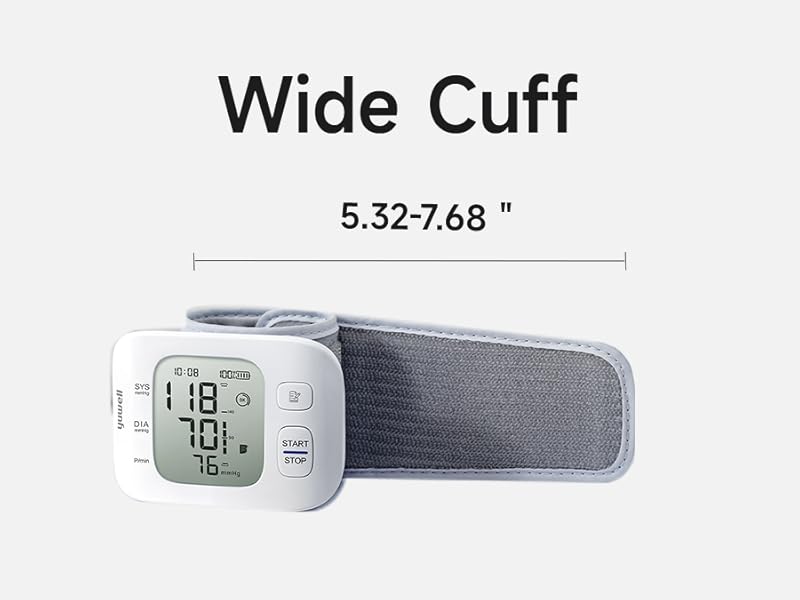
Figure 4: Correct posture and wrist placement for blood pressure measurement.
- Sit comfortably with your back supported and feet flat on the floor.
- Rest your arm on a table or flat surface.
- Ensure the monitor, when placed on your wrist, is at the same level as your heart. The device features Heart Zone Guidance to assist with this.
- Remain still and avoid talking during the measurement.
4.2 Applying the Wrist Cuff
The adjustable wrist cuff is designed for comfort and accuracy. Ensure it is applied correctly.

Figure 5: The adjustable and comfortable wrist cuff.
- Wrap the cuff snugly around your wrist, ensuring it is about 1-1.5 cm from your palm.
- The cuff should be firm but not uncomfortably tight. You should be able to insert one finger between the cuff and your wrist.
4.3 Taking a Measurement
- Once the cuff is correctly applied and you are in the proper position, press the "Start/Stop" button.
- The cuff will begin to inflate automatically using intelligent pressurization.
- Remain still and quiet during the measurement.
- Once the measurement is complete, the systolic, diastolic, and pulse rate readings will be displayed on the large LCD screen and announced via voice broadcast (if enabled).
- The device will automatically store the reading in its memory.
- The monitor will automatically power off after 3 minutes of inactivity.
4.4 Reviewing Stored Measurements
The monitor can store up to 74 sets of measurements.
- With the device powered off, press the "Memory" button.
- The most recent reading will be displayed.
- Press the "Memory" button repeatedly to cycle through previous readings.
- To exit memory review, press the "Start/Stop" button or wait for the device to automatically power off.
5. Maintenance and Care
- Cleaning: Wipe the monitor and cuff gently with a soft, dry cloth. Do not use abrasive cleaners or immerse the device in water.
- Storage: Store the device in a cool, dry place, away from direct sunlight, extreme temperatures, and humidity. Use the included travel case for protection when not in use.
- Battery Care: Recharge the battery regularly, even if not used frequently, to maintain battery health. Avoid completely draining the battery for extended periods.
- Avoid Strong Shocks: Protect the device from strong impacts or drops.
6. Troubleshooting
If you encounter issues with your yuwell Blood Pressure Monitor, please refer to the following common problems and solutions:
| Problem | Possible Cause | Solution |
|---|---|---|
| No display/Device won't turn on. | Low battery or device not charged. | Charge the device using the USB cable. Ensure the charging cable is properly connected. |
| Inaccurate readings. | Incorrect cuff placement, improper body position, movement/talking during measurement, or irregular heartbeat. | Ensure the cuff is snugly and correctly applied. Maintain proper posture and keep still/quiet during measurement. If "Irregular Heartbeat" symbol appears frequently, consult a doctor. |
| Cuff does not inflate or inflates too little/much. | Cuff not properly connected or air leakage. | Check cuff connection. Ensure there are no holes or damage to the cuff. |
| Voice broadcast not working. | Voice volume set to OFF. | Refer to Section 3.2 to adjust the sound volume setting. |
If the problem persists after trying these solutions, please contact yuwell customer support.
7. Product Specifications
| Specification | Detail |
|---|---|
| Product Dimensions | 0.36 x 0.32 x 0.31 inches; 3.88 ounces |
| Item Model Number | YE8800CR |
| Batteries | 1 Lithium Ion battery (included) |
| Manufacturer | Jiangsu Yuyue Medical Equipment & Supply Co., Ltd |
| Brand | yuwell |
| Included Components | Blood pressure monitor, wrist cuff, USB charging cord, batteries, storage case |
| Power Source | Battery Powered |
| Use for | Wrist |
| Display Type | LCD |
| Cuff Size | 5.32 to 7.68 inches (Adult) |
| Item Weight | 110 Grams |
| Material Feature | Plastic |
8. Warranty and Support
For warranty information, technical support, or service inquiries, please contact yuwell customer support directly. Refer to the product packaging or the official yuwell website for the most up-to-date contact details.
Important Note: Statements regarding dietary supplements have not been evaluated by the FDA and are not intended to diagnose, treat, cure, or prevent any disease or health condition. This device is for personal monitoring and should not replace professional medical advice.


