
1. Introduction
This manual provides comprehensive instructions for the installation, maintenance, and troubleshooting of your HMHAMA replacement main brushes for the Eufy RoboVac L70 Hybrid robot vacuum cleaner. Proper installation and regular maintenance are crucial for ensuring the optimal performance and longevity of your vacuum cleaner.
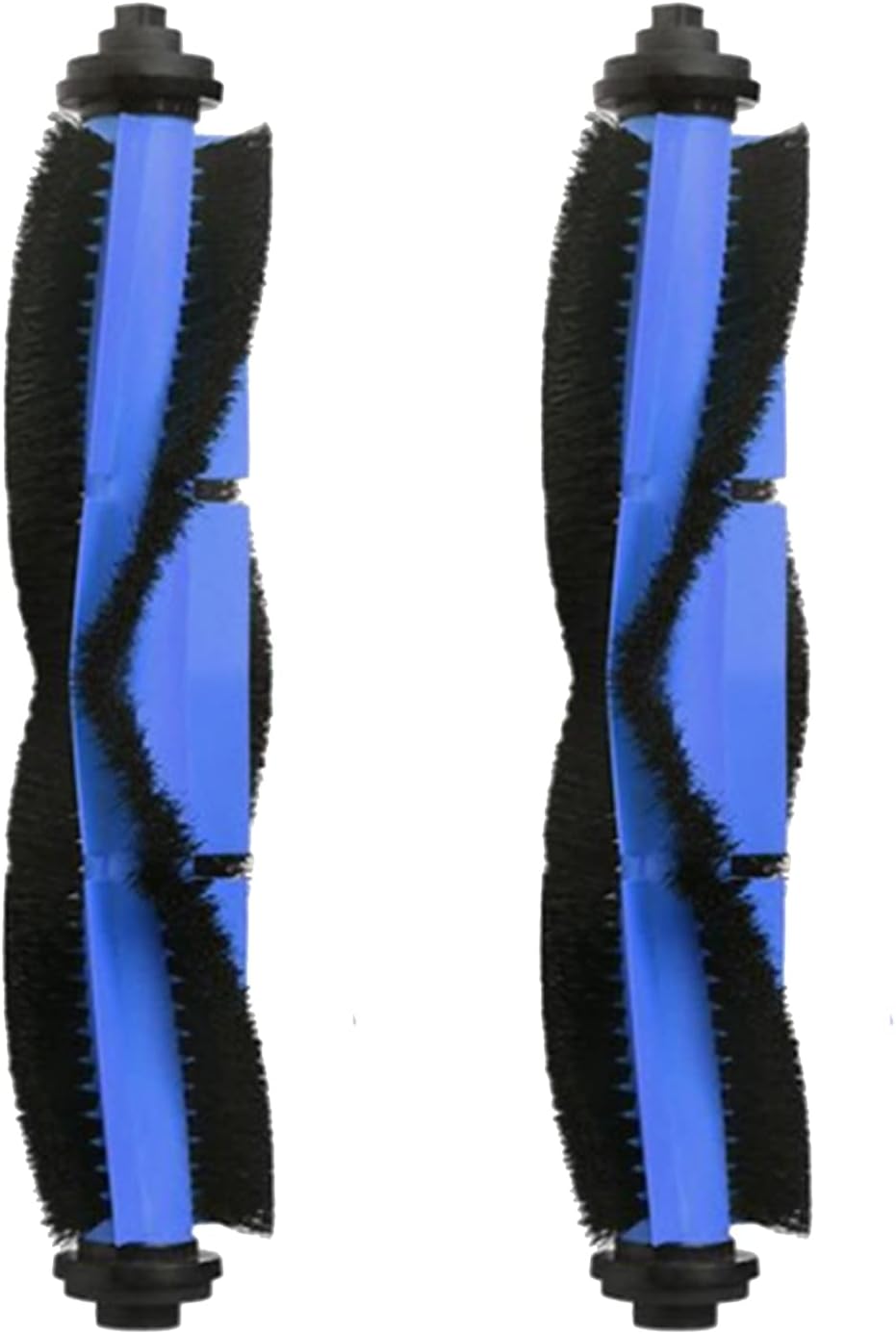
Image 1.1: Two HMHAMA replacement main brushes, designed for the Eufy RoboVac L70 Hybrid.
2. Safety Information
- Always turn off and unplug your Eufy RoboVac L70 Hybrid robot vacuum cleaner before attempting any installation, removal, or maintenance procedures.
- Keep replacement parts out of reach of children and pets.
- Handle brushes carefully to avoid injury from bristles.
- Ensure all parts are dry before reassembling the vacuum cleaner.
3. Package Contents
Your package should contain the following items:
- 2 x Rolling Brush (Main Brush)
Please inspect the contents upon receipt to ensure all items are present and undamaged.
4. Installation Guide
Follow these steps to replace the main brush in your Eufy RoboVac L70 Hybrid:
- Power Off: Ensure your RoboVac is powered off and disconnected from its charging base.
- Access Brush Guard: Turn the RoboVac over. Locate the brush guard cover, usually secured by a few latches or screws.
- Remove Brush Guard: Unlatch or unscrew the brush guard and lift it away to expose the main brush.
- Remove Old Brush: Carefully lift out the old main brush from its compartment. Note its orientation.
- Insert New Brush: Align the new HMHAMA main brush with the compartment, ensuring the square and hexagonal ends fit correctly into their respective slots. Gently press it into place.
- Reattach Brush Guard: Place the brush guard back over the new main brush and secure it with the latches or screws.
- Verify: Turn the RoboVac back over and power it on to ensure the brush spins freely and there are no unusual noises.

Image 4.1: A single main brush, illustrating the design for proper fit during installation.
5. Maintenance
Regular maintenance of your main brush is essential for maintaining cleaning efficiency and extending the lifespan of your robot vacuum.
- Daily/Weekly Cleaning: After each cleaning cycle or at least weekly, remove the main brush and use the cleaning tool (often provided with the vacuum) to cut and remove any hair, string, or debris tangled around the brush bristles and ends.
- Washing: The main brush can be rinsed under running water. Ensure it is completely dry before reinstalling it into the vacuum cleaner.
- Replacement Schedule: For optimal performance, it is recommended to replace the main brush every 2 to 3 months, depending on your usage frequency and the amount of debris collected.
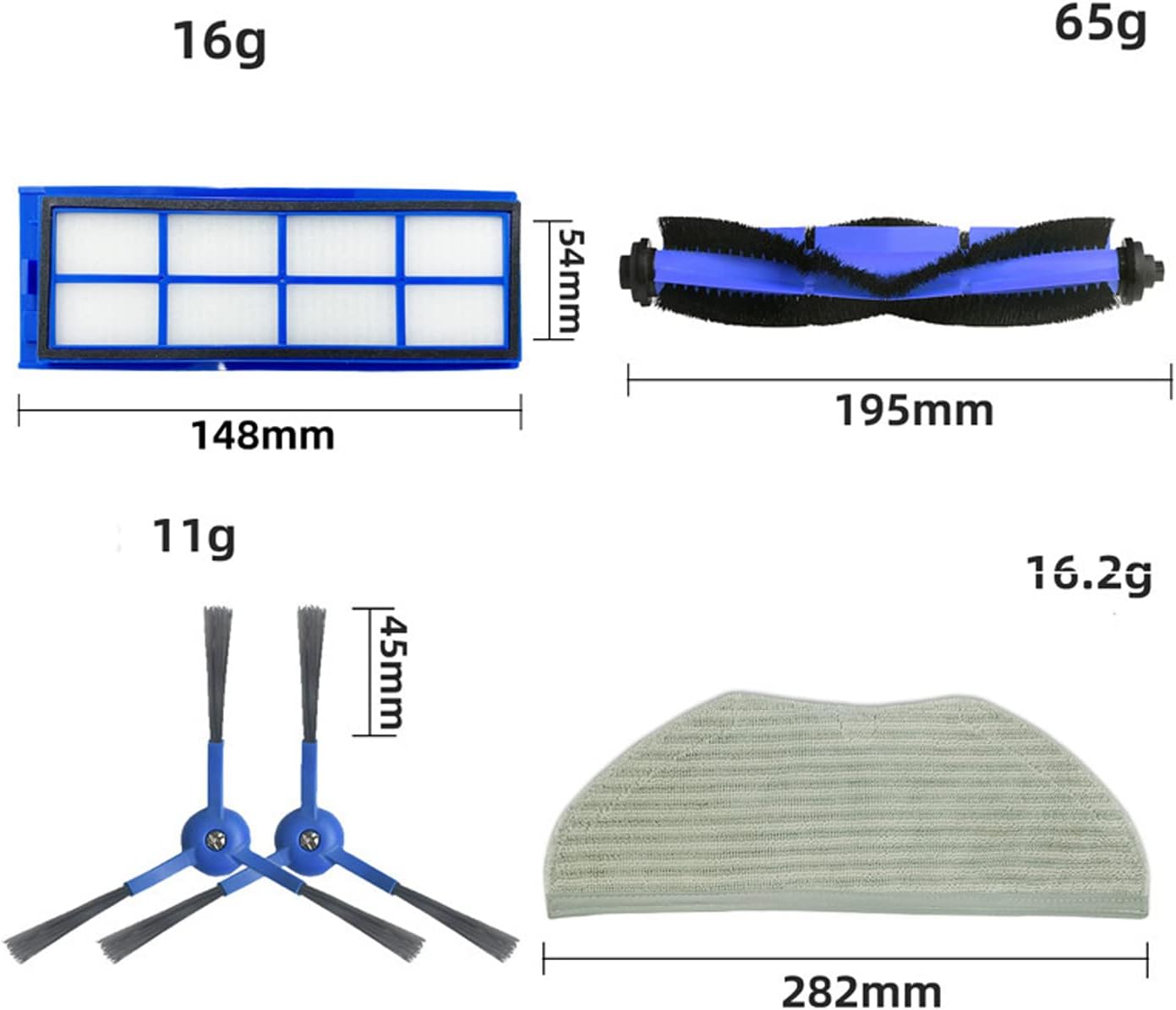
Image 5.1: A main brush, demonstrating the component that requires regular cleaning and maintenance.
6. Troubleshooting
If you encounter issues after installing the new main brush, refer to the following:
- Unusual Noise: If the rolling brush makes a loud or unusual noise, ensure it is correctly seated in its compartment. Remove and reinsert the brush, checking for any obstructions or debris caught in the brush ends or the vacuum's brush motor area.
- Poor Cleaning Performance: If the vacuum's cleaning performance decreases, check the main brush for excessive tangles of hair or debris. Clean the brush thoroughly as described in the Maintenance section. Ensure the brush is not worn out and replace if necessary.
- Brush Not Spinning: Verify that the main brush is properly installed and that the brush guard is securely latched. Check for any foreign objects obstructing the brush's rotation. If the issue persists, consult your Eufy RoboVac L70 Hybrid user manual for further troubleshooting steps related to the vacuum's brush motor.
7. Specifications
| Product Name | Replacement Main Brushes |
| Compatibility | Eufy RoboVac L70 Hybrid |
| Brand | HMHAMA |
| Model Number | L70 |
| Material | Plastic, Rubber |
| Number of Pieces | 2 |
| Item Weight | 4.8 ounces (0.14 Kilograms) |
| Package Dimensions | 8 x 3 x 1 inches |
8. Customer Support
Your satisfaction is our greatest wish. If you have any questions, concerns, or require assistance with your HMHAMA replacement main brushes, please do not hesitate to contact us. We are committed to providing efficient after-sales service to ensure your complete satisfaction.
Please refer to your purchase documentation or the retailer's website for specific contact information.