
Introduction
This manual provides detailed instructions for the proper setup, operation, and maintenance of your XTOOL D7S Bidirectional Scan Tool. Please read this manual thoroughly before using the device to ensure safe and effective operation. The XTOOL D7S is designed for comprehensive automotive diagnostics, offering advanced features for technicians and DIY enthusiasts.

Figure 1: XTOOL D7S Bidirectional Scan Tool and accessories.
What's in the Box
Upon opening your XTOOL D7S package, you should find the following components:
- D7S Tablet (1 unit)
- OBD M to VAG M Main Cable
- Type-C to Type-C Charger Cable
- Type-C to Type-A Adapter (for PC connection)
- Charger Adapter US Standard
- Charger Adapter EU Standard
- Charger Adapter UK Standard
- Tool Kit

Figure 2: Contents of the XTOOL D7S package.
Setup
Connecting to Vehicle
The XTOOL D7S connects to your vehicle via the OBD2 port, typically located in the driver's side footwell area. Ensure the vehicle's ignition is in the ON position (engine off) for most diagnostic functions.

Figure 3: Connecting the OBD2 cable to the vehicle.
Powering the Device
The XTOOL D7S is designed to be self-powered through the vehicle's OBD2 port once connected. This ensures continuous operation during diagnostic procedures without relying solely on the internal battery.
Software Updates
Regular software updates are crucial for optimal performance and compatibility with the latest vehicle models. The XTOOL D7S offers 3 years of free software updates. Connect the device to a Wi-Fi network to download and install updates directly from the tablet.

Figure 4: Software update interface on the XTOOL D7S.
Language Settings
The device supports over 23 languages. You can easily change the language through the 'Settings' menu on the main interface to your preferred language.

Figure 5: Language selection options.
Operating
System Overview
The XTOOL D7S features an intuitive interface with clear icons for various functions, including Diagnosis, Special Function, Report, and Updates. The main screen provides quick access to all primary operations.
Automatic Vehicle Detection (Auto Scan)
The Auto Scan feature automatically identifies your vehicle's make, model, and year, streamlining the diagnostic process. It performs a comprehensive scan of all available modules in your vehicle.

Figure 6: Automatic vehicle detection in progress.
OE-Level All System Diagnosis
The D7S provides dealer-level diagnostics across all vehicle systems. This includes reading and clearing Diagnostic Trouble Codes (DTCs), viewing live data streams, retrieving freeze frames, and accessing ECU information.

Figure 7: Overview of all system diagnostic functions.
Bidirectional Control (Active Tests)
Perform over 4000 active tests to command vehicle modules and components directly. This function allows you to test components like fuel injectors, ABS pumps, valves, A/C clutches, and wipers, significantly reducing diagnostic time.
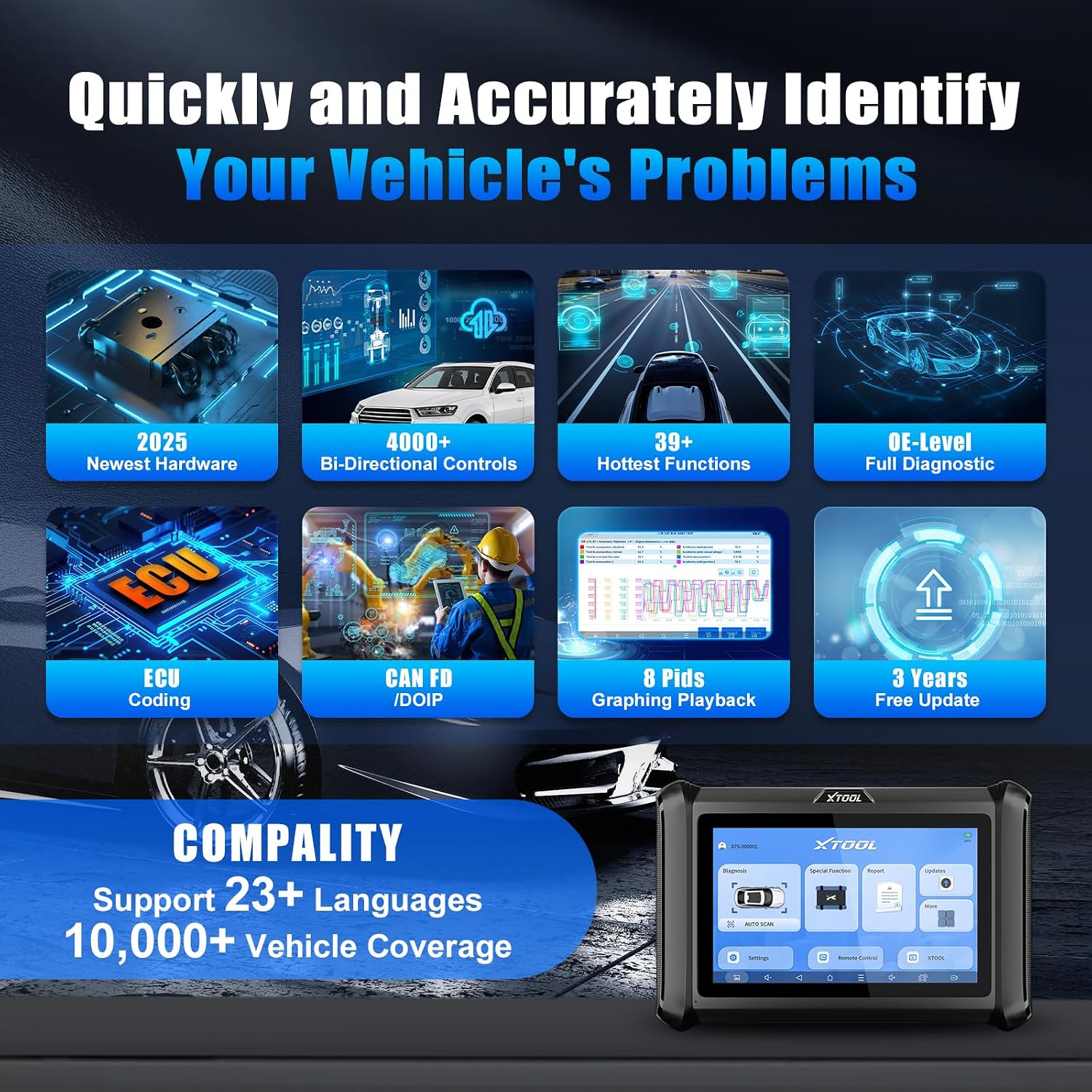
Figure 8: Examples of bidirectional control tests.
Special Functions (39+ Resets)
The D7S offers more than 39 special functions to address common car issues. These include Oil Reset, Electronic Parking Brake (EPB), Steering Angle Sensor (SAS), Battery Management System (BMS), Throttle Reset, Injector Coding, ABS Bleed, and Tire Pressure Monitoring System (TPMS) Reset. Vehicle-specific functions like Crank Sensor Relearn and Idle Relearn are also supported.

Figure 9: Comprehensive list of special functions.
ECU Coding & PMI
Enhance vehicle performance with ECU Coding capabilities, supporting online coding for BMW and Benz, and offline coding for VW, Audi, Skoda, Benz, and MIT. The Programmable Module Installation (PMI) function is available for Ford, Lincoln, and Mazda, allowing data transfer to new modules.

Figure 10: ECU Coding and PMI capabilities.
Live Data Graphing
View up to 8 PIDs (Parameter IDs) of live data simultaneously with graphing options. This allows for in-depth analysis, data recording, playback, and export as CSV files for detailed review.

Figure 11: Live data graphing interface.
FCA AutoAuth & CAN FD/DoIP Protocol
The D7S supports FCA AutoAuth for Chrysler, Jeep, Dodge (2018+) and Fiat (2017+) vehicles, enabling communication without gateway restrictions. It also supports CAN FD for GM/Cadillac/Buick (MY2020+) and DoIP for BMW (E/F/G Chassis)/Land Rover/Jaguar, ensuring compatibility with modern vehicle communication protocols.

Figure 12: FCA AutoAuth and CAN FD/DoIP protocol support.
Maintenance
To ensure the longevity and optimal performance of your XTOOL D7S, regular maintenance is recommended.
Software Updates
Keep your device's software up-to-date to benefit from the latest features, bug fixes, and expanded vehicle coverage. Updates are available for 3 years free of charge.

Figure 13: Software update interface.
Battery Charging
The XTOOL D7S is primarily powered by the vehicle's OBD2 port during use. For charging when not connected to a vehicle, use the provided power adapter and cables. The device does not support charging via USB-C for power delivery.
Troubleshooting
If you encounter issues with your XTOOL D7S, refer to the following common troubleshooting steps:
- Connection Issues: Ensure the OBD2 cable is securely connected to both the vehicle and the D7S tablet. Verify the vehicle's ignition is in the ON position.
- Software Malfunctions: If the application freezes or behaves unexpectedly, try restarting the app or rebooting the tablet.
- Interpreting DTCs: The device provides detailed descriptions for Diagnostic Trouble Codes. If further clarification is needed, use the built-in XTOOL button to access the website for more information.
- Remote Assistance: For complex issues that cannot be resolved, utilize the 'Remote Control' function to allow XTOOL technical support to remotely access and assist with your device.
Specifications
| Feature | Specification |
|---|---|
| Brand | XTOOL |
| Operating System | Android 10.0 |
| Screen Size | 7.0 inches |
| Display Resolution | 2+64GB, 4000+ Bidirectional Scan Tool ECU Coding, PMI, Automotive Diagnostic Tool with 36+ Resets, OBD2 Scanner Multi System Diagnostic Tool |
| Model | XTOOL D7S |
| Item Weight | 5.13 pounds |
| Product Dimensions | 12.6 x 11.2 x 4.1 inches |
| Batteries | 1 Lithium Polymer batteries required (included) |
| UPC | 758987845618 |
Warranty & Support
The XTOOL D7S comes with a 30-day return policy and a 24-month repair warranty for dependable performance. XTOOL is dedicated to customer satisfaction, offering seamless support and lifetime expert assistance. For any issues or concerns, please do not hesitate to reach out to XTOOL customer service.