
1. Introduction
Thank you for choosing the Gaiatop M10 Oscillating Baby Stroller Fan. This portable and versatile fan is designed to provide a comfortable cooling experience for your baby and family in various settings. Featuring a safe design, multiple speed settings, and a convenient LED night light, this fan is an ideal companion for strollers, cribs, car seats, desks, and outdoor activities.
Please read this manual thoroughly before use to ensure proper operation, maintenance, and safety.
2. Product Features
- Upgraded Tripod and Safe Gap: Features food-grade silicone arms for secure grip and a 5.6 mm fan gap, smaller than standard desk fans, to protect small fingers.
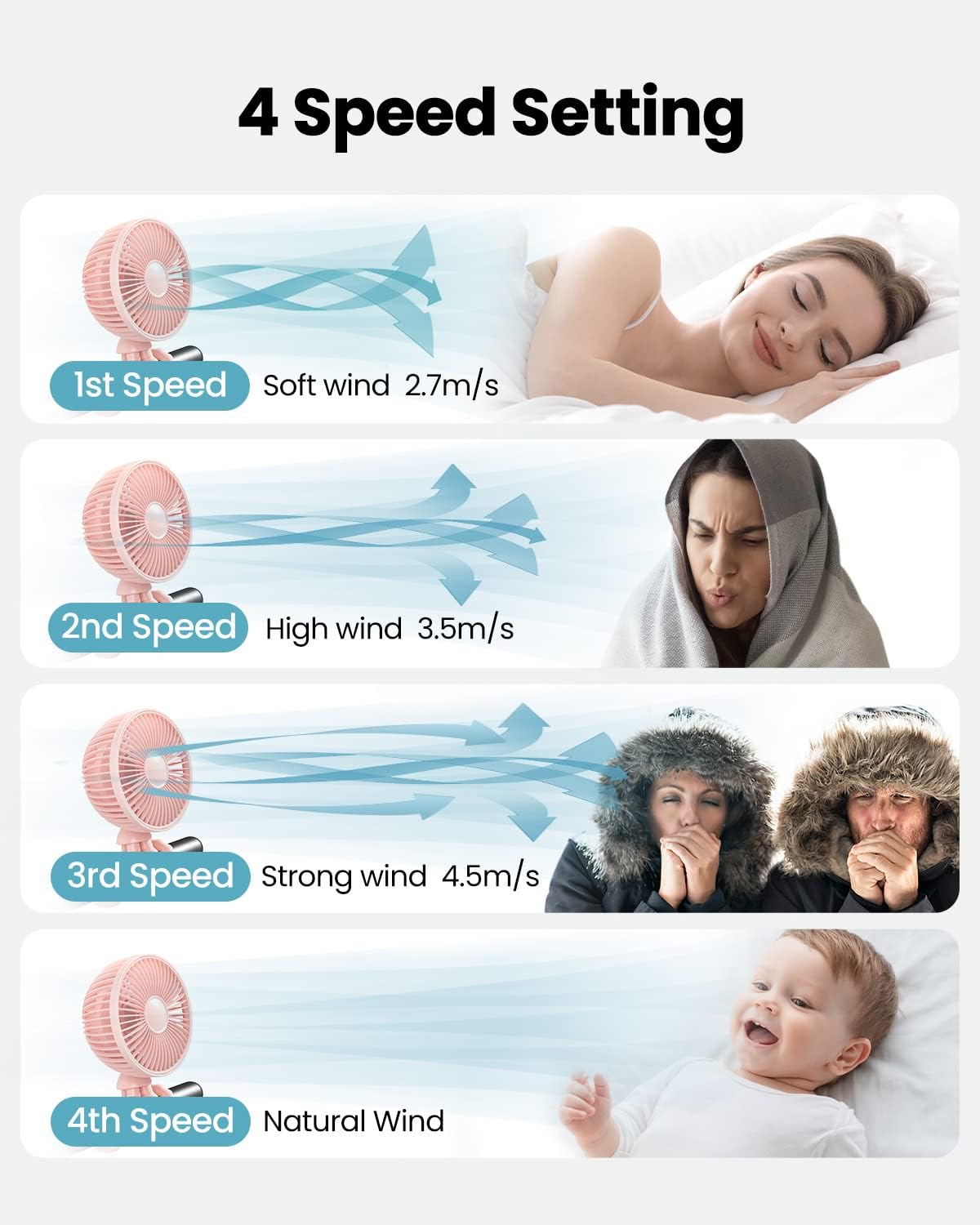
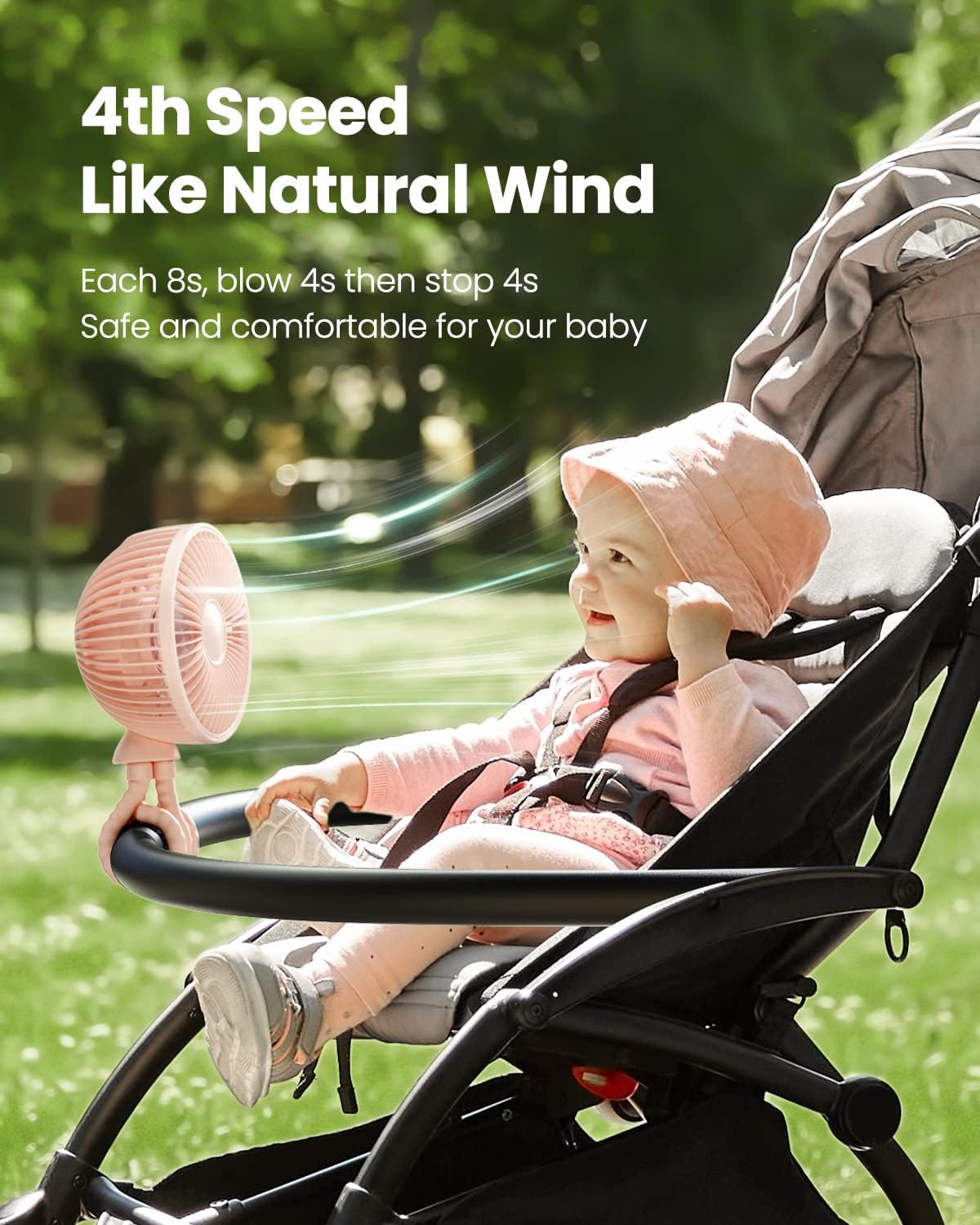
- 4 Adjustable Speeds and Quiet Operation: Offers four speed settings (low, medium, strong, natural wind) for customized airflow. The 4th speed provides a natural breeze by cycling on and off every 4 seconds. Designed for quiet operation, suitable for use with baby strollers.
- Long-lasting Battery and Fast Charging: Equipped with a large capacity battery, providing 3-12 hours of operation depending on the speed setting. Fully recharges within 4.5 hours via a USB Type-C port.
- 45° Oscillation with LED Night Light: Includes a button to control oscillation, covering a 135° blowing range with 360° horizontal rotation. Integrated with 12 LEDs, serving as a convenient night light for camping or power outages.
- Versatile 5.2-Inch Mini Fan: Ideal for use on strollers, cribs, car seats, desks, at the gym, during cycling, at the beach, on cruises, or road trips. Its compact size makes it highly portable.
3. Package Contents
- 1 x Gaiatop M10 Stroller Fan
- 1 x USB Type-C Charging Cable (3.3-feet)
- 1 x User Manual
4. Safety Information
- Do not insert fingers or any objects into the fan grille when the fan is operating. The fan features a 5.6mm gap for safety, but caution is always advised.
- Keep the fan away from water and other liquids to prevent electric shock or damage.
- Do not disassemble, repair, or modify the fan yourself. Contact customer support if service is required.
- Ensure the fan is placed on a stable surface or securely attached when in use.
- Keep out of reach of infants and young children unless securely attached and supervised.
- Use only the provided USB Type-C cable or a certified equivalent for charging.
- Avoid exposing the fan to extreme temperatures or direct sunlight for prolonged periods.
5. Setup
5.1 Unpacking
Carefully remove the fan and all accessories from the packaging. Inspect for any damage. If any components are missing or damaged, please contact customer support.
5.2 Initial Charging
Before first use, fully charge the fan. Connect the provided USB Type-C cable to the fan's charging port and plug the other end into a USB power adapter (not included) or a computer's USB port. The charging indicator light will show the charging status (refer to Section 7 for details).

The fan is equipped with a 4000mAh battery for extended use.
5.3 Mounting the Fan
The Gaiatop M10 fan features flexible, food-grade silicone tripod legs that allow for versatile mounting options:
- Stroller/Crib: Wrap the flexible legs around the stroller bar, crib rail, or car seat handle. Ensure a secure grip.
- Desk/Table: Position the fan on a flat surface using the tripod legs as a stable stand.
- Other Surfaces: The flexible legs can grip various objects like treadmill handles, bicycle handlebars, or tent poles.

The flexible tripod allows for diverse mounting configurations.

The fan securely attaches to a stroller, keeping the baby cool.
The fan can be mounted on a car seat headrest for cooling during travel.
The fan can be attached to a treadmill for personal cooling during workouts.
6. Operating Instructions
6.1 Controls Overview

The fan features two main control buttons.
6.2 Power On/Off and Speed Adjustment
- Press the Power button once to turn on the fan at Speed 1 (Soft wind).
- Press the Power button again to cycle through Speed 2 (High wind), Speed 3 (Strong wind), and Speed 4 (Natural wind).
- To turn off the fan, press the Power button after Speed 4, or press and hold the Power button for 2 seconds at any speed.

The fan offers four distinct speed settings.

The 4th speed provides a natural, intermittent breeze.
6.3 Oscillation and LED Night Light Control
- Press the Oscillating & LED button once to activate the 45° oscillation feature. The fan head will move horizontally within a 135° range.
- Press the Oscillating & LED button again to turn on the LED night light while oscillation is active.
- Press the Oscillating & LED button a third time to turn off the LED night light.
- Press the Oscillating & LED button a fourth time to turn off oscillation.

The fan offers 45° oscillation and a built-in LED night light.

Oscillation provides wide coverage for cooling.
7. Charging the Fan
To charge the fan, connect the provided USB Type-C cable to the charging port on the back of the fan and to a suitable USB power source. The charging indicator light will illuminate to show the charging status:
- Red Light: Charging in progress.
- Blue Light: Fully charged.
A full charge typically takes approximately 4.5 hours. The fan can be used while charging.
Video demonstrating the Gaiatop Portable Stroller Fan, including its features and charging port. This video is provided by the seller, Gaiatop.
8. Maintenance
8.1 Cleaning the Fan
To ensure optimal performance and hygiene, regular cleaning of your fan is recommended. The front grille is detachable for easy access to the blades.
- Ensure the fan is turned off and unplugged from any power source.
- Gently twist the front grille counter-clockwise to unlock and remove it.
- Wipe the fan blades and the inside of the grille with a soft, damp cloth. For stubborn dust, a mild soap solution can be used, followed by wiping with a clean, damp cloth.
- Allow all parts to dry completely before reassembling.
- Align the front grille with the fan body and twist clockwise until it locks securely in place.

The front grille can be opened for cleaning.

Clean the fan blades and grille with a damp cloth or rinse under water.
8.2 Storage
When not in use for extended periods, store the fan in a cool, dry place, away from direct sunlight and extreme temperatures. Ensure the fan is fully charged before storage to prolong battery life.
9. Troubleshooting
| Problem | Possible Cause | Solution |
|---|---|---|
| Fan does not turn on | Battery is depleted. | Charge the fan using the provided USB Type-C cable. |
| Weak or no airflow | Fan speed is too low. Obstruction in front/back grille. | Increase the fan speed. Check for and remove any obstructions. Clean the fan blades if dusty. |
| Oscillation not working | Oscillation feature is not activated. | Press the Oscillating & LED button to activate oscillation. |
| LED night light not working | LED light feature is not activated. | Press the Oscillating & LED button to cycle through light modes. |
| Fan makes unusual noise | Obstruction hitting the blades. Fan not on a stable surface. | Turn off the fan and check for any foreign objects. Ensure the fan is securely mounted or on a flat surface. |
10. Specifications
| Brand | Gaiatop |
| Model Name | M10 |
| Color | Pink |
| Power Source | Battery Powered |
| Product Dimensions (D x W x H) | 3.18" x 4.56" x 11.7" |
| Number of Speeds | 4 |
| Special Features | 4 Speeds, 5.6mm Gaps, 360° Rotatable, LED Light, Oscillating, Rechargeable Battery |
| Mounting Type | Winding Installation (Flexible Tripod) |
| Control Method | Button Control |
| Material | Acrylonitrile Butadiene Styrene (ABS), Polypropylene (Blades) |
| Item Weight | 0.79 Pounds |
| Battery Capacity | 4000mAh (approx.) |
| Charging Time | Approx. 4.5 hours |
| Working Time | 3-12 hours (depending on speed) |
11. Warranty and Support
This Gaiatop product is covered by a standard manufacturer's warranty. For specific warranty terms and conditions, please refer to the warranty card included in your package or visit the official Gaiatop website.
If you encounter any issues or have questions regarding your Gaiatop M10 fan, please contact our customer support team for assistance. Our dedicated team is ready to help you with any product-related inquiries.
Customer Support: Please refer to the contact information provided on the product packaging or the official Gaiatop website.

