Introduction
Thank you for choosing the Xanlite 1000 Lumen LED Wireless Flashlight. This manual provides essential information for the safe and efficient use of your new flashlight. Please read it thoroughly before operation and keep it for future reference.
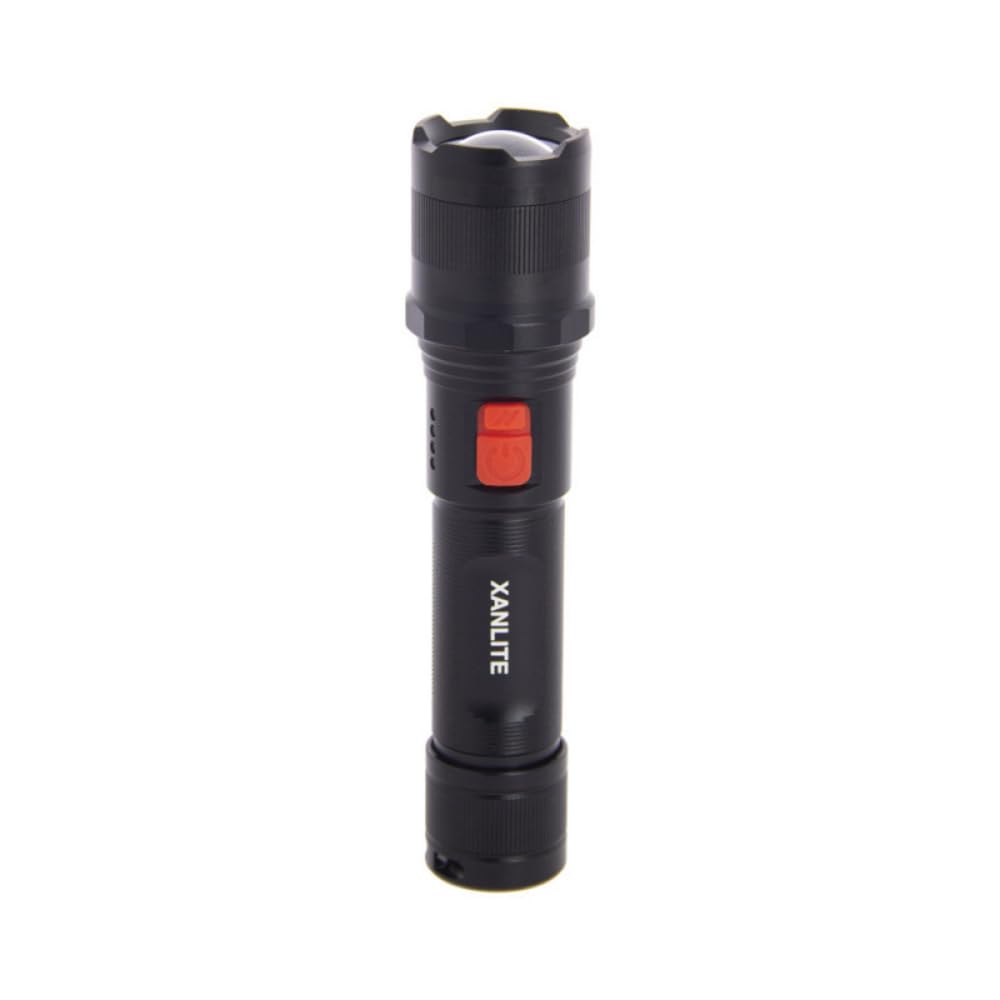
Image: The Xanlite flashlight providing powerful illumination in a dark outdoor setting.
Safety Instructions
- Do not look directly into the LED light: The powerful beam can cause temporary vision impairment or eye damage.
- Keep the flashlight out of reach of children.
- Do not disassemble or modify the flashlight. This may cause damage and void the warranty.
- Use only recommended batteries or power sources for charging.
- Avoid exposing the flashlight to extreme temperatures or direct sunlight for prolonged periods.
- Dispose of batteries according to local regulations.
Package Contents
Please check the package for the following items:
- Xanlite 1000 Lumen LED Wireless Flashlight (1 unit)
- Rechargeable Battery (pre-installed or separate)
- USB-C Charging Cable (1 unit)

Image: The Xanlite flashlight and its included accessories.
Product Overview
The Xanlite 1000 Lumen LED Wireless Flashlight is designed for ease of use and durability. Familiarize yourself with its components:
- LED Emitter: Provides powerful illumination.
- Power Button: Controls on/off and lighting modes.
- Charging Port: USB-C port for recharging the internal battery.
- Battery Compartment: Houses the rechargeable battery or optional AA batteries.
- Indicator Lights: Show battery status or charging progress.

Image: The flashlight held comfortably in hand, demonstrating its user-friendly design.

Image: The flashlight in use, showcasing its robust aluminum body and shock-resistant design.
Setup
1. Battery Installation (Optional AA Batteries)
Your Xanlite flashlight comes with a rechargeable battery. If you wish to use 3xAA batteries (not included) as an alternative power source:
- Unscrew the tail cap of the flashlight.
- Insert three AA batteries, ensuring correct polarity (+/-).
- Screw the tail cap back on securely.
2. Initial Charging
Before first use, fully charge the flashlight's internal rechargeable battery.
- Locate the USB-C charging port on the flashlight.
- Connect the provided USB-C cable to the flashlight and the other end to a USB power adapter (e.g., computer, wall charger).
- The indicator lights will show the charging status. Once fully charged, the lights will indicate completion (refer to product for specific light behavior).
- Disconnect the cable once charging is complete.
Operating Instructions
1. Turning On/Off
- Press the power button once to turn the flashlight on.
- Press and hold the power button for approximately 2 seconds to turn the flashlight off.
2. Changing Lighting Modes
The flashlight features three lighting modes: High, Medium, and Low.
- With the flashlight on, press the power button repeatedly to cycle through the modes: High (1000 lumens) → Medium (500 lumens) → Low (100 lumens).
- The flashlight will remember the last used mode when turned off and on again.
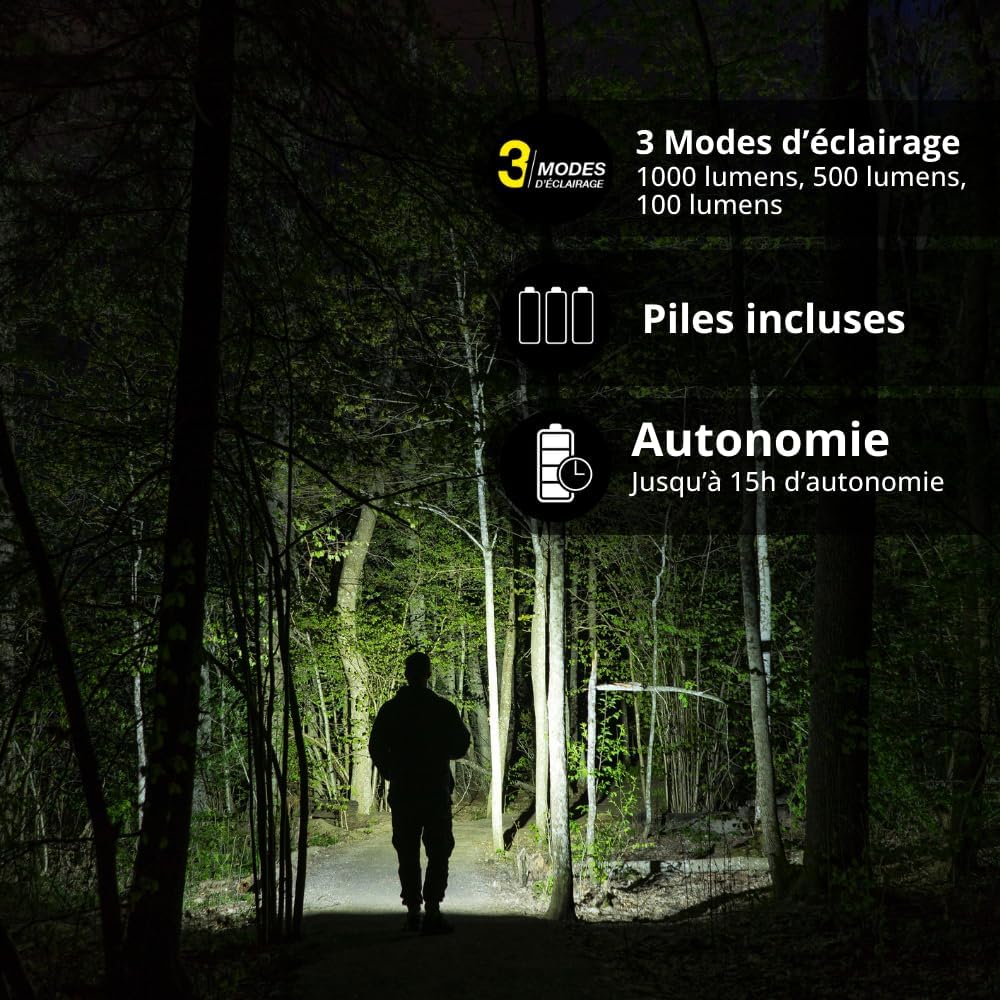
Image: Visual representation of the flashlight's three lighting modes and extended battery life.
3. Battery Life
The flashlight offers up to 15 hours of continuous use on a single charge, depending on the selected lighting mode.
Maintenance
- Cleaning: Wipe the flashlight with a soft, damp cloth. Do not use abrasive cleaners or solvents.
- Battery Care: If storing the flashlight for an extended period, ensure the rechargeable battery is partially charged (around 50%) and recharge it every 3-6 months to maintain battery health. If using AA batteries, remove them during long storage periods to prevent leakage.
- Water Resistance: The flashlight is IP44 rated, meaning it is resistant to splashes and dust. Do not submerge it in water.
Troubleshooting
| Problem | Possible Cause | Solution |
|---|---|---|
| Flashlight does not turn on. | Low battery or incorrect battery installation. | Charge the rechargeable battery or check AA battery polarity. |
| Light is dim. | Low battery. | Recharge the flashlight. |
| Flashlight not charging. | Faulty cable or power adapter. | Try a different USB-C cable or power adapter. Ensure the cable is fully inserted. |
Specifications
| Brand | Xanlite |
| Model Number | EG-TO1000RIP |
| Luminous Flux | 1000 Lumens |
| Lighting Modes | High (1000lm), Medium (500lm), Low (100lm) |
| Power Source | Rechargeable battery via USB-C or 3xAA batteries (not included) |
| Autonomy | Up to 15 hours |
| Water Resistance | IP44 (Splash and dust resistant) |
| Material | Aluminum |
| Dimensions (L x W x H) | 1 x 16 x 4 cm (approx.) |
| Weight | 220 grams |
| Color Temperature | 6500 Kelvin (Cool White) |
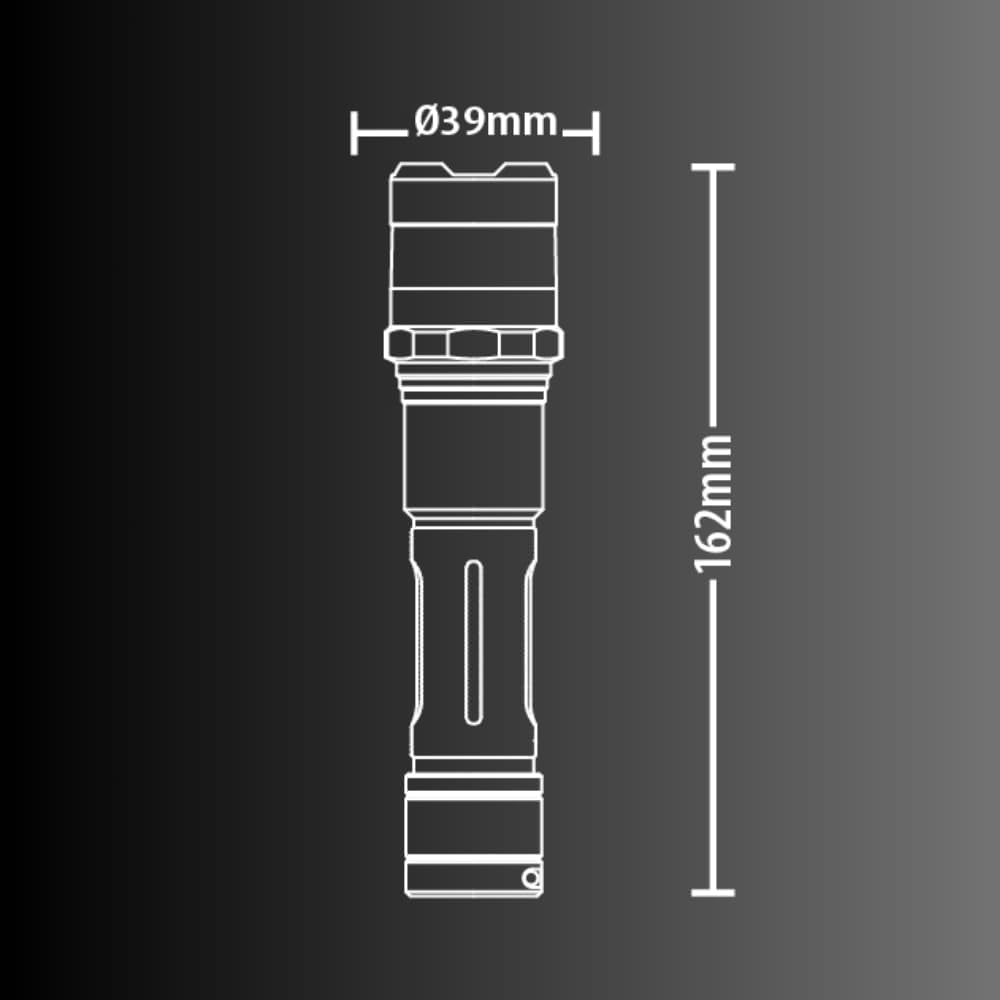
Image: Detailed dimensions of the Xanlite flashlight.
Warranty and Support
Xanlite products are manufactured to high-quality standards. For warranty information or technical support, please refer to the warranty card included with your product or visit the official Xanlite website. You may also contact customer service through your retailer.
For further assistance, please visit: Xanlite Official Store


