1. Introduction
This manual provides detailed instructions for the installation, operation, and maintenance of your Maclean MCE358 PIR Motion Sensor. This infrared motion sensor features a built-in twilight sensor, a 180-degree detection angle, and a maximum range of 12 meters. It is designed for outdoor use with an IP44 rating and can handle a maximum resistive load of 1200W, making it suitable for various lighting applications, including LED.
2. Safety Information
- Electrical Safety: Installation should only be performed by a qualified electrician or competent person in accordance with local wiring regulations. Ensure the power supply is disconnected before installation or maintenance.
- Voltage: This device operates on standard AC mains voltage. Verify your local voltage matches the product specifications.
- IP44 Rating: The sensor is rated IP44, meaning it is protected against solid objects over 1mm and splashes of water from any direction. It is suitable for outdoor use but should not be submerged in water.
- Load Capacity: Do not exceed the maximum load capacity of 1200W (resistive load) or 300W (LED/inductive load) to prevent damage to the sensor and connected devices.
- Heat: Avoid installing the sensor near heat sources such as vents, heating units, or direct sunlight, as this may affect its performance.
3. Package Contents
Please check the package for the following items:
- Maclean MCE358 PIR Motion Sensor (Black)
- Mounting screws and wall plugs
- User Manual
4. Product Overview
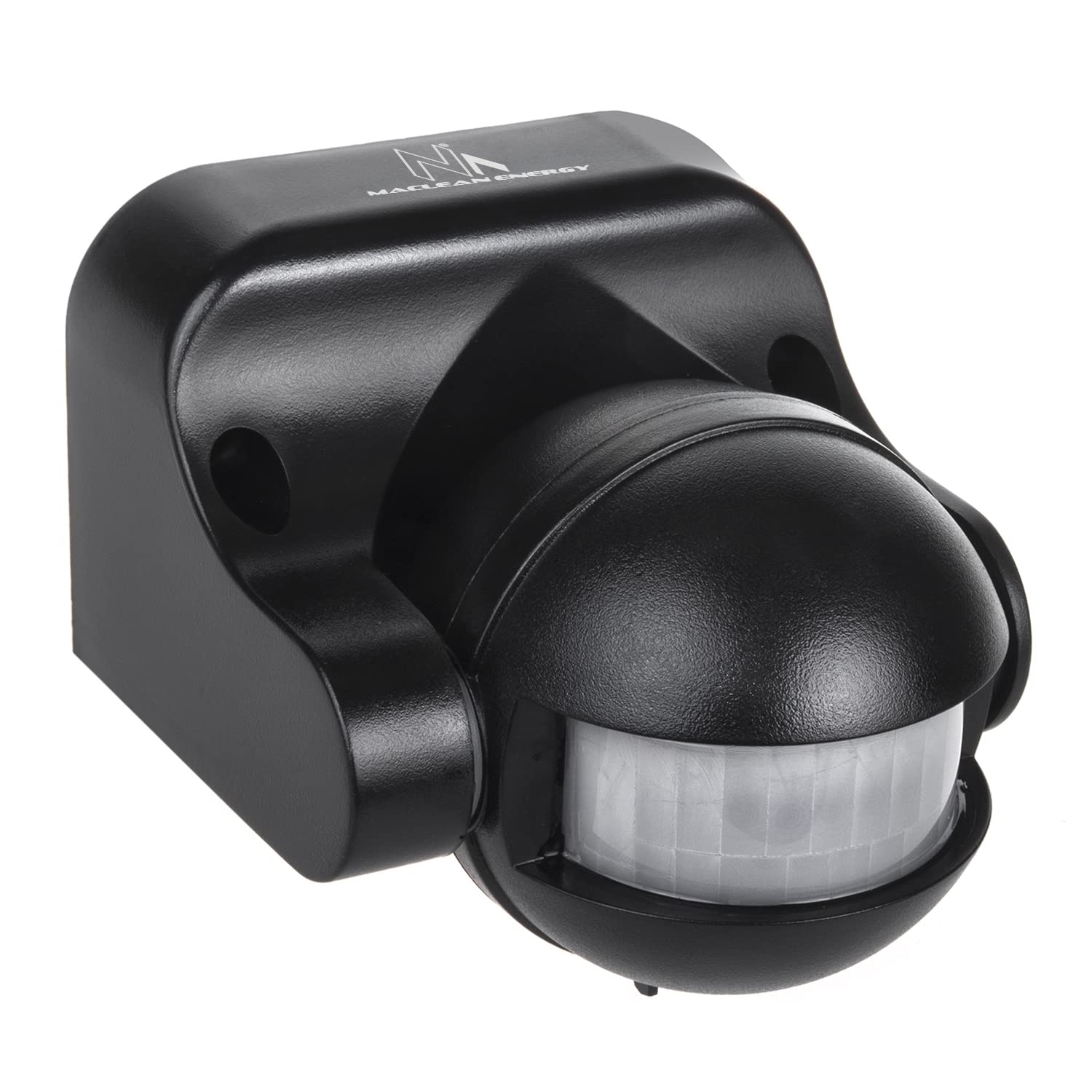
The Maclean MCE358 PIR Motion Sensor is designed for reliable motion detection. Familiarize yourself with its components:


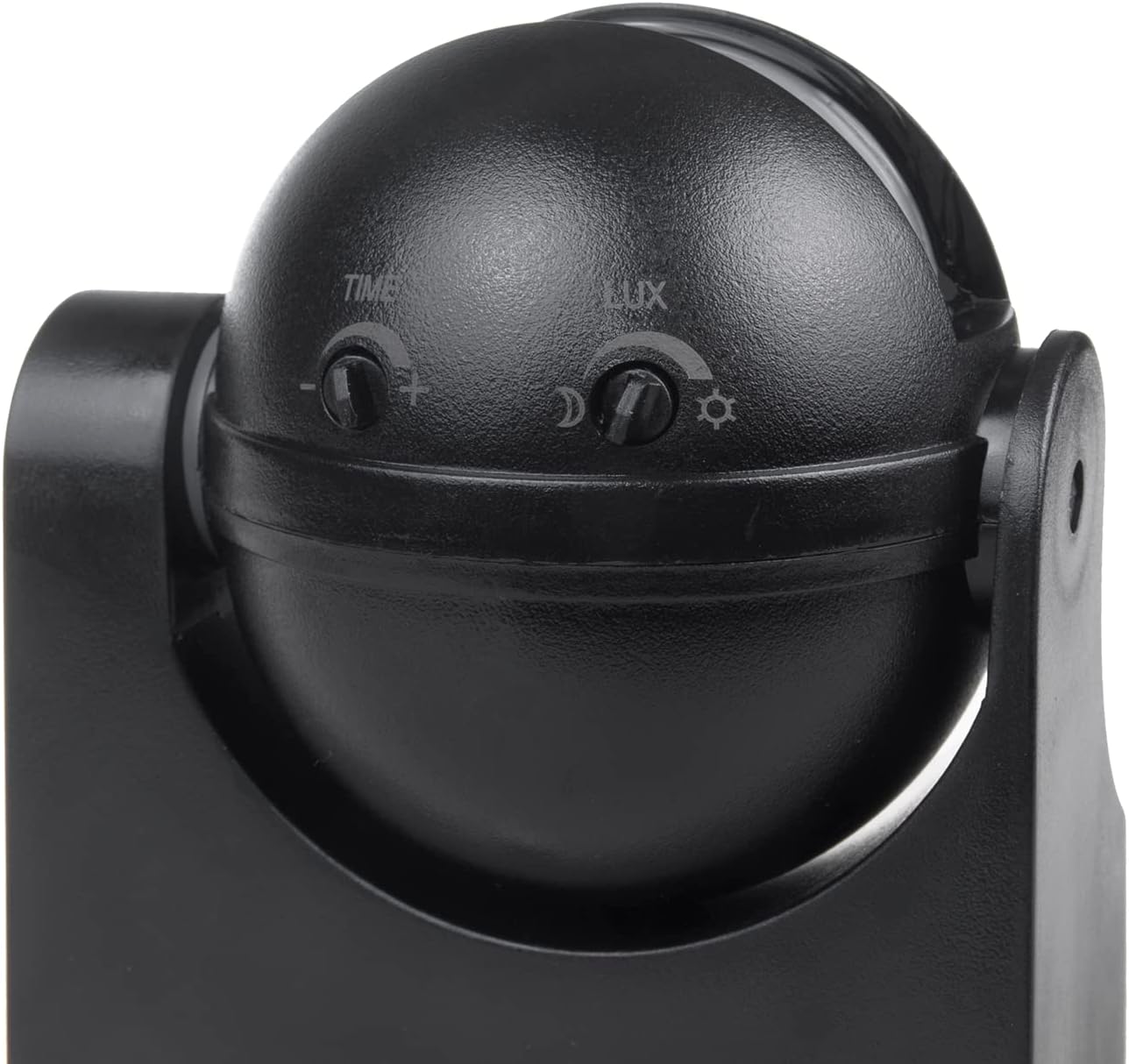
The sensor features two main adjustment knobs:
- LUX Knob: Controls the ambient light sensitivity. This determines at what light level the sensor will activate the connected load.
- TIME Knob: Adjusts the duration for which the connected load remains ON after motion is detected.

5. Specifications
| Feature | Specification |
|---|---|
| Model Number | MCE358 |
| Detection Angle | 180 degrees |
| Detection Range | Max 12 meters |
| Power Source | Wired Electric |
| Maximum Load | 1200W (Resistive), 300W (LED/Inductive) |
| IP Rating | IP44 |
| Operating Temperature | -20°C |
| Mounting Type | Wall Mount |
| Product Dimensions | 8 x 6 x 14 cm |
| Item Weight | 180 g |
6. Setup and Installation
Follow these steps for safe and correct installation:
- Choose Location: Select a suitable wall-mount location, ideally between 1.8m and 2.5m from the ground, where the sensor can cover the desired detection area without obstruction. Avoid aiming it directly at heat sources or reflective surfaces.
- Disconnect Power: Before starting any electrical work, ensure the main power supply to the circuit is switched off at the fuse box or circuit breaker.
- Mounting:
- Use the provided mounting screws and wall plugs to securely attach the sensor's base to the wall.
- Ensure the sensor is firmly fixed and stable.

Figure 6.1: Rear view of the Maclean MCE358 PIR Motion Sensor, showing mounting points. - Wiring:
- Connect the live (L), neutral (N), and load (L') wires according to the wiring diagram provided inside the sensor or on its casing.
- Typically, 'L' connects to the incoming live wire, 'N' to the incoming neutral wire, and 'L'' to the live wire of the light fixture or device you wish to control.
- Ensure all connections are tight and insulated.
- Restore Power: Once installation is complete and all connections are secure, restore power to the circuit.
7. Operating Instructions
After installation, you can adjust the sensor's settings to suit your needs:
- Adjusting LUX (Light Sensitivity):
- Rotate the LUX knob (marked with sun and moon symbols) to set the ambient light level at which the sensor will become active.
- Turning towards the sun symbol (max) means the sensor will operate in both daylight and darkness.
- Turning towards the moon symbol (min) means the sensor will only activate in low light conditions or darkness.
- Adjusting TIME (Duration):
- Rotate the TIME knob (marked with '+' and '-' symbols) to set how long the connected light or device remains on after motion is detected and before it turns off.
- Turning towards '+' increases the duration.
- Turning towards '-' decreases the duration.
- The typical range is from a few seconds to several minutes.
- Testing the Sensor:
- Set the LUX knob to the maximum (sun symbol) and the TIME knob to the minimum.
- Walk into the detection area. The light should turn on.
- Wait for the light to turn off (after the minimum set time).
- Walk into the detection area again to confirm activation.
- Once confirmed, adjust the LUX and TIME settings to your desired operational parameters.
8. Maintenance
To ensure optimal performance and longevity of your Maclean MCE358 PIR Motion Sensor:
- Cleaning: Periodically wipe the sensor lens and housing with a soft, damp cloth. Do not use abrasive cleaners or solvents, as these can damage the plastic and affect sensor performance.
- Inspection: Regularly check for any signs of damage to the housing or wiring. If any damage is found, disconnect power and have it inspected by a qualified technician.
- Obstructions: Ensure that there are no new obstructions (e.g., growing plants, new structures) blocking the sensor's field of view.
9. Troubleshooting
If you encounter issues with your motion sensor, refer to the following common problems and solutions:
| Problem | Possible Cause | Solution |
|---|---|---|
| Light does not turn on when motion is detected. |
|
|
| Light stays on constantly. |
|
|
| Light turns on and off too frequently. |
|
|
10. Warranty and Support
Maclean products are designed for reliability and performance. This product comes with a standard manufacturer's warranty. Please refer to the warranty card included with your purchase or visit the official Maclean website for detailed warranty terms and conditions.
For technical support, troubleshooting assistance, or warranty claims, please contact Maclean customer service through their official channels. Keep your purchase receipt as proof of purchase.
Maclean Website: Visit Maclean Store on Amazon