
Introduction
This manual provides comprehensive instructions for the proper use and care of your Callaway Pro XS Laser Rangefinder. Designed for golf enthusiasts, this device offers precise distance measurements, including slope-adjusted distances, and features like Pin-Locking Technology and MagnaHold magnetic attachment. Please read this manual thoroughly to ensure optimal performance and longevity of your device.

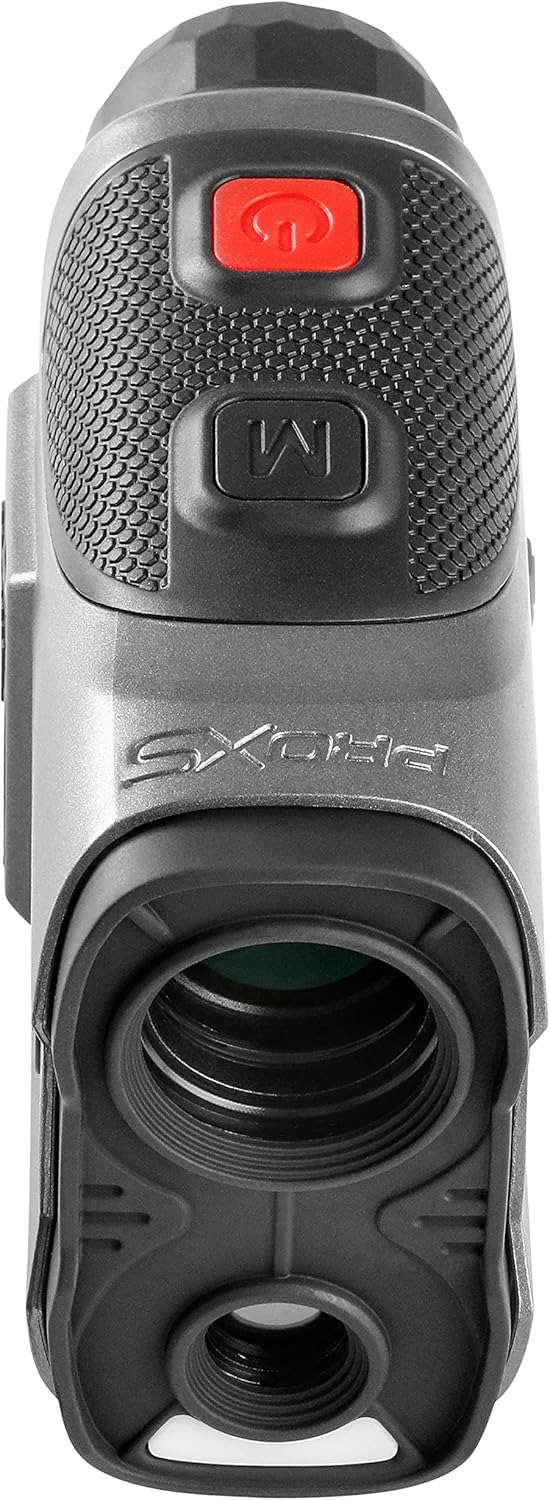
A detailed view of the Callaway Pro XS Laser Rangefinder, showcasing its ergonomic design and lens.
Setup
1. Battery Installation
The Callaway Pro XS Laser Rangefinder comes with a lithium battery included. To install or replace the battery:
- Locate the battery compartment on the device.
- Open the battery compartment cover.
- Insert the lithium battery, ensuring correct polarity (+/-).
- Close the battery compartment cover securely.
2. Initial Power-On
After installing the battery, press the power button (usually marked with a red circle) to turn on the device. The display should illuminate, indicating it is ready for use.
Operating Instructions
Power On/Off
Press the red power button located on the top of the device to turn it on. The device will automatically power off after a period of inactivity to conserve battery life.
Measuring Distance
Look through the eyepiece and align the reticle with your target. Press the power button once to activate the laser and display the distance. The device features 6x magnification for clear viewing.
Precise Slope Measurement
The Pro XS rangefinder accounts for elevation changes to provide a slope-adjusted distance. To activate or deactivate this feature, slide the eyepiece. When active, the display will show both the actual distance and the compensated distance.
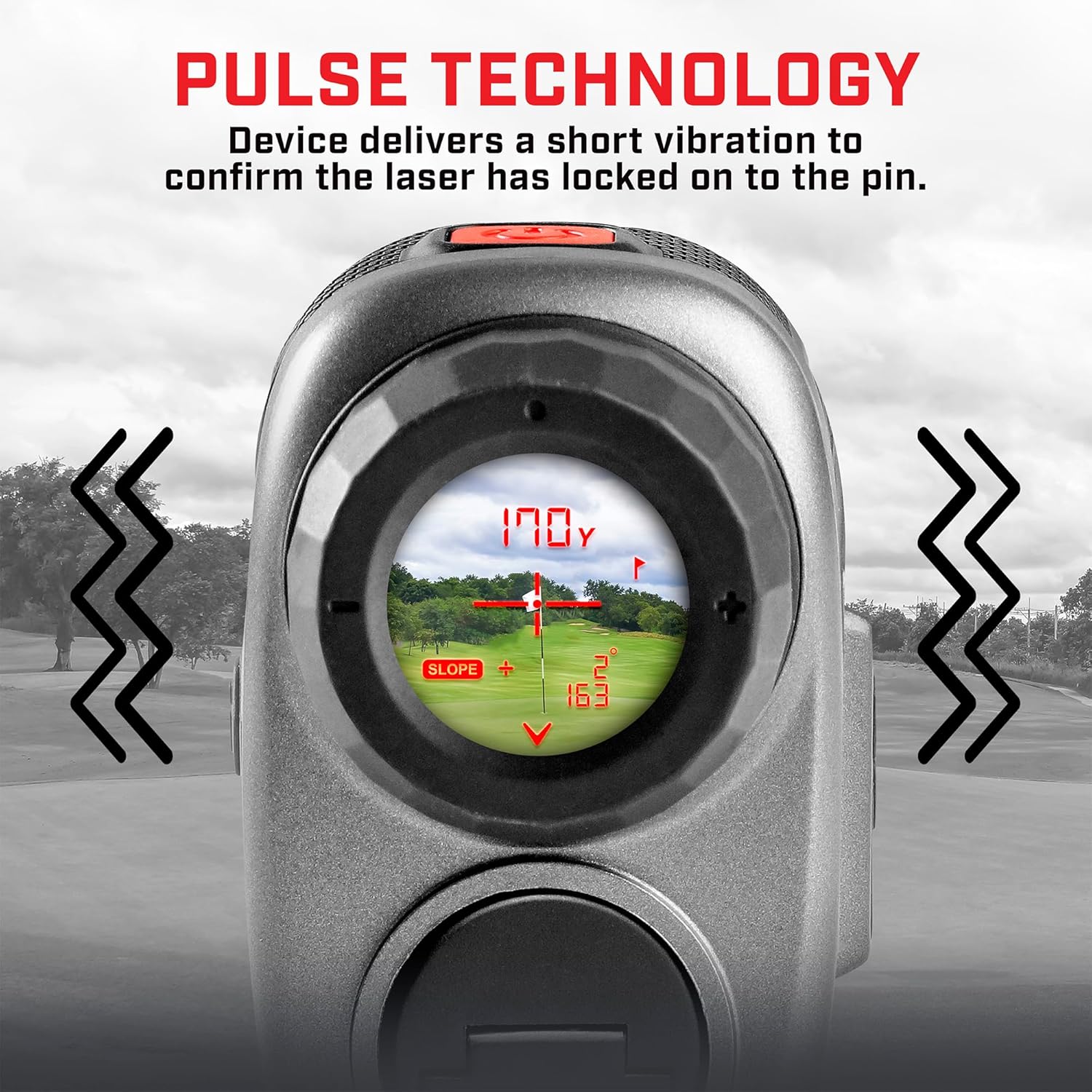
An illustration of the rangefinder's internal display, showing a target flag, the measured distance (170 yards), and the slope-adjusted distance (163 yards) with a 2-degree incline.
Pin-Locking Technology (P.A.T.)
This feature allows you to lock onto the flagstick up to 300 yards away with confidence. When the laser successfully hits the pin, the device will provide a pulse confirmation (vibration) to indicate a precise lock.

The rangefinder shown with visual cues indicating vibration, signifying successful pin-locking through Pulse Technology.
MagnaHold Feature
The Pro XS is equipped with strong internal magnets (MagnaHold) that allow you to securely affix the unit to the metal frame of a golf cart for quick and easy access during play.

A side view of the rangefinder highlighting the 'MagnaHold' magnetic panel for easy attachment.

The rangefinder magnetically attached to the metal frame of a golf cart, demonstrating the MagnaHold feature in use.
Maintenance
- Cleaning the Lenses: Use a soft, lint-free cloth specifically designed for optics. Gently wipe the lenses to remove dust or smudges. Avoid using abrasive materials or harsh chemicals.
- Cleaning the Body: Wipe the exterior of the rangefinder with a soft, damp cloth. Do not submerge the device in water.
- Storage: When not in use, store the rangefinder in its protective carrying case in a cool, dry place, away from direct sunlight and extreme temperatures.
- Battery Care: If the device will not be used for an extended period, it is recommended to remove the battery to prevent leakage.
The Callaway Pro XS Laser Rangefinder alongside its protective carrying case, which features a zipper closure and a carabiner clip.
Troubleshooting
If you encounter issues with your Callaway Pro XS Laser Rangefinder, please refer to the following common solutions:
- Device Not Powering On: Ensure the battery is correctly installed and fully charged. Replace the battery if necessary.
- Inaccurate Readings: Ensure the lenses are clean and free from obstructions. Make sure you are targeting a clear object and holding the device steady.
- No Pin-Lock Confirmation: Ensure you are targeting the flagstick directly and within the specified range (up to 300 yards).
- Display Issues: Check battery level. If the display is dim or flickering, the battery may be low.
For further assistance, please contact Callaway customer support.
Specifications
| Feature | Detail |
|---|---|
| Brand | Callaway |
| Model Name | Pro XS |
| Magnification | 6x |
| Max Range | 1,000 yards (300 yards to flag) |
| Accuracy | +/- 1 yard |
| Battery Type | Lithium (Included) |
| Water Resistance Level | Water Resistant (IP54) |
| Material | Plastic |
| Color | Silver/Black |
| Item Weight | 6 Ounces |
| Product Dimensions | 6"L x 5"W x 3.5"H |
| Included Components | 1 Pro XS Rangefinder |

An image illustrating the physical dimensions of the Callaway Pro XS Laser Rangefinder: 6 inches in length, 5 inches in width, and 3.5 inches in height.
Warranty and Support
The Callaway Pro XS Laser Rangefinder comes with a 1-Year Warranty from the date of purchase. This warranty covers manufacturing defects under normal use. For warranty claims or technical support, please visit the official Callaway Golf website or contact their customer service department. Keep your proof of purchase for warranty validation.
