
1. Product Overview
The Smart Air Boost is a portable, wireless, and rechargeable radiator fan designed to enhance heat distribution and circulation from your radiators. It prevents warm air from rising directly to the ceiling, instead redirecting it forward into your living space. This intelligent device helps to warm rooms more quickly and efficiently, potentially leading to energy savings.
Key features include:
- Improved Heat Distribution: Redirects warm air from radiators into the room.
- Wireless & Rechargeable: Offers up to 13 hours of continuous cordless operation.
- Automatic Operation: Features an intelligent heat sensor that activates the fan when the radiator surface reaches 33°C and turns off when the temperature drops below 33°C.
- Energy Efficient: Low power consumption, costing less than a penny per hour to operate.
- Portable Design: Lightweight and easy to move between rooms without installation.
- Safety Shut-off: Automatically turns off if the radiator temperature exceeds 70°C, restarting when it cools to 65°C.

Image 1.1: Front view of the Smart Air Boost Radiator Fan, displaying its digital temperature sensor.
2. Important Safety Information
Please read all safety instructions before using the Smart Air Boost. Failure to follow these instructions may result in electric shock, fire, or serious injury.
- Placement: Ensure the device is placed securely on top of the radiator. Do not block the air vents.
- Power Source: Use only the provided power adapter for charging. Ensure the voltage matches your local supply.
- Water Exposure: Do not expose the device to water or other liquids. Do not operate in damp or wet conditions.
- Children and Pets: Keep the device out of reach of children and pets.
- Maintenance: Unplug the device before cleaning. Do not attempt to disassemble or repair the unit yourself. Contact qualified service personnel for repairs.
- Overheating: The device has an automatic safety shut-off feature. If it overheats, it will temporarily stop operating.
- Ventilation: Ensure adequate ventilation around the radiator and the device.
3. Setup and Installation
The Smart Air Boost is designed for easy, tool-free installation. Simply place it on top of your radiator.
- Unpack: Carefully remove the Smart Air Boost from its packaging.
- Placement: Position the Smart Air Boost directly on top of your radiator. Ensure it sits stably and the air outlets face into the room. The device is compatible with various radiator types, including double convector, single convector, double tube, single tubular, and cast iron styles.
- Charging (Optional): For wireless operation, connect the provided power cord to the device and a suitable power outlet. Allow approximately 4.5 hours for a full charge. The device can also operate while plugged in.
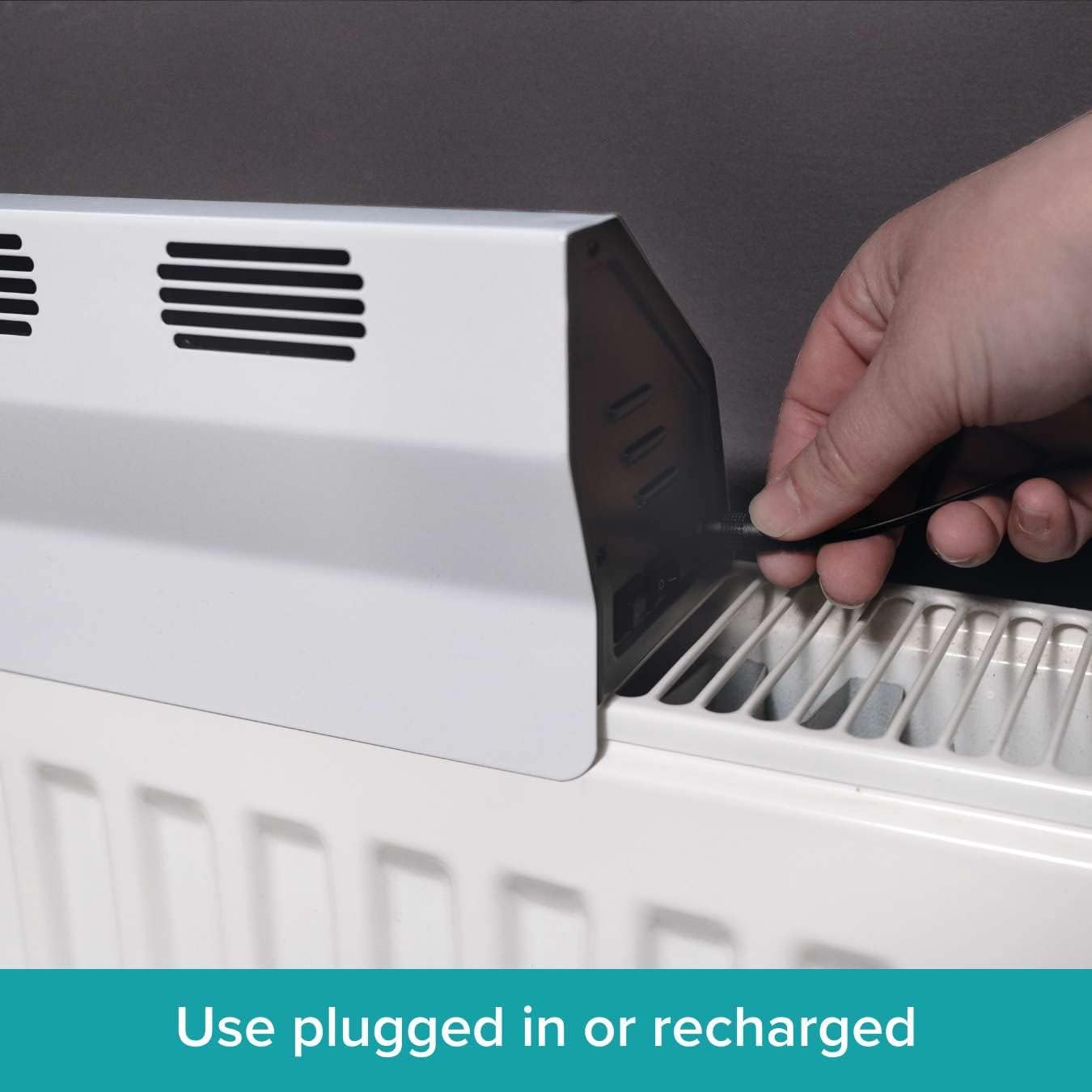
Image 3.1: Connecting the power cable for charging or continuous operation.
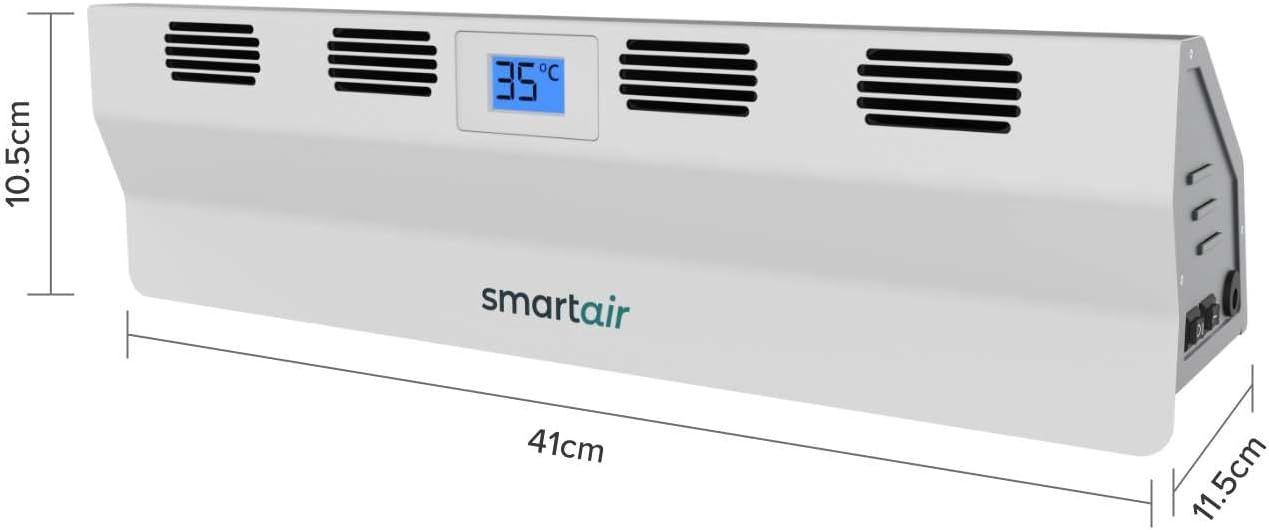
Image 3.2: Dimensions of the Smart Air Boost, illustrating its compact size for radiator placement.
4. Operating Instructions
The Smart Air Boost offers both manual and automatic operating modes for optimal heat circulation.
4.1. Mode Selection
Locate the mode switch on the device. You can choose between two modes:
- Automatic Mode: In this mode, the Smart Air Boost uses its intelligent heat sensor. It will automatically activate when the radiator surface temperature reaches 33°C and turn off when the temperature drops below 33°C. This ensures efficient operation only when heat is available.
- Manual Mode: In manual mode, the fan operates continuously, regardless of the radiator temperature. This is useful if you wish to maintain constant air circulation.
4.2. Powering On/Off
Use the power switch to turn the device on or off. When in automatic mode, the device will manage its operation based on temperature.
4.3. Corded vs. Cordless Use
- Corded Use: Connect the power adapter to a wall outlet for continuous operation and simultaneous charging.
- Cordless Use: Once fully charged, the internal battery provides up to 13 hours of continuous use (run time up to 14 hours on low, 8.5 hours on high). This allows for flexible placement without being tethered to an outlet.
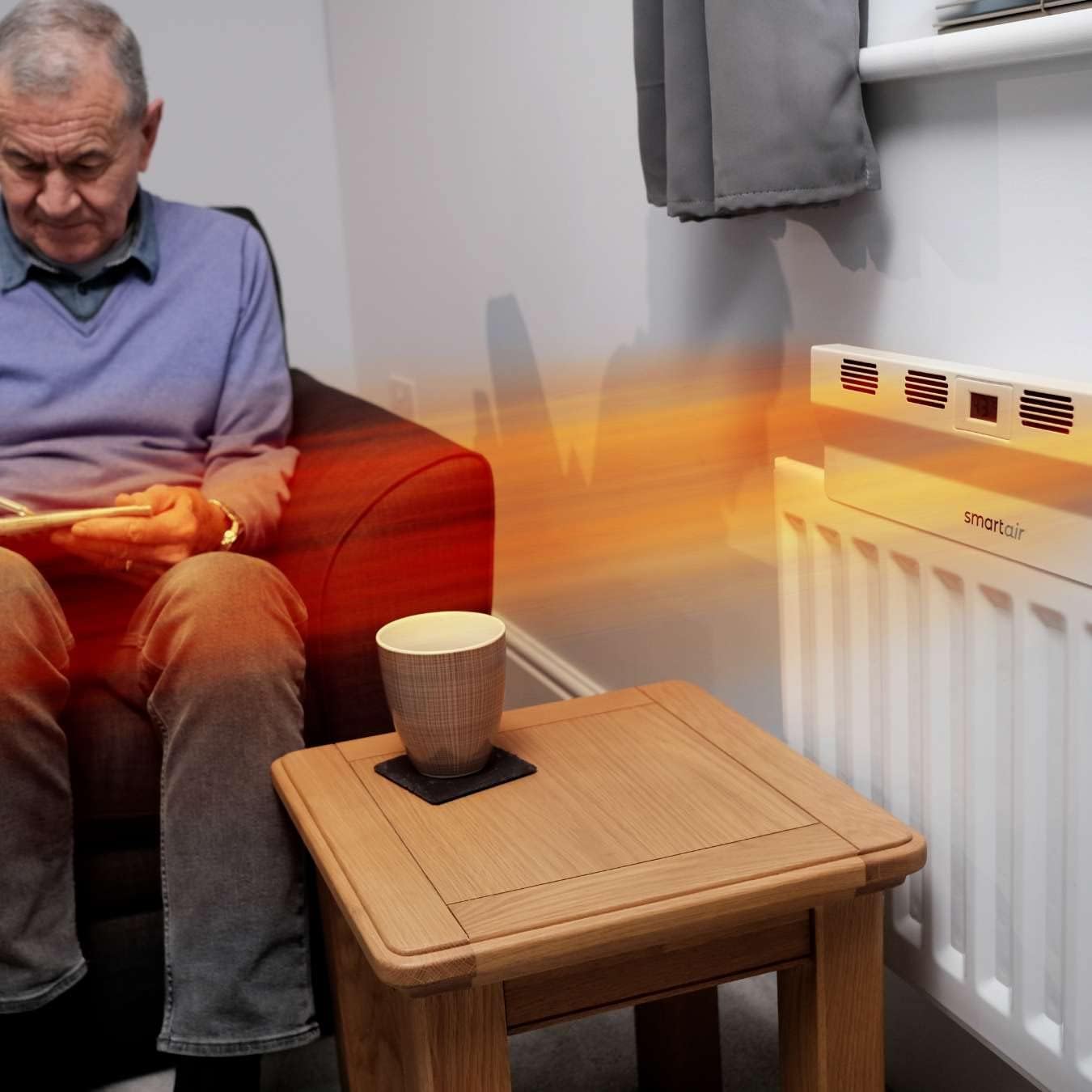
Image 4.1: The Smart Air Boost effectively distributing warm air from a radiator into a living space.

Image 4.2: The Smart Air Boost operating in a bedroom, demonstrating its suitability for various rooms.
5. Care and Maintenance
Regular cleaning and proper care will ensure the longevity and optimal performance of your Smart Air Boost.
- Cleaning: Before cleaning, ensure the device is turned off and unplugged. Use a soft, dry cloth to wipe the exterior surfaces. Do not use abrasive cleaners, solvents, or immerse the device in water.
- Dust Removal: Periodically use a soft brush or a vacuum cleaner with a brush attachment to gently remove dust from the air intake and outlet vents.
- Storage: If storing the device for an extended period, ensure it is clean and fully charged. Store it in a cool, dry place, away from direct sunlight and extreme temperatures.
6. Troubleshooting
If you encounter issues with your Smart Air Boost, please refer to the following common problems and solutions:
| Problem | Possible Cause | Solution |
|---|---|---|
| Device does not turn on. | Battery is depleted or not charged. Power cable is not connected or faulty. | Charge the device for at least 4.5 hours. Ensure the power cable is securely connected to both the device and a working power outlet. |
| Fan is not running in Automatic Mode. | Radiator surface temperature is below 33°C. | Ensure the radiator is hot enough. The fan will only activate when the radiator reaches 33°C. You can switch to Manual Mode for continuous operation. |
| Device suddenly stops operating. | Overheating safety feature activated. Battery is depleted. | Allow the radiator and device to cool down. The device will restart when the radiator temperature drops to 65°C. Recharge the battery if operating wirelessly. |
| Reduced airflow. | Vents are blocked by dust or debris. | Clean the air intake and outlet vents using a soft brush or vacuum cleaner. |
If the problem persists after trying these solutions, please contact customer support.
7. Product Specifications
| Feature | Detail |
|---|---|
| Model Number | SY-TV05 |
| Brand | Smart Air |
| Manufacturer | High Street TV |
| Dimensions (L x W x H) | 41 cm x 11.5 cm x 10.5 cm |
| Weight | 1.6 kg |
| Power | 10 Watts |
| Voltage | 5 Volts |
| Battery Type | 1 AA Lithium (included) |
| Charge Time | Approximately 4.5 hours |
| Run Time (Cordless) | Up to 14 hours (low mode), 8.5 hours (high mode) |
| Cable Length | 1.8 meters |
| Noise Level | 48.6 Decibels |
| Special Feature | Portable, Automatic Heat Sensor |
| Color | White |

Image 7.1: Visual summary of product specifications.
8. Warranty and Support
For warranty information and customer support, please refer to the documentation provided with your purchase or contact the manufacturer directly.
- Manufacturer: High Street TV
- Brand: Smart Air
- Contact: Please visit the official Smart Air website or refer to your purchase receipt for specific contact details and warranty terms.


