
1. Introduction
The Retevis RB66 is a portable FRS two-way radio designed for efficient and reliable communication in various professional and personal settings. Featuring 1-hour fast charging, a compact design, and essential functions like VOX and a built-in flashlight, the RB66 ensures clear and instant communication.
1.1 What's in the Box
- 20 x RB66 walkie-talkie
- 20 x 1000mAh battery
- 20 x USB charging base
- 20 x Charger adapter
- 20 x Headset
2. Product Overview
2.1 Components and Controls
Familiarize yourself with the main components of your Retevis RB66 walkie talkie:

Image: Front, side, and top views of the Retevis RB66 walkie talkie, highlighting its compact and ergonomic design.
The RB66 features a durable, palm-sized body with clearly marked buttons for easy operation. The top includes the antenna, volume/power knob, and a flashlight. The side features the Push-to-Talk (PTT) button and programmable side keys.
2.2 Key Features
- 1 Hour Fast Charging: Rapidly charges from 0% to 80% in just 30 minutes, with a full charge in 1 hour. The USB charging base is detachable, allowing direct charging via USB-C.
- Earpiece with Mic: Includes high-quality earpieces for clear, private communication, ensuring team discussions are not overheard.
- Palm-sized Rugged Design: Constructed with a thick plastic shell for durability and a metal back clip for secure attachment.
- Built-in Flashlight: Provides illumination for use in low-light conditions.
- Unique Fluorescent Design: The radio's fluorescent casing glows in the dark, making it easy to locate and handle even in complete darkness.
- VOX Hands-Free: Allows for voice-activated transmission without needing to press the PTT button, ideal for tasks requiring both hands.
- Long Range Capability: Integrated antenna provides strong penetrating power for good reception, even in steel structures.
- One-Key Frequency Pairing: Simplifies pairing with other compatible radios without requiring computer software.

Image: The Retevis RB66 walkie talkie with its flashlight activated, illuminating a dark area.
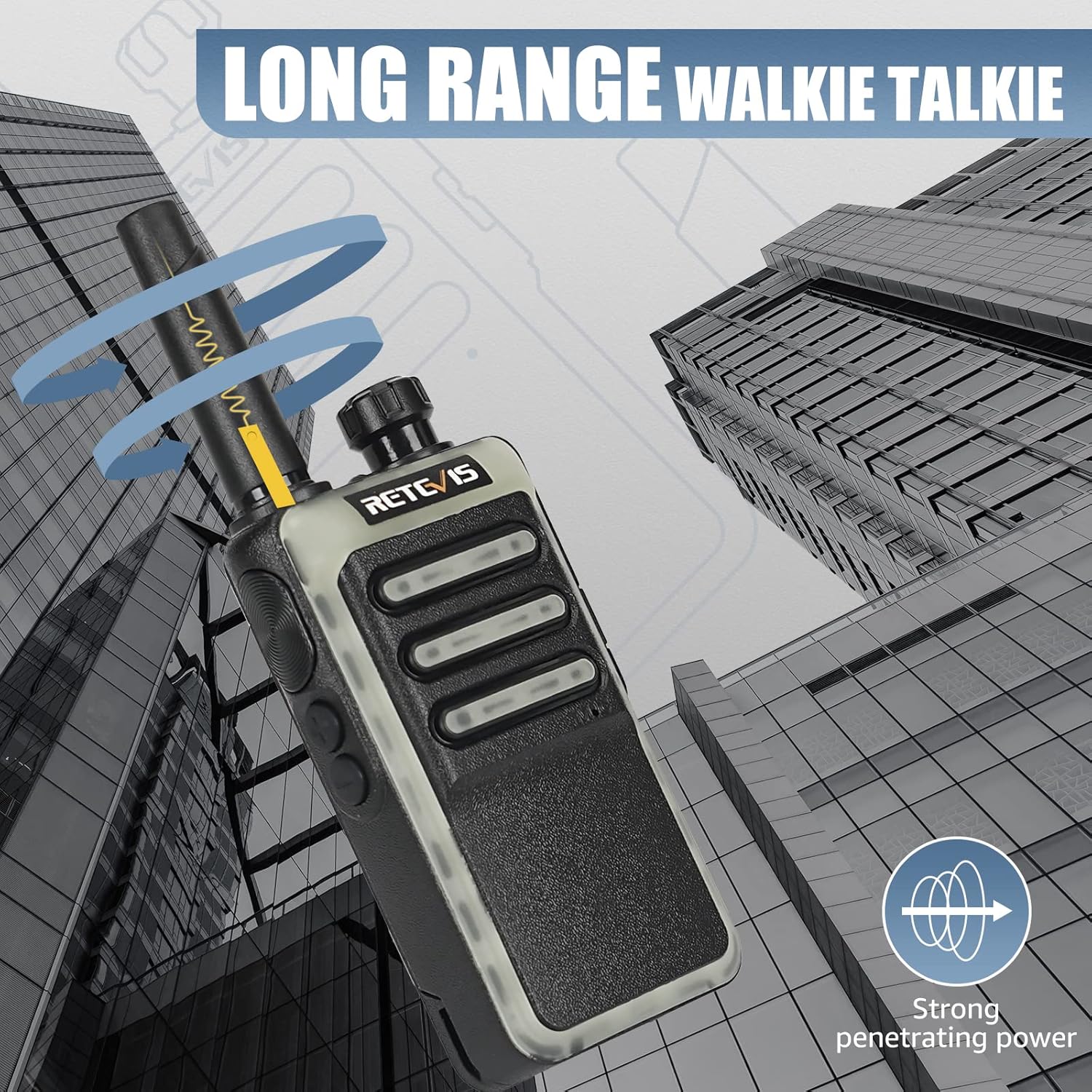
Image: The Retevis RB66 walkie talkie demonstrating its fluorescent design, glowing in a dark environment.
3. Setup
3.1 Battery Installation and Charging
The RB66 walkie talkie comes with a 1000mAh battery. Ensure the battery is properly installed before first use.
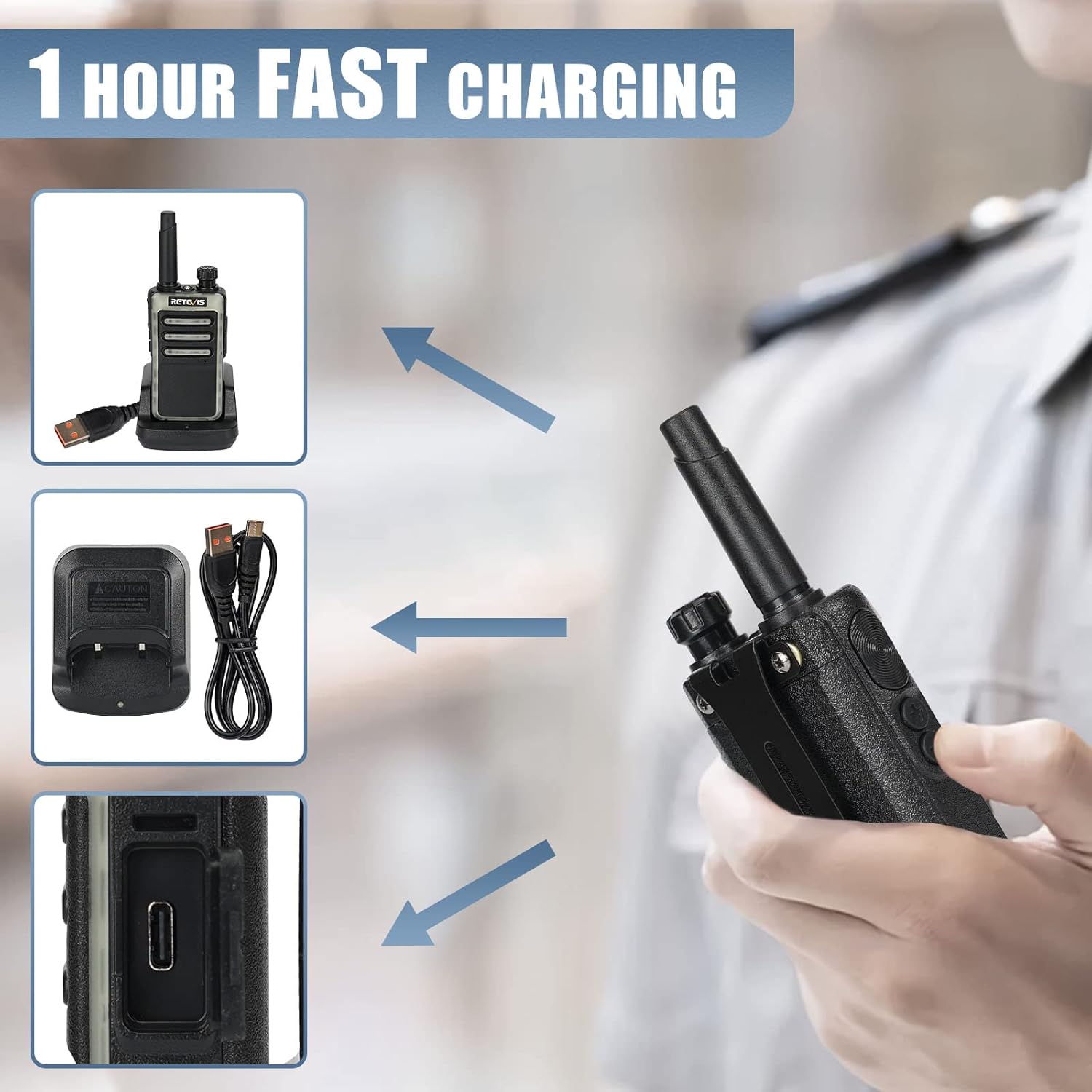
Image: A Retevis RB66 walkie talkie placed on its USB charging base, illustrating the charging process.
To charge the radio, connect the USB charging base to the charger adapter and plug it into a power outlet. Alternatively, the charging cable can be used to charge the walkie-talkie directly via its USB-C port. The radio charges from 0% to 80% in approximately 30 minutes and reaches a full charge in 1 hour.
Video: Demonstrates the fast charging capability of the Retevis RB66 walkie talkie, highlighting its quick charge time.
3.2 Attaching the Belt Clip
The RB66 includes a metal belt clip for convenient carrying. To attach the belt clip, align it with the screw holes on the back of the radio and secure it with the provided screws using a screwdriver.
Video: Shows the process of attaching the metal belt clip to the Retevis RB66 walkie talkie for secure carrying.
4. Operating Instructions
4.1 Power On/Off and Volume Control
To power on the radio, rotate the volume/power knob clockwise until you hear a click. Continue rotating to adjust the volume. To power off, rotate the knob counter-clockwise until it clicks.
4.2 Channel Selection
The RB66 typically operates on pre-programmed FRS channels. Refer to your specific model's channel chart for details. Channel selection is usually done via the channel knob on top of the radio.
4.3 Transmitting and Receiving
To transmit, press and hold the Push-to-Talk (PTT) button on the side of the radio and speak clearly into the microphone. Release the PTT button to receive. Ensure you are on the same channel as the person you are communicating with.
4.4 VOX Hands-Free Function
The VOX function allows you to transmit by speaking into the microphone without pressing the PTT button. This is useful when your hands are occupied.
Video: Illustrates how to activate and use the VOX (Voice Operated Exchange) function on the Retevis RB66 walkie talkie for hands-free communication.
To activate VOX, long press side key 1. The radio will confirm activation. To deactivate, repeat the process.
4.5 Flashlight Function
The RB66 is equipped with a built-in flashlight for convenience in dark environments.
Video: Demonstrates the simple steps to turn on and off the flashlight feature on the Retevis RB66 walkie talkie.
Typically, the flashlight can be activated by a short press of a designated side key or a combination of keys. Refer to your radio's specific button mapping for exact instructions.
4.6 Emergency Alarm
The emergency alarm function is designed to alert other members of your group in case of an emergency, ensuring safety and quick response.
Video: Shows the activation and sound of the emergency alarm function on the Retevis RB66 walkie talkie, designed to alert others in critical situations.
To activate the emergency alarm, press and hold the designated emergency button (often a side key). The radio will emit a loud alarm sound. To stop the alarm, press the button again.
4.7 One-Key Frequency Pairing
The RB66 supports one-key frequency pairing with other compatible models, simplifying the setup process for multiple units without the need for computer programming.
Video: Explains the compatibility of the Retevis RB66 radio and demonstrates its one-key frequency pairing feature for easy setup with other radios.
To pair, ensure both radios are powered on. Follow the specific instructions in your radio's quick start guide for the one-key pairing sequence. After pairing, the radios may need to be restarted.
5. Maintenance
5.1 Care and Cleaning
- Wipe the radio surface with a soft, damp cloth. Do not use harsh chemicals or abrasive cleaners.
- Keep the charging contacts clean and free of debris.
- Avoid exposing the radio to extreme temperatures, direct sunlight, or excessive moisture.
5.2 Battery Care
- Fully charge the battery before first use.
- Do not overcharge or deep discharge the battery.
- Store the radio and battery in a cool, dry place when not in use for extended periods.
6. Troubleshooting
6.1 Common Issues and Solutions
| Problem | Possible Cause | Solution |
|---|---|---|
| No power | Battery depleted or not installed correctly | Charge the battery; ensure battery is securely installed. |
| Poor audio quality | Low volume, interference, or out of range | Adjust volume; move to a clearer area; check range. |
| Cannot transmit or receive | Incorrect channel, PTT button issue, or out of range | Verify channel; check PTT button; move closer to other radios. |
6.2 Radio Range Considerations
The effective range of two-way radios can vary significantly based on several factors. Understanding these factors can help optimize your communication distance:
- Terrain and Obstacles: Mountains, buildings, and dense foliage can block radio signals, significantly reducing range.
- Radio Horizon: Radio waves travel in a line of sight. The curvature of the Earth limits the maximum range, especially for handheld radios.
- Power Output (Watts): Higher power output generally results in greater range. The RB66 operates as an FRS radio with a standard power output.
- Antenna Quality: The antenna plays a crucial role in transmitting and receiving signals.
- Atmospheric Conditions: Weather conditions can sometimes affect radio wave propagation.
Video: Provides an in-depth explanation of the factors that influence two-way radio range, including terrain, power, and antenna type.
7. Specifications
| Feature | Detail |
|---|---|
| Item Weight | 4.3 ounces |
| Product Dimensions | 0.98 x 2.1 x 5.51 inches |
| Item Model Number | RB66 |
| Batteries | 20 D batteries required (included) |
| Color | Black |
| Number of Channels | 22 |
| Special Feature | Lightweight, 1 Hour Fast Charging |
| Frequency Range | FRS |
| Talking Range Maximum | 2 Mile |
| Water Resistance Level | Water Repellent |
8. Warranty and Support
8.1 Warranty Information
Retevis provides a 2-year warranty for the radio body and a 1-year warranty for accessories. You are eligible for 30 days no-reason return. Beyond the warranty period, maintenance service is still offered, with buyers responsible for corresponding costs.
8.2 Customer Support
For any inquiries or support needs, please contact us on Amazon. We commit to replying within 12 hours to ensure a hassle-free experience.


