
Statik PUP-0373
Statik Snap-N-Charge Mini Portable Charger User Manual
Model: PUP-0373
Brand: Statik
1. Introduction
The Statik Snap-N-Charge Mini Portable Charger is a compact and versatile power bank designed to provide on-the-go power for a wide range of electronic devices. Featuring a 3000mAh, 10W battery and three interchangeable magnetic connectors (USB-C, Micro-USB, and iProduct), it offers a seamless and cable-free charging experience. Its small size allows for easy portability in pockets, purses, or bags, ensuring your devices stay powered wherever you are.

Figure 1: The Statik Snap-N-Charge Mini Portable Charger with its magnetic tips.
2. Setup
2.1 Charging the Snap-N-Charge Power Bank
Before first use, fully charge your Statik Snap-N-Charge power bank. Use the included charging cable to connect the power bank to a USB power source (e.g., wall adapter, computer USB port). The blue LED indicator lights on the power bank will illuminate to show the charging status. All four lights will be solid when fully charged.

Figure 2: The Snap-N-Charge power bank with its battery indicator lights.
2.2 Attaching Magnetic Tips
The Snap-N-Charge comes with three magnetic tips: USB-C, Micro-USB, and iProduct. Select the appropriate tip for your device and insert it into your device's charging port. The tips are designed to remain in your device for convenient, quick attachment to the power bank.
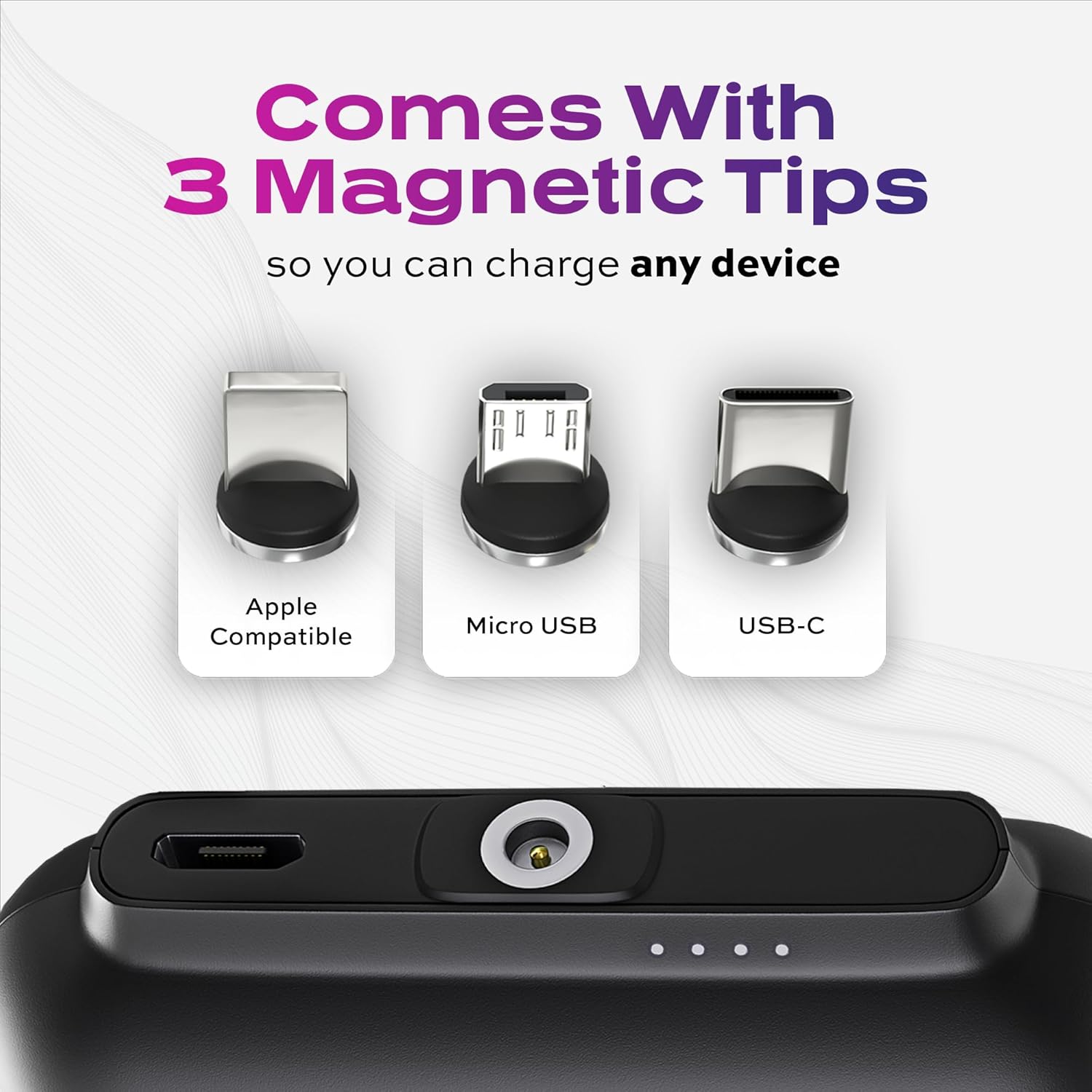
Figure 3: The three magnetic tips included with the Snap-N-Charge.
3. Operating Instructions
3.1 Charging Your Device
Once the magnetic tip is inserted into your device, simply bring the Statik Snap-N-Charge power bank close to the tip. The strong magnetic connection will automatically snap into place, and charging will begin. The power bank's indicator lights will show its remaining charge.
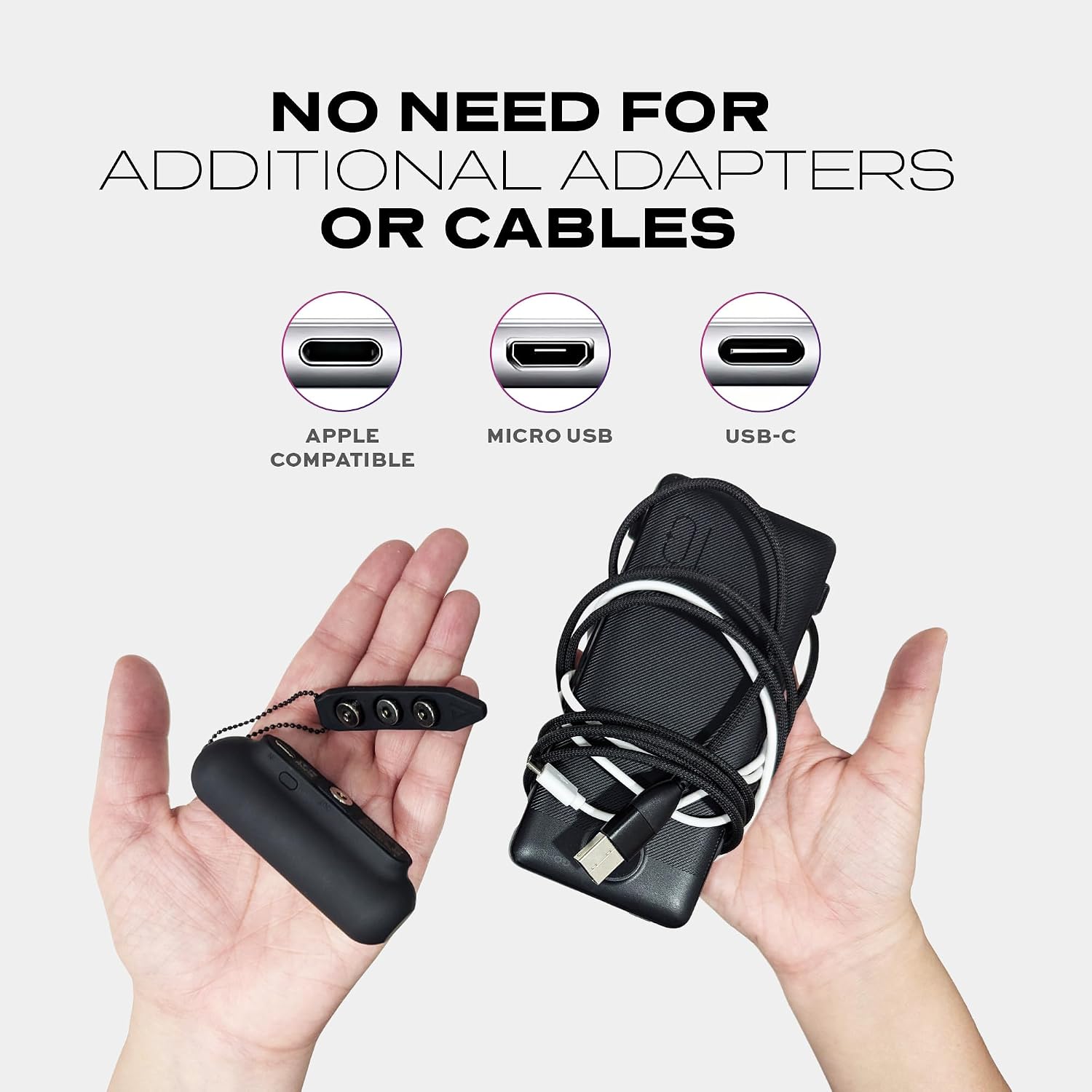
Figure 4: Charging a smartphone with the Snap-N-Charge.
3.2 Magnetic Hold and Protection
The Snap-N-Charge features a robust magnetic hold (13N = 2.8lbs) to ensure a secure connection during charging. The unique 360-degree rotating heads of the magnetic tips are designed to disconnect if the device is dropped, yanked, or pulled, providing an added layer of protection against potential damage to your phone's charging port.
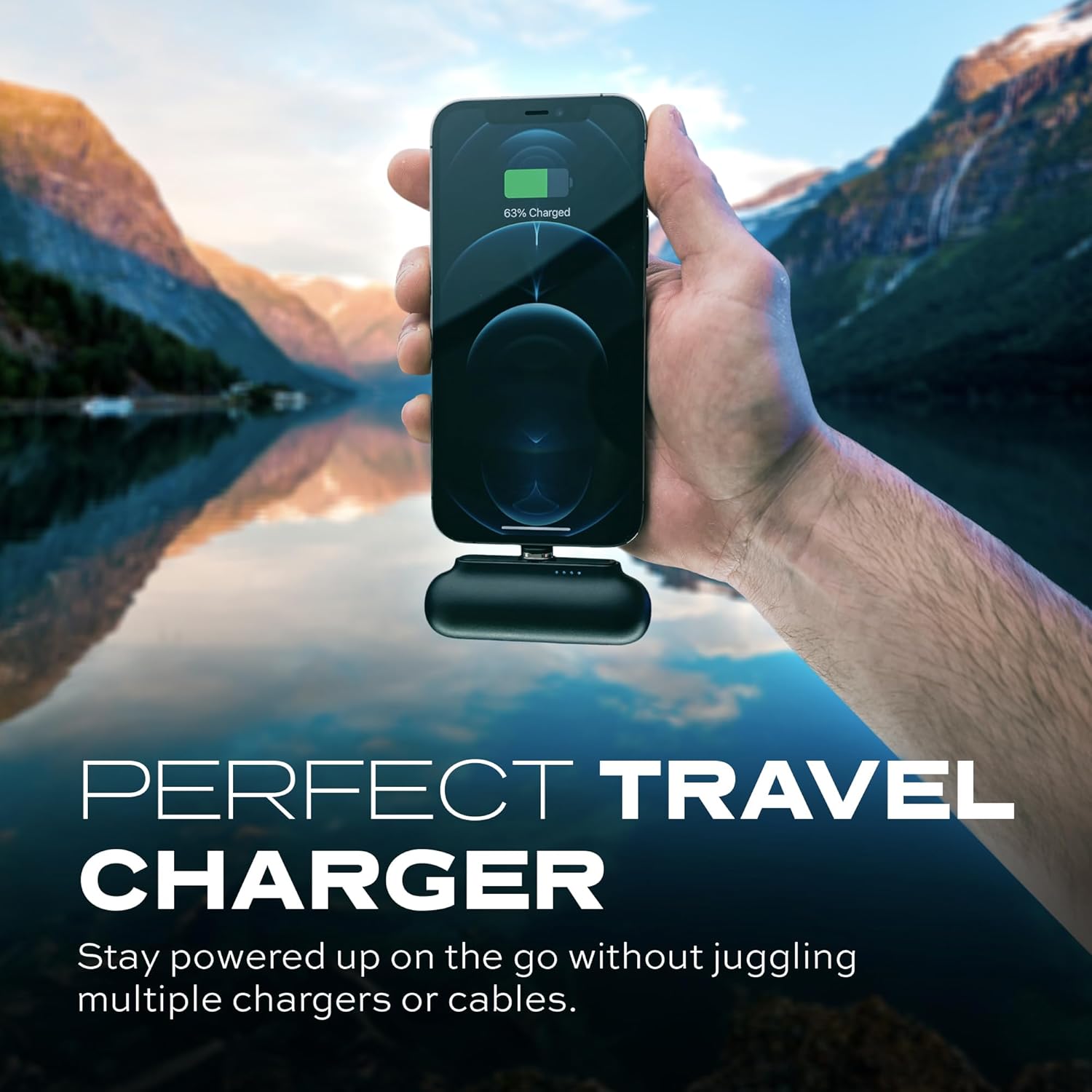
Figure 5: Demonstrating the strong magnetic hold.
3.3 Universal Device Compatibility
With the included USB-C, Micro-USB, and iProduct magnetic tips, the Snap-N-Charge is compatible with a wide array of devices, including smartphones, tablets, headphones, cameras, and gaming controllers. This allows you to charge multiple device types with a single portable power bank.

Figure 6: Charging capabilities for different devices.
3.4 Official Product Videos
Video 1: "Two Reasons Why This Is The Perfect Portable Charger" - This video highlights the compact size and universal compatibility of the Statik Snap-N-Charge, demonstrating its ease of use and ability to charge various devices without cables.
Video 2: "Power Bank Battery - Compact & Fast Charging Powerbank" - This video showcases the power bank's compact design and fast charging capabilities, emphasizing its convenience for daily use and travel.
Video 3: "No more time wasted being stuck with a wall charger." - This video illustrates the freedom and flexibility offered by the Snap-N-Charge, allowing users to charge their devices without being tethered to a wall outlet.
4. Maintenance
- Cleaning: Wipe the power bank and magnetic tips with a soft, dry cloth. Avoid using harsh chemicals or abrasive materials.
- Storage: Store the device in a cool, dry place away from direct sunlight and extreme temperatures.
- Battery Care: To prolong battery life, fully charge the power bank at least once every three months if not in regular use.
5. Troubleshooting
| Problem | Possible Cause | Solution |
|---|---|---|
| Device not charging. | Power bank is depleted. | Recharge the Statik Snap-N-Charge power bank. |
| Device not charging. | Magnetic tip not properly inserted or damaged. | Ensure the magnetic tip is fully inserted into your device's port. Inspect the tip for any damage. |
| Weak magnetic connection. | Debris on magnetic contacts. | Clean the magnetic contacts on both the power bank and the tip with a soft, dry cloth. |
| Slow charging. | Device requires higher wattage or is in heavy use. | Ensure your device is compatible with 10W charging. Reduce device usage during charging for faster results. |
6. Specifications
| Feature | Detail |
|---|---|
| Product Dimensions | 2.95 x 0.94 x 1.18 inches |
| Item Weight | 2.39 ounces |
| Model Number | PUP-0373 |
| Battery Capacity | 3000 Milliamp Hours (3000mAh) |
| Charging Speed | 10W |
| Connector Types | USB Type C, Micro USB, iProduct (Magnetic Tips) |
| Color | Black (Universal) |
| Manufacturer | Curv Group LLC |
| Date First Available | January 19, 2023 |
7. What's in the Box
- Statik Snap-N-Charge Mini Portable Charger
- 3 Magnetic Tips (USB-C, Micro-USB, iProduct)
- Charging Cable

Figure 7: All items included in the package.
8. Warranty and Support
For warranty information and customer support, please refer to the product packaging or visit the official Statik website. Keep your purchase receipt for any warranty claims.
Related documentsPUP-0373

Ask a question about this manual
Ask about setup, troubleshooting, compatibility, parts, safety, or missing instructions. Manuals+ will review the question and use this page’s manual context to help answer it.