
1. Introduction
Thank you for choosing the Klarstein 90 cm Smart Range Hood. This manual provides essential information for the safe and efficient installation, operation, and maintenance of your new appliance. Please read these instructions thoroughly before use and keep them for future reference.
This range hood is designed to effectively remove cooking odors, steam, and grease from your kitchen, ensuring a cleaner and more pleasant cooking environment. It features smart controls, RGB LED lighting, and a powerful airflow capacity.
2. Safety Instructions
WARNING: To reduce the risk of fire, electric shock, or injury, read and follow all instructions carefully.
- Ensure the power supply matches the voltage specified on the rating label.
- Installation must be performed by a qualified technician in accordance with all local codes and standards.
- Always disconnect the appliance from the power supply before cleaning or performing any maintenance.
- Do not operate the range hood if the power cord is damaged.
- Maintain adequate ventilation in the room when the range hood is used simultaneously with appliances burning gas or other fuels.
- The exhaust air must not be discharged into a flue that is used for exhausting fumes from appliances burning gas or other fuels.
- Clean grease filters regularly to prevent grease buildup, which can be a fire hazard.
- Do not flambé under the range hood.
- Keep children away from the appliance during operation and cleaning.
3. Product Overview and Included Components
The Klarstein 90 cm Smart Range Hood comes with the following components:
- 1x Range Hood Unit
- 2x Aluminum Grease Filters
- 1x Exhaust Air Duct (15.5 cm x 150 cm)
- 1x Non-return Flap
- 2x Flue Covers
- 1x Mounting Suspension
- 2x Activated Carbon Filters (optional, for recirculation mode)
- Multilingual Manual

Figure 1: Overview of the Klarstein 90 cm Smart Range Hood, highlighting its 3-speed control, 553 m³/h extraction, washable grease filter, and RGB LED lighting. It also notes the quiet operation at minimum 48 dB and A++ energy efficiency.
4. Setup and Installation
The range hood can be installed in two configurations: as an extraction hood (ducting air outside) or as a recirculation hood (filtering air and returning it to the kitchen).
For detailed installation steps, including mounting dimensions and electrical connections, please refer to the dedicated installation section in the included multilingual manual. It is recommended to have the installation performed by a professional.

Figure 2: Technical diagram showing the dimensions of the range hood and flue covers. It also illustrates the optional activated carbon filters for recirculation mode and the flexible exhaust hose.
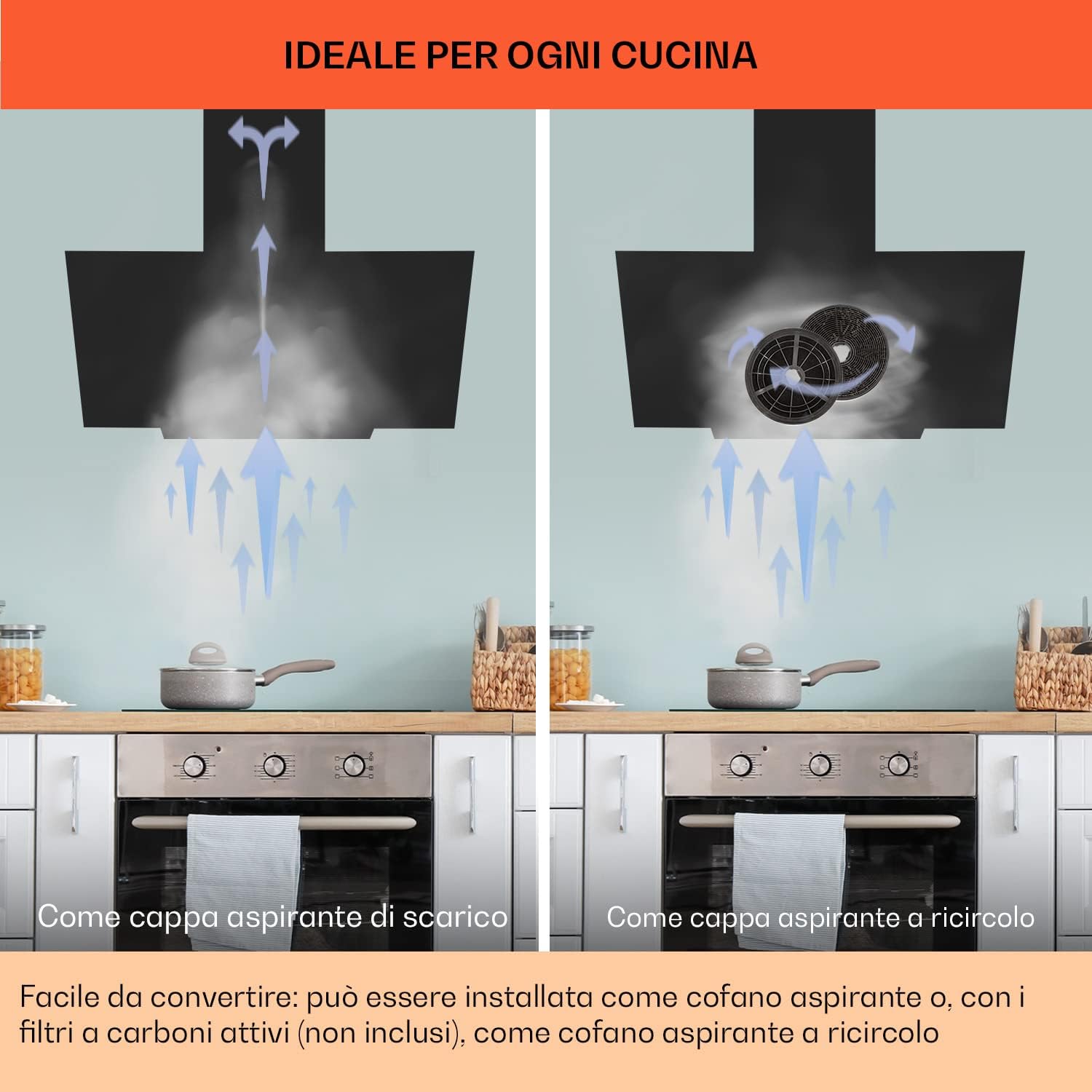
Figure 3: Illustration comparing the extraction mode (air vented outside) and recirculation mode (air filtered through carbon filters and returned to the kitchen). The hood is easily convertible between these two modes.
5. Operating Instructions
Your Klarstein range hood offers intuitive controls and smart connectivity for ease of use.
5.1. Control Panel
The range hood features a touch control panel for direct operation. Refer to the specific icons on your appliance for power, fan speed, and lighting controls.
5.2. Fan Speed Control
The hood has 3 power levels with an airflow capacity of up to 585 m³/h. Select the appropriate speed based on your cooking needs to effectively remove smoke and odors.

Figure 4: Visual representation of the range hood's three aspiration levels, high performance for clean air, and quiet motor operation. It includes a noise level comparison, noting the hood operates at 48 dB, significantly quieter than common headphones (90 dB).
5.3. LED RGB Lighting
The integrated RGB LED lighting system provides illumination for your cooking area. The lighting can be controlled via the touch panel or through the Wi-Fi enabled smart features.
5.4. Smart/Wi-Fi Connectivity
This range hood is IoT/Wi-Fi enabled, allowing you to control its functions via a smartphone application. Download the Klarstein app (if available) and follow the in-app instructions to connect your device. This enables remote control of fan speed and RGB LED lighting settings.
6. Maintenance
Regular maintenance ensures the longevity and optimal performance of your range hood.
6.1. Cleaning Grease Filters
The aluminum grease filters should be cleaned regularly, depending on usage. They are dishwasher safe for convenient cleaning.
- To remove, locate the release latches on the filters and pull them down.
- Wash the filters in a dishwasher or by hand using hot water and a mild detergent.
- Ensure filters are completely dry before re-installing.
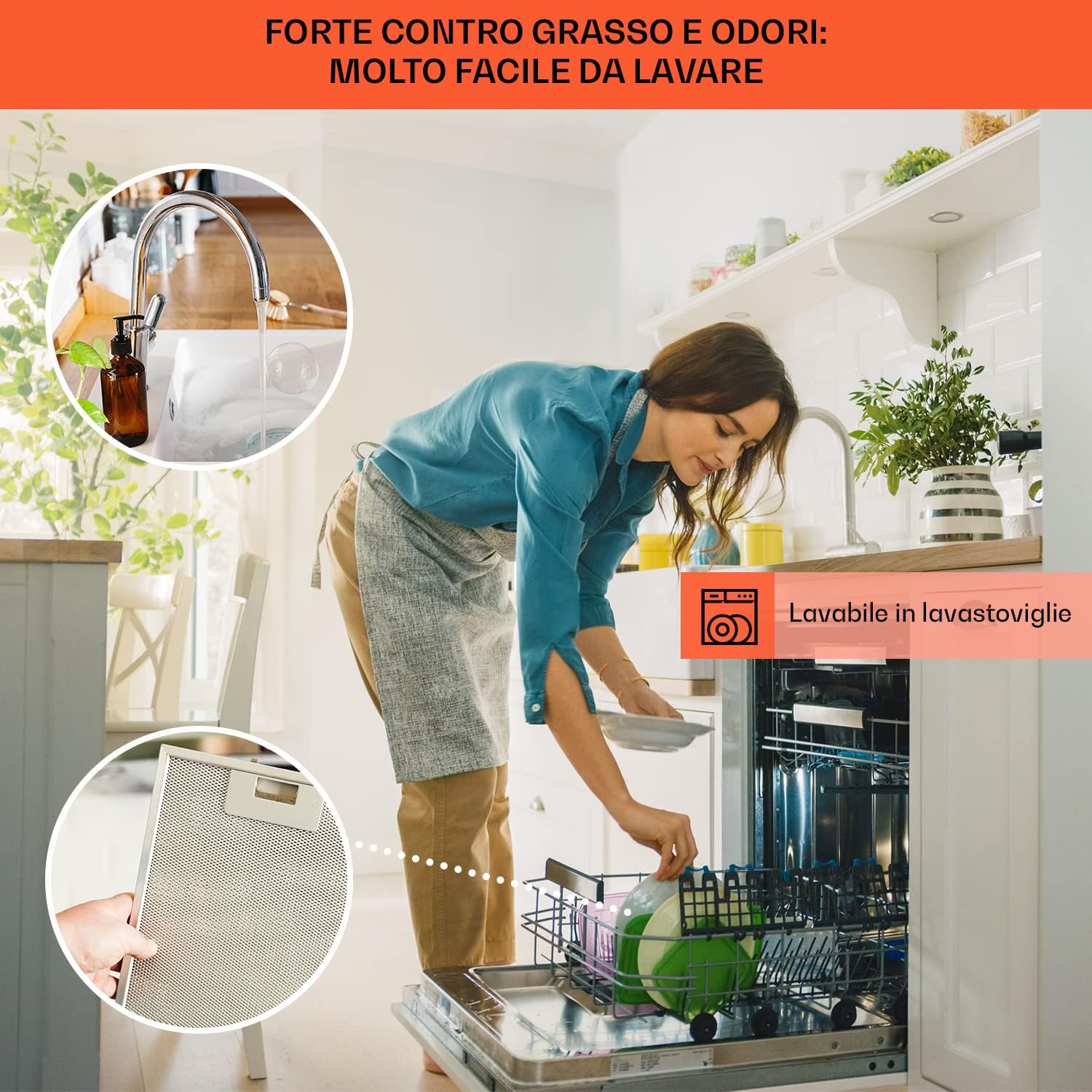
Figure 5: Demonstrates the ease of cleaning the multi-layer aluminum grease filter, highlighting that it is dishwasher safe. Regular cleaning helps maintain strong grease and odor removal.
6.2. Replacing Activated Carbon Filters (Recirculation Mode)
If your hood is operating in recirculation mode, the activated carbon filters need to be replaced periodically (typically every 3-6 months, depending on usage). These filters are not washable and must be replaced.
- Refer to your product manual for specific instructions on how to access and replace the carbon filters.
- Ensure the hood is disconnected from power before attempting replacement.
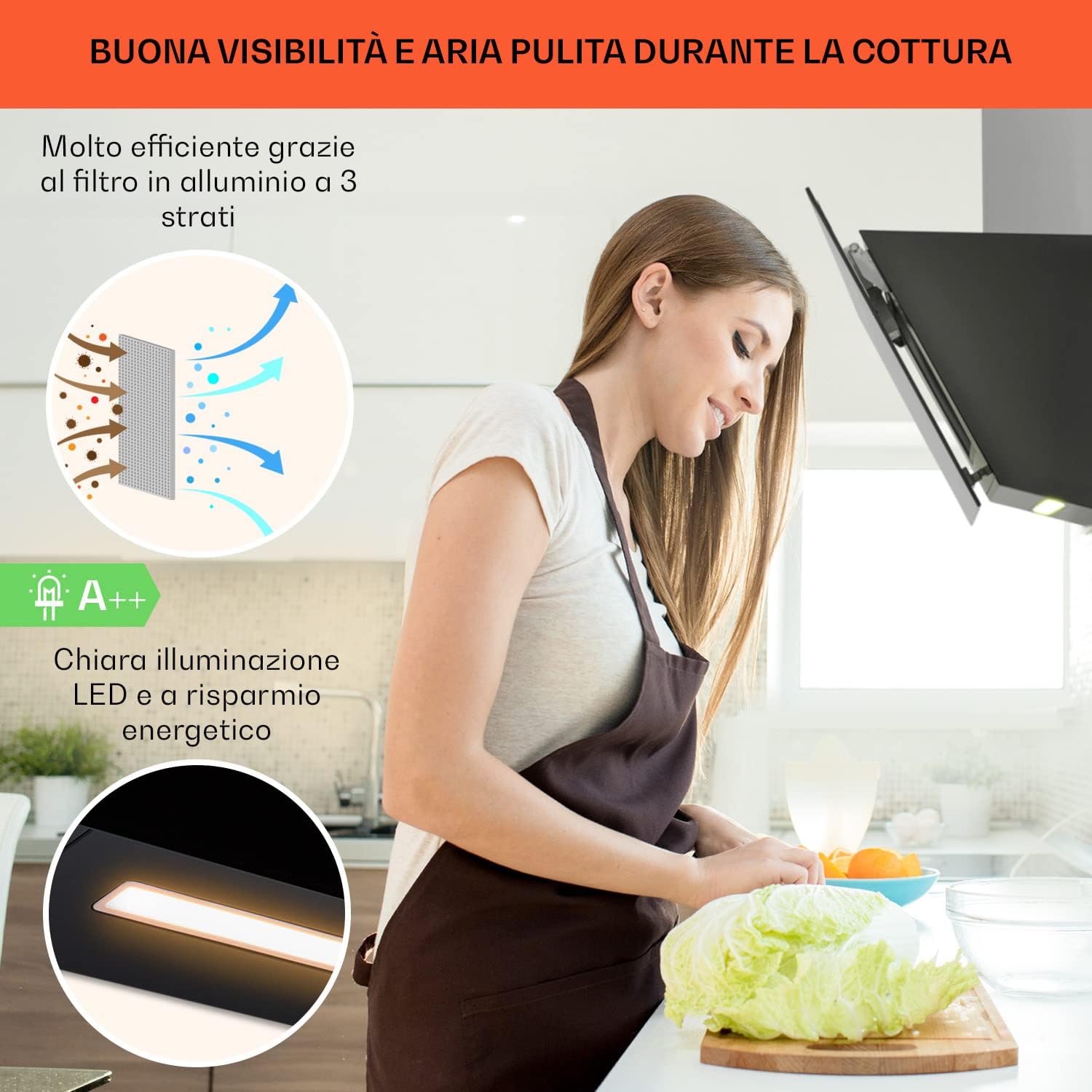
Figure 6: Illustrates the highly efficient multi-layer aluminum filter and the clear, energy-saving LED illumination, contributing to good visibility and clean air during cooking.
6.3. Cleaning Exterior Surfaces
Wipe the exterior surfaces with a soft cloth and mild, non-abrasive cleaner. Avoid using harsh chemicals or abrasive pads that could damage the finish.
7. Troubleshooting
If you encounter issues with your range hood, refer to the following common problems and solutions:
| Problem | Possible Cause | Solution |
|---|---|---|
| Hood does not turn on | No power supply; Power cord unplugged; Fuse blown. | Check power connection; Check household fuse/circuit breaker. |
| Poor suction performance | Grease filters clogged; Carbon filters saturated (recirculation mode); Incorrect fan speed; Obstruction in ducting. | Clean grease filters; Replace carbon filters; Select higher fan speed; Check ducting for blockages. |
| Lights not working | LED module faulty; Loose connection. | Contact customer support for LED module replacement; Check connections (if accessible and safe). |
| Wi-Fi connectivity issues | Incorrect Wi-Fi password; Router too far; App not updated. | Verify Wi-Fi credentials; Move router closer or use extender; Update app to latest version; Reset Wi-Fi on hood. |
If the problem persists after attempting these solutions, please contact Klarstein customer support.
8. Specifications
| Feature | Detail |
|---|---|
| Brand | KLARSTEIN |
| Model | CGCH3-Ava-90BK |
| Color | Black |
| Product Dimensions | 39 x 90 x 35 cm |
| Weight | 12.5 kg |
| Wattage | 70 watts |
| Voltage | 230 Volt |
| Material | Aluminum |
| Number of Speeds | 3 |
| Energy Efficiency Class | A++ |
| Noise Level | 59 Decibel |
| Special Features | Wi-Fi Connectivity, RGB LED Lighting |
| Airflow Capacity | 585 m³/h (as per feature bullets, description states 514 m³/h, using higher value from feature bullets for optimal performance claim) |
9. Warranty and Customer Support
Your Klarstein range hood is covered by a manufacturer's warranty. Please refer to the warranty card included with your product for specific terms and conditions, including warranty period and coverage details.
For technical assistance, spare parts, or any questions regarding your product, please contact Klarstein customer support. Contact information can typically be found on the Klarstein website or in your product documentation.
You can also visit the Klarstein Store on Amazon for more information and product offerings.