1. Introduction
This manual provides instructions for the assembly, operation, and maintenance of your Lionel Silver Bells Express Toy Train Set. This battery-powered model train set is designed for children aged 4 years and up, offering an engaging and interactive experience with authentic train sounds, lights, and remote control functionality.

Image 1: The Lionel Silver Bells Express Toy Train Set in its entirety.
2. Safety Information
WARNING: CHOKING HAZARD - Small parts. Not for children under 3 years of age.
- Adult assembly is required.
- Keep small parts away from young children.
- Ensure all track pieces are securely connected to prevent derailment.
- Do not mix old and new batteries. Do not mix alkaline, standard (carbon-zinc), or rechargeable (nickel-cadmium) batteries.
- Remove batteries from the train and remote control when not in use for extended periods.
3. What's in the Box
Your Lionel Silver Bells Express Toy Train Set includes the following components:
- 1 x Battery-Powered Steam Locomotive
- 1 x Tender
- 1 x Silver Bell Ornament (removable, sits on tender)
- 1 x Passenger Coach Car
- 1 x Observation Car
- 24 x Curved Plastic Track Pieces
- 8 x Straight Plastic Track Pieces
- 1 x Wireless Remote Control

Image 2: All included components of the train set.
4. Setup
4.1. Track Assembly
The track system allows for three different layouts. Connect the track pieces by aligning the connectors and pressing them firmly together until they click into place. Ensure all connections are secure to prevent the train from derailing.
- Oval Layout: Use all 24 curved and 8 straight pieces to create a 73.2 x 50-inch oval.
- Circle Layout: Use 16 curved pieces to create a 47.75-inch circle.
- Rounded Square Layout: Use 24 curved and 8 straight pieces to create a 53 x 53-inch rounded square.

Image 3: Various track layouts possible with the included pieces.
4.2. Battery Installation
The train set requires (6) C Cell batteries for the locomotive and (3) AAA Alkaline batteries for the remote control. Batteries are not included.
- Locate the battery compartment on the underside of the locomotive and the back of the remote control.
- Using a Phillips head screwdriver (not included), open the battery compartment cover.
- Insert the batteries, ensuring correct polarity (+/-) as indicated inside the compartment.
- Replace the cover and secure it with the screw.

Image 4: Battery compartment for the locomotive.
4.3. Connecting Train Cars
Connect the train cars using the fixed knuckle couplers. Gently push the cars together until the couplers interlock. Ensure all cars are securely connected before placing the train on the track.
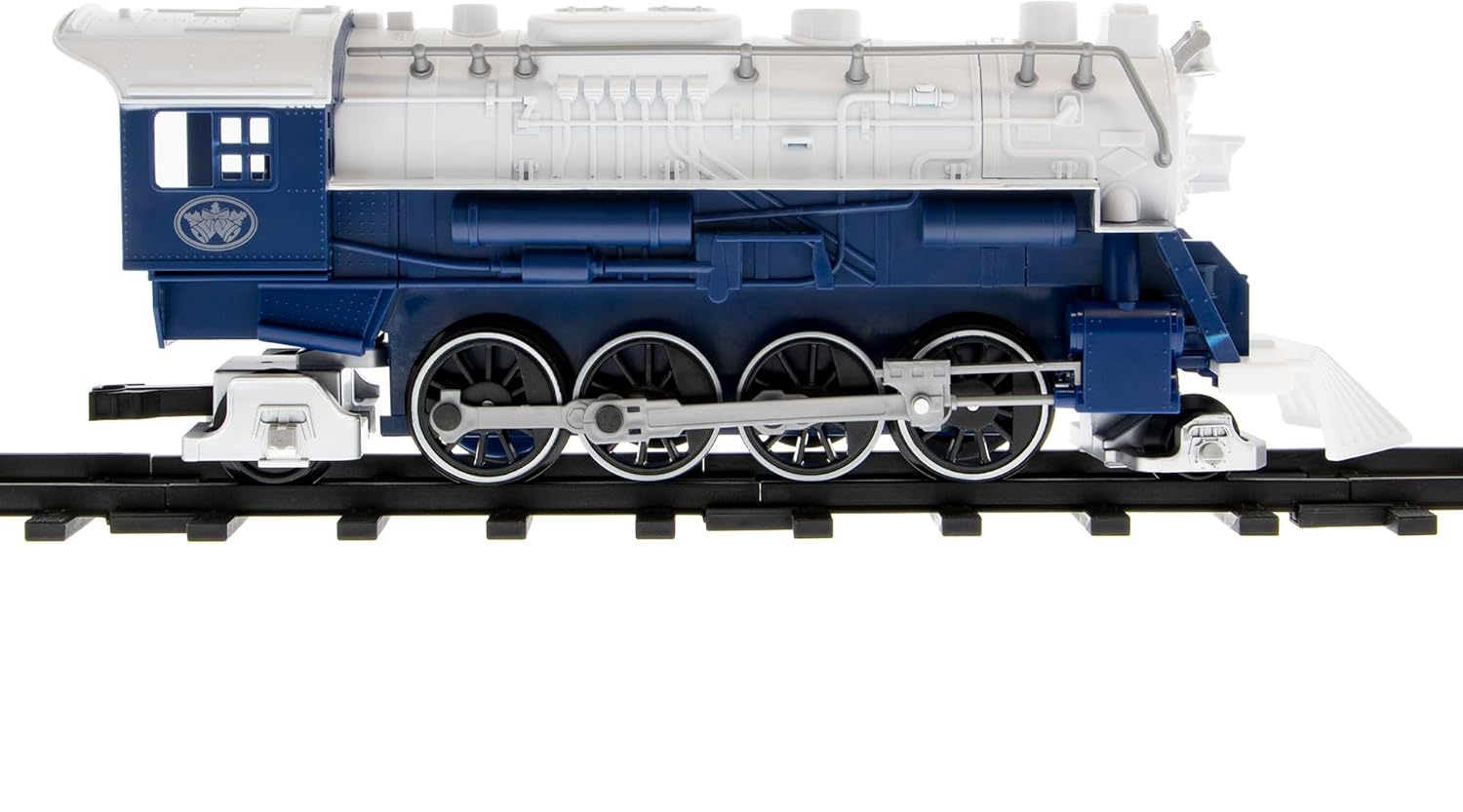
Image 5: The Steam Locomotive.

Image 6: The Tender with the removable Silver Bell Ornament.

Image 7: A Passenger Coach Car.

Image 8: An Observation Car.
5. Operating Instructions
5.1. Remote Control Functions
The train is controlled by a wireless remote control. Familiarize yourself with the remote's buttons:
- Direction Control: A large dial or switch typically controls forward and reverse movement.
- Speed Control: Adjust the speed of the train using the designated control.
- Bell Button: Activates the authentic bell sound.
- Whistle Button: Activates the authentic whistle sound.
- Special Announcements Button: Triggers various announcements.

Image 9: The Wireless Remote Control.

Image 10: Remote control functions for sounds.
5.2. Starting the Train
- Place the assembled train cars securely on the track.
- Ensure batteries are correctly installed in both the locomotive and the remote control.
- Turn on the power switch on the locomotive (usually located on the underside or side).
- Turn on the remote control.
- Use the direction control on the remote to start the train moving forward or in reverse.
The locomotive features a working headlight for enhanced realism.
5.3. Official Product Video
Watch this official product video from Lionel LLC for a demonstration of the Silver Bells Express Toy Train Set in action:
Video 1: Official demonstration of the Lionel Silver Bells Express Toy Train Set, showcasing its features and operation.
6. Maintenance
- Cleaning: Wipe the train and track pieces with a soft, dry cloth to remove dust and debris. Do not use harsh chemicals or abrasive cleaners.
- Battery Care: Remove batteries from the train and remote control when not in use for extended periods to prevent leakage and damage.
- Storage: Store the train set in its original packaging or a suitable container in a dry, cool place to protect it from dust and damage.
7. Troubleshooting
| Problem | Possible Cause | Solution |
|---|---|---|
| Train does not move. |
|
|
| Train derails frequently. |
|
|
| Sounds or lights not working. |
|
|
8. Specifications
| Feature | Detail |
|---|---|
| Product Dimensions | 22 x 4 x 18.9 inches |
| Item Weight | 6.55 pounds |
| Model Number | 712091 |
| Manufacturer Recommended Age | 4 years and up |
| Batteries Required | 6 C batteries (locomotive), 3 AAA batteries (remote) - Not included |
| Track Layout Options | Circle, Oval, Rounded Square |
| Features | Battery-powered steam locomotive, working headlight, fixed knuckle couplers, wireless remote control, authentic train sounds (bell, whistle, special announcements), removable Silver Bell Ornament. |
9. Warranty and Support
For warranty information or customer support, please refer to the manufacturer's official website or contact their customer service directly. Keep your proof of purchase for any warranty claims.
Manufacturer: Lionel


