
Introduction
The ISOtunes Free 2.0 Listen Only earbuds are designed to provide true wireless Bluetooth hearing protection, specifically for workplace compliance. This device offers enhanced noise reduction and functionality, ensuring an improved audio experience while protecting your hearing in loud environments. It features an upgraded 25 dB Noise Reduction Rating (NRR) and Bluetooth 5.2 technology. This model does not include a microphone and cannot receive phone calls, making it suitable for stringent workplace requirements. The audio output is limited to 79 dB to further protect hearing.

Image: ISOtunes Free 2.0 Listen Only earbuds and their charging case. The earbuds are black with yellow ISOtunes logos, and the case is also black, open to show the charging slots.
Safety Information
Always read and understand all safety warnings and instructions before using this product. Failure to follow these instructions may result in serious injury or damage to the product.
- Hearing Protection: This device is designed to protect your hearing. Ensure proper fit and use to achieve the stated Noise Reduction Rating (NRR).
- Volume Limit: The ISOtunes Free 2.0 Listen Only has a reduced audio output of 79 dB to comply with OSHA standards and further protect hearing. Do not attempt to bypass this safety feature.
- No Microphone: This model is specifically designed without a microphone and cannot be used for phone calls. This feature ensures compliance in environments where communication devices are restricted.
- Environmental Use: Rated IP45 for sweat and water resistance. While resistant, avoid submerging the device in water.
- Battery Safety: Use only the provided charging cable and case. Do not expose batteries to extreme temperatures or dispose of them in fire.
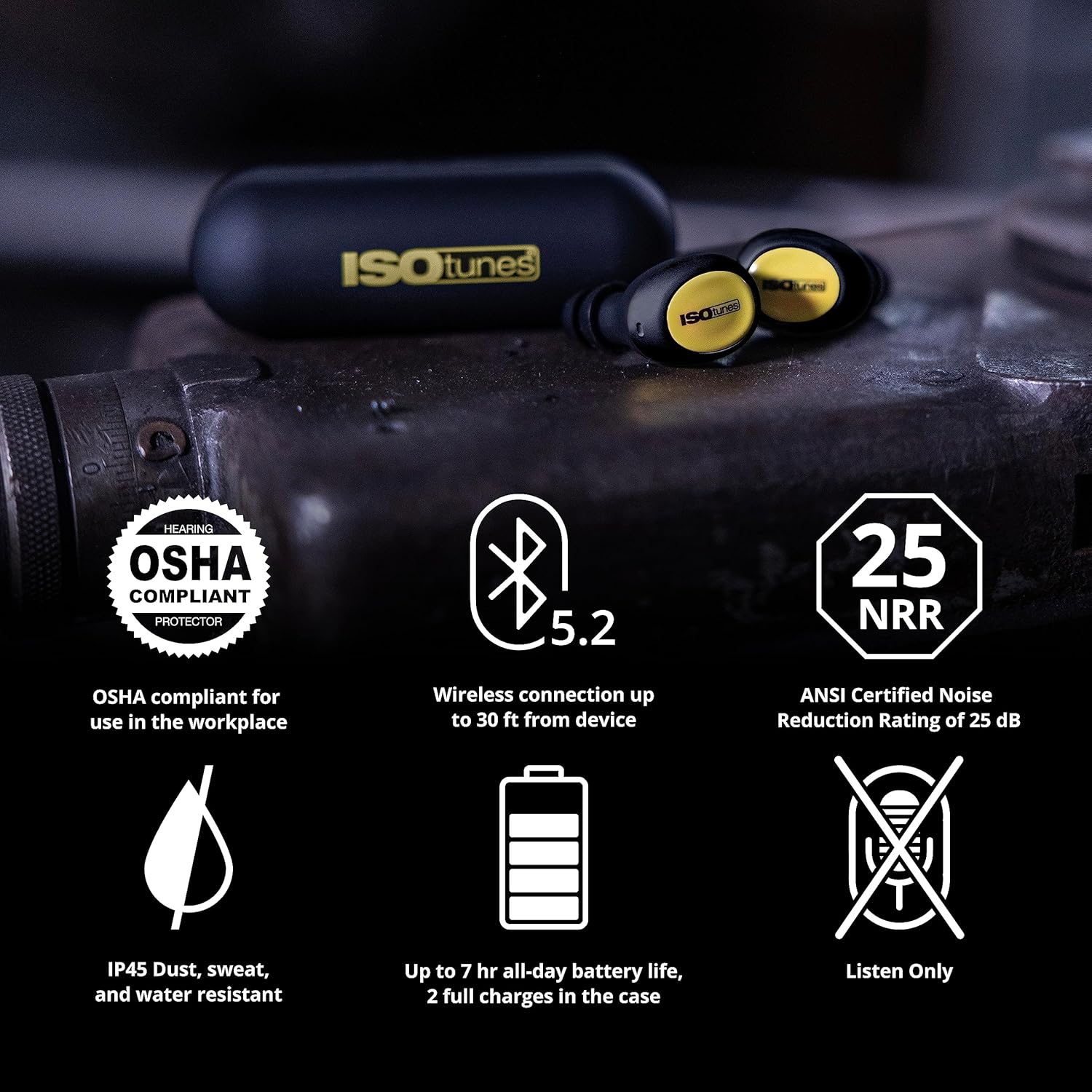
Image: Infographic highlighting key features: OSHA compliant, Bluetooth 5.2, 25 NRR, IP45 dust/sweat/water resistant, up to 7-hour battery life with 2 full charges in case, and "Listen Only" functionality (no microphone).
What's in the Box
Verify that all components are present upon unboxing:
- ISOtunes Free 2.0 Listen Only Earbuds (Left and Right)
- Protective Charging Case
- USB-C Charging Cable
- 3 Pairs of Silicone Double Flange Eartips (Sizes S, M, L)
- 3 Pairs of Short TRILOGY™ Foam Eartips (Sizes S, M, L)

Image: A flat lay showing all items included in the product box: the protective charging case, USB-C charging cable, the Free 2.0 Listen Only earbuds, three pairs of silicone double flange eartips, and three pairs of short TRILOGY™ foam eartips.
Setup
1. Charging the Device
- Place both ISOtunes Free 2.0 earbuds into the charging case. Ensure they are seated correctly; the indicator lights on the earbuds should illuminate.
- Connect the provided USB-C charging cable to the charging port on the case and plug the other end into a USB power source (e.g., computer, wall adapter).
- The charging case indicator light will show charging status. A full charge typically takes approximately 1-2 hours for the earbuds and 2-3 hours for the case.
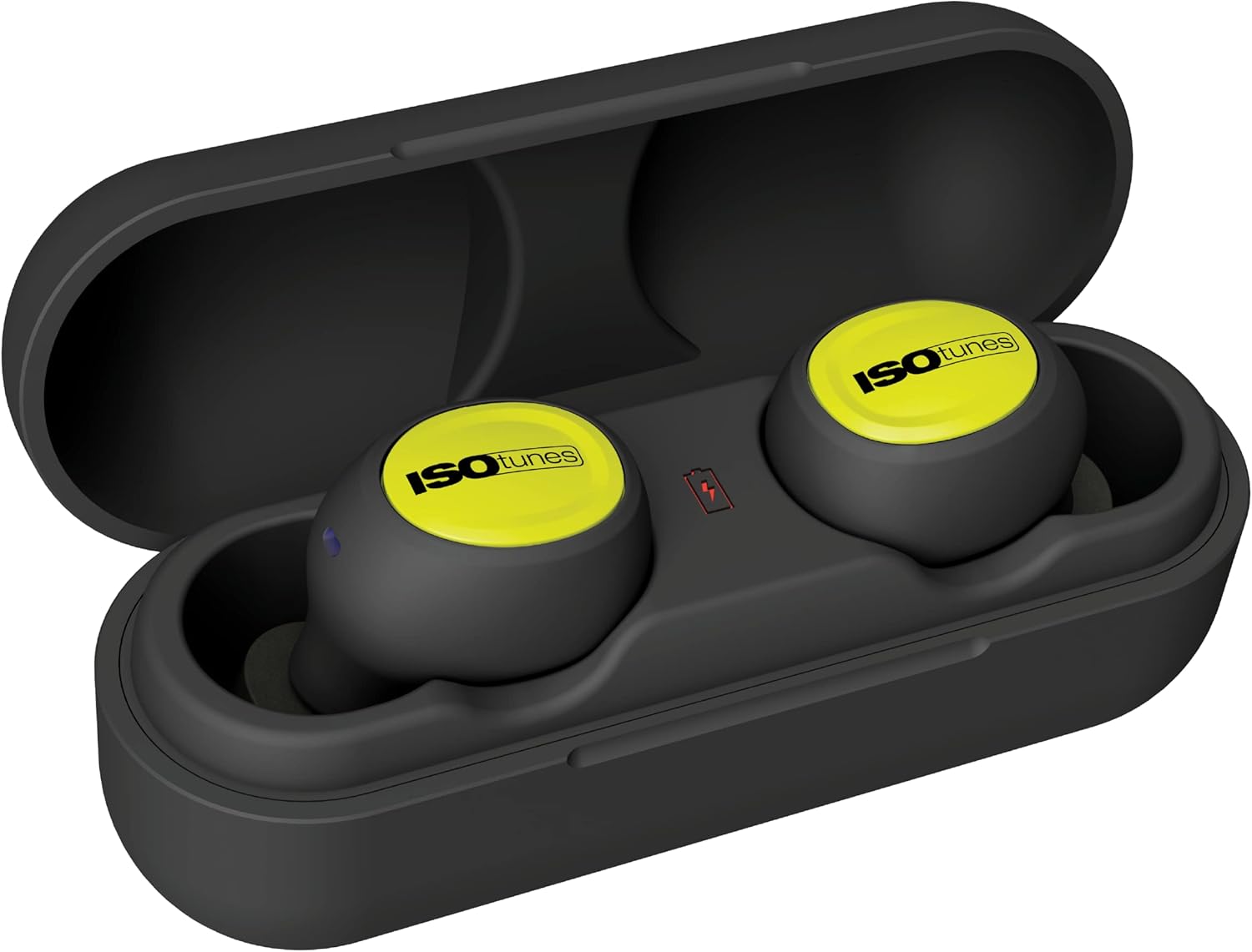
Image: The ISOtunes Free 2.0 earbuds placed inside their open charging case, with indicator lights visible, signifying they are charging.
2. Selecting and Installing Eartips
Proper eartip selection is crucial for comfort and effective noise reduction. Experiment with both the silicone and TRILOGY™ foam eartips to find the best fit.
- TRILOGY™ Foam Eartips: These heat-activated memory foam eartips expand to provide a secure seal and maximum noise reduction.
- Roll the foam eartip between your fingers to compress it into a thin cylinder.
- Insert the compressed eartip into your ear canal.
- Hold it in place for a few seconds while the foam expands to fill your ear canal, creating a seal.
- Silicone Double Flange Eartips: These provide a comfortable fit and good noise reduction. Simply push them onto the earbud nozzle and insert into your ear.

Image: A close-up view of an ISOtunes earbud with its foam eartip detached, illustrating the screw-on mechanism for attaching eartips.

Image: A two-panel diagram demonstrating the proper insertion of foam eartips: first, rolling the foam between fingers, and second, inserting it into the ear and waiting for it to expand.
Operating Instructions
1. Powering On/Off
- Power On: Remove the earbuds from the charging case. They will automatically power on and attempt to connect to the last paired device.
- Power Off: Place the earbuds back into the charging case. They will automatically power off and begin charging.
2. Bluetooth Pairing
- Ensure the earbuds are charged and removed from the case. They will enter pairing mode if not connected to a device.
- On your device (e.g., smartphone, tablet), go to Bluetooth settings and enable Bluetooth.
- Look for "ISOtunes Free 2.0" in the list of available devices and select it to pair.
- Once paired, the earbuds will indicate a successful connection (e.g., a voice prompt or indicator light change).
3. Media Control
The ISOtunes Free 2.0 earbuds feature touch controls for media playback:
- Play/Pause: Single tap on either earbud.
- Next Track: Double tap on the right earbud.
- Previous Track: Double tap on the left earbud.
- Volume Up: Triple tap on the right earbud.
- Volume Down: Triple tap on the left earbud.

Image: A collage showing individuals wearing ISOtunes Free 2.0 earbuds in different industrial and home improvement settings, emphasizing their use for all-purpose hearing protection.
Maintenance
Regular maintenance ensures the longevity and performance of your ISOtunes Free 2.0 earbuds.
- Cleaning Earbuds: Use a soft, dry, lint-free cloth to wipe the earbuds. For stubborn dirt, a slightly damp cloth with mild soap can be used, but ensure no moisture enters the speaker or charging contacts.
- Cleaning Eartips: Silicone eartips can be washed with mild soap and water. Foam eartips should be replaced periodically, especially if they become dirty or lose their ability to expand.
- Charging Case: Wipe the charging case with a soft, dry cloth. Keep the charging contacts clean and free of debris.
- Storage: When not in use, store the earbuds in their charging case to protect them and keep them charged. Store in a cool, dry place away from direct sunlight and extreme temperatures.
Troubleshooting
| Problem | Possible Cause | Solution |
|---|---|---|
| Earbuds not powering on. | Low battery or not properly seated in case. | Place earbuds in charging case and ensure they are charging. Charge the case if necessary. |
| Cannot pair with device. | Earbuds not in pairing mode; Bluetooth off on device; previously paired device interfering. | Ensure earbuds are out of case and in pairing mode. Turn Bluetooth off and on again on your device. Forget "ISOtunes Free 2.0" from your device's Bluetooth list and re-pair. |
| No sound or low volume. | Device volume too low; improper eartip fit; earbuds not connected. | Increase volume on your connected device. Adjust eartips for a secure seal. Verify Bluetooth connection. Remember, audio output is limited to 79 dB. |
| Earbuds not charging. | Charging cable or port issue; dirty charging contacts. | Try a different USB-C cable or power source. Clean the charging contacts on both the earbuds and the case with a dry cotton swab. |
| Poor noise reduction. | Improper eartip fit; worn out foam eartips. | Ensure eartips are properly inserted and create a tight seal. Replace foam eartips if they no longer expand effectively. |
Specifications
- Model Name: FREE 2.0
- Model Number: IT-93
- Connectivity Technology: Wireless (Bluetooth 5.2)
- Noise Reduction Rating (NRR): 25 dB
- SafeMax™ Volume Limiter: 79 dB
- Battery Life: Up to 7 hours (earbuds), additional 14 hours with charging case
- Water/Sweat Resistance: IP45
- Ear Placement: In Ear
- Form Factor: True Wireless
- Material: Silicone (eartips), other materials for earbuds/case
- Item Weight: 6.4 ounces (total package)
- UPC: 859571006245
Warranty and Support
Warranty: The ISOtunes Free 2.0 Listen Only earbuds are backed by a 1-year limited manufacturer’s warranty. This warranty covers defects in materials and workmanship under normal use. Please retain your proof of purchase for warranty claims.
Support: For technical assistance, troubleshooting beyond this manual, or warranty inquiries, please contact ISOtunes customer support. Visit the official ISOtunes website for contact information and additional resources.
Note: ISOtunes is a family-owned & operated small business based in the USA with operations around the world, dedicated to providing quality hearing protection products.