1. Introduction
Thank you for choosing the Hiboom 16-inch Easter Egg Bunny Window Lights. This product is designed to provide a festive and decorative lighting solution for your indoor or outdoor Easter celebrations. Featuring a classic Easter egg and bunny design with multi-colored LED lights, it offers various lighting modes controlled by a remote. Please read this manual carefully before installation and use to ensure proper operation and safety.
2. Safety Information
- Electrical Safety: This product uses copper wires and electricity. Always handle with care and ensure proper electrical connections.
- Children Safety: Keep the product and its components, especially the copper wires, away from small children to prevent winding risks.
- Placement: Ensure the light is securely hung to prevent it from falling.
- Power Source: Use only appropriate USB power adapters (not included) that meet safety standards.
- Overheating: The 3-color copper wire lights are designed not to overheat after prolonged use, but always monitor the product during operation.
3. Package Contents
Verify that all items are present in the package:
- 1 x Easter Egg Bunny Window Light (16 inches)
- 1 x Remote Control (AAA battery included)
- 1 x Suction Cup Hook
- 1 x 10ft USB Power Cable (adapter plug not included)
4. Specifications
| Product Dimensions | 16.93 x 10.04 x 0.79 inches |
| Item Weight | 11.7 ounces |
| Material | Metal frame, Copper wire |
| Light Colors | Warm white, Pink, Green |
| Power Source | USB Plug Powered (10ft cable) |
| Remote Control | Yes (AAA battery included) |
| Lighting Modes | 8 modes |
| Model Number | Hiboom-Silhouette-1240 |
Note: Manual measurements may have slight errors.
5. Setup Instructions
- Unpack: Carefully remove all components from the packaging.
- Inspect: Check the light for any visible damage.
- Attach Suction Cup: Press the provided suction cup hook firmly onto a clean, smooth surface such as a window or wall. Ensure it is securely attached.
- Hang the Light: Hang the Easter Egg Bunny Window Light onto the suction cup hook. The light is designed with a sturdy metal frame for hanging.
- Connect Power: Plug the 10ft USB power cable into a compatible USB power adapter (not included) and then into a power outlet.


6. Operating Instructions
6.1 Powering On/Off
Once connected to a USB power source, the light will turn on. To turn off, disconnect from the power source or use the remote control.
6.2 Lighting Modes
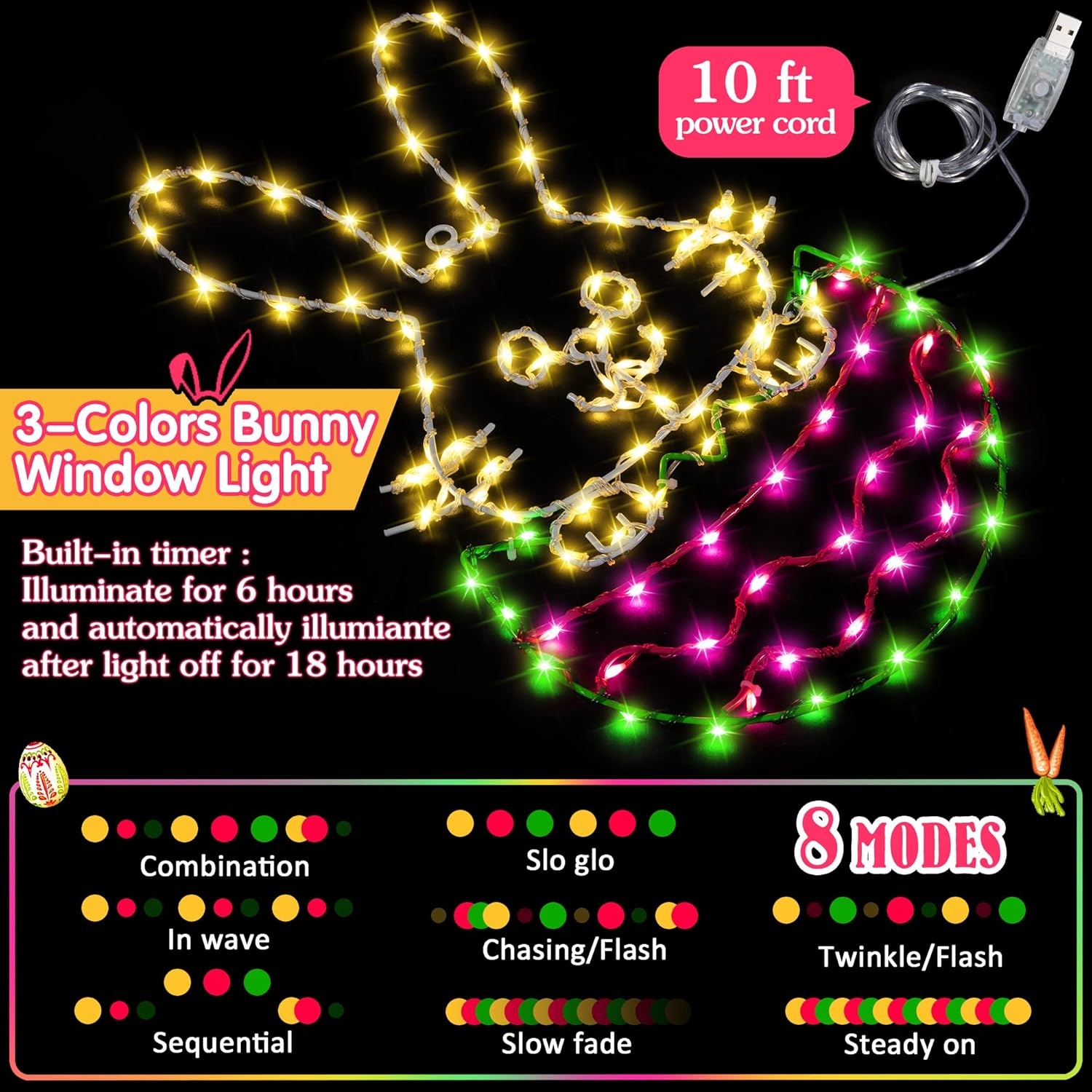
The Easter window light features 8 different lighting modes. You can switch between these modes using either the remote control or the power button located on the USB plug.
- Combination: Cycles through all modes.
- In Waves: Lights illuminate in a wave-like pattern.
- Sequential: Lights turn on in sequence.
- Slo Glo: Lights slowly glow on and off.
- Chasing/Flash: Lights chase and flash.
- Slow Fade: Lights slowly fade in and out.
- Twinkle/Flash: Lights twinkle and flash randomly.
- Steady On: All lights remain continuously lit.
6.3 Remote Control Functions
The included remote control allows for convenient operation:
- Mode Selection: Cycle through the 8 lighting modes.
- Brightness Adjustment: Increase or decrease the light intensity.
- Timer Function: Activate the built-in timer, which illuminates the light for 6 hours and then automatically turns it off for 18 hours, repeating the cycle.

6.4 Video Demonstration
7. Maintenance
- Cleaning: Gently wipe the light with a soft, dry cloth to remove dust. Do not use abrasive cleaners or immerse in water.
- Storage: When not in use, store the light in its original packaging or a protective container in a cool, dry place to prevent damage.
- Battery Replacement: If the remote control stops responding, replace the AAA battery.
8. Troubleshooting
- Light does not turn on:
- Ensure the USB cable is securely plugged into both the light and a working USB power adapter.
- Verify the power adapter is plugged into a live electrical outlet.
- Check if the remote control battery needs replacement.
- Remote control not working:
- Ensure the remote control has a fresh AAA battery.
- Point the remote directly at the USB receiver on the light.
- Lights are dim or flickering:
- Ensure the USB power source provides sufficient power.
- Check for any loose connections.
9. Warranty and Support
Specific warranty information for this product is not provided in the available data. For support or warranty inquiries, please contact the retailer or manufacturer directly using the contact information provided at the point of purchase.


