
1. Introduction
Welcome to the ECOVACS DEEBOT T9+ user manual. This document provides essential information for setting up, operating, and maintaining your robot vacuum and mop combo. Please read thoroughly to ensure optimal performance and longevity of your device.
The DEEBOT T9+ is designed to provide a comprehensive cleaning solution, combining powerful vacuuming with an oscillating mopping system, intelligent navigation, and an auto-empty station for a hands-free experience.
2. Product Overview
The ECOVACS DEEBOT T9+ comes with several components designed for a complete cleaning experience.
2.1. Package Contents
- DEEBOT T9+ Robot Vacuum and Mop
- Auto-Empty Station
- Power Cord
- Dust Bags (2.5L)
- Side Brushes
- OZMO Pro Oscillating Mopping System
- Disposable Mopping Pads
- Air Freshener Capsule
- Air Freshener (Pre-installed)
- Instruction Manual (this guide)
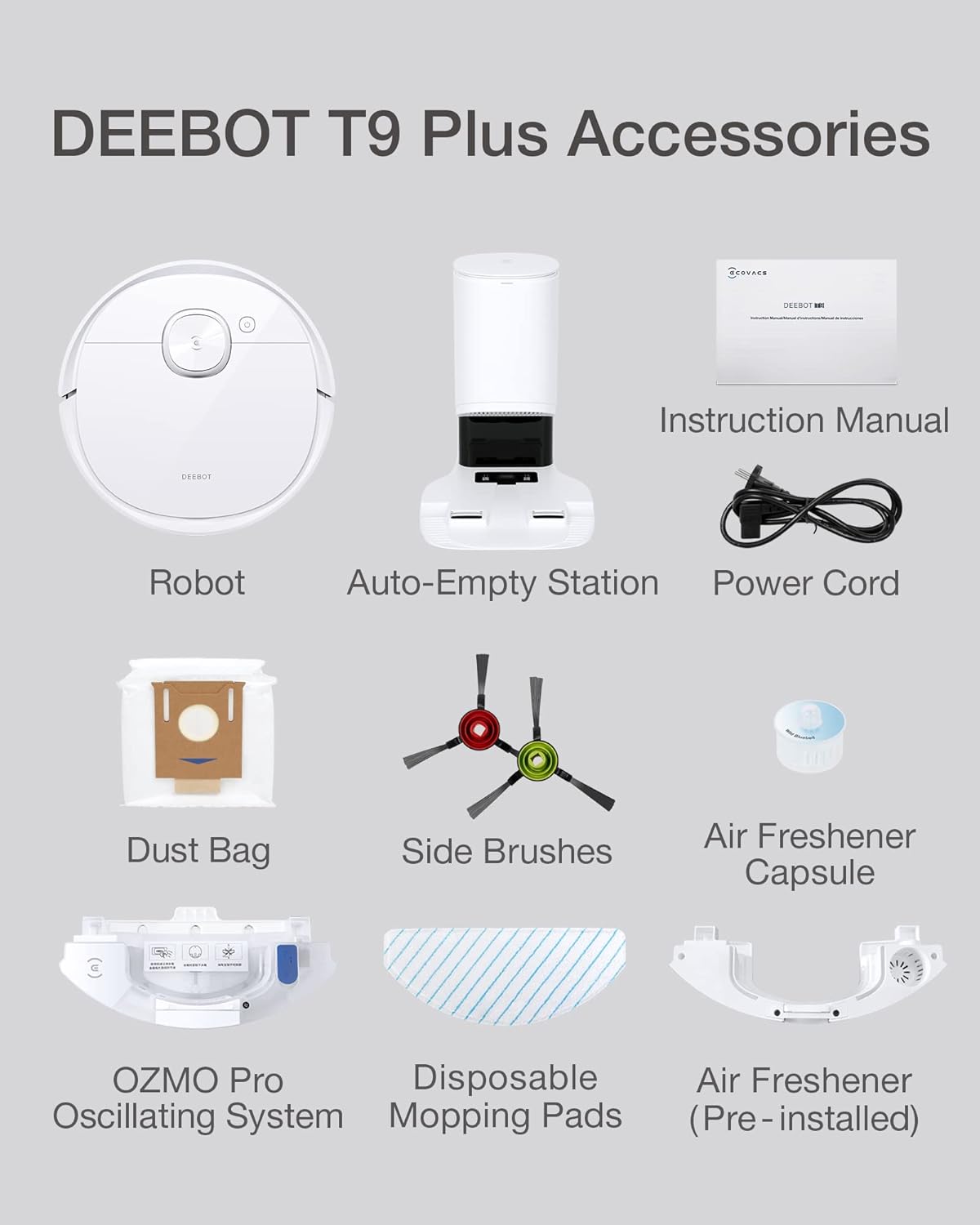
Figure 2.1: All components included with the DEEBOT T9+.
3. Setup
3.1. Unboxing and Initial Assembly
Carefully remove all components from the packaging. Attach the side brushes to the robot by pressing them onto the designated posts until they click into place. Ensure the OZMO Pro mopping plate is securely attached if you plan to use the mopping function immediately.

Figure 3.1: The DEEBOT T9+ robot and its Auto-Empty Station.
3.2. Auto-Empty Station Setup
Place the Auto-Empty Station on a hard, level surface against a wall, ensuring there are no obstacles within 1.5 meters (5 feet) in front of the station and 0.5 meters (1.6 feet) on either side. Connect the power cord to the station and plug it into a wall outlet. Ensure the dustbag is correctly installed inside the station.

Figure 3.2: The Auto-Empty Station with its 2.5L dustbag, providing up to 60 days of hands-free cleaning.
3.3. Initial Charging
Place the DEEBOT onto the Auto-Empty Station. Ensure the charging contacts on the robot align with those on the station. The robot will begin charging automatically. For first-time use, fully charge the DEEBOT before operation.
3.4. App Setup and Mapping
Download the ECOVACS HOME app from your mobile device's app store. Follow the in-app instructions to connect your DEEBOT T9+ to your Wi-Fi network. The app will guide you through the initial mapping process, which creates a detailed map of your home for efficient cleaning.

Figure 3.3: The DEEBOT T9+ utilizes TrueMapping 2.0 for accurate navigation and 3D map generation within the mobile app.
4. Operating Instructions
4.1. Cleaning Modes
- Auto Cleaning: The DEEBOT automatically cleans your entire home based on the generated map.
- Area Cleaning: Select specific areas on the map for the DEEBOT to clean.
- Custom Cleaning: Draw a custom area on the map for targeted cleaning.
- Vacuum Only: The robot will only perform vacuuming.
- Mop Only: The robot will only perform mopping (ensure mopping pads are attached and water tank is filled).
- Vacuum & Mop: The robot will perform both vacuuming and mopping simultaneously.
4.2. Intelligent Features
- TrueDetect 3D 2.0: Advanced obstacle avoidance technology that detects objects in real-time to prevent collisions and entanglements.
- OZMO Pro 2.0 Oscillating Mopping System: Provides high-frequency vibration and 4-level water adjustment for efficient and deep mopping.
- Air Freshener: An industry-first feature that releases a delicate fragrance while cleaning, leaving your home smelling fresh.
- Voice Control: Compatible with Amazon Echo for convenient voice commands.
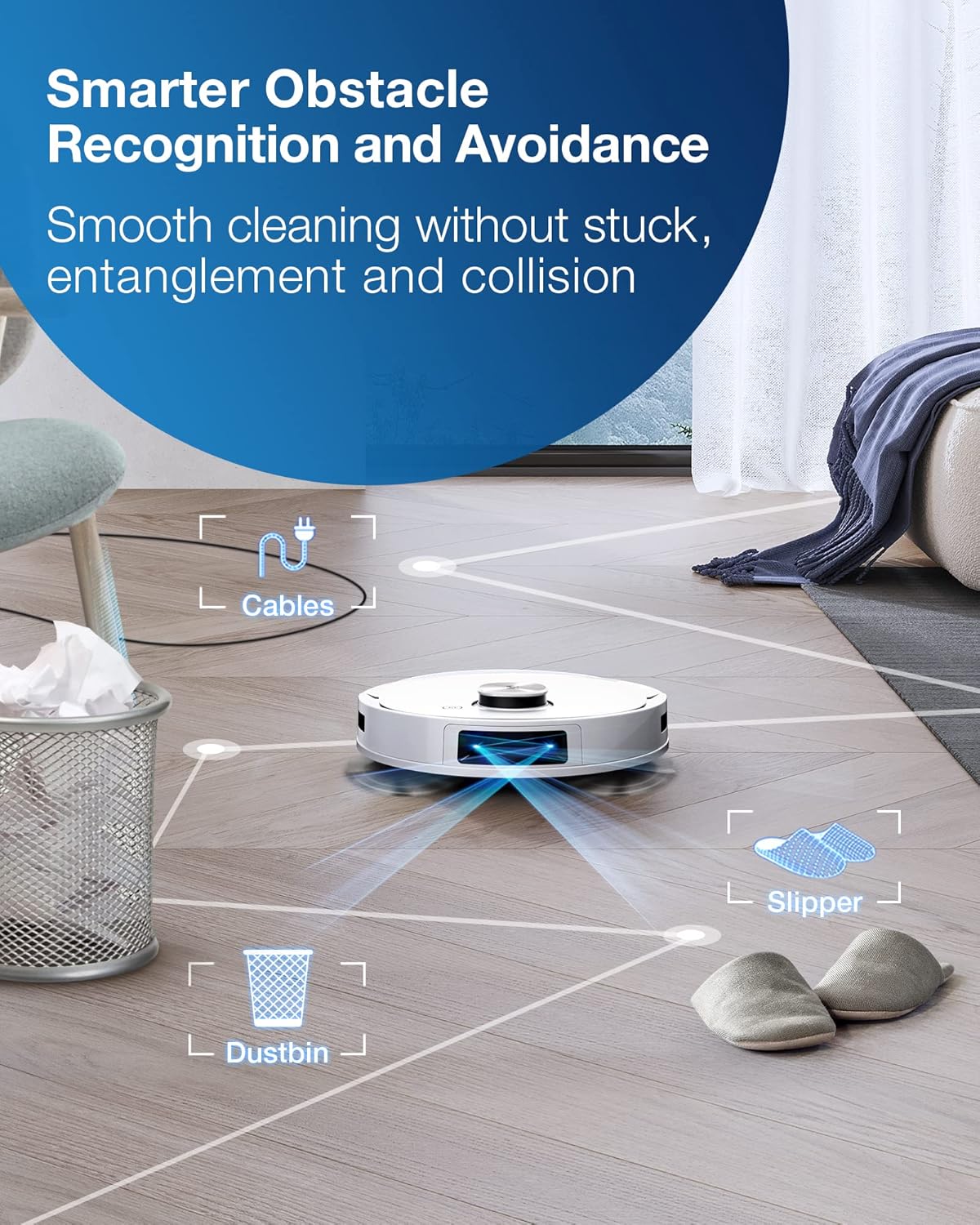
Figure 4.1: TrueDetect 3D 2.0 technology enables the DEEBOT T9+ to intelligently avoid common household obstacles.

Figure 4.2: The OZMO Pro 2.0 system offers oscillating mopping for effective stain removal with reduced noise.
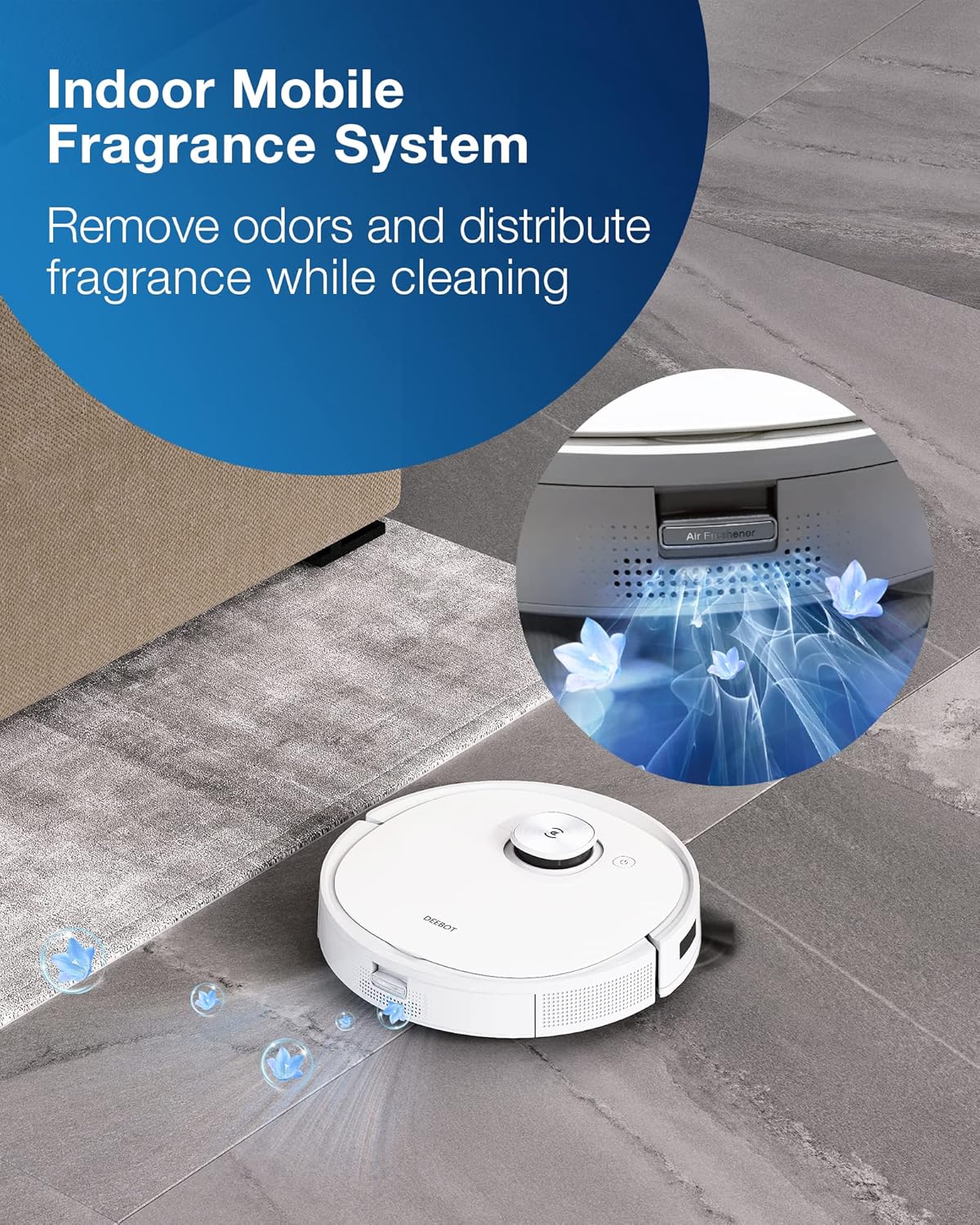
Figure 4.3: The integrated air freshener system distributes fragrance throughout your home during cleaning.
4.3. Suction Power Adjustment
Adjust the suction power via the ECOVACS HOME app to suit different floor types and cleaning needs. Options typically include Silent, Standard, Strong, and Super Mode.

Figure 4.4: The DEEBOT T9+ offers ultra-strong 3000Pa suction power with multiple modes for efficient cleaning.
4.4. Official Product Video
Video 4.1: Official ECOVACS DEEBOT T9+ Robot Vacuum and Mop Cleaner overview, demonstrating key features and capabilities.
5. Maintenance
5.1. Auto-Empty Station Dustbag Replacement
The 2.5L dustbag in the Auto-Empty Station can hold up to 60 days of vacuum debris. When the dustbag is full, the app will notify you. Simply open the top cover of the station, remove the full dustbag, and replace it with a new one. The auto-seal design ensures mess-free disposal.
5.2. OZMO Pro 2.0 Mopping System Maintenance
Regularly clean the mopping pads and empty/refill the water tanks. The mopping pads can be detached and washed. Ensure the clean water tank is filled before mopping operations and the dirty water tank is emptied after use.
5.3. Brush and Filter Cleaning
Periodically remove and clean the main brush and side brushes to prevent hair entanglement and maintain cleaning efficiency. The high-efficiency filter should also be cleaned regularly and replaced as recommended in the app.
6. Troubleshooting
- Robot not charging: Ensure the robot is correctly docked and charging contacts are clean. Check if the power cord is securely plugged into the station and wall outlet.
- Robot getting stuck frequently: Clear obstacles from the cleaning path. Utilize the TrueDetect 3D 2.0 technology and set up virtual boundaries or no-go zones in the app for problematic areas.
- Poor cleaning performance: Clean the main brush, side brushes, and filter. Ensure the dustbin is not full. For mopping, check water levels and clean/replace mopping pads.
- App connectivity issues: Ensure your Wi-Fi network is stable and the robot is within range. Restart the app and the robot if necessary.
7. Specifications
| Feature | Specification |
|---|---|
| Brand | ECOVACS |
| Model Name | T9+ |
| Item Model Number | OZMOT9W+ |
| Product Dimensions | 13.9"L x 13.9"W x 16.9"H |
| Item Weight | 7.9 pounds |
| Suction Power | 3000Pa |
| Battery Life | 3 Hours |
| Dustbag Capacity | 2.5 Liters |
| Control Method | Voice, App |
| Compatible Devices | Amazon Echo |
8. Warranty and Support
ECOVACS products typically come with a limited manufacturer's warranty. Please refer to the warranty card included in your product packaging for specific terms and conditions. For technical support, troubleshooting assistance, or to purchase replacement parts, please visit the official ECOVACS website or contact their customer service.
You can also find additional resources and FAQs on the ECOVACS support page.