
1. Introduction
This manual provides detailed instructions for the assembly, operation, and maintenance of your Mobili Fiver Clara Electric Standing Desk. Designed for ergonomic comfort, this adjustable desk allows seamless transitions between sitting and standing positions, promoting a healthier work environment. Please read this manual thoroughly before assembly and use to ensure proper function and safety.
2. Safety Information
Observe the following safety precautions to prevent injury or damage to the product:
- Ensure all components are securely fastened before use.
- Keep children and pets away from the desk during operation.
- Do not place liquids directly on the control panel or near electrical components.
- Avoid overloading the desk. Refer to the specifications for maximum weight capacity.
- Do not obstruct the movement path of the desk legs during height adjustment.
- Disconnect power before cleaning or performing any maintenance.
- Use only the provided power adapter and components.
3. Package Contents
Verify that all parts are present before beginning assembly. The package includes:
- Desk tabletop (Melamine)
- Electric adjustable leg frames (Alloy Steel)
- Control panel
- Power adapter and cables
- Assembly hardware kit (screws, bolts, etc.)
- Assembly tools
- Instruction manual
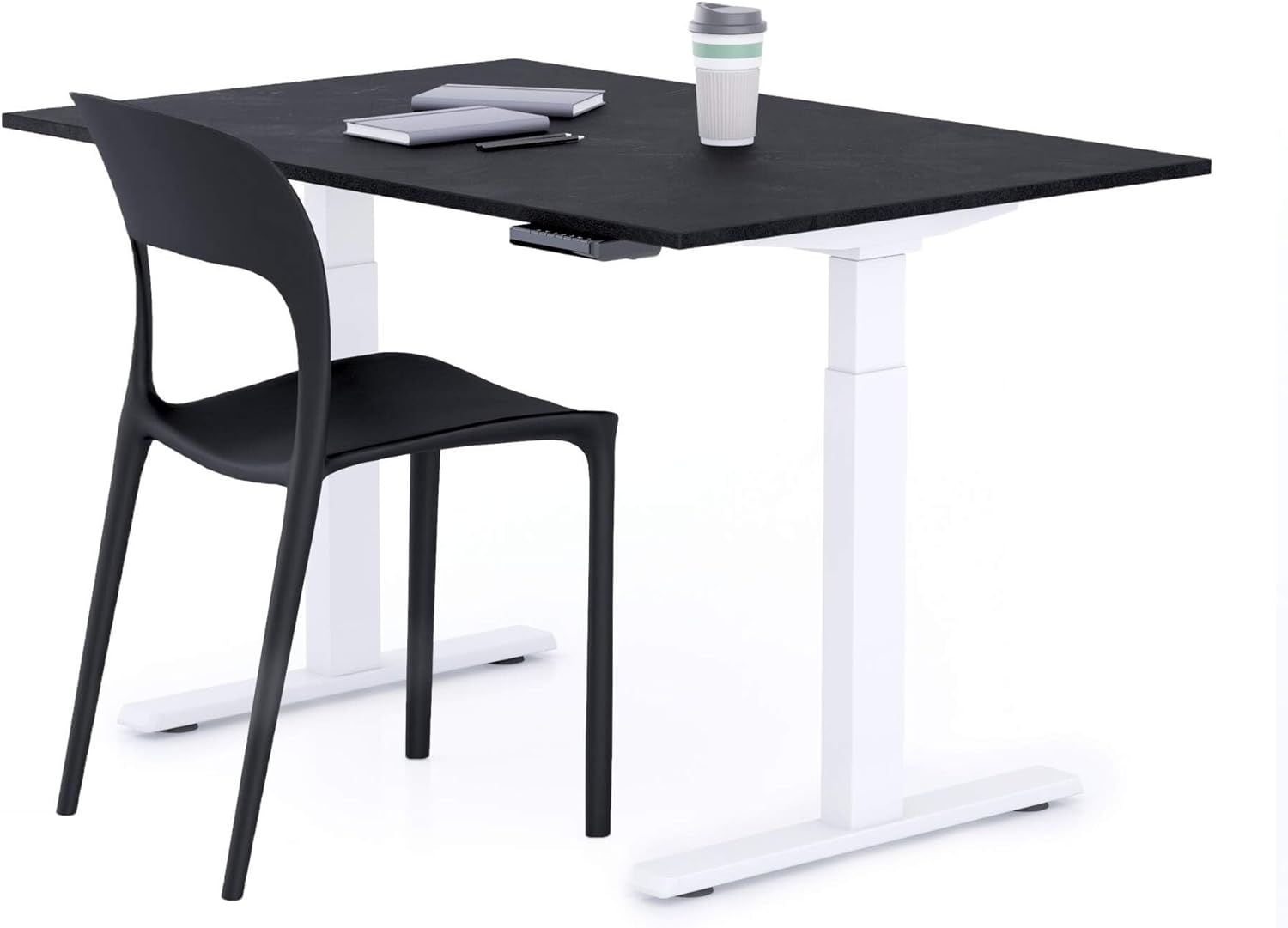
Image: Overview of the Mobili Fiver Clara Electric Standing Desk, showing the tabletop and leg frames. This image represents the main components you will find in the package.
4. Setup & Assembly
Assembly typically requires two people and takes approximately 30 minutes. All necessary tools are included.
- Unpack Components: Carefully remove all parts from the packaging and lay them out on a clean, soft surface to prevent scratches.
- Attach Leg Frames: Secure the electric leg frames to the underside of the desk tabletop using the provided screws and tools. Ensure they are aligned correctly.
- Install Control Panel: Mount the control panel to the desired location on the underside of the desk, typically on the front edge for easy access.
- Connect Cables: Connect the motor cables from the leg frames to the control box, and then connect the control panel cable to the control box. Finally, connect the power adapter to the control box and plug it into a wall outlet.
- Cable Management: Use any included cable ties or clips to manage and secure cables, preventing them from dangling or getting caught during height adjustments.
- Initial Calibration (if required): Some electric desks require an initial calibration. Refer to the specific instructions in your included manual for details. This usually involves lowering the desk to its lowest point and holding the down button for a few seconds.

Image: An illustration of the desk during assembly, focusing on the attachment of the leg frames to the tabletop. This step is crucial for stability.

Image: A close-up view of the control panel being installed on the underside of the desk, demonstrating its placement for easy access.
5. Operating Instructions
The Clara Electric Standing Desk features a user-friendly control panel for height adjustment and memory presets.

Image: Detailed view of the desk's control panel, showing the up/down arrows and memory preset buttons (1, 2, 3, M).
5.1. Adjusting Height
- To Raise: Press and hold the Up arrow (^) button. Release when the desired height is reached.
- To Lower: Press and hold the Down arrow (v) button. Release when the desired height is reached.
5.2. Setting Memory Presets
The desk allows you to save up to three preferred height settings for quick adjustments.
- Adjust the desk to your desired height using the Up/Down arrows.
- Press the "M" button. The display may flash or beep.
- Within 3 seconds, press one of the number buttons ("1", "2", or "3") to save the current height to that preset.
5.3. Using Memory Presets
To move the desk to a saved height, simply press the corresponding number button ("1", "2", or "3"). The desk will automatically move to the saved position.
6. Maintenance
Regular maintenance ensures the longevity and optimal performance of your desk.
- Cleaning: Wipe the desk surface and legs with a soft, damp cloth. Avoid abrasive cleaners or harsh chemicals that could damage the finish.
- Inspecting Connections: Periodically check all screws and bolts to ensure they are tight. Re-tighten if necessary.
- Cable Management: Ensure cables remain tidy and are not pinched or tangled, which could affect motor function.
- Motor Care: The electric motors are designed for long-term use and generally require no special maintenance. Avoid spilling liquids on them.
7. Troubleshooting
If you encounter issues with your Clara Electric Standing Desk, refer to the following common problems and solutions:
| Problem | Possible Cause | Solution |
|---|---|---|
| Desk does not move. | Power cable disconnected, motor cable loose, overload. | Check power connection. Ensure all motor cables are securely plugged in. Reduce weight on the desk. |
| Desk moves unevenly or makes unusual noises. | Loose connections, obstruction, uneven weight distribution. | Check all assembly screws. Remove any obstructions. Distribute weight evenly on the tabletop. |
| Memory presets not working. | Presets not saved correctly. | Re-save the desired height settings following the instructions in Section 5.2. |
| Error code displayed. | Specific system error. | Refer to the full product manual for specific error code meanings or contact customer support. |
8. Specifications
| Feature | Detail |
|---|---|
| Brand | Mobili Fiver |
| Model Name | Clara |
| Model Number | 21CRQ7311R |
| Desk Design | Electric Standing Desk / Computer Desk |
| Dimensions (L x W x H) | 47.24"D x 31.5"W x 31.5"H (120 x 80 cm) |
| Adjustable Height Range | 25 in (Min) - 50.9 in (Max) |
| Color | Black Cement / White Legs |
| Top Material | Melamine (Nobilitated Wood) |
| Base Material | Alloy Steel / Aluminium |
| Special Features | Adjustable, Electric, Dual Motors |
| Item Weight | 42.59 Kilograms |
| Maximum Weight Recommendation | 10 Kilograms (Please refer to the full product manual for detailed load capacity information, as this value may refer to a specific component.) |
| Assembly Required | Yes (Tools included) |

Image: The Clara Electric Standing Desk integrated into a modern office environment, showcasing its design and functionality.
9. Warranty & Support
Mobili Fiver products are 100% Made in Italy, reflecting a commitment to quality and design. For warranty information, technical support, or replacement parts, please contact Mobili Fiver customer service directly. Keep your purchase receipt as proof of purchase.
You can visit the official Mobili Fiver store for more information: Mobili Fiver Store