
Important Safeguards
Please read all instructions carefully before operating your AIRDOCTOR AD1000 Air Purifier. Failure to follow these instructions may result in electric shock, fire, or serious injury.
- Always unplug the air purifier before moving it, opening the front cover, or performing any maintenance.
- Do not operate the air purifier if the power cord or plug is damaged. Contact customer support for assistance.
- Keep the air purifier away from water or other liquids. Do not use in wet environments.
- Ensure proper ventilation around the unit. Do not block air inlets or outlets.
- This appliance is not intended for use by persons (including children) with reduced physical, sensory or mental capabilities, or lack of experience and knowledge, unless they have been given supervision or instruction concerning use of the appliance by a person responsible for their safety.
- Use only genuine AIRDOCTOR replacement filters.
Product Overview
The AIRDOCTOR AD1000 HEPA Air Purifier is designed to provide clean, fresh air in smaller spaces such as guest rooms, kids' bedrooms, and home offices. It features a 3-stage filtration system, including an UltraHEPA filter and a dual-action Carbon VOC filter, to capture airborne particles and reduce odors.
Key Features:
- 3-Stage Filtration: Combines a Pre-Filter, UltraHEPA filter, and Carbon VOC filter.
- UltraHEPA Filtration: Captures particles as small as 0.003 microns, 100 times smaller than the HEPA standard.
- Carbon VOC Filter: Reduces toxic ozone, gases, odors, and Volatile Organic Compounds (VOCs).
- Room Coverage: Circulates air in 285 sq. ft. rooms 4 times per hour, or 570 sq. ft. rooms 2 times per hour.
- Auto Mode & Air Quality Sensors: Automatically adjusts filtration levels based on real-time air quality.
- Quiet Operation: Whisper-jet fans operate quietly, with 4 adjustable fan speeds.
Product Diagram:
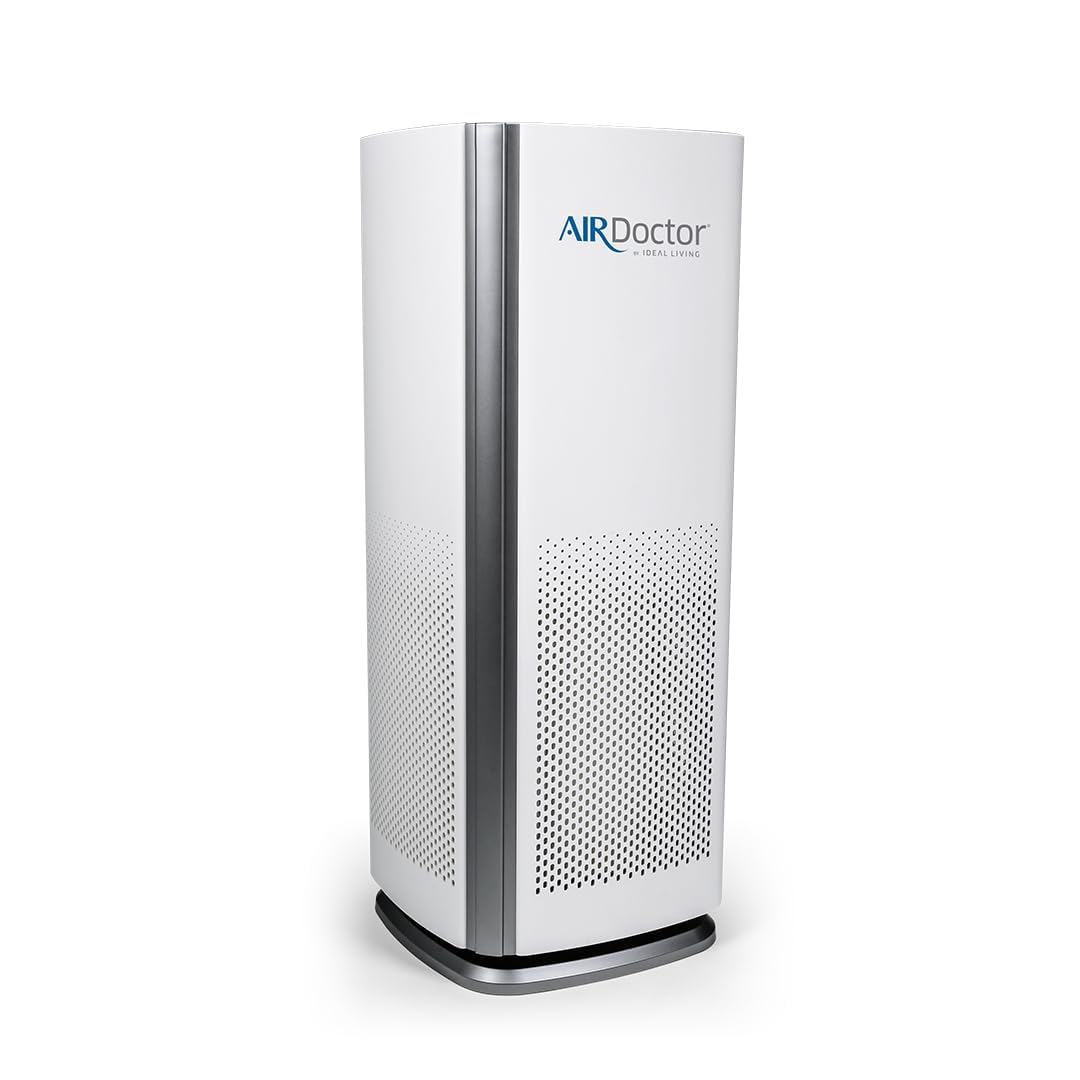
Figure 1: AIRDOCTOR AD1000 Air Purifier Front View

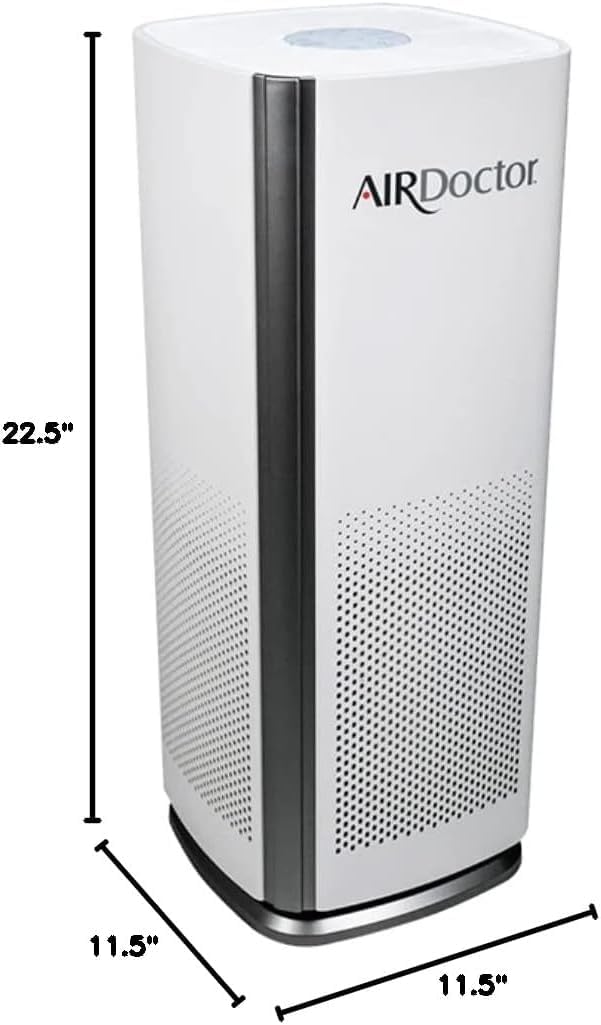
Figure 2: AIRDOCTOR AD1000 Air Purifier Dimensions
Setup
1. Unpacking:
- Carefully remove the air purifier from its packaging.
- Remove all plastic bags and protective materials.
2. Filter Installation:
The AIRDOCTOR AD1000 comes with filters pre-installed. Ensure all packaging is removed from the filters before first use.
- Open the front cover of the air purifier by gently pulling from the top.
- Remove the pre-filter, then the Carbon VOC filter, and finally the UltraHEPA filter.
- Remove any plastic wrapping from each filter.
- Reinsert the filters in the correct order: first the UltraHEPA filter, then the Carbon VOC filter, and finally the pre-filter. Ensure they are seated properly.
- Close the front cover securely.

Figure 3: Advanced 3-Stage Filtration System
3. Placement:
- Place the air purifier on a firm, level surface.
- Ensure there is at least 6 inches of space around all sides of the unit for optimal airflow.
- Plug the power cord into a grounded electrical outlet.
Operating Instructions
The control panel is located on the top of the unit.

Figure 4: Control Panel Overview
1. Power On/Off:
- Press the Power button (
 ) to turn the unit ON or OFF.
2. Fan Speed Control:
- Press the Speed button () to cycle through 4 fan speeds: Low, Medium, High, and Boost.
3. Auto Mode & Air Quality Indicator:
- Press the Auto button () to activate Auto Mode. The unit will automatically adjust fan speed based on detected air quality.
- The circular light on the front indicates air quality:
- Blue: Good Air Quality (Low Speed)
- Yellow: Moderate Air Quality (Medium Speed)
- Red: Poor Air Quality (Maximum Speed)
4. Dim Mode:
- Press the Dim button () to turn off the indicator lights for undisturbed sleep.
5. Timer:
- Press the Timer button () to set the operating time (e.g., 2, 4, 8 hours). The unit will automatically turn off after the set time.
6. Wi-Fi Connectivity:
- The AD1000 features Wi-Fi capabilities. Download the AIRDOCTOR app to control your unit remotely, receive air quality alerts, and monitor filter life.
Maintenance
1. Filter Replacement:
The UltraHEPA and Carbon VOC filters should be replaced periodically. The unit will indicate when replacement is needed via the control panel lights.
- Unplug the air purifier from the power outlet.
- Open the front cover and remove the old filters.
- Insert new genuine AIRDOCTOR UltraHEPA and Carbon VOC filters, ensuring proper orientation.
- Close the front cover.
- Press and hold the Filter Reset button (located near the Auto button) for 3 seconds to reset the filter indicator.
2. Cleaning the Pre-Filter:
The pre-filter can be cleaned regularly to maintain efficiency.
- Unplug the air purifier.
- Open the front cover and remove the pre-filter.
- Gently vacuum or brush off any accumulated dust and debris from the pre-filter.
- Reinsert the clean pre-filter and close the front cover.
Troubleshooting
| Problem | Possible Cause | Solution |
|---|---|---|
| Unit does not turn on | No power; Front cover not closed properly | Check power connection; Ensure front cover is securely latched. |
| Weak airflow | Filters are dirty or clogged | Clean the pre-filter; Replace UltraHEPA and Carbon VOC filters. |
| Unusual noise | Foreign object in fan; Unit not on a level surface | Unplug and check for obstructions; Place on a stable surface. |
| Air quality indicator always red/yellow | High pollutant levels; Sensor needs cleaning | Ensure filters are clean/new; Gently clean the air quality sensor opening. |
Specifications
| Specification | Detail |
|---|---|
| Model Number | AD1000 |
| Brand | AIRDOCTOR |
| Color | White |
| Product Dimensions | 11.5"D x 11.5"W x 22.5"H |
| Item Weight | 7.33 pounds (3.33 Kilograms) |
| Floor Area Coverage | 285 sq. ft. (4x/hour) / 570 sq. ft. (2x/hour) |
| Noise Level | 30 Decibels |
| Wattage | 11 watts |
| Controller Type | Button Control |
| Power Source | AC Adapter |
| Filter Class | UltraHEPA |
| Special Feature | UltraHEPA, Auto Mode, Air Quality Sensor, Wi-Fi |
Warranty & Support
For warranty information and customer support, please refer to the official AIRDOCTOR website or contact their customer service directly. Keep your purchase receipt for warranty claims.
- Online Support: Visit airdoctorpro.com for FAQs, troubleshooting, and replacement filter purchases.
- Phone Support: Contact 1-800-221-2515 for direct assistance.
Video Demonstrations
Introduction to the AirDoctor
This video provides a general introduction to the AirDoctor air purifier, highlighting its design and basic functions.
AirDoctor's Exceptional Performance Explained
Learn about the advanced filtration technology and performance capabilities of the AirDoctor in this detailed explanation video.