
Oraimo OPN-40D
Contents
Oraimo OpenCirclet Open Ear Sport Headphones (Model OPN-40D) User Manual
Your comprehensive guide to setup, operation, and maintenance.
1. Introduction
The Oraimo OpenCirclet Open Ear Sport Headphones (Model OPN-40D) are designed to provide a comfortable and hygienic audio experience, particularly for active users. Utilizing air conduction technology, these headphones allow you to enjoy sound while maintaining awareness of your surroundings. This manual will guide you through the essential steps to get started and make the most of your device.
2. Package Contents
Please verify that all items are present in your package:
- Oraimo OpenCirclet Open Ear Sport Headphones
- Type-C Charging Cable
- User Manual (this document)
3. Product Overview and Features
The Oraimo OpenCirclet headphones incorporate several design elements for user comfort and functionality.

The Oraimo OpenCirclet headphones feature a blue and orange design, with an ergonomic open-ear form factor.
Key Features:
- Air Conduction Technology: This design allows free airflow, reducing pressure on your ears and promoting a more hygienic listening experience compared to traditional in-ear headphones.
- Enhanced Comfort: With nothing inserted into or covering your ear canals, the headphones prevent discomfort and pain, even during extended use. The featherweight, wraparound frame is made with skin-friendly silicone.
- Situational Awareness: The open-ear design ensures you can hear your audio while remaining fully aware of ambient sounds, which is crucial for safety during outdoor activities.

The open-ear design prevents ear canal obstruction, contributing to hygiene and comfort by avoiding bud jamming and potential bacterial growth.

This diagram shows the core principles of the OpenCirclet's design: air conduction technology, an open-ear style, and the use of skin-friendly silicone material for comfort.
4. Setup and Getting Started
4.1 Charging the Headphones
Before first use, fully charge your headphones. Use the provided Type-C charging cable to connect the headphones to a power source.
- A full charge provides approximately 16 hours of battery life.
- Quick Charge Feature: A 10-minute charge can provide up to 3.5 hours of playback.
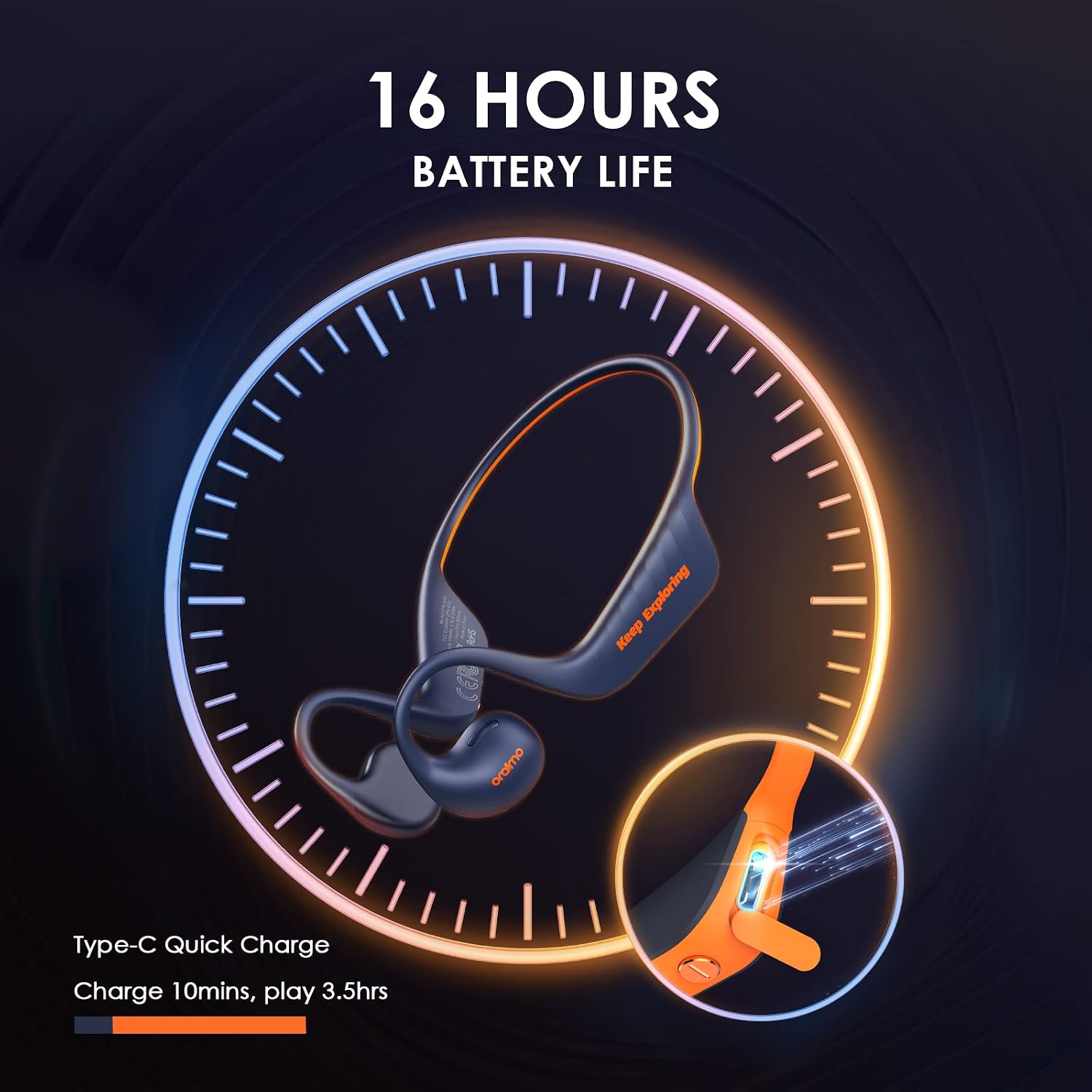
The headphones offer up to 16 hours of battery life and support Type-C quick charging, providing 3.5 hours of playback from a 10-minute charge.
4.2 Bluetooth Pairing
To connect your headphones to a device:
- Ensure the headphones are charged and powered off.
- Press and hold the Multi-Function Button (MFB) until the indicator light flashes, indicating pairing mode.
- On your device (smartphone, tablet, etc.), enable Bluetooth and search for available devices.
- Select "Oraimo OpenCirclet" from the list of found devices.
- Once connected, the indicator light will change, and you will hear an audible confirmation.
5. Operating Instructions
The Oraimo OpenCirclet headphones feature intuitive controls for managing your audio and calls.

This image displays the multi-function button (MFB) and volume controls, along with their corresponding functions for music playback, call management, low-latency mode, and voice assistant activation.
5.1 Music Control
- Play/Pause: Press the MFB once.
- Volume Decrease: Press the "-" button.
- Volume Increase: Press the "+" button.
- Previous Song: Long press the "-" button for 1 second.
- Next Song: Long press the "+" button for 1 second.
5.2 Telephone Control
- Answer a Call: Press the MFB once.
- Reject a Call: Long press the MFB for 1 second.
- Hang Up Call: Press the MFB once.
5.3 Low-Latency Mode
- Switch to Low-Latency Mode: Hold down the MFB for about 1 second.
5.4 Voice Assistant
- Activate Voice Assistant: Double press the MFB.

The open-ear design allows users to enjoy audio while remaining aware of their surroundings, enhancing safety during activities like running or cycling.

These headphones enable users to listen to audio and engage in conversations simultaneously, without needing to remove them.

The headphones are designed to fit the natural curve of the ear, ensuring a secure and stable fit during movement.
6. Maintenance
Proper maintenance ensures the longevity and optimal performance of your headphones.
- Cleaning: Use a soft, dry cloth to wipe the headphones. Avoid using harsh chemicals or abrasive materials.
- Storage: Store the headphones in a cool, dry place away from direct sunlight and extreme temperatures.
- Charging: Always use the provided Type-C cable for charging to prevent damage.
7. Troubleshooting
If you encounter issues with your Oraimo OpenCirclet headphones, refer to the following common solutions:
| Problem | Solution |
|---|---|
| Headphones do not power on. | Ensure the headphones are fully charged. Press and hold the MFB for a few seconds to power on. |
| Cannot pair with device. | Make sure Bluetooth is enabled on your device. Ensure headphones are in pairing mode (flashing indicator light). Move headphones closer to the device. Try unpairing and re-pairing. |
| No sound or low volume. | Check volume levels on both headphones and your connected device. Ensure headphones are properly connected. |
| Poor call quality. | Ensure the microphone is not obstructed. Move to an area with less interference. |
| Headphones disconnect frequently. | Ensure the headphones are within the Bluetooth range of your device. Check for interference from other wireless devices. |
8. Specifications
Detailed technical specifications for the Oraimo OpenCirclet Open Ear Sport Headphones (Model OPN-40D):
- Model Name: OpenCirclet
- Item Model Number: OPN-40D
- Connectivity Technology: Wireless (Bluetooth)
- Headphones Ear Placement: Open Ear
- Headphones Form Factor: On Ear
- Noise Control: None
- Headphones Jack: USB Type-C (for charging)
- Batteries: 2 Lithium Ion batteries (included)
- Product Dimensions: 6.5 x 14.5 x 19 cm
- Weight: 360 g
- Manufacturer: Oraimo
- Country of Origin: China
9. Warranty and Support
The Oraimo OpenCirclet Open Ear Sport Headphones come with a 1-year warranty from the date of purchase, covering manufacturing defects. For warranty claims, technical support, or further assistance, please contact Oraimo customer service through their official website or the retailer where the product was purchased.
Please retain your proof of purchase for warranty validation.
Documents and downloads
Ask a question about this manual
Ask about setup, troubleshooting, compatibility, parts, safety, or missing instructions. Manuals+ will review the question and use this page’s manual context to help answer it.