
1. Introduction and Overview
Thank you for choosing the SHW Electric Height Adjustable Sit-Stand Desk. This manual provides essential information for the safe and efficient use of your new desk. This 40x22 inch desk is designed to enhance your workspace ergonomics, allowing seamless transitions between sitting and standing positions. It features a robust motorized lift system, programmable memory presets, and integrated cable management solutions.
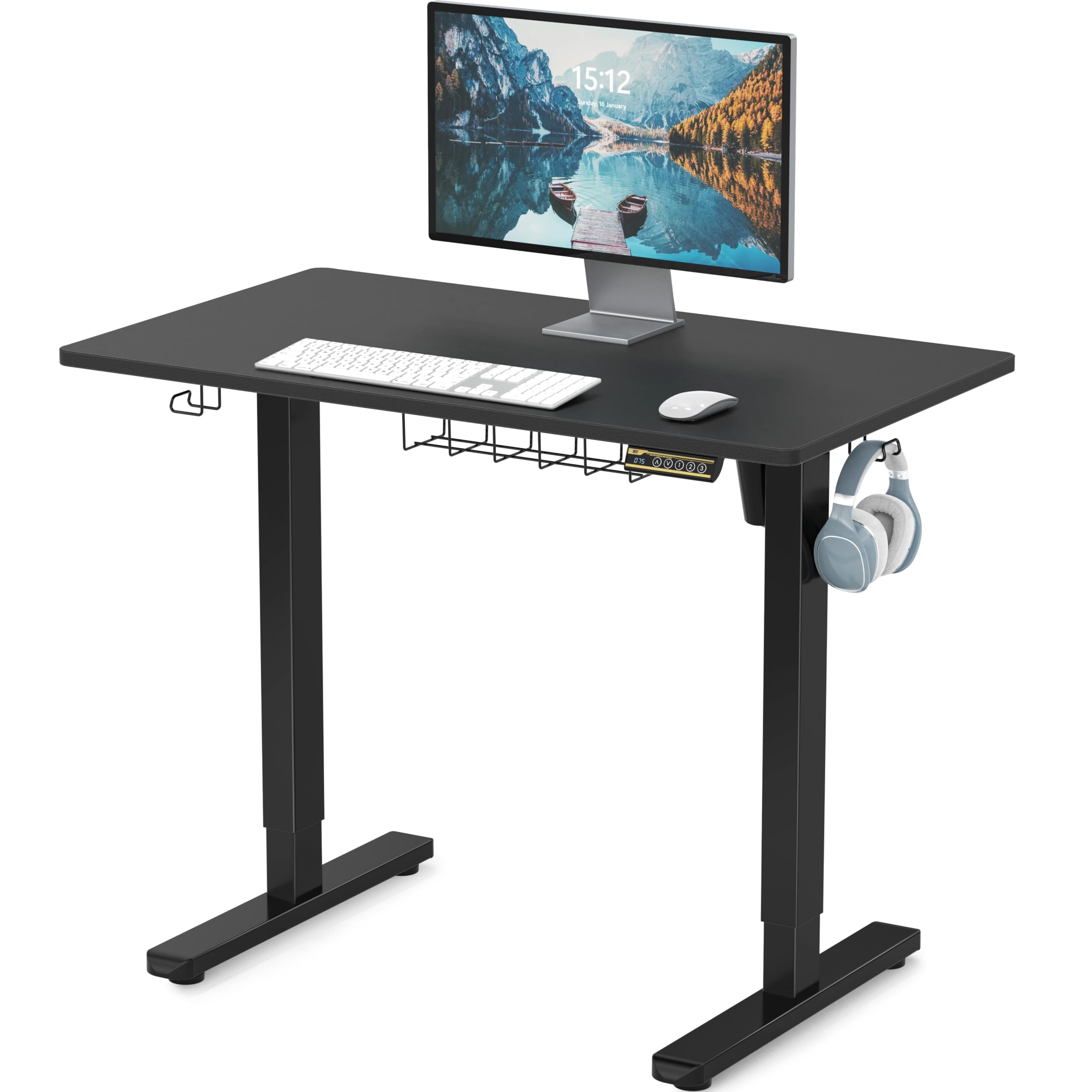
Image: The SHW 40x22 Inch Electric Height Adjustable Sit-Stand Desk, featuring a black top and black frame, set up in a home office with a computer monitor, keyboard, mouse, and a backpack hanging from a side hook. This image illustrates the desk's compact size and integrated storage options.
2. Setup and Assembly
The SHW Electric Height Adjustable Sit-Stand Desk is designed for straightforward assembly. All necessary tools are included in the package. Please follow the instructions carefully to ensure proper setup and functionality.
- Unpack all components and verify against the parts list in your included manual.
- Assemble the desk frame according to the step-by-step instructions.
- Attach the desktop securely to the assembled frame.
- Connect the control panel and motor cables as directed.
- Ensure stable placement on a level surface.

Image: An exploded diagram of the SHW Electric Height Adjustable Desk, illustrating its various components including the desktop, adjustable legs, and control unit. Key dimensions such as 40" width, 22" depth, and a height range of 28"-45" are clearly marked, aiding in assembly and understanding the product's size.
3. Operating Instructions
Your SHW desk features an intuitive control panel for easy height adjustment and memory functions.
- Electric Height Adjustment: Use the up (▲) and down (▼) arrows on the digital control panel to seamlessly transition between sitting and standing positions. The desk adjusts from 28" to 46".
- Programmable Memory Controller: The digital control panel includes four memory presets (1, 2, 3, 4). To save a preferred height, adjust the desk to your desired level, then press and hold one of the memory buttons until the display flashes or beeps, indicating the height is saved. To recall a saved height, simply press the corresponding memory button.

Image: A detailed view of the SHW desk's control panel, highlighting the digital LED display showing the current height, the up and down adjustment arrows, and three programmable preset buttons. This panel allows users to easily adjust and save their preferred desk heights for ergonomic comfort.
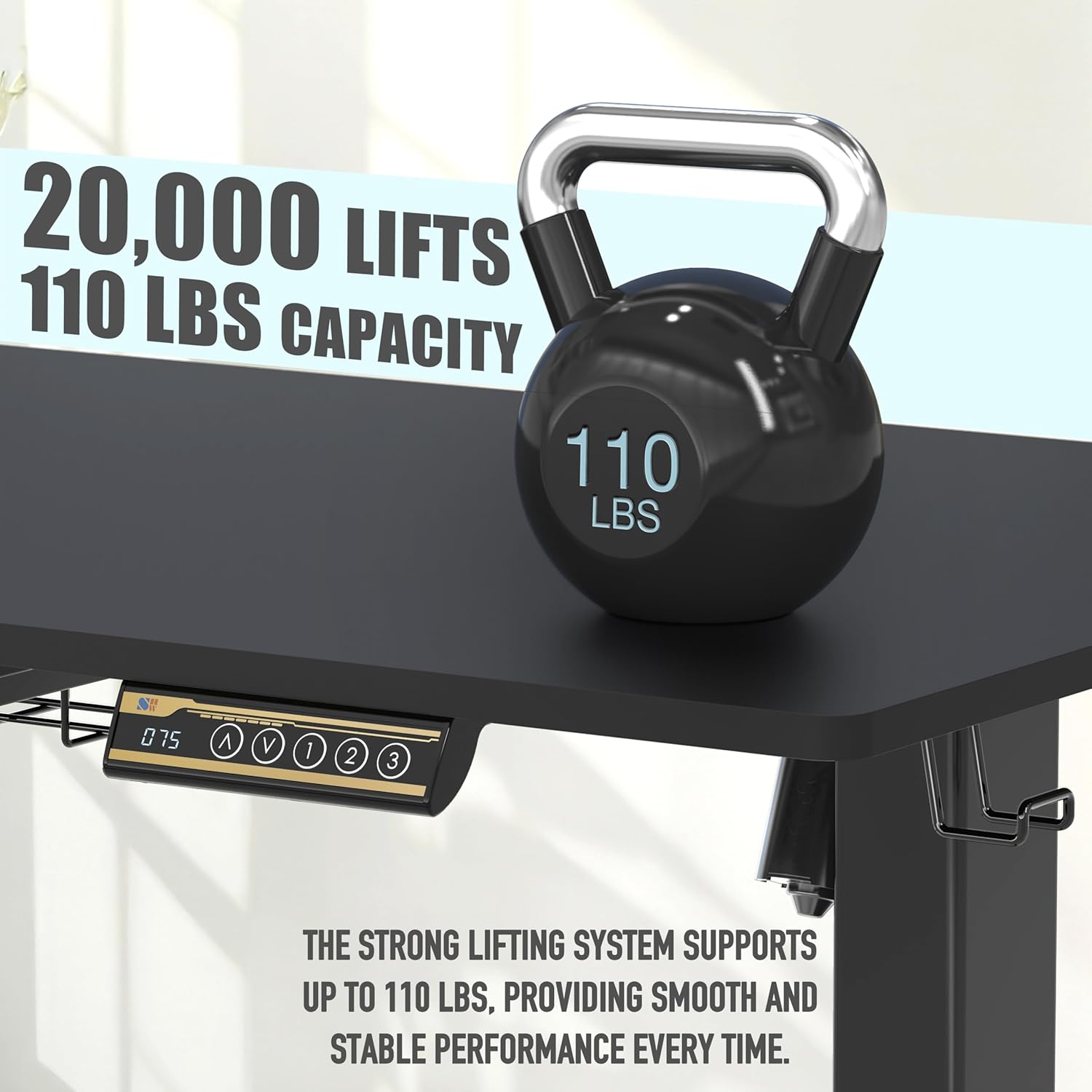
Image: An infographic demonstrating ergonomic height recommendations for various working postures: sitting (28"-32"), sit-stand (32"-38"), and standing (38"-45"). This visual guide helps users find their ideal desk height for comfort and productivity.
4. Features
- Compact Work Surface: The 40" x 22" desktop provides ample space for monitors, laptops, and other essential office equipment, supporting a productive and organized workspace.
- Integrated Cable Management and Hooks: Includes a built-in cable tray to keep cords neatly organized and out of sight, maintaining a clutter-free and professional workspace. Two utility hooks are also provided for hanging items like headphones or bags.
- Adjustable Leveling Glides: The desk is equipped with adjustable leveling glides on the feet to ensure stability on uneven floors.
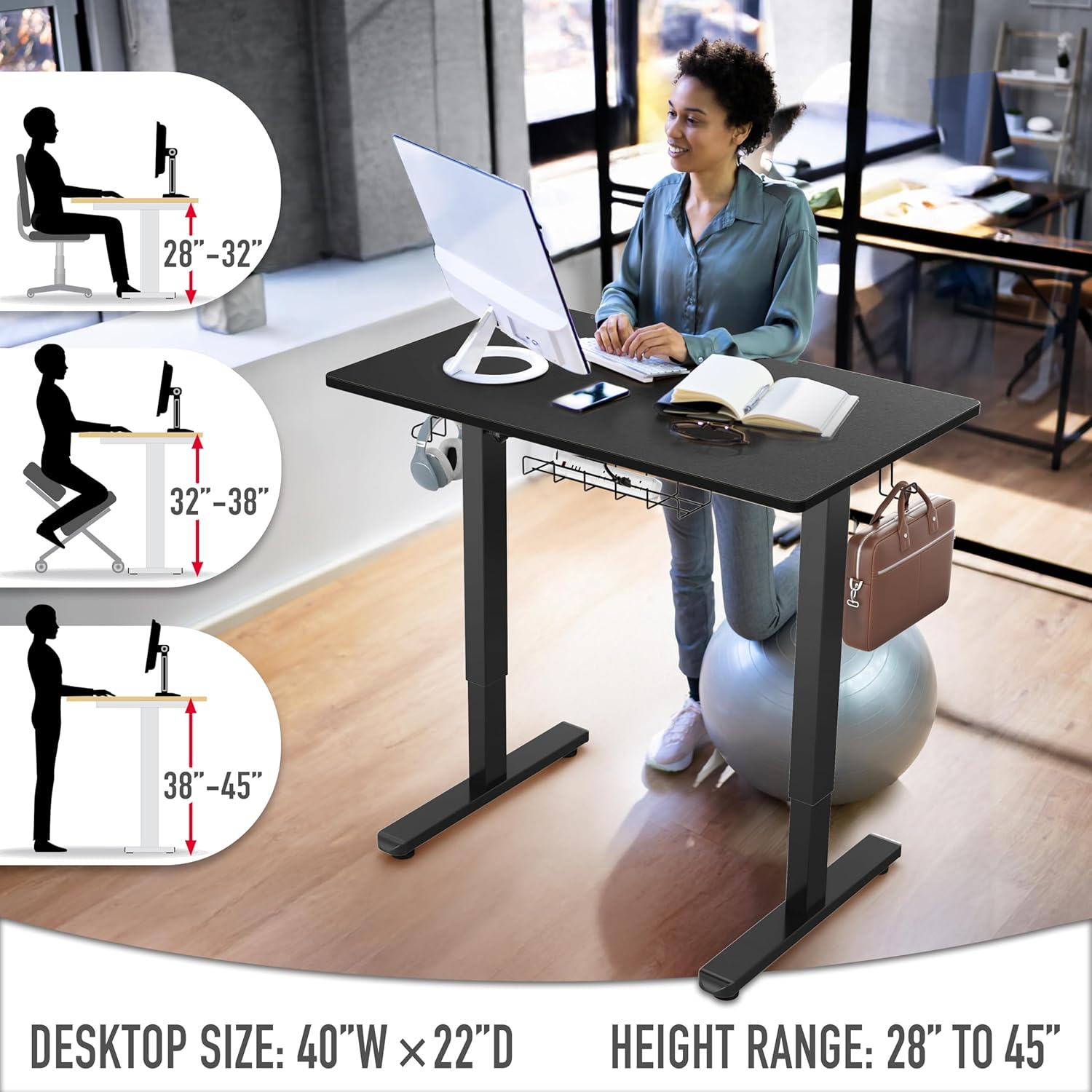
Image: A visual representation of the SHW Electric Height Adjustable Desk's key features, including a cable management tray for organizing wires, adjustable leveling glides for stability on uneven surfaces, and convenient side hooks for hanging items like headphones or bags. The image emphasizes the desk's practical design elements.
5. Specifications
| Feature | Detail |
|---|---|
| Brand | SHW |
| Model Number | OD-91D-K |
| Product Dimensions | 22"D x 40"W x 28"H |
| Minimum Height | 28 Inches |
| Maximum Height | 46 Inches (116.8 Centimeters) |
| Desktop Size | 40" x 22" |
| Color | Black Frame and Black Top |
| Top Material Type | Engineered Wood (Laminated) |
| Base Material | Metal |
| Special Features | Adjustable Height, Ergonomic, Memory Preset |
| Included Components | Cable Management Tray, Utility Hooks X 2 |
| Item Weight | 1 Pounds (Note: This weight seems unusually low for a desk. Please refer to product packaging for accurate weight.) |
| Required Assembly | Yes (Includes All Assembly Tools) |
6. Maintenance
To maintain the longevity and appearance of your SHW Electric Height Adjustable Sit-Stand Desk, please follow these simple care instructions:
- Cleaning: Wipe the desk surfaces with a damp cloth. Avoid harsh chemicals or abrasive cleaners that may damage the laminated finish.
- Regular Checks: Periodically check all screws and connections to ensure they are tight and secure.
- Motor Care: Keep the motor and control panel free from dust and spills. Do not attempt to open or service the motor unit yourself.
7. Troubleshooting
If you encounter any issues with your SHW Electric Height Adjustable Sit-Stand Desk, please refer to the following guidelines:
- Desk Not Adjusting: Ensure all power cables are securely plugged into the desk and a working power outlet. Check for any obstructions under or around the desk that might impede movement.
- Unstable Desk: Verify that the desk is placed on a stable, level surface. Adjust the leveling glides on the feet if necessary to eliminate wobbling.
- Weight Limit: Do not exceed the maximum weight capacity of the desk (110 lbs). Overloading can damage the motor and frame.
- Assembly Issues: If you suspect an assembly error, carefully review the assembly instructions provided with your desk.
8. Warranty and Support
The SHW Electric Height Adjustable Sit-Stand Desk comes with a limited warranty. For specific details regarding warranty coverage, duration, and terms, please refer to the warranty information included in your product packaging or contact SHW customer support directly. For any further assistance, technical support, or inquiries, please visit the official SHW website or contact their customer service department.