
Introduction
The Microtouch Titanium Electric Head Shaver is designed for fast, easy, and comfortable head and face shaving. Featuring five independent floating heads, this shaver adapts to the contours of your head for a smooth, close shave without nicks, cuts, or bumps. It is suitable for both wet and dry shaving and includes a built-in hair capture chamber for convenient cleanup.
Key features of your Microtouch Titanium Electric Head Shaver include:
- 5 Stainless Steel Titanium Bonded Independent Floating Heads: Provides extensive coverage for efficient shaving.
- Hypoallergenic Blades: German Stainless-Steel Titanium coated blades resist dulling and are gentle on skin.
- Wet/Dry Shaving Capability: Water-resistant design allows for versatile use.
- Built-in Hair Capture Chamber: Collects trimmings for easy disposal.
- Lithium-Driven Battery: Offers approximately 80 minutes of continuous run time on a full charge.
- Travel Lock Feature: Prevents accidental activation during transport.
Safety Information
Please read and understand all safety instructions before using the Microtouch Titanium Electric Head Shaver.
- Do Not Submerge: While the shaver is IPX6 water-resistant for wet/dry shaving, it should not be fully submerged in water.
- Charging: Use only the provided charging cable. Ensure the shaver is dry before charging.
- Children: Keep out of reach of children. This appliance is not intended for use by persons with reduced physical, sensory, or mental capabilities unless supervised.
- Damage: Do not use the shaver if it is damaged or malfunctioning. Contact customer support for assistance.
- Cleaning: Always turn off and unplug the shaver before cleaning.
Setup
Unboxing and Initial Inspection
Carefully remove all components from the packaging. Inspect the shaver and accessories for any signs of damage. The package typically includes the Microtouch Titanium Head Shaver unit, a cleaning brush, and a USB charging cable.
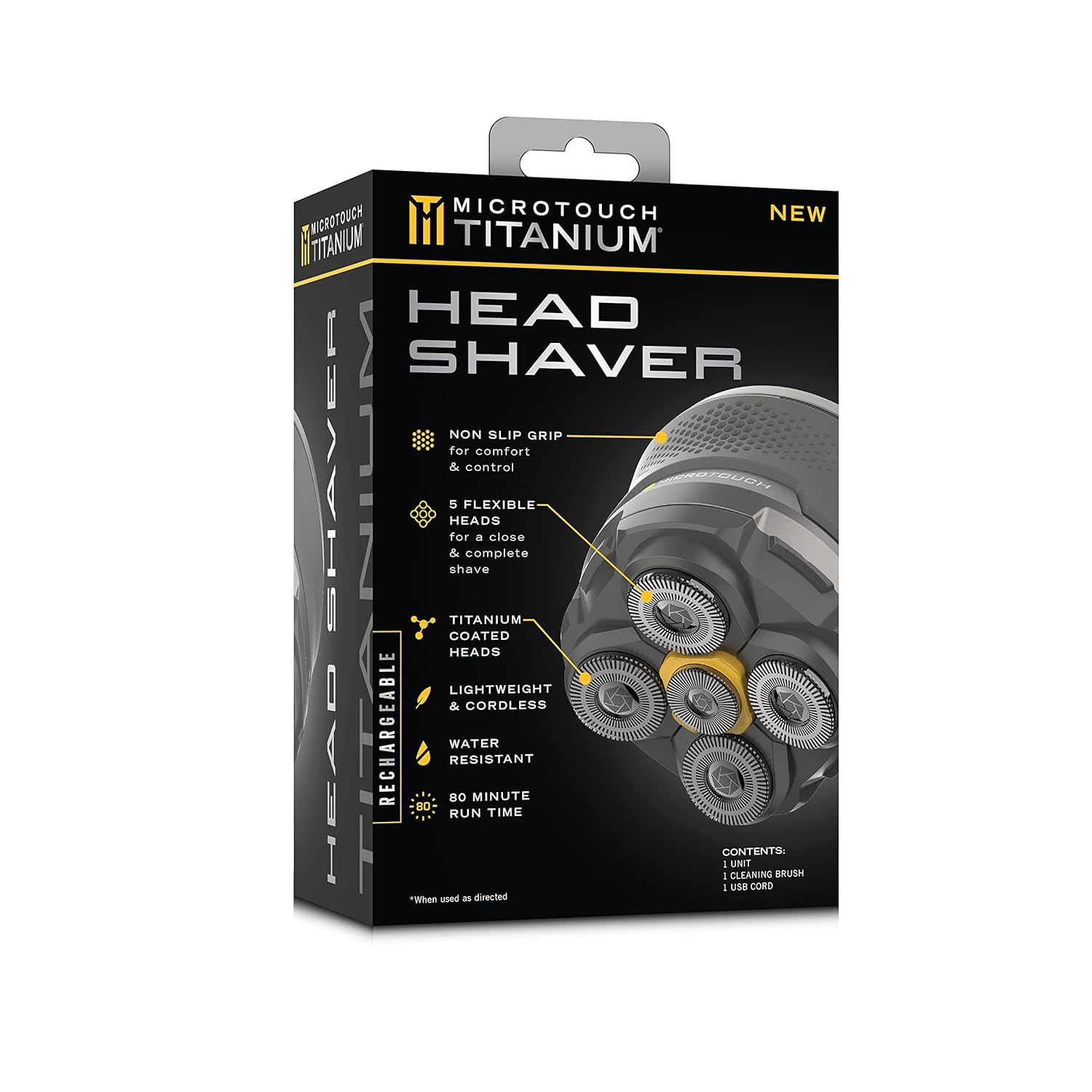
Image: The retail packaging for the Microtouch Titanium Head Shaver, highlighting its key features like non-slip grip, 5 flexible heads, titanium-coated heads, water resistance, and 80-minute run time.
Charging the Shaver
Before first use, fully charge the shaver. Connect the USB charging cable to the shaver's charging port and plug the other end into a compatible USB power source (e.g., computer USB port, wall adapter). The charging indicator light will provide feedback on the charging status. A full charge provides approximately 80 minutes of cordless operation.
Familiarizing with the Shaver
Take a moment to understand the shaver's design. Note the five flexible rotary shaving heads and the ergonomic body designed for comfortable grip and control.

Image: A close-up view of the Microtouch Titanium Head Shaver's top, showcasing its five circular rotary blades designed for efficient shaving.
Operating Instructions
Preparing for Shaving
For best results, ensure your hair is trimmed to a short length (ideally 1/16 inch or less) before using the shaver. The shaver can be used on dry skin or with shaving cream/gel for a wet shave.
Shaving Your Head
Turn on the shaver. Gently press the shaver heads against your scalp and move the shaver in small circular motions. The five floating heads will contour to the curves of your head, ensuring maximum skin contact and a close shave. Shave in any direction that feels comfortable and effective.

Image: A man demonstrating the use of the Microtouch Titanium Head Shaver on the top of his head, showing the ergonomic grip and shaver's contact with the scalp.

Image: A man using the Microtouch Titanium Head Shaver to shave the side of his head, illustrating the shaver's ability to reach different areas.

Image: A man using the Microtouch Titanium Head Shaver to shave the back of his neck, demonstrating its versatility for different areas of the head.
Shaving Your Face
The shaver can also be used for facial hair. Apply the same circular motion technique, ensuring the floating heads adapt to your facial contours for a comfortable shave.
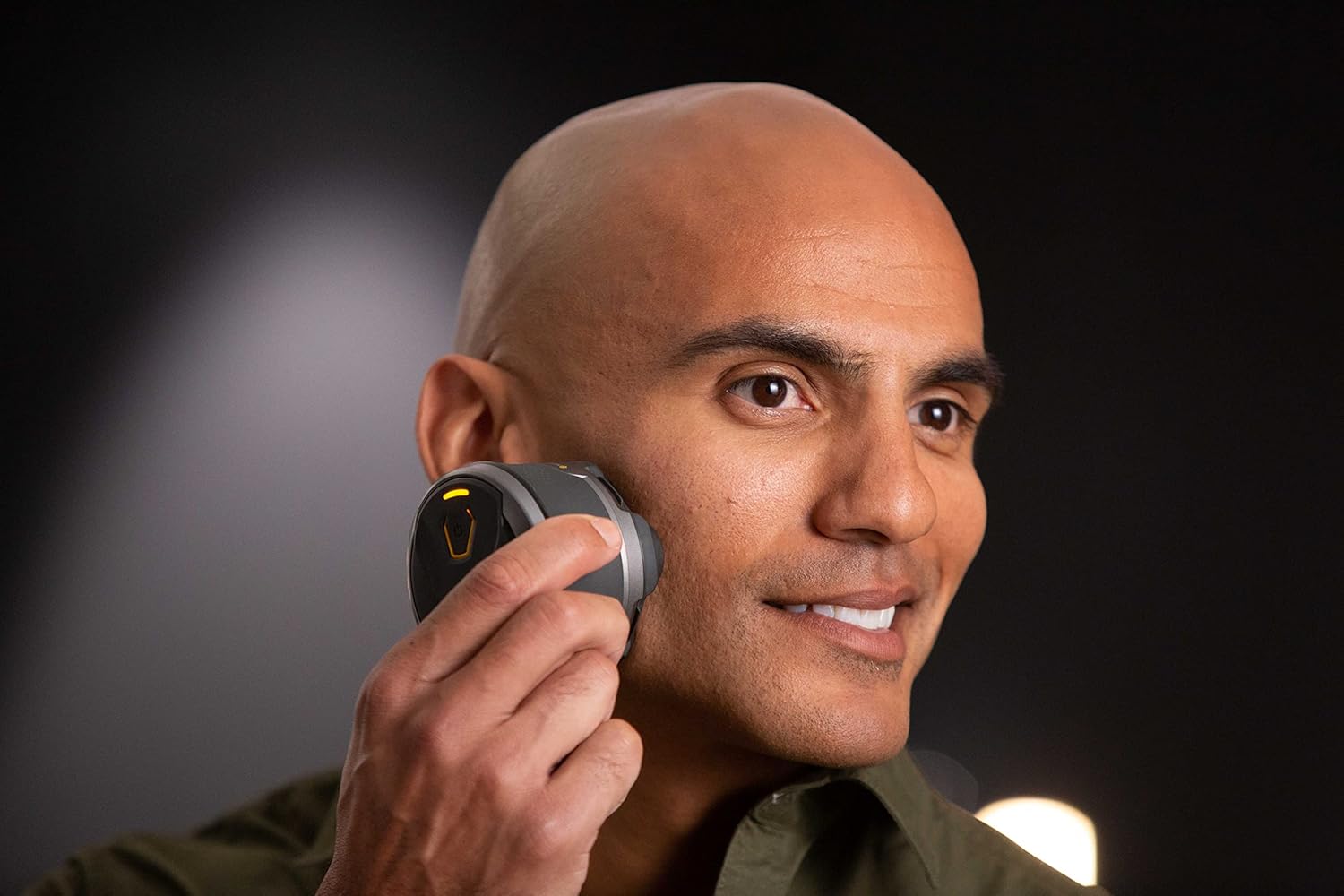
Image: A man using the Microtouch Titanium Head Shaver to shave his cheek, showing its application for facial hair removal.

Image: Another man using the Microtouch Titanium Head Shaver on his face, highlighting the shaver's compact design and ease of handling.
Maintenance
Cleaning the Shaver
Regular cleaning ensures optimal performance and hygiene. The shaver features a built-in hair capture chamber for easy cleanup.
- Turn off the shaver.
- Gently twist and pull the shaving head assembly to detach it from the main body.
- Empty the collected hair from the chamber.
- Use the provided cleaning brush to remove any remaining hair from the blades and inside the chamber.
- For a more thorough clean, the shaving head can be rinsed under running water. Ensure it is completely dry before reattaching or charging.
- Reattach the shaving head assembly by aligning it with the main body and twisting until it clicks into place.
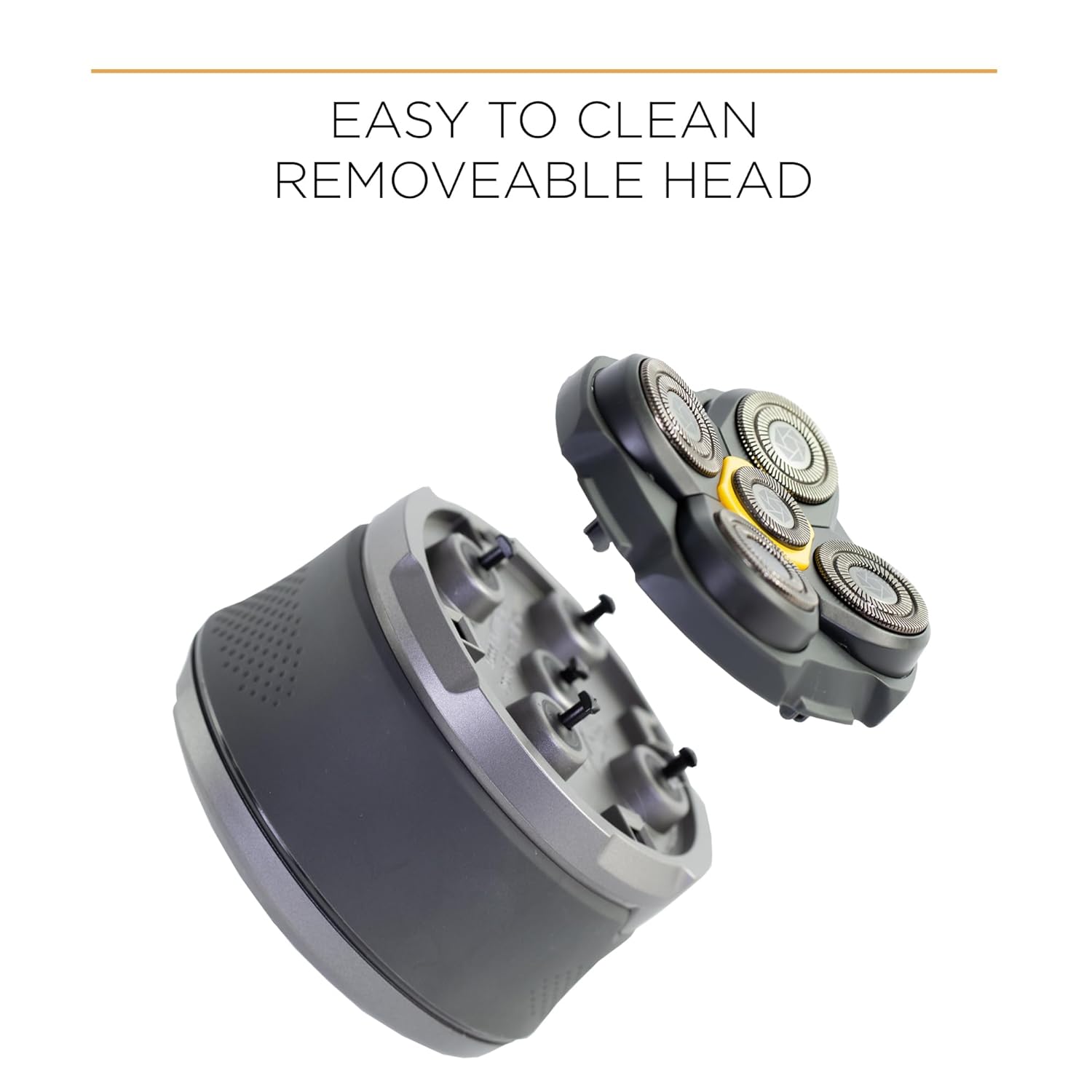
Image: An exploded view of the Microtouch Titanium Head Shaver, illustrating how the shaving head detaches from the main body for easy cleaning and maintenance.
Blade Care
The titanium-coated blades are designed for durability and to resist dulling. With proper cleaning, they should maintain their sharpness for an extended period. If you notice a decrease in shaving performance, replacement heads are available.
Troubleshooting
If you encounter issues with your Microtouch Titanium Electric Head Shaver, refer to the following common problems and solutions:
| Problem | Possible Cause | Solution |
|---|---|---|
| Shaver does not turn on. | Battery is depleted. | Charge the shaver fully. |
| Shaver does not turn on. | Travel lock is activated. | Deactivate the travel lock (refer to product instructions for specific method, usually holding power button). |
| Poor shaving performance / pulling hair. | Blades are clogged with hair. | Clean the shaving heads thoroughly as per maintenance instructions. |
| Poor shaving performance / pulling hair. | Hair is too long. | Trim hair to a shorter length (e.g., 1/16 inch) before shaving. |
| Poor shaving performance / pulling hair. | Blades are worn. | Consider replacing the shaving head assembly. |
| Shaver not charging. | Charging cable or power source issue. | Ensure the USB cable is securely connected and try a different USB port or power adapter. |
If the problem persists after trying these solutions, please contact Micro Touch customer support.
Specifications
| Feature | Detail |
|---|---|
| Model Name | Head Shaver |
| Item Model Number | MTTTBHS |
| Power Source | Battery Powered (Lithium Ion) |
| Battery Life | Approx. 80 minutes continuous run time |
| Special Features | Rechargeable, Water Resistant (IPX6) |
| Recommended Uses | Scalp, Face |
| Dimensions (Package) | 8.86 x 5.31 x 3.21 inches |
| Weight (Package) | 12.63 ounces |
| UPC / GTIN | 754502051366 |
| Manufacturer | MicroTouch |
Warranty and Support
Specific warranty details for the Microtouch Titanium Electric Head Shaver are not included in this manual. For information regarding warranty coverage, terms, and conditions, please refer to the documentation provided with your purchase or visit the official Micro Touch website.
For customer support, technical assistance, or to inquire about replacement parts, please contact Micro Touch directly through their official channels. You may also find additional resources, including a downloadable PDF user manual, on their website or the product's listing page.
Official User Manual (PDF): Download PDF
