
1. Introduction
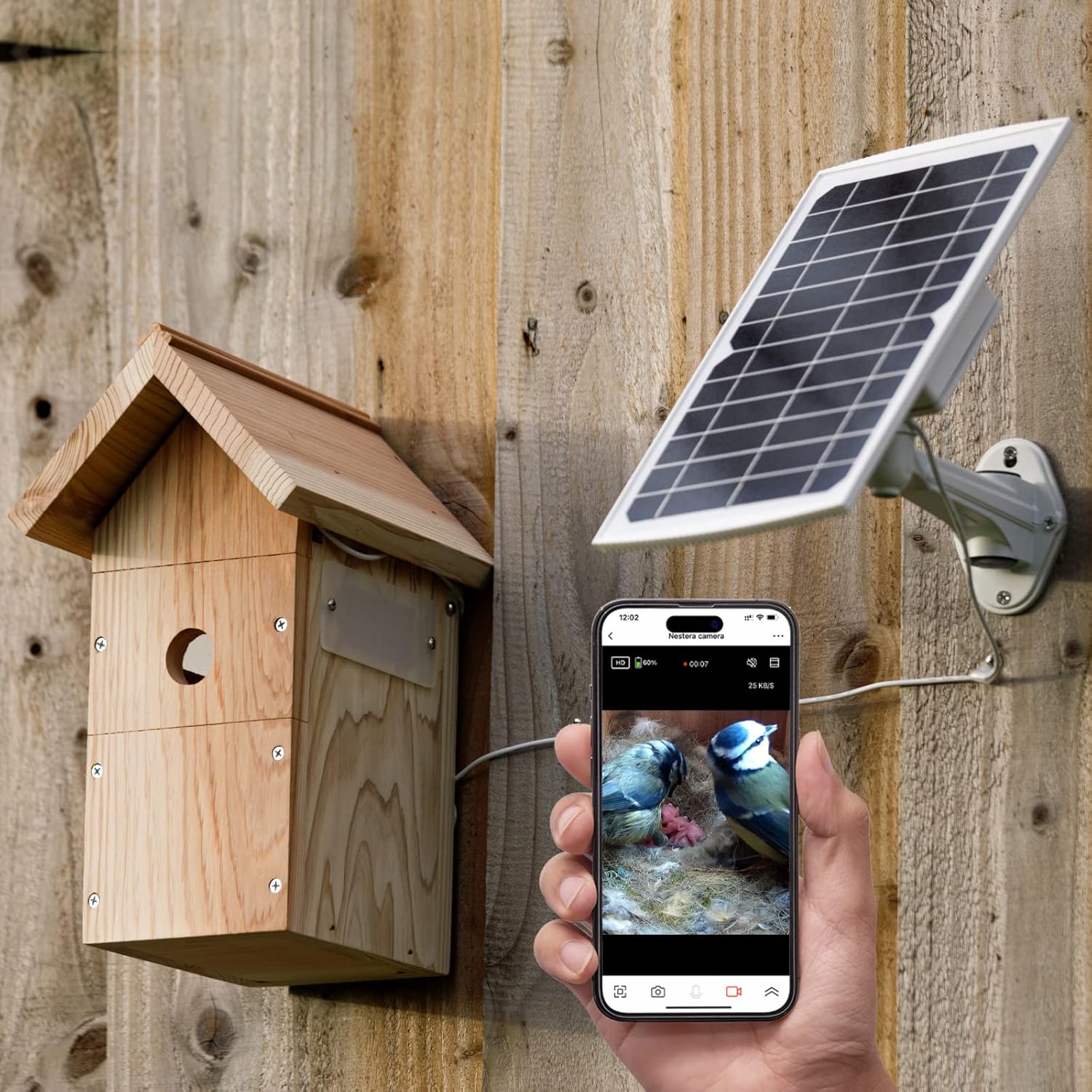
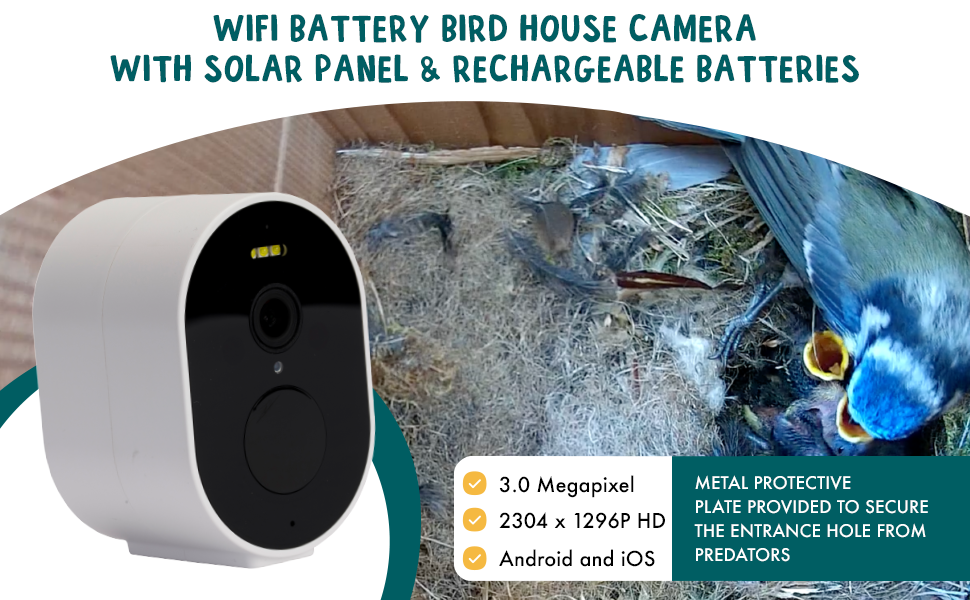
Thank you for choosing the NESTERA Solar Powered Birdhouse with Camera. This innovative product allows you to observe the fascinating world of nesting birds directly from your smartphone. Featuring a 1296p HD battery WiFi camera and a solar panel for continuous power, this birdhouse provides a unique and intimate view of bird activity, from nest building to the hatching and growth of chicks. This manual provides essential information for setup, operation, maintenance, and troubleshooting to ensure optimal performance and a rewarding experience.
2. Product Overview
The NESTERA Solar Powered Birdhouse system includes a durable Western Red Cedar birdhouse, a high-definition WiFi camera, and a solar panel with a battery pack for reliable power. It is designed to be suitable for a wide range of garden bird species.


3. Setup
Follow these steps for initial setup and installation of your NESTERA birdhouse and camera system.
- Unpack Components: Carefully remove all items from the packaging. Ensure you have the birdhouse, WiFi camera, solar panel with cable, and the 28mm and 32mm hole protection plates.
- Camera Installation: Install the WiFi camera inside the birdhouse. The birdhouse is designed for easy camera integration. Ensure the camera lens has an unobstructed view of the nesting area.
- Solar Panel Placement: Mount the solar panel in a location that receives maximum direct sunlight throughout the day. This is crucial for keeping the camera battery charged. The solar panel connects to the camera via the provided cable.
- Birdhouse Mounting: Securely mount the birdhouse to a tree, fence, or house using appropriate hardware (not included). Ensure it is stable and at a suitable height for birds, away from predators.
- App Download and Setup: Download the NESTERA app from Google Play Store or Apple App Store. Follow the in-app instructions to connect your camera to your 2.4 GHz WiFi network.
- Select Entrance Hole Size: Choose either the 28mm or 32mm hole protection plate based on the bird species you wish to attract. Attach the chosen plate to the birdhouse entrance.

4. Operating Instructions
Once set up, operating your NESTERA birdhouse camera is straightforward through the dedicated app.
- Live Stream Access: Open the NESTERA app on your smartphone to access the camera's live 1440p HD video stream 24/7.
- Night Vision: The camera automatically switches to night vision (infrared LEDs) in low-light conditions, providing clear black and white footage.
- Audio Monitoring: The built-in microphone allows you to hear sounds from inside the birdhouse.
- Motion Detection Alerts: The app will send instant notifications to your device when movement is detected inside the nesting box.
- Recording and Sharing: Easily record and save videos of nesting activity directly from the app. You can also securely share access to the live stream and recorded videos with family and friends.

5. Maintenance
Proper maintenance ensures the longevity and optimal performance of your birdhouse and camera system.
- Cleaning the Birdhouse: After nesting season, or if a nest is abandoned, clean the birdhouse thoroughly. Remove old nesting material and debris. Western Red Cedar is naturally resistant to decay, but regular cleaning helps maintain hygiene for future occupants.
- Camera Lens Cleaning: Periodically check and gently clean the camera lens with a soft, dry cloth to ensure clear image quality. Avoid abrasive materials.
- Solar Panel Cleaning: Keep the solar panel surface clean from dust, dirt, and leaves to maximize sunlight absorption and charging efficiency.
- Battery Monitoring: While the solar panel keeps the battery charged, monitor the battery level via the app, especially during prolonged cloudy periods, to ensure continuous operation.
- Structural Integrity: Regularly inspect the birdhouse for any signs of wear, damage, or loose components. Ensure it remains securely mounted.
6. Troubleshooting
If you encounter issues with your NESTERA birdhouse camera, refer to the following common problems and solutions.
| Problem | Possible Cause | Solution |
|---|---|---|
| Camera frequently goes offline | Weak Wi-Fi signal; Camera battery low; Router issues. | Ensure the birdhouse is within strong Wi-Fi range. Check solar panel for obstructions and clean it. Restart your Wi-Fi router. If issues persist, try repositioning the birdhouse or camera. |
| No image or poor image quality | Dirty lens; Insufficient light; Camera misaligned; Connectivity issues. | Gently clean the camera lens. Ensure translucent windows are clear. Verify camera alignment inside the birdhouse. Check Wi-Fi connection. |
| Solar panel not charging battery | Insufficient sunlight; Dirty panel; Damaged cable. | Relocate the solar panel to an area with more direct sunlight. Clean the solar panel surface. Inspect the cable for any visible damage. |
| No motion detection alerts | App notifications disabled; Camera offline; Sensor obstructed. | Check app settings to ensure notifications are enabled. Verify camera is online. Ensure nothing is blocking the camera's motion sensor. |
| Birdhouse roof leaks | Improper assembly; Manufacturing defect. | Inspect the roof assembly for any gaps or loose parts. Ensure all screws are tightened. If the issue persists, contact NESTERA customer support. |
7. Specifications
- Model Name: WIFI-BIRDBOX-SOLAR
- ASIN: B0BS6X19Q9
- Camera Resolution: 1296p HD (1440p HD mentioned in feature bullets, 1296P HD in included components)
- Camera Megapixels: 3.0 Megapixel
- Connectivity: 2.4 GHz WiFi
- Power Source: Solar Panel with Battery Pack
- Material: Western Red Cedar
- Color: Light Brown
- Item Dimensions (LxWxH): 8.6 x 7.5 x 13.4 inches
- Item Weight: 8.36 pounds (3.8 Kilograms)
- Included Components: Wifi 1296P HD Battery Camera, Solar Panel & Cable, Bird Box, 32mm & 28mm Hole protection plates, Translucent Windows
- Specific Uses: Outdoor
8. Warranty and Support
The NESTERA Solar Powered Birdhouse with Camera comes with a 1 Year WARRANTY.
For technical support, warranty claims, or any questions regarding your product, please refer to the contact information provided with your purchase or visit the official NESTERA website. Please have your model number (WIFI-BIRDBOX-SOLAR) and purchase details ready when contacting support.