
FEZIBO JP-SD-JC-Dad
FEZIBO Electric Height Adjustable Standing Desk User Manual
Model: JP-SD-JC-Dad
1. Introduction
Thank you for choosing the FEZIBO Electric Height Adjustable Standing Desk. This manual provides essential information for the safe assembly, operation, and maintenance of your new desk. Please read these instructions carefully before use and retain them for future reference.
This electric standing desk is designed to provide a versatile workspace, allowing users to easily switch between sitting and standing positions. Its robust construction and intelligent features aim to enhance comfort and productivity in various environments, including home offices, classrooms, and gaming rooms.
2. Safety Information
General Safety Precautions
- Ensure all components are securely fastened before use.
- Do not exceed the maximum weight capacity of 176 pounds (80 kg).
- Keep children and pets away from the desk during height adjustments.
- Avoid placing liquids directly on the control panel or near electrical components.
- Only use the provided power adapter and cables.
Anti-Collision Technology
The desk is equipped with an anti-collision system. If the desk encounters an obstacle during height adjustment, it will automatically stop and move approximately 2 cm in the opposite direction to prevent potential damage or injury. Ensure the area around the desk is clear before adjusting height.
3. Assembly Instructions
A detailed installation video and instructions are provided with your product. Please refer to the video for visual guidance during assembly. Assembly tools are included in the package.
Package Contents
Before starting, verify that all parts listed in the packing list are present. The package typically includes:
- Desktop sections (2 pieces)
- Desk legs and frame components
- Motor and control panel
- Power adapter and cables
- Assembly hardware (screws, dowels, brackets)
- Assembly tools (Allen wrench, screwdriver)
- Cable management clips and desk hooks
Assembly Video Guide
Video Description: Official FEZIBO assembly instruction video. This video provides step-by-step visual guidance for putting together your electric standing desk, covering all major components and connections.
Key Assembly Steps (Visual Aids)
Below are some visual aids to assist with key assembly points:

Image Description: An illustration showing the overall product dimensions of the FEZIBO Electric Standing Desk, measuring 55 inches in width and 24 inches in depth, with an adjustable height range.

Image Description: A fully assembled FEZIBO Electric Standing Desk in a home office setting, featuring dual monitors, a keyboard, mouse, and other accessories, highlighting its spacious desktop.
Ensure the motor and control panel are correctly positioned and securely attached to the desk frame. The desktop comes in two sections and is joined using provided hardware.
4. Operating Instructions
Height Adjustment
Use the 'Up' (▲) and 'Down' (▼) buttons on the control panel to adjust the desk height. The height can be adjusted between 27.3 inches and 45.5 inches (or 30.3 inches to 48.5 inches with casters).

Image Description: A graphic illustrating the height adjustment range of the standing desk, showing a lower sitting position and a higher standing position, with measurements from 28.3" to 46.5".
Memory Presets
The control panel features 3 programmable memory height buttons (1, 2, 3). To set a memory position:
- Adjust the desk to your desired height using the Up/Down buttons.
- Press and hold one of the memory buttons (1, 2, or 3) for 3 seconds until the green light flashes, indicating the position is saved.
To recall a saved position, simply press the corresponding memory button.
Control Panel Overview

Image Description: A close-up view of the desk's control panel, showing the Up/Down arrows, memory buttons (1, 2), and instructions for reset and memory setting. The display shows '90 CM'.
Additional Features
- Quiet Operation: The electric motor operates with low noise (under 50 dB).
- Desk Hooks: Two detachable hooks are included for hanging headphones or bags.
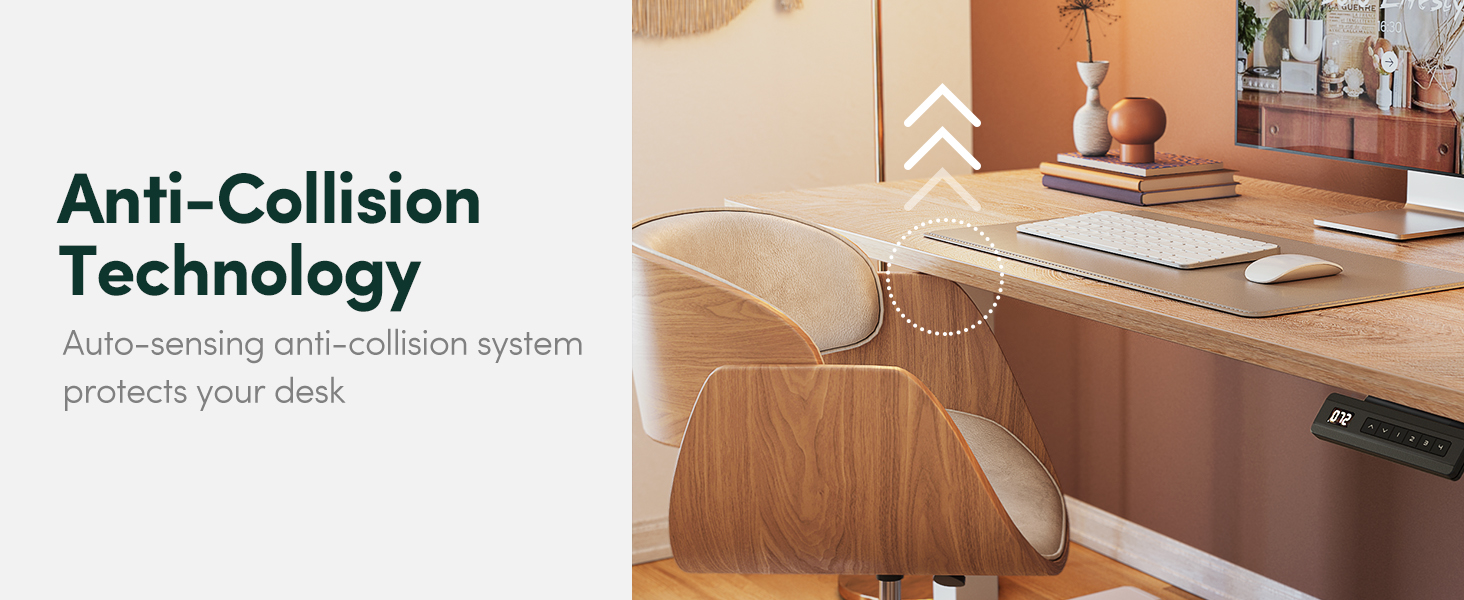
Image Description: A view of the underside of the desk showing two white hooks attached to the frame, designed for convenient storage of headphones or other items.
5. Maintenance
Cleaning
Wipe the desk surface with a soft, damp cloth. Avoid abrasive cleaners or harsh chemicals that could damage the finish. For the frame, use a dry or slightly damp cloth.
Regular Checks
- Periodically check all screws and bolts to ensure they are tight.
- Inspect power cables for any signs of wear or damage.
- Ensure the desk legs are free from obstructions that could impede movement.
6. Troubleshooting
If you encounter issues with your FEZIBO Electric Standing Desk, please refer to the following common solutions or consult the dedicated FAQ video.
Desk Does Not Lift or Lower
If the desk is unresponsive or not adjusting height, a reset may be required.
- Ensure all cables are securely connected to the control panel and power adapter.
- Press and hold both the 'Up' (▲) and 'Down' (▼) buttons simultaneously for 5 seconds until the green light on the control panel flashes or a 'Reset Done' message appears.
- Release the buttons and test the height adjustment.
Desktop Is Tilted
If the desktop appears uneven, the desk legs may need adjustment to ensure they are at the same height.
- Manually press the adjustable leg down until it reaches its lowest position.
- Perform a reset as described above.
- Verify the desktop is level after reassembling.
Troubleshooting & FAQ Video
Video Description: This official FEZIBO FAQ video demonstrates how to reset the desk, set memory heights, and adjust desk legs to resolve common operational issues like unresponsiveness or tilting.
7. Specifications
| Feature | Detail |
|---|---|
| Brand | FEZIBO |
| Model Number | JP-SD-JC-Dad |
| Product Dimensions | 24"D x 55"W x 27"H |
| Height Adjustment Range | 27.3''-45.5'' (30.3''-48.5'' with casters) |
| Maximum Weight Capacity | 176 Pounds (80 kg) |
| Lifting Mechanism | Electric |
| Noise Level | Under 50 dB |
| Material Type | Alloy Steel, Wood (Maple finish) |
| Special Features | Adjustable height, Ergonomic, Sturdy, Anti-collision technology |
8. Warranty & Support
FEZIBO provides technical support for any questions or warranty concerns during assembly and use. Please do not hesitate to contact us if you require assistance.
For specific warranty details, please refer to the documentation included with your purchase or visit the official FEZIBO website.
Related documentsJP-SD-JC-Dad


Ask a question about this manual
Ask about setup, troubleshooting, compatibility, parts, safety, or missing instructions. Manuals+ will review the question and use this page’s manual context to help answer it.