
ODK B01011488USAN0112A7AO1RQ
ODK L Shaped Desk User Manual
Model: B01011488USAN0112A7AO1RQ
1. Introduction
This manual provides comprehensive instructions for the assembly, operation, maintenance, and troubleshooting of your ODK L Shaped Desk. Please read this manual thoroughly before assembly and use to ensure proper function and safety.
The ODK L Shaped Desk is designed to maximize your workspace, fitting efficiently into corners. It features a sturdy steel frame and adjustable leg pads for stability on various floor types.
2. Safety Information
Always adhere to the following safety guidelines:
- Assemble the desk on a stable, flat surface to prevent tipping.
- Ensure all screws and fasteners are securely tightened before using the desk.
- Do not attempt to move the desk when it is fully assembled and loaded with items.
- When moving the desk, always lift with a partner to avoid personal injury due to its weight.
- Do not exceed the maximum weight recommendation of 100 pounds (45.36 kg) on the desktop.
- Keep small parts away from children during assembly.
3. Package Contents
Before beginning assembly, verify that all components listed below are present and undamaged. If any parts are missing or damaged, please contact ODK customer service.
| Part | Description | Quantity |
|---|---|---|
| Desktop Panels | L-shaped engineered wood desktop | 2 |
| Leg Frames | Metal support legs and crossbars | 8 |
| Adjustable Foot Pads | For leveling the desk on uneven surfaces | 8 |
| Assembly Hardware | Screws, Allen wrench, etc. | 1 Set |
| Instruction Manual | This document | 1 |
4. Setup and Assembly
Follow these steps for proper assembly of your ODK L Shaped Desk. It is recommended to have two people for assembly.
- Unpack Components: Carefully remove all parts from the packaging and lay them out on a clean, soft surface (e.g., a blanket or carpet) to prevent scratches.
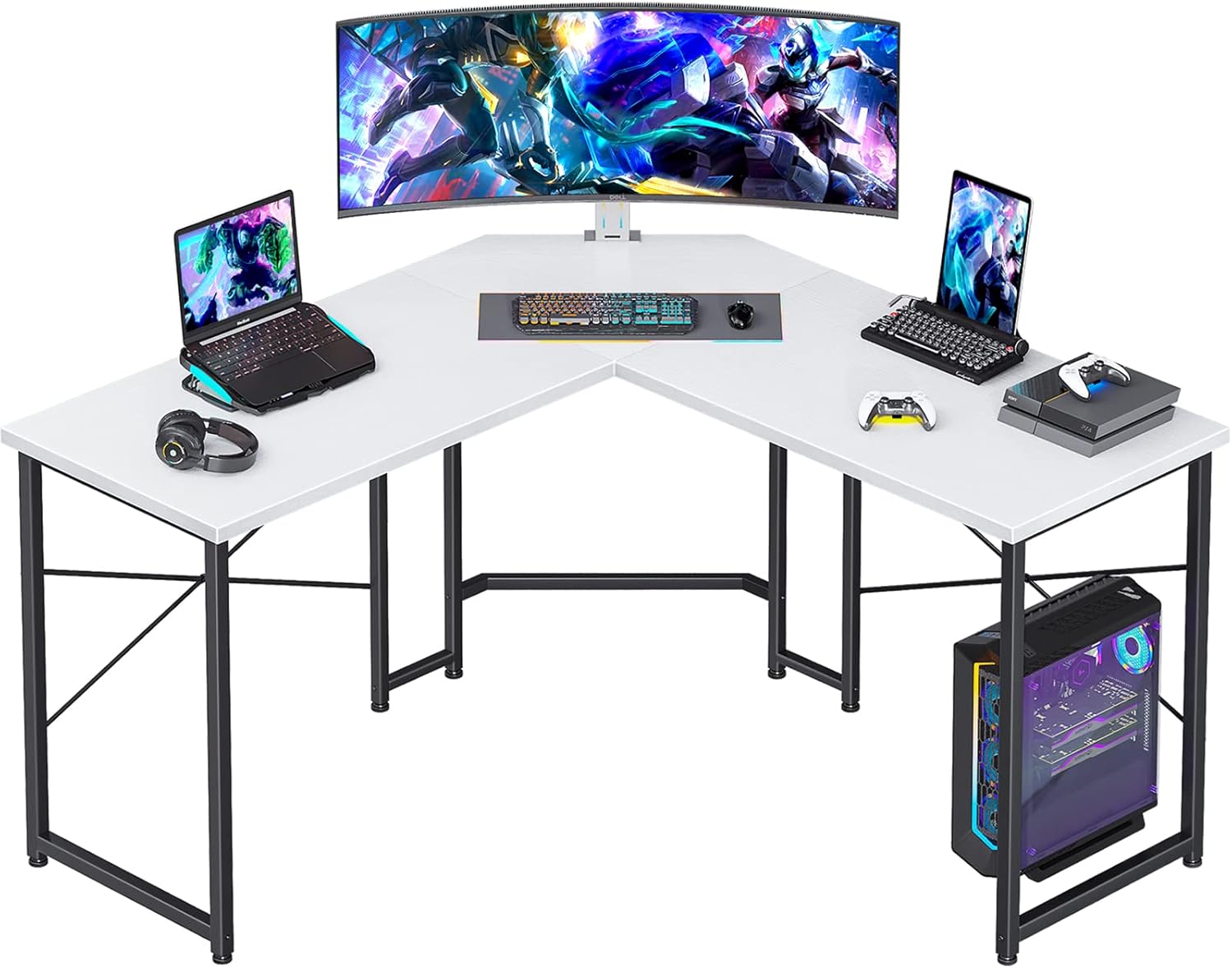
Image: All components of the ODK L Shaped Desk, including the two desktop panels and metal leg frames, are laid out on a clean surface, ready for assembly.
- Assemble Leg Frames: Attach the horizontal crossbars to the vertical leg supports using the provided screws. Ensure all connections are finger-tight at this stage.
- Attach Desktop Panels: Carefully align the pre-drilled holes on the desktop panels with the holes on the assembled leg frames. Secure the desktop panels to the frames using the appropriate screws.

Image: A diagram illustrating the dimensions of the ODK L Shaped Desk, showing the length of each side (38.4 inches), depth (15.7 inches), and height (29.9 inches).
- Tighten All Screws: Once all parts are in place, systematically tighten all screws with the Allen wrench. Do not overtighten.
- Install Adjustable Foot Pads: Screw the adjustable foot pads into the bottom of each leg.

Image: Two close-up panels. The left panel shows water droplets on the desk surface, highlighting the "Premium Desktop" feature. The right panel shows an adjustable foot pad with an arrow indicating its rotation for leveling, labeled "Adjustable Foot Pads."
- Level the Desk: Place the desk in its desired location. Adjust the foot pads by rotating them clockwise or counter-clockwise until the desk is stable and level on the floor.
5. Operation and Usage
The ODK L Shaped Desk is designed for versatile use in home offices, gaming setups, or study areas. Its L-shape maximizes corner space, providing ample surface area for multiple monitors, laptops, and accessories.
- Workspace Optimization: Utilize the L-shape to create distinct work zones, such as a primary computer area and a secondary writing or storage area.
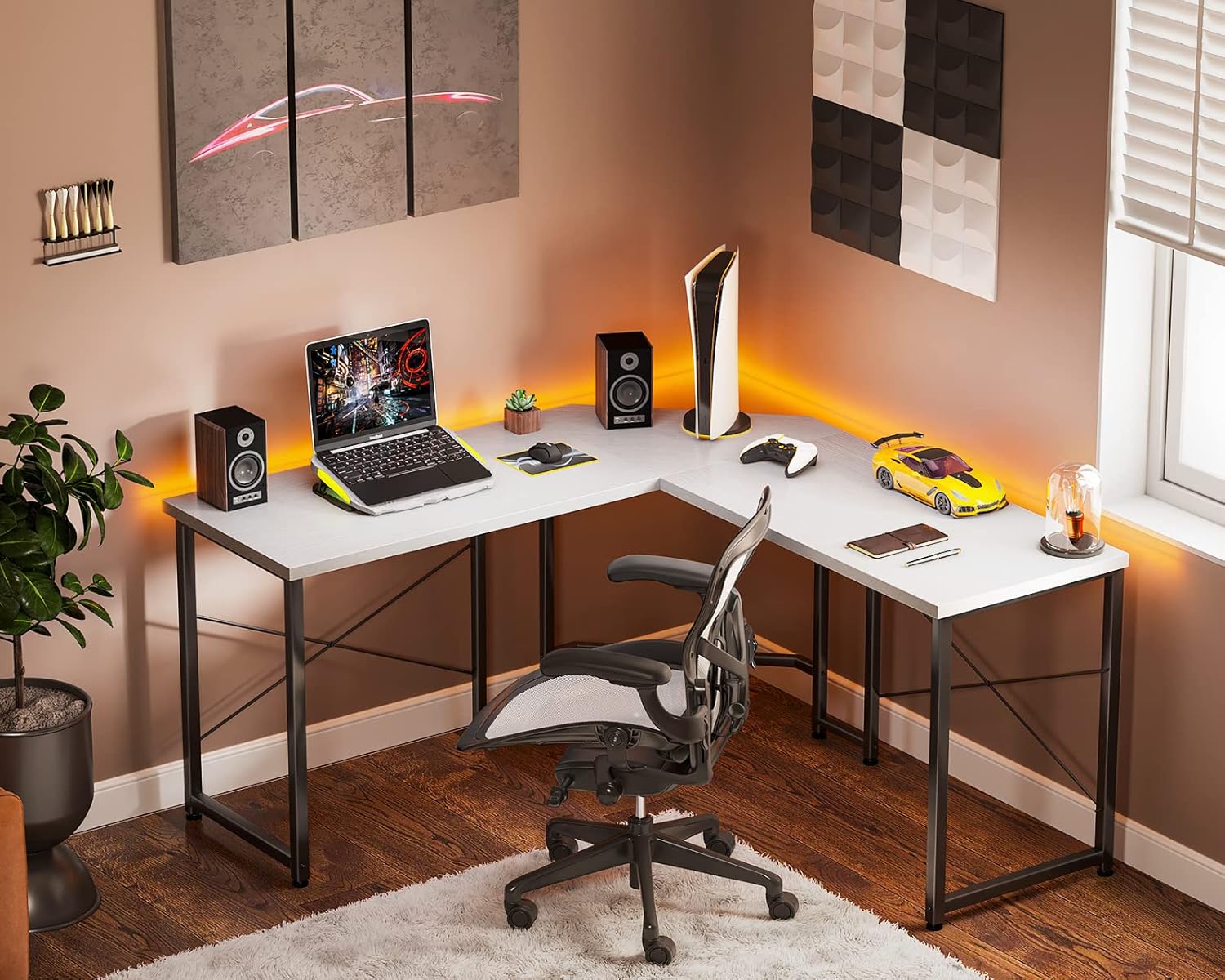
Image: The ODK L Shaped Desk set up as a gaming station, featuring a large curved monitor, two laptops, a gaming keyboard, mouse, and console, demonstrating its spacious design for multiple devices.
- Legroom and Comfort: The desk's design provides generous legroom, allowing for comfortable seating and movement of office chairs.

Image: A man sitting at the ODK L Shaped Desk, demonstrating the ample legroom and freedom of movement provided by the desk's design, with an illustration showing leg movement.
- Weight Distribution: Distribute weight evenly across the desktop surface. Avoid placing heavy items on the edges or corners to maintain stability.
6. Maintenance and Care
Regular maintenance will help preserve the appearance and longevity of your ODK L Shaped Desk.
- Cleaning: Wipe the desktop surface with a soft, damp cloth. For stubborn marks, use a mild soap solution and dry immediately with a clean cloth. Avoid abrasive cleaners or harsh chemicals.
Image: A close-up of the desk surface with water droplets, demonstrating its water-resistant properties, which aids in easy cleaning.
- Hardware Check: Periodically check all screws and fasteners to ensure they remain tight. Retighten if necessary to maintain desk stability.
- Avoid Direct Sunlight: Prolonged exposure to direct sunlight may cause fading or damage to the desktop finish.
- Protect Surface: Use coasters for drinks and desk pads for writing or heavy objects to prevent scratches and stains.
7. Troubleshooting
If you encounter any issues with your ODK L Shaped Desk, refer to the following common problems and solutions:
| Problem | Possible Cause | Solution |
|---|---|---|
| Desk is wobbly or unstable. | Uneven floor; loose screws; incorrect assembly. | Adjust the foot pads until the desk is level. Check and tighten all assembly screws. Review assembly instructions to ensure correct setup. |
| Parts do not align during assembly. | Incorrect orientation of parts; manufacturing defect. | Double-check the orientation of each part against the assembly diagrams. If parts are still misaligned, contact customer service for assistance. |
| Scratches or damage on desktop. | Improper handling during assembly or use; sharp objects. | Use a desk mat or coasters to protect the surface. Minor scratches may be concealed with furniture repair pens (not included). |
8. Product Specifications
| Feature | Detail |
|---|---|
| Brand | ODK |
| Model Number | B01011488USAN0112A7AO1RQ |
| Product Dimensions | 15.7"D x 47"W x 30"H (each side of L-shape) |
| Color | White |
| Style | Modern |
| Base Material | Metal |
| Top Material Type | Engineered Wood |
| Finish Type | Powder Coated |
| Special Feature | Adjustable Foot Pads |
| Maximum Weight Recommendation | 100 Pounds (45.36 kg) |
| Assembly Required | Yes |
9. Warranty and Customer Support
ODK provides a limited warranty for this product. For specific warranty details, please refer to the documentation included with your purchase or contact ODK customer service.
For any questions, missing parts, or assistance with assembly or troubleshooting, please contact ODK customer service. ODK offers 30-day free return or exchange service, and a 24-hour online professional customer service team is available to assist you.
Visit the official ODK store for more information: ODK Store
Related documentsB01011488USAN0112A7AO1RQ


Ask a question about this manual
Ask about setup, troubleshooting, compatibility, parts, safety, or missing instructions. Manuals+ will review the question and use this page’s manual context to help answer it.