
1. Introduction
This manual provides essential information for the safe and efficient operation of your JVC LT-65VA7255 65-inch 4K UHD Android TV. Please read these instructions thoroughly before using the television and retain them for future reference. This television combines a 65-inch 4K Ultra HD display with Android TV functionality, offering HDR Dolby Vision, triple tuner, Bluetooth, and Dolby Atmos audio.

Image 1.1: Front view of the JVC LT-65VA7255 65-inch 4K UHD Android TV.
2. Safety Information
Always adhere to the following safety guidelines to prevent electric shock, fire, or damage to the television:
- Do not expose the television to rain or moisture.
- Ensure proper ventilation around the unit.
- Do not block ventilation openings with items such as newspapers, table-cloths, or curtains.
- Do not place the television on unstable carts, stands, tripods, brackets, tables, or shelves.
- Unplug the television during lightning storms or when unused for long periods.
- Refer all servicing to qualified service personnel.
3. Package Contents
Verify that all items are present in the packaging:
- JVC LT-65VA7255 65-inch 4K UHD Android TV
- TV Stand
- Remote Control
- 2 x AAA Batteries for Remote Control
- Power Cable
- User Manual (this document)
4. Setup
4.1 Attaching the Stand
Carefully place the TV screen-down on a soft, flat surface. Align the stand with the mounting holes on the bottom of the TV and secure it using the provided screws.
4.2 Wall Mounting (Optional)
This TV supports VESA wall mounts with a pattern of M6 400x200. Consult a professional for wall mounting installation.

Image 4.1: TV dimensions and VESA mount details. Height with stand: 91.1 cm, Width: 146.2 cm, Depth with stand: 24.1 cm. VESA: M6 400x200.
4.3 Connecting External Devices
The TV offers various connection ports for external devices:

Image 4.2: Overview of TV connection ports.
- HDMI (x3): Connect Blu-ray players, game consoles, or other HDMI-enabled devices. Supports CEC and ARC.
- USB (x2): For media playback (images, videos, music) from USB storage devices.
- Antenna (RF/F): Connect an antenna for DVB-T2 reception or a satellite dish for DVB-S2.
- Digital Audio Output: For connecting to external audio systems.
- Headphones: For private listening.
- CI Slot: For Conditional Access Modules (CAM) to decrypt pay-TV channels.
- Wi-Fi & Bluetooth: For wireless network and device connections.
5. Operating Instructions
5.1 Initial Setup
Upon first power-on, the TV will guide you through the initial setup process, including language selection, network connection, and channel scanning.
5.2 Android TV Interface
Your JVC TV runs on the Android operating system, providing access to a wide range of applications and streaming services via the Google Play Store.

Image 5.1: Android TV home screen displaying available applications.

Image 5.2: Access to a variety of apps through Google Play.
5.3 Picture Quality Features
Experience stunning visuals with advanced picture technologies:
- 4K UHD Resolution: Delivers four times the detail of Full HD.
- Dolby Vision HDR: Provides enhanced contrast, brightness, and color depth.
- Super Resolution: Optimizes lower-resolution content for a sharper image.
- Micro Dimming: Improves contrast by analyzing and adjusting brightness in different zones of the screen.

Image 5.3: Visual representation of enhanced picture quality with Super Resolution and Micro Dimming.

Image 5.4: High Dynamic Range (HDR10) and Dolby Vision for improved detail and contrast.
5.4 Audio Features
The TV integrates advanced audio technologies for an immersive sound experience:
- Dolby Atmos: Delivers multi-dimensional sound that moves around you.
- DTS Virtual X: Creates an immersive audio experience without the need for additional speakers.
- Integrated Subwoofer: Enhances bass for richer sound.

Image 5.5: Dolby Atmos provides an immersive sound experience.
5.5 Smart Control
Control your TV with ease using integrated smart features:
- Google Assistant: Use voice commands to change channels, adjust volume, open apps, and more. Simply say "Ok Google."
- Google Chromecast: Cast content from your mobile devices directly to the TV screen.
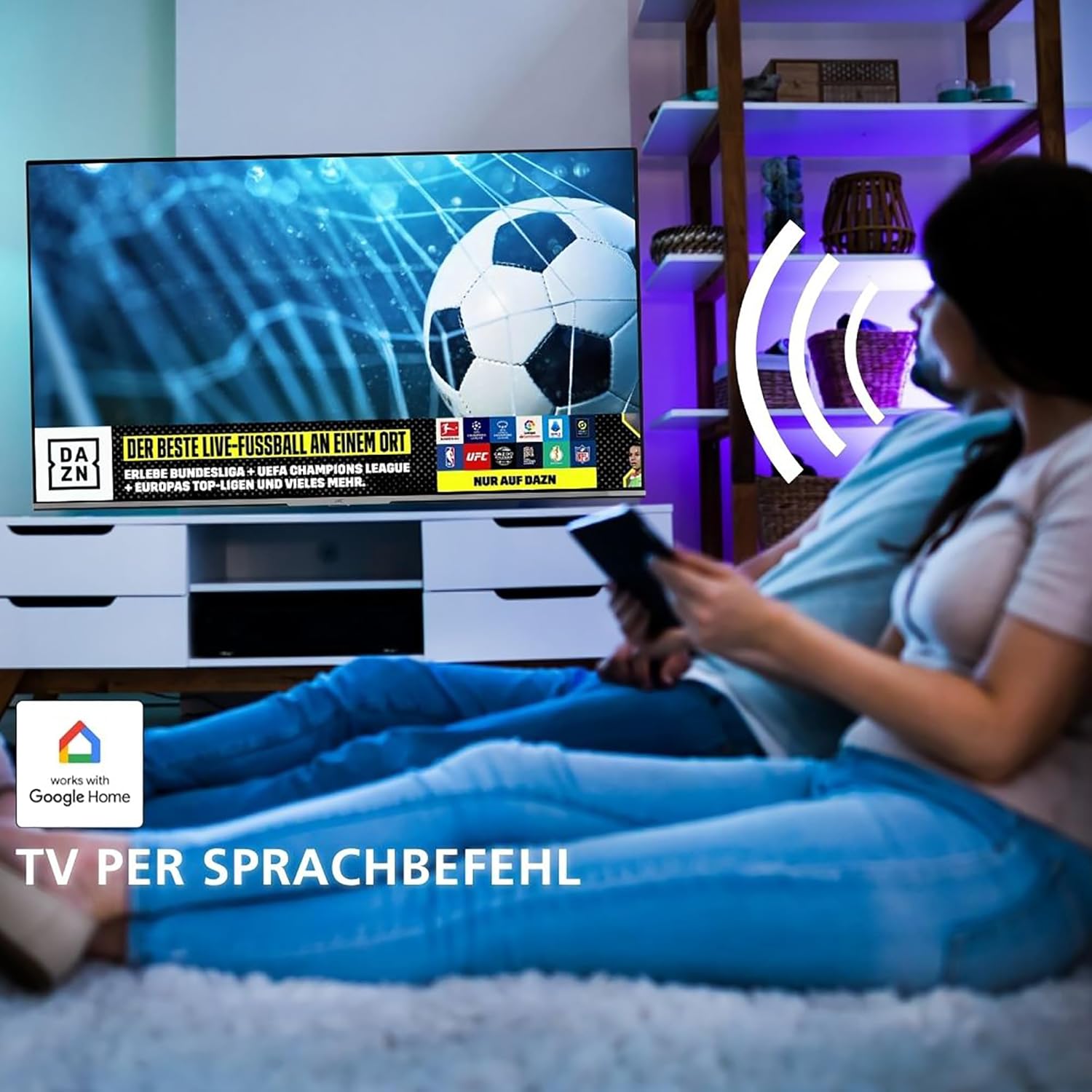
Image 5.6: TV control via voice commands with Google Home integration.

Image 5.7: Google Assistant voice control functionality.
5.6 Triple Tuner
The integrated triple tuner allows reception of television programs without an additional receiver:
- DVB-C: Cable television.
- DVB-T2: Terrestrial television via antenna.
- DVB-S2: Satellite television.
6. Maintenance
To ensure the longevity and optimal performance of your TV, follow these maintenance guidelines:
- Cleaning the Screen: Gently wipe the screen with a soft, lint-free cloth. For stubborn marks, use a screen-specific cleaning solution applied to the cloth, not directly to the screen.
- Cleaning the Cabinet: Use a soft, dry cloth to clean the TV cabinet. Avoid using abrasive cleaners or solvents.
- Ventilation: Ensure that the ventilation openings on the back of the TV are not blocked to prevent overheating.
- Power Cord: Regularly check the power cord for any damage. If damaged, contact qualified service personnel for replacement.
7. Troubleshooting
If you encounter issues with your TV, refer to the following common problems and solutions:
| Problem | Possible Cause | Solution |
|---|---|---|
| No power | Power cord disconnected | Ensure power cord is securely plugged into the TV and wall outlet. |
| No picture, but sound is present | Incorrect input source selected | Press the 'Source' button on the remote control and select the correct input. |
| No sound, but picture is present | Volume is muted or too low | Increase volume or unmute the TV. Check external audio device connections if applicable. |
| Remote control not working | Batteries are depleted or incorrectly inserted | Replace batteries with new AAA batteries, ensuring correct polarity. |
| Cannot connect to Wi-Fi | Incorrect password or router issue | Verify Wi-Fi password. Restart your router and modem. |
8. Specifications
Detailed technical specifications for the JVC LT-65VA7255 TV:
- Model Number: LT-65VA7255
- Screen Size: 65 inches (164 cm)
- Display Technology: LED
- Resolution: 4K Ultra HD (3840 x 2160)
- Refresh Rate: 50 Hz
- Operating System: Android TV
- Special Features: Android TV, HDR Dolby Vision, Super Resolution, Micro Dimming, Dolby Atmos, DTS Virtual X, Google Assistant, Chromecast
- Connectivity: 3 x HDMI (CEC + ARC), 2 x USB, Wi-Fi, Bluetooth, Digital Audio Output, Headphone Jack, CI Slot
- Tuners: DVB-C, DVB-T2, DVB-S2
- Color: Black
- Dimensions (with stand): 24.1 cm (D) x 146.2 cm (W) x 91.1 cm (H)
- Power Consumption (SDR): 85 kWh/1000h
- Power Consumption (HDR): 149 kWh/1000h
- Energy Efficiency Class: E
- Batteries: 2 x AAA (included for remote)

Image 8.1: Recommended viewing distances based on TV size and resolution.

Image 8.2: EU Energy Label for the JVC LT-65VA7255. For more details, visit eprel.ec.europa.eu/qr/1409780.
9. Warranty and Support
For warranty information and technical support, please refer to the warranty card included with your product or visit the official JVC support website. Keep your proof of purchase for warranty claims.


