Introduction
Thank you for choosing the PUPPY KITTY Automatic Pet Feeder. This device is designed to provide convenient and scheduled feeding for your pets, ensuring they receive their meals on time, every time. With 2.4G WiFi connectivity, app control, and a 4-liter capacity, managing your pet's diet has never been easier. Please read this manual thoroughly before use to ensure proper operation and maintenance.
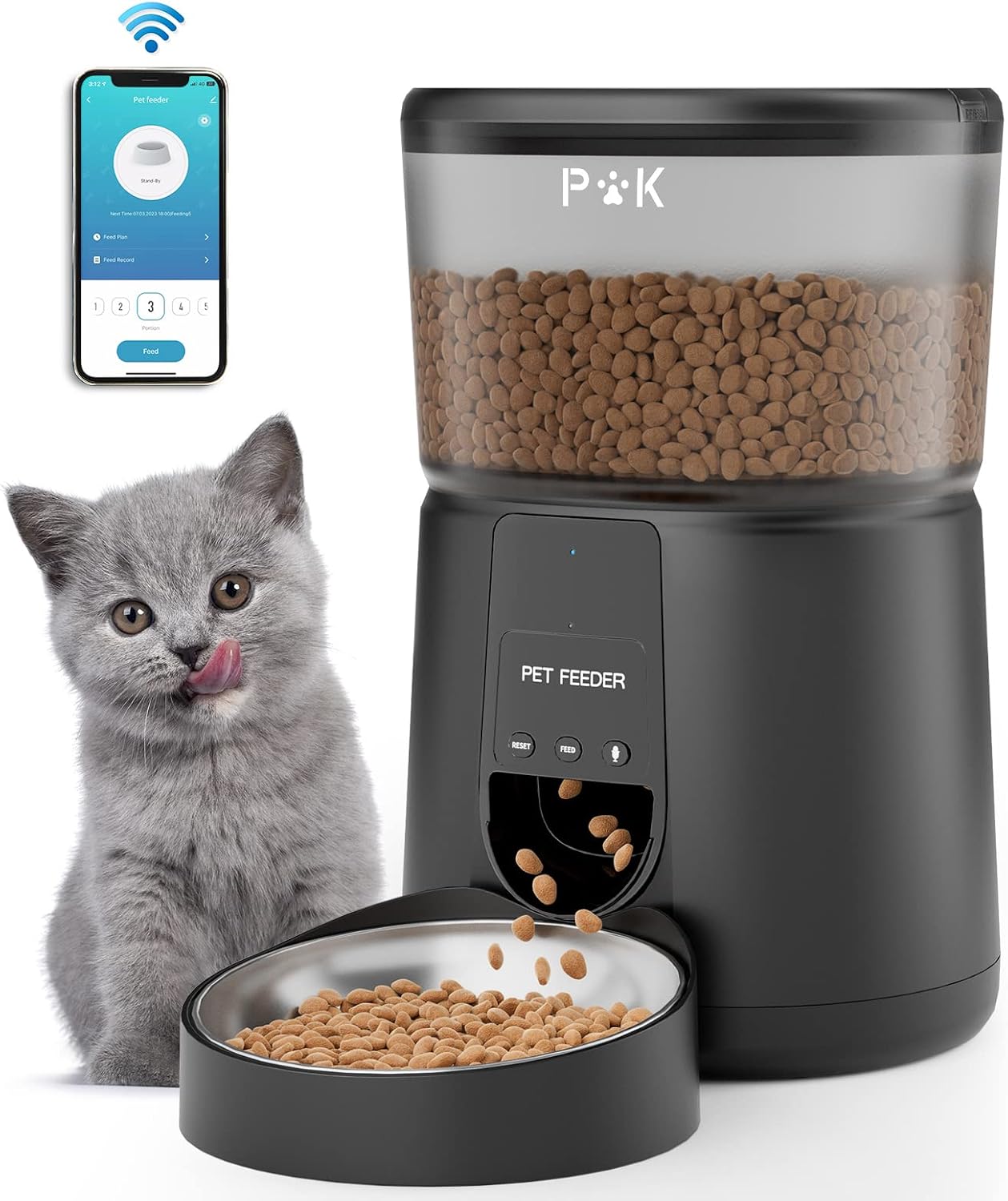
Image: The PUPPY KITTY Automatic Pet Feeder in black, with a grey cat looking at the camera, and a smartphone displaying the feeder's app interface.
Product Features
- Remote APP Control: Manage feeding schedules, portions, and view meal history via a dedicated app (2.4G WiFi only).
- Customizable Feeding: Schedule up to 10 meals per day with 1 to 12 portions per meal (approx. 7g±2g per portion).
- Freshness Preservation: Features a locked sliding lid and an integrated desiccant bag to keep food fresh and crisp.
- Dual Power Supply: Operates with the included power adapter or 3 D-cell batteries (not included) for backup during power outages.
- BPA-Free & Easy to Clean: Made from food-grade, BPA-free materials. Removable tank lid, food tank, and stainless steel bowl for thorough cleaning.
- Anti-Clog Design: Advanced self-rotating structure and inclined outlet design prevent food blockages.
- 10-Second Voice Recording: Record a personalized message to call your pet to eat.
- 4-Liter Capacity: Sufficient food storage for small to medium-sized pets.
Setup Guide
1. Unpacking and Assembly
- Carefully remove all components from the packaging.
- Ensure all listed components are present: Feeder unit, stainless steel bowl, power adapter, USB cable, desiccant bag, and user manual.
- Place the stainless steel bowl into the feeder base.
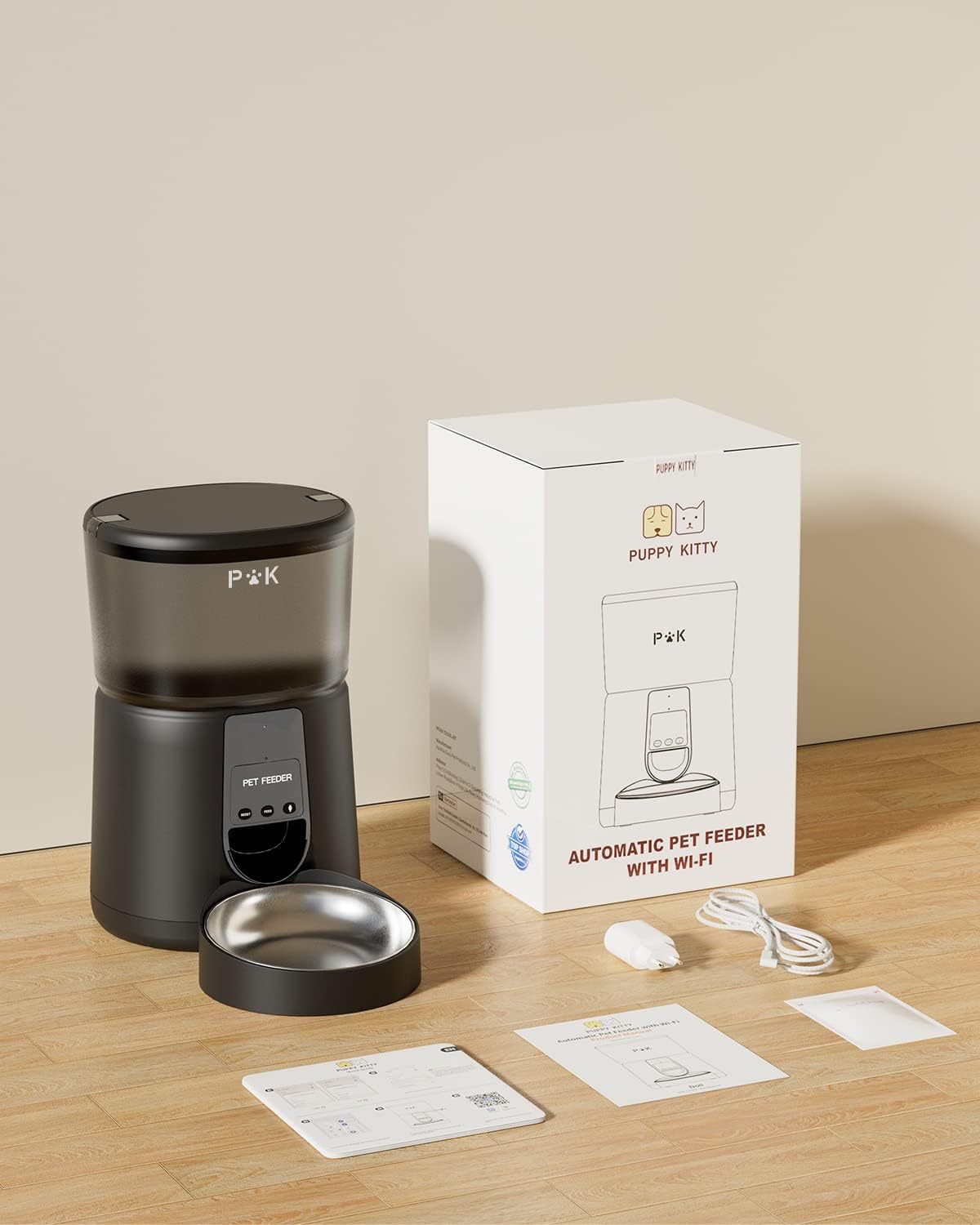
Image: All components of the PUPPY KITTY Automatic Pet Feeder laid out, including the main unit, bowl, power accessories, and manual.
2. Power Supply Connection
- AC Power: Connect the 5V power adapter to the feeder's power port and plug it into a wall outlet.
- Battery Backup (Recommended): For uninterrupted feeding during power outages, install 3 D-cell batteries (not included) into the battery compartment at the bottom of the feeder.

Image: Close-up of the feeder's base, illustrating the dual power options: 5V power adapter and D-cell battery compartment.
3. App Download and WiFi Connection
- Scan the QR code provided in the manual or on the product packaging to download the companion app. Alternatively, search for "Smart Life" or similar in your app store.
- Register or log in to your account in the app.
- Add the device: Follow the in-app instructions to add your pet feeder. Ensure your phone is connected to a 2.4GHz WiFi network. Note: The feeder only supports 2.4GHz WiFi. 5GHz networks are not compatible.
- Enter your 2.4GHz WiFi network name and password when prompted by the app.
- Once connected, the feeder's indicator light will confirm successful pairing.

Image: A QR code for downloading the pet feeder's control application. Link: https://smartapp.tuya.com/smartlife

Image: App screen illustrating that only 2.4GHz WiFi is supported for connection.
4. Filling the Food Tank
- Open the top lid of the feeder.
- Insert the desiccant bag into its designated compartment in the lid to maintain food freshness.
- Pour dry pet food into the tank. Ensure the food is suitable for automatic feeders (kibble size should be appropriate to prevent clogging).
- Close the lid securely to prevent pets from accessing the food and to maintain freshness.
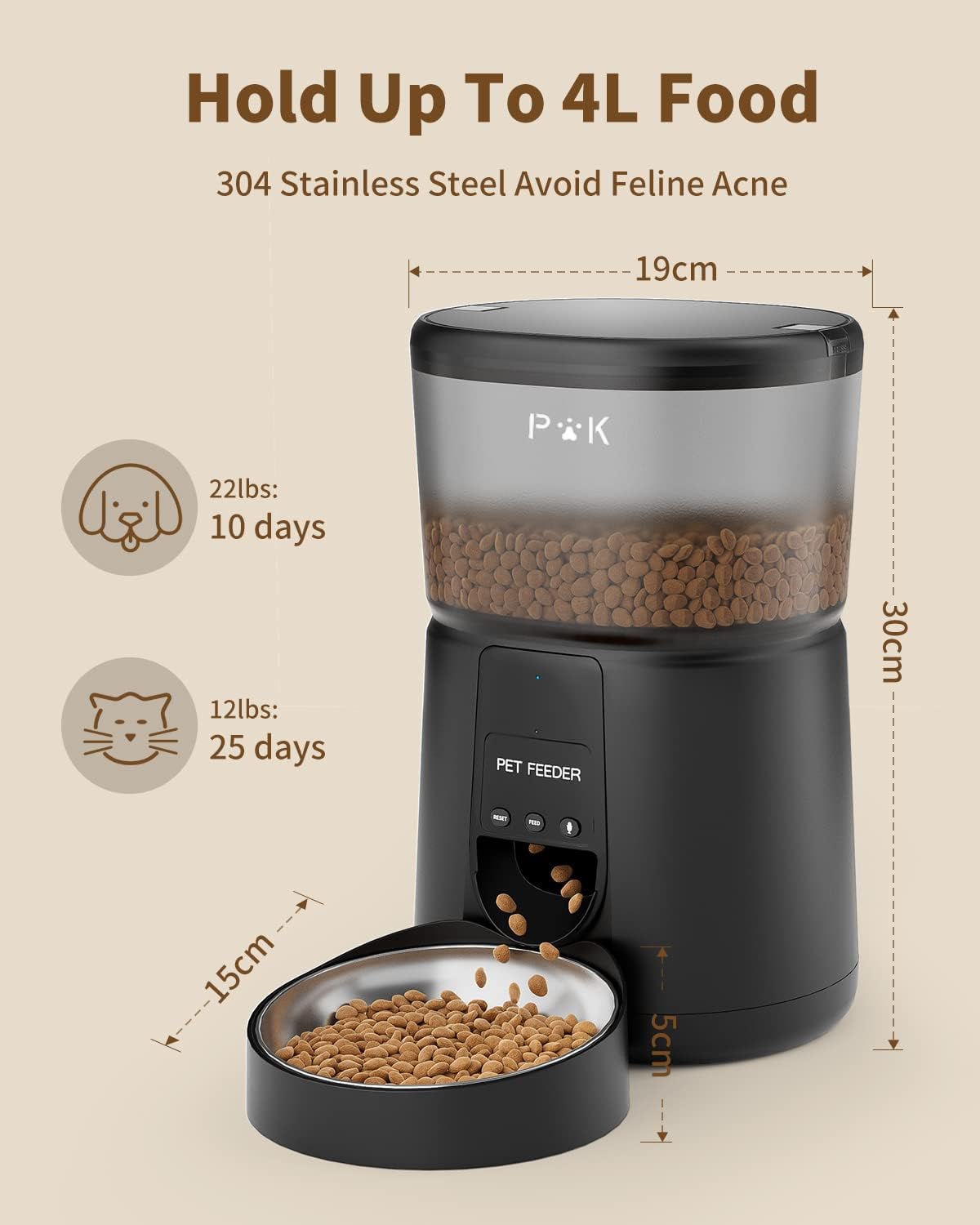
Image: The pet feeder displaying its 4-liter capacity and estimated feeding durations for different pet weights.
Operating Instructions
1. Scheduling Meals via App
- Open the PUPPY KITTY app and select your feeder device.
- Navigate to the "Feed Plan" or "Schedule" section.
- Set desired meal times (up to 10 per day).
- For each meal, select the number of portions (1-12 portions, approximately 7g±2g per portion).
- Save your schedule. The feeder will automatically dispense food at the programmed times.

Image: The app interface for controlling the pet feeder, showing options for feed plan, feed record, and manual feeding.

Image: A detailed view of the app's schedule settings, allowing users to set specific times for meals.
2. Manual Feeding
- Via App: On the main app screen, select the desired number of portions and tap the "Feed" button for an immediate dispense.
- Via Device: Press the "Feed" button on the feeder unit for a single portion dispense.
3. Voice Recording Function
- Locate the "Record" button on the feeder unit.
- Press and hold the "Record" button for approximately 3 seconds until you hear a beep.
- Record your 10-second voice message. Release the button when finished.
- Your recorded message will play automatically when food is dispensed.

Image: A cat observing the pet feeder, with visual cues indicating the 10-second voice recording feature in action.
4. Monitoring Meal History
- Access the "Feed Record" section within the app to view a log of dispensed meals.
Maintenance
1. Cleaning Instructions
- Unplug the feeder from the power source and remove any batteries.
- Remove the food tank lid, food tank, and stainless steel bowl.
- Wash the food tank lid, food tank, and stainless steel bowl with mild soap and water. Rinse thoroughly.
- Wipe the main feeder unit with a soft, damp cloth. Do not immerse the main unit in water.
- Ensure all parts are completely dry before reassembling and refilling with food.

Image: Various components of the pet feeder, including the food tank and bowl, shown disassembled and ready for washing in a sink.
2. General Care Tips
- It is recommended to clean the feeder once a month to ensure hygiene.
- Replace the desiccant bag regularly (e.g., every 1-2 months) to maintain food freshness.
- Do not use the feeder outdoors. It is designed for indoor use only.
- Keep the feeder away from direct sunlight and heat sources.
Troubleshooting
- Feeder not dispensing food:
- Check if the food tank is empty. Refill if necessary.
- Ensure the feeder is powered on and connected to a power source (AC adapter or batteries).
- Verify that the food outlet is not clogged. The anti-clog design minimizes this, but large kibble or debris can still cause issues. Clear any obstructions.
- Check the app for any error messages or if the feeding schedule is correctly set. - WiFi connection issues:
- Ensure your router is broadcasting a 2.4GHz WiFi signal. The feeder does not support 5GHz WiFi.
- Move the feeder closer to your WiFi router.
- Restart your router and the feeder.
- Re-attempt the WiFi pairing process through the app. - App not controlling the feeder:
- Ensure your phone has an active internet connection.
- Verify that the feeder is successfully connected to WiFi (check the indicator light).
- Update the app to the latest version.
- If issues persist, try unpairing and re-pairing the device in the app. - Voice recording not playing:
- Ensure a voice message has been successfully recorded. Try re-recording.
- Check the volume settings in the app (if available) or on the device.
Specifications
| Feature | Detail |
|---|---|
| Model Number | DU35L-WT |
| Brand | PUPPY KITTY |
| Capacity | 4 Liters |
| Dimensions (L x W x H) | 33 x 22 x 19 cm |
| Weight | 1.84 kg |
| Material | Acrylonitrile Butadiene Styrene (ABS) |
| Connectivity | 2.4G WiFi (5G not supported) |
| Power Supply | 5V Power Adapter (included), 3 x D-cell Batteries (not included) |
| Meals per Day | Up to 10 |
| Portions per Meal | 1-12 portions (approx. 7g±2g per portion) |
| Voice Recording | 10 seconds |
| Recommended for | Small and medium breeds (Cats, Dogs) |
Warranty and Support
The PUPPY KITTY Automatic Pet Feeder comes with a two-year warranty from the date of purchase. This warranty covers manufacturing defects and issues arising from normal use.
All products are manufactured from food-grade materials and are guaranteed for high quality. If you encounter any problems with your product or have questions regarding its operation, please do not hesitate to contact our customer support team.
For support, please refer to the contact information provided on the product packaging or the official PUPPY KITTY website. When contacting support, please have your model number (DU35L-WT) and purchase details ready.


