
1. Introduction
This manual provides essential information for the safe and efficient operation of your Bonsaii L418-C 9-Inch Thermal Laminator. Please read these instructions carefully before first use and retain for future reference.
The Bonsaii L418-C laminating machine is designed for thermal lamination of documents, posters, and photos up to 9 inches wide. It supports both 3 mil and 5 mil pouches, offering versatility for various document types. Key features include a rapid 3-minute heat-up time and a laminating speed of 10.62 inches per minute (270mm/min).
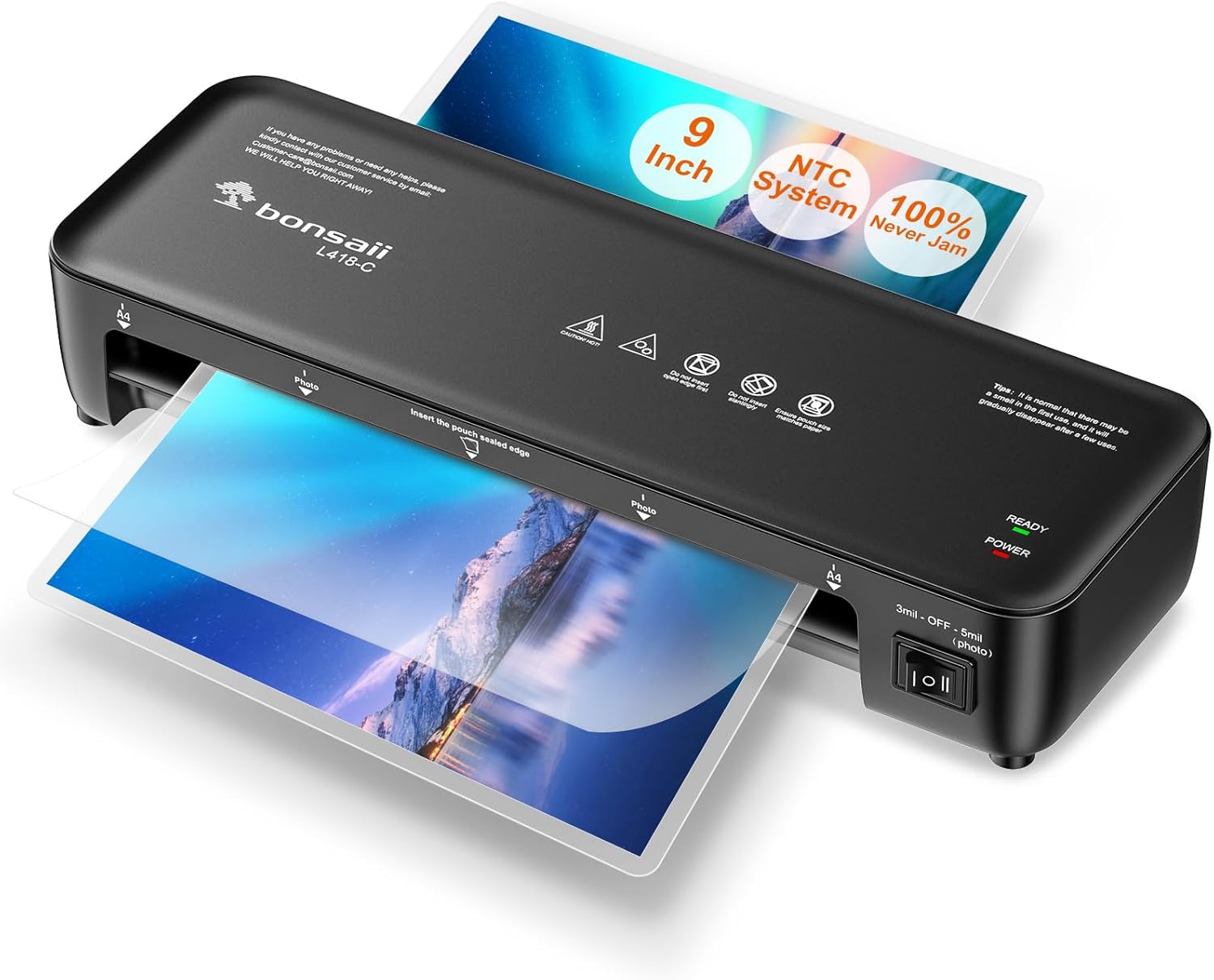
Figure 1: Bonsaii L418-C 9-Inch Thermal Laminator. This image shows the compact design of the laminator with a document being fed through the entry slot.
2. Product Features
- Never Jam Technology: The Bonsaii L418-C features patented anti-jam technology designed to prevent laminated items from getting stuck in the rollers, ensuring smooth operation and protecting your documents.
- Versatile Pouch Compatibility: Compatible with 3 mil and 5 mil laminating pouches, suitable for standard documents, photos, and card stocks.
- Quick Warm-up and Lamination: Achieves operational temperature in approximately 3 minutes and laminates at a speed of 10.62 inches/min (270mm/min).
- NTC Precision Temperature Control: Utilizes NTC technology for precise temperature regulation, contributing to high-quality lamination results without wrinkles, bubbles, or curling.
- Document Protection: Laminated items are protected from scratches, oxidation, water, and stains, preserving their quality over time.

Figure 2: Never Jam Technology. This diagram shows how the pressure plate in the Bonsaii laminator prevents paper from rolling into the drum, unlike other designs where paper can easily become trapped.

Figure 3: NTC Precision Temperature Control. This graph illustrates the stable temperature control achieved by Bonsaii's NTC technology, ensuring consistent lamination quality.

Figure 4: Waterproof & Dustproof Protection. This image demonstrates the long-term preservation benefits of lamination, protecting documents from wear and environmental factors.
3. Setup and Operation
3.1 Initial Setup
- Place the laminator on a stable, flat surface.
- Ensure there is enough clear space behind the machine for laminated items to exit.
- Plug the power cord into a suitable electrical outlet (120V/60Hz).
3.2 Laminating Process
- Prepare the Machine: Turn on the laminator using the power switch. Select the desired pouch thickness (3 mil or 5 mil) using the switch. The 'POWER' light will illuminate red, and the 'READY' light will flash green during warm-up.
- Warm-up: Allow approximately 3 minutes for the machine to warm up. The 'READY' light will turn solid green when the laminator is ready for use.
- Prepare the Pouch: Place your document or photo inside a laminating pouch, ensuring it is centered and tight to the sealed edge of the pouch.
- Insert Pouch: Insert the sealed edge of the pouch into the laminator's feed opening. Ensure the pouch is inserted straight and evenly. For smaller items, place them in the center of the pouch to ensure even lamination.
- Lamination: The machine will automatically feed and laminate the item. Do not pull the pouch through the machine.
- Finish: Once the laminated item exits the machine, allow it to cool on a flat surface before handling.

Figure 5: Easy To Use Steps. This image visually guides users through preparing the machine, placing the item in the pouch, laminating, and finishing the process.
Video 1: Bonsaii L418-C Product Introduction. This video demonstrates the general operation of the laminator, including warm-up time, feeding documents, and the smooth lamination process.
4. Maintenance
4.1 Clearing a Film Blockage
In the event of a film blockage, follow these steps:
- Immediately switch off the machine by setting the power switch to 'O' and unplugging it from the mains socket. Allow the machine to cool down briefly.
- Firmly hold the Release switch (ABS function button) with one hand.
- With the other hand, carefully pull the jammed film completely out from either the machine's feed opening or delivery opening.
- Once the blockage is resolved and the Release switch is released, it will return to its starting position. The machine can now be used again.
Video 2: Bonsaii L418-C Never Jam Technology. This video demonstrates the anti-jam feature and how to correctly insert documents to prevent jams, as well as how to use the ABS function to release a jammed pouch.
5. Troubleshooting
If you encounter issues with your laminator, please refer to the following common solutions:
- Laminator not heating up: Ensure the power cord is securely plugged in and the power switch is in the 'ON' position. Wait for the 'READY' light to turn solid green.
- Pouch jamming: Refer to the


