Introduction
This user manual provides essential information for the operation and maintenance of your FOUAVRTEL Mini Wireless WiFi Camera. This compact device offers 1080P Full HD video, a 150-degree wide-angle lens, night vision, and motion detection capabilities, making it suitable for home security, baby monitoring, or pet surveillance. Its discreet design allows for versatile placement.
The camera supports 2.4GHz router WiFi and can be accessed remotely via a dedicated mobile application. It features a built-in rechargeable lithium-ion battery and supports continuous operation while charging.

Image: The FOUAVRTEL Mini Wireless WiFi Camera, highlighting its compact, circular form factor.
What's Included
Verify that all items are present in the package:

Image: Contents of the FOUAVRTEL Mini Wireless WiFi Camera package, including the camera, various cables, and mounting accessories.
- Mini Camera
- Coiler Data Cable
- 360 Rotating Base
- USB Data Cable
- User Manual (this document)
Setup
Follow these steps to set up your FOUAVRTEL Mini Wireless WiFi Camera:
- Charge the Camera: Before initial use, fully charge the camera using the provided USB data cable and a compatible USB power source. The camera can also record while charging.
- Download the App: Download the "365cam" application on your mobile phone. You can typically find this app in your device's app store or by scanning the QR code provided in the quick start guide.
- Add Device: Open the "365cam" app and select the option to add a new camera device.
- Choose Connection Method:
- AP Connection (Direct Connect): For direct connection without a router.
- AP Distribution Network (Remote Monitoring): For remote monitoring via your home Wi-Fi network. Connect to your home Wi-Fi and enter the password.
- Connect to Camera Hotspot: Open your phone's Wi-Fi settings and locate the camera's Wi-Fi hotspot (e.g., "***DG0**" or "***DOU***"). Connect to this hotspot, then return to the app to confirm the device is online.
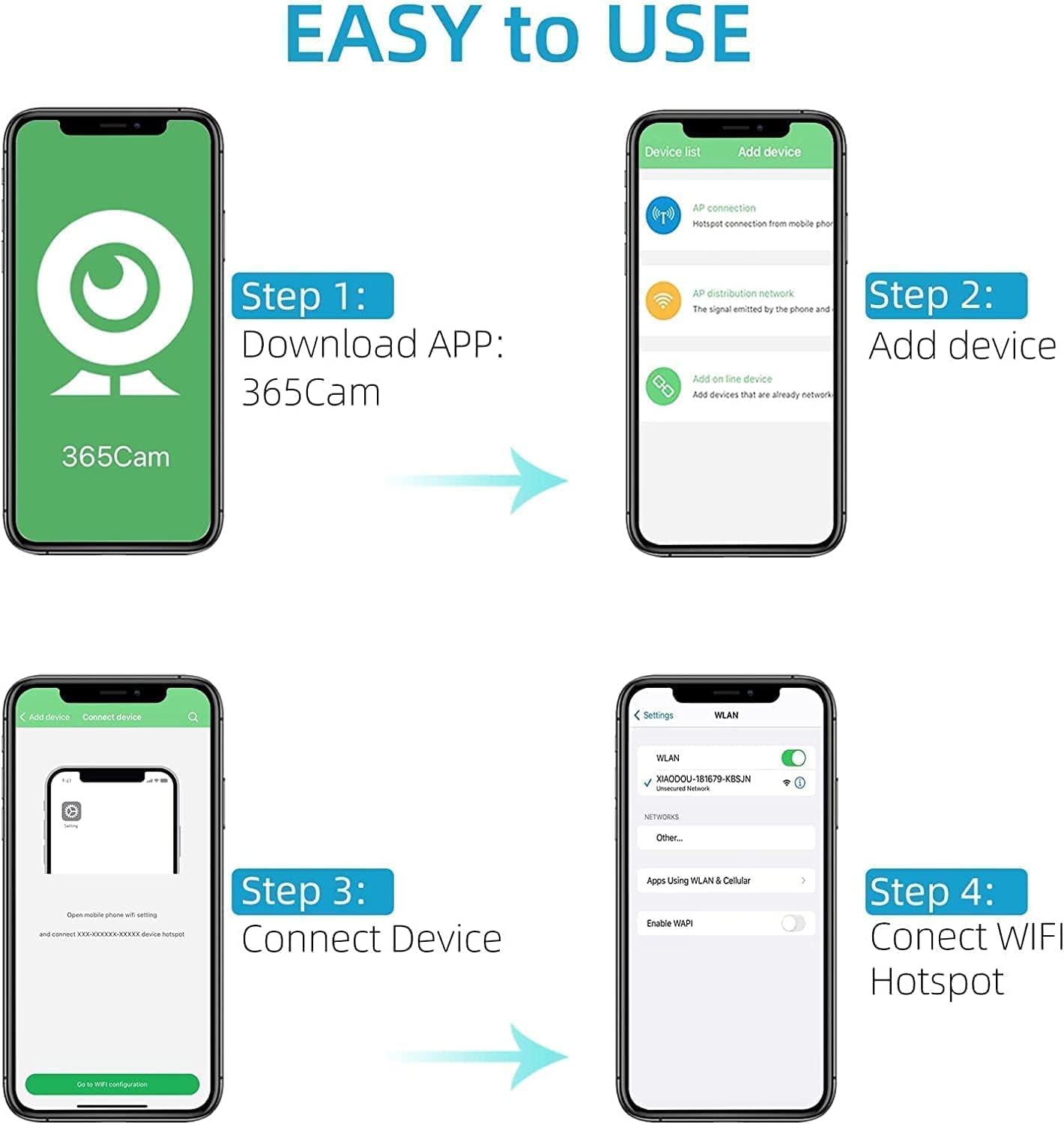
Image: Step-by-step guide for connecting the camera to your smartphone via the 365Cam app.
Video Guide: Initial Setup and Features
Video: An official product video demonstrating the setup process, including unboxing, connecting the camera, and navigating the mobile application. Note that the camera is stationary and does not pan or tilt remotely.
Operating the Camera
Once connected, you can monitor and control your camera through the 365cam app.
Live View and Monitoring
The app provides a real-time video feed from the camera, allowing you to monitor your space from anywhere. The camera is stationary; its viewing angle is fixed at 150 degrees. Adjust the camera's physical placement to achieve the desired monitoring area.

Image: The camera's real-time monitoring capability, accessible via smartphone, suitable for various indoor environments.
Recording and Storage
The camera supports continuous recording. When a Micro SD card (not included) is inserted, the camera will automatically delete the earliest files when the card is full, ensuring continuous loop recording.
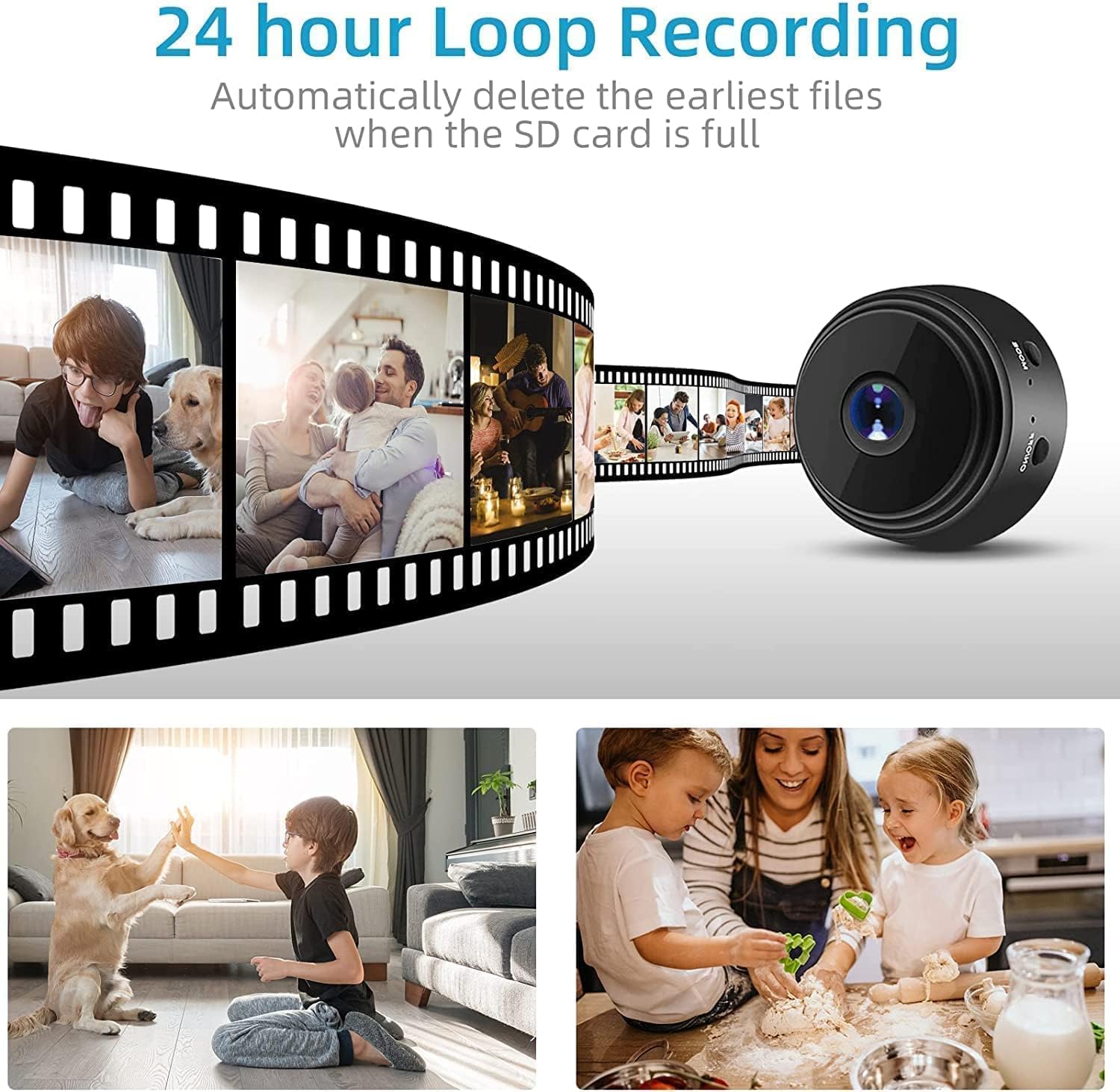
Image: Illustration of the 24-hour loop recording function, which overwrites older footage when the storage is full.
Night Vision
Equipped with 6 non-brightness infrared lamps, the camera provides clear night vision up to 5 meters. This feature can be toggled on or off via the app.
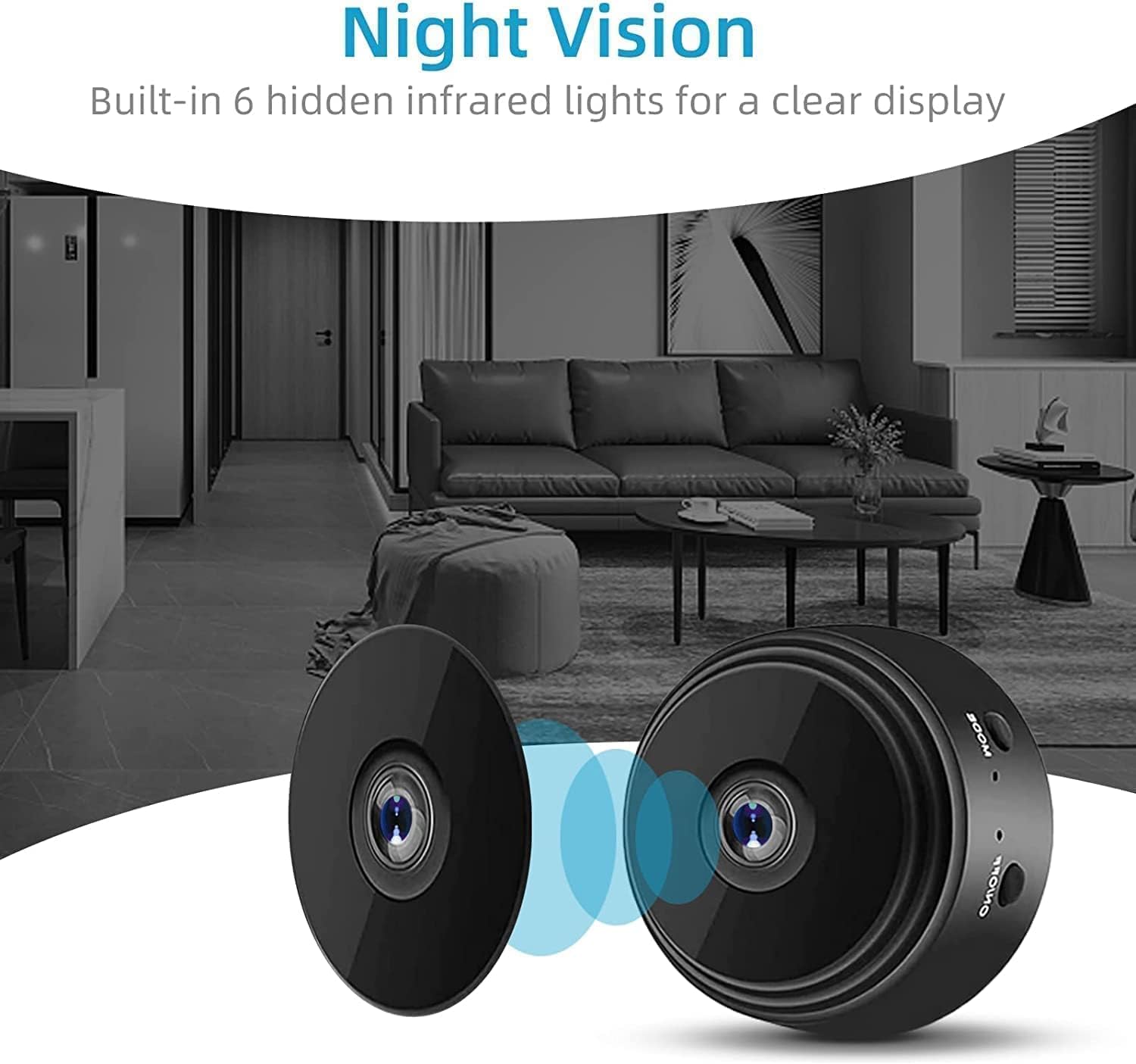
Image: The camera's night vision capability, utilizing infrared lights for clear visibility in low-light conditions.
Motion Detection
The camera features upgraded smart motion detection with adjustable sensitivity. Upon detecting motion, the camera will send a push notification with an image to your phone, allowing for real-time monitoring of events.
Powering Options
The camera has a built-in rechargeable battery for portable use. For continuous operation, connect it to a power supply or mobile power bank using the provided snake tube data cable, which also helps in fixing the camera's angle.
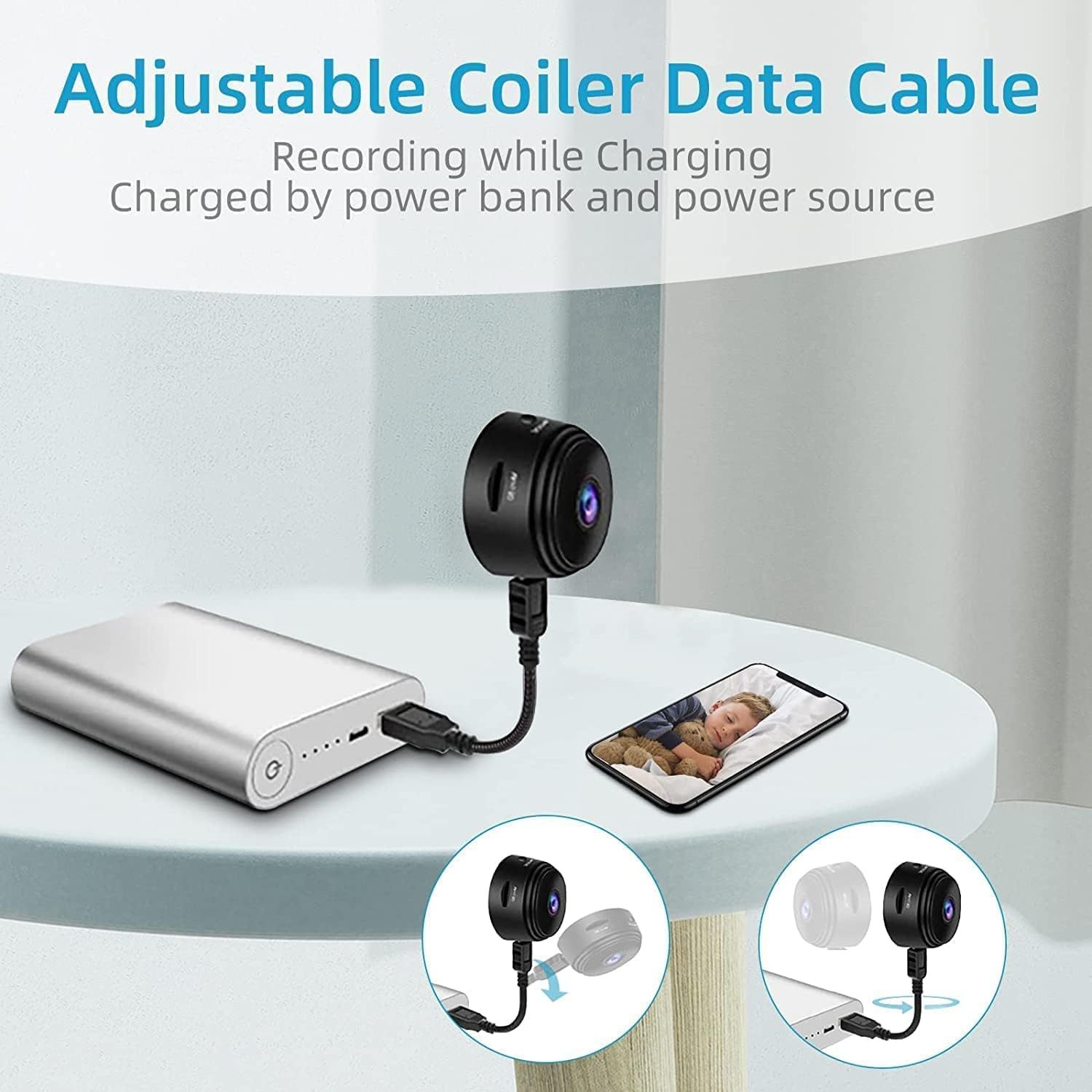
Image: The camera can be powered continuously via a power bank or wall adapter using the flexible data cable.
Maintenance
To ensure the longevity and optimal performance of your camera, follow these maintenance guidelines:
- Cleaning: Gently wipe the camera lens and body with a soft, dry cloth. Avoid using liquid cleaners or abrasive materials.
- Storage: When not in use for extended periods, store the camera in a cool, dry place away from direct sunlight and extreme temperatures.
- Battery Care: To preserve battery life, avoid fully discharging the camera frequently. Charge it regularly, even if not in constant use.
- Software Updates: Periodically check the 365cam app for any available firmware updates for the camera to ensure optimal performance and security.
Troubleshooting
If you encounter issues with your FOUAVRTEL Mini Wireless WiFi Camera, refer to the following common problems and solutions:
| Problem | Possible Cause / Solution |
|---|---|
| Camera fails to connect to Wi-Fi or app. | Ensure the camera is charged. Verify you are connecting to a 2.4GHz Wi-Fi network (5G Wi-Fi is not supported). Check Wi-Fi password. Reset the camera using the mode button. Ensure your phone is connected to the camera's hotspot during initial setup. |
| Poor image quality / Cloudy picture. | Ensure the camera lens is clean. Check lighting conditions. Adjust definition settings in the app if available. |
| Motion detection not working. | Check motion detection settings in the app and adjust sensitivity. Ensure the camera is positioned correctly to capture motion in the desired area. |
| Limited range / Disconnects when far from camera. | The camera's direct connection range is limited. For extended range, ensure it's connected to your home Wi-Fi network for remote monitoring. Physical obstructions can also affect signal strength. |
| Cannot record video/take photos. | Insert a Micro SD card (not included). Ensure the SD card is formatted correctly and has sufficient storage space. |
Specifications
| Feature | Detail |
|---|---|
| Model | B0BS3BGYHD |
| Video Capture Resolution | 1080p |
| Field Of View | 150 Degrees |
| Connectivity Protocol | Wi-Fi (2.4GHz only) |
| Power Source | Battery Powered |
| Special Features | Night Vision, Motion Sensor |
| Indoor/Outdoor Usage | Indoor |
| Compatible Devices | Smartphone (Android) |
| Mounting Type | Wall Mount (via included base) |
| Item Weight | 3.84 ounces |
| Package Dimensions | 5.83 x 3.07 x 1.81 inches |
| Manufacturer | souruola |
| Date First Available | January 11, 2023 |
Warranty and Support
Specific warranty details for the FOUAVRTEL Mini Wireless WiFi Camera are not provided in the available product information. For warranty claims, technical support, or further assistance, please contact the manufacturer or your point of purchase directly.