
1. Introduction
Thank you for choosing the Gaiatop Portable Handheld Fan FS08. This compact and versatile fan is designed to provide personal cooling on the go, featuring a foldable design, multiple speed settings, and a long-lasting rechargeable battery. Please read this manual carefully before use to ensure proper operation and maintenance.
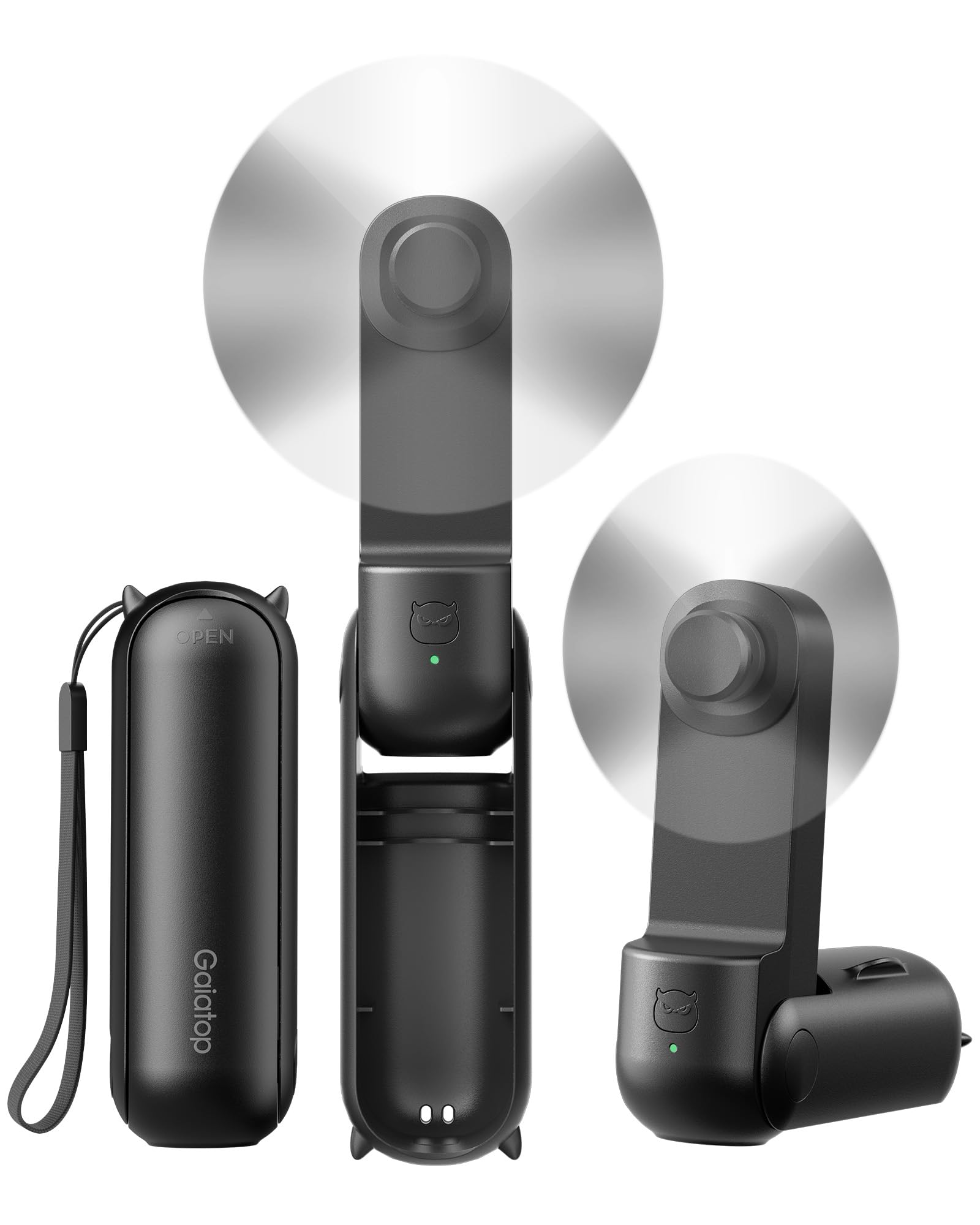
Figure 1: Gaiatop Portable Handheld Fan FS08 (Black)
2. Product Features
2.1. Foldable Lipstick Size
The FS08 fan features a compact, foldable design, making it easy to carry in a pocket, purse, clutch, or crossbody bag. Its small size (4.4 x 1.4 x 1.5 inches, 4 oz) ensures portability without sacrificing performance.

Figure 2: Compact and foldable design for easy storage in various bags.
2.2. Extended Cooling Time
Equipped with a high-capacity battery, the fan offers up to 17 hours of cooling on the lowest speed setting and 10 hours on the higher speed setting, ensuring prolonged use during travel or outdoor activities.

Figure 3: Fan in operation, highlighting its long battery life.
2.3. 3-in-1 Functionality
The fan's 3-stage foldable design allows it to be used in multiple configurations: handheld (180° unfolded), or as a mini desk fan (90° or 270° angle) for hands-free cooling.

Figure 4: Demonstrating the fan's versatility as a handheld or desk fan.
2.4. Soft Blades and Safety
The fan is equipped with touchable and soft TPE blades that are designed for safety, preventing injury if accidentally touched during operation. It also features multiple built-in protections for durable use.

Figure 5: Soft TPE blades for enhanced user safety.
2.5. USB-C Charging
The fan is easily rechargeable via a USB-C port, offering convenient power options from various sources.

Figure 6: USB-C charging port for easy recharging.
3. Package Contents
The Gaiatop Portable Handheld Fan FS08 package includes:
- 1 x Small Portable Handheld Fan
- 1 x Type-C Cable
- 1 x User Manual
4. Parts Overview
Familiarize yourself with the main components of your Gaiatop Portable Handheld Fan FS08:
- Fan Head: Contains the soft TPE blades and motor.
- Handle/Body: Houses the battery and control button.
- Power Button: Located on the handle, used for power and speed control.
- USB-C Charging Port: Located at the base of the handle for recharging.
- USB-A Output Port: Can be used for charging other devices (power bank function).
- Foldable Hinge: Allows the fan to transform between handheld and desk modes.
5. Setup
5.1. Unfolding the Fan
- Gently unfold the fan head from its compact position.
- Adjust the fan head to your desired angle for handheld use (180° fully extended) or desk use (90° or 270° for stable placement).
5.2. Initial Charging
Before first use, fully charge the fan. Connect the provided Type-C cable to the fan's USB-C charging port and plug the other end into a compatible USB power source (e.g., computer, wall adapter). The indicator light will show charging status.
6. Operating Instructions
6.1. Power On/Off and Speed Adjustment
- To Power On (Low Speed): Press the power button once.
- To Increase Speed (High Speed): Press the power button a second time.
- To Power Off: Press the power button a third time.
6.2. Using as a Handheld Fan
Extend the fan to its full 180° position and hold it comfortably in your hand for direct personal cooling.
6.3. Using as a Desk Fan
Fold the fan to a 90° or 270° angle to create a stable base. Place it on a flat surface such as a desk or table for hands-free operation.
7. Charging the Fan
- Connect the Type-C charging cable to the fan's charging port.
- Plug the USB-A end of the cable into a power adapter, computer, or power bank.
- The indicator light will illuminate to show charging status.
- A full charge typically takes approximately 1 hour.
7.1. Power Bank Function
The fan can also act as a portable power bank. Connect your device's charging cable to the fan's USB-A output port to charge your smartphone or other small electronic devices.
8. Maintenance
8.1. Cleaning
- Ensure the fan is powered off before cleaning.
- Wipe the exterior of the fan with a soft, dry cloth.
- Do not use abrasive cleaners or immerse the fan in water.
8.2. Storage
When not in use, fold the fan into its compact form and store it in a cool, dry place away from direct sunlight and extreme temperatures.
9. Troubleshooting
| Problem | Possible Cause | Solution |
|---|---|---|
| Fan does not turn on. | Low battery. | Charge the fan fully using the provided USB-C cable. |
| Fan stops unexpectedly. | Low battery. | Recharge the fan. |
| Fan blades are not spinning smoothly. | Obstruction or damage to blades. | Ensure no foreign objects are blocking the blades. If damaged, discontinue use. |
| Cannot charge other devices. | Fan battery is low or device is incompatible. | Ensure the fan is sufficiently charged. Check device compatibility. |
10. Specifications
| Feature | Detail |
|---|---|
| Brand | Gaiatop |
| Model Name | Fan-FS08 |
| Model Number | FS08 |
| Color | Black |
| Product Dimensions | 1.4"D x 1.5"W x 4.26"H |
| Item Weight | 4.8 ounces |
| Power Source | Battery Powered |
| Number of Speeds | 2 |
| Voltage | 5 Volts |
| Wattage | 1.5 watts |
| Connector Type | USB Type C |
| Material | ABS + TPE Soft Blades |
| Special Features | 10-17 Hours Cooling Time, 3-in-1 Handheld & Desk Fan, Mini Size Foldable |
11. Safety Information
- Do not disassemble or modify the fan.
- Keep out of reach of small children.
- Avoid exposing the fan to water or excessive moisture.
- Do not insert objects into the fan blades or vents.
- Use only the provided charging cable or a certified equivalent.
- Do not use the fan if it is damaged or malfunctioning.
12. Warranty and Support
Gaiatop products are designed for quality and reliability. For warranty information, technical support, or customer service inquiries, please refer to the contact details provided on the product packaging or visit the official Gaiatop website. Please retain your proof of purchase for warranty claims.

