1. Product Overview
The ZipString Original is a unique rope launcher toy designed to create mesmerizing string loops that fly through the air. This device offers a novel way to interact with a simple string, providing entertainment through various tricks and movements. It is suitable for users aged 8 years and up.
Key Features:
- Portable Design: Lightweight and compact for easy transport.
- Rechargeable Battery: Equipped with a Lithium Ion battery (included) and charged via USB-C cable.
- Multiple String Lengths: Comes with various string lengths to explore different tricks and play styles.
- Engaging Play: Encourages creativity and exploration of physics through string dynamics.

2. What's Included
Your ZipString Original package contains the following items:
- 1 x ZipString Device
- 3 x Strings of different lengths (e.g., 2.5ft, 5.5ft, 7.5ft)
- 1 x USB-C Charging Cable

3. Setup
3.1 Initial Charging
Before first use, ensure your ZipString device is fully charged. Connect the included USB-C cable to the charging port on the device and to a suitable power source. A red light indicates charging, and a green light indicates a full charge.

3.2 Loading the String
To load a string into your ZipString device:
- Ensure the string is smooth and knot-free.
- Insert the string into the floss track at the top of the device.
- Pull the string between the two wheels until it forms a loop.

For a visual guide on loading the string, please refer to the instructional video below.
4. Operating Instructions
Once the string is loaded:
- Hold the ZipString device firmly.
- Lightly guide the bottom part of the string loop with your free hand.
- Press and hold the power button to start the motor.
- Remove your guiding hand, and the string will begin to fly, creating a continuous loop.
- Move your hand to guide the string and perform various tricks.

For a detailed demonstration of operation, please refer to Video 1 in the Setup section.
5. Performing Tricks
The ZipString allows for a wide array of tricks by manipulating the string's movement. Experiment with different hand gestures, body movements, and string lengths to discover new ways to play. Over 100 tricks are possible, from simple loops to complex patterns.
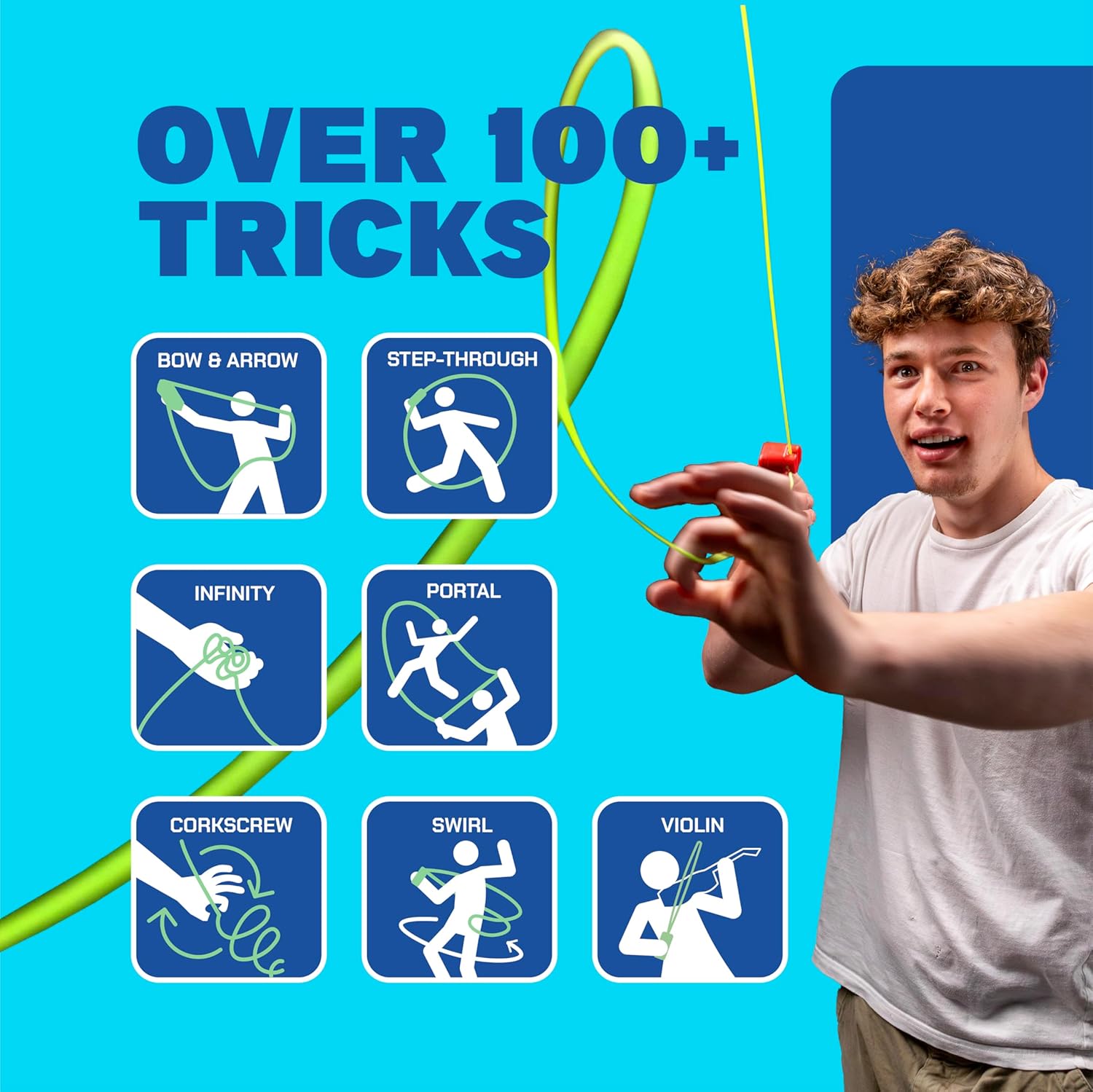
Online resources and communities often share new trick ideas and tutorials. Search for 'ZipString tricks' to expand your repertoire.
6. Maintenance
6.1 Charging
Recharge the device using the provided USB-C cable when the battery is low. Refer to Section 3.1 for charging instructions.
6.2 String Care
Keep strings clean and free from debris. If a string becomes frayed or damaged, replace it with a new ZipString compatible string to ensure optimal performance and prevent tangles.
7. Troubleshooting
7.1 Tangled String
If the string becomes tangled during use, immediately release the power button. To untangle, gently pull the top and bottom parts of the string together through the floss gap. Ensure there are no twists or knots before resuming play.
For a visual guide on untangling, please refer to Video 1 in the Setup section.
8. Safety Information
- Keep the device away from water and moisture.
- Ensure the device is turned off when not in use.
- Keep away from children under 8 years of age and pets.
- Do not wrap the string around your neck or any body part.
- Avoid pointing the device directly at eyes or faces.
9. Specifications
| Feature | Detail |
|---|---|
| Product Dimensions | 2 x 2 x 5 inches |
| Item Weight | 6 ounces |
| Item Model Number | 002/ECOM |
| Manufacturer Recommended Age | 8 years and up |
| Batteries | 1 Lithium Ion battery (included) |
| Manufacturer | ZipString |
10. Warranty and Support
For warranty information, product support, or further assistance, please contact ZipString customer service. Refer to the product packaging or the official ZipString website for contact details.


