
INOKIM OXO
INOKIM OXO Electric Scooter User Manual
Model: OXO | Brand: INOKIM
1. Introduction
This user manual provides essential information for the safe operation, maintenance, and troubleshooting of your INOKIM OXO Electric Scooter. Please read this manual thoroughly before using your scooter to ensure optimal performance and safety.
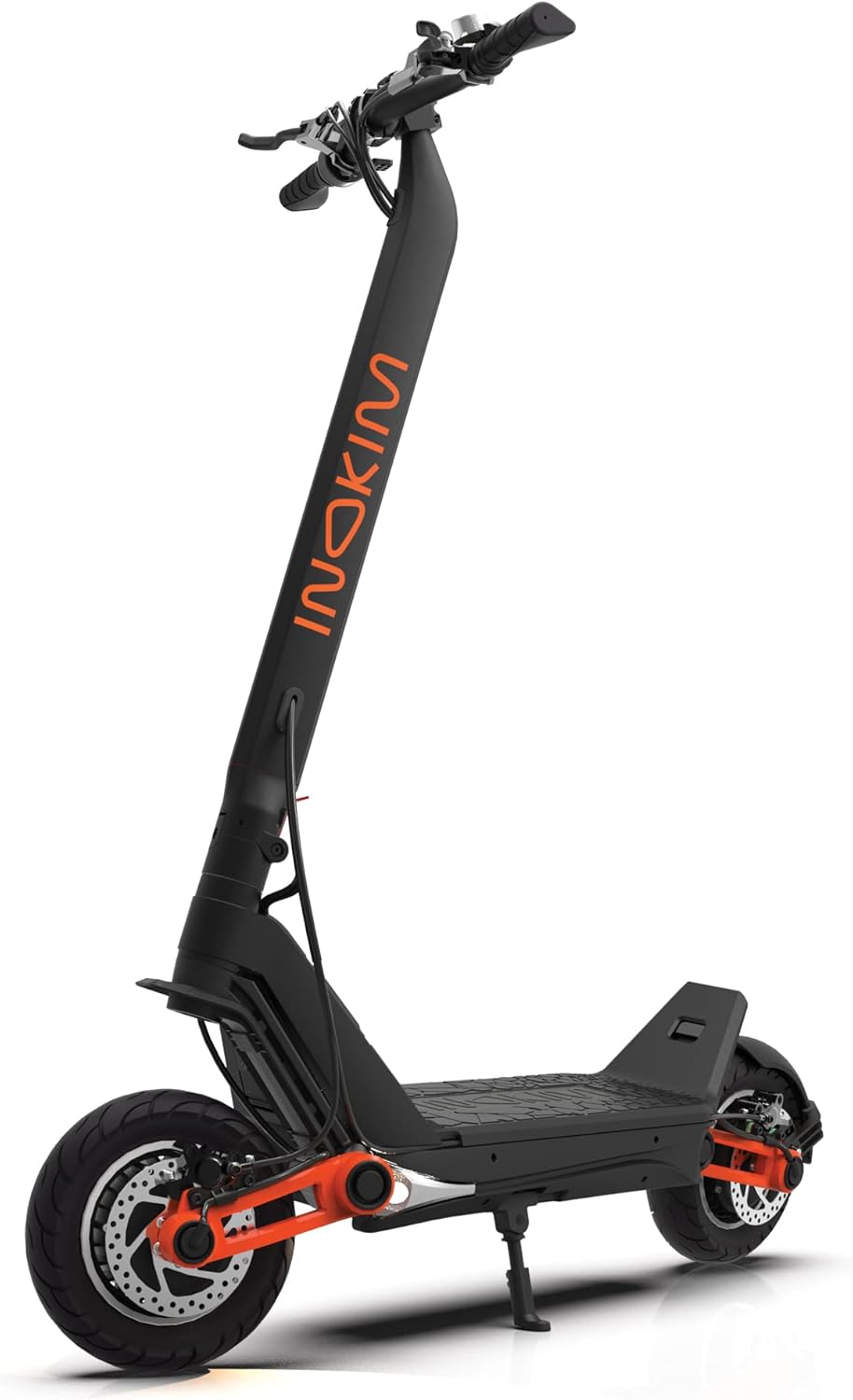
Figure 1: INOKIM OXO Electric Scooter, a powerful and stable adult electric scooter.
2. Safety Guidelines
Your safety is paramount. Always adhere to the following guidelines:
- Always wear a helmet and appropriate safety gear (knee pads, elbow pads) when riding.
- Familiarize yourself with and obey all local laws and regulations regarding electric scooter usage.
- Do not ride in wet conditions, heavy rain, or through puddles. The scooter is not rated for water immersion.
- Ensure the maximum load of 265 lbs (120 kg) is not exceeded.
- Perform a pre-ride inspection before each use, checking brakes, tires, and all connections.
- Maintain a safe speed and distance from other vehicles and pedestrians.
- Avoid sudden acceleration or braking.
- Do not allow children to operate the scooter without adult supervision.
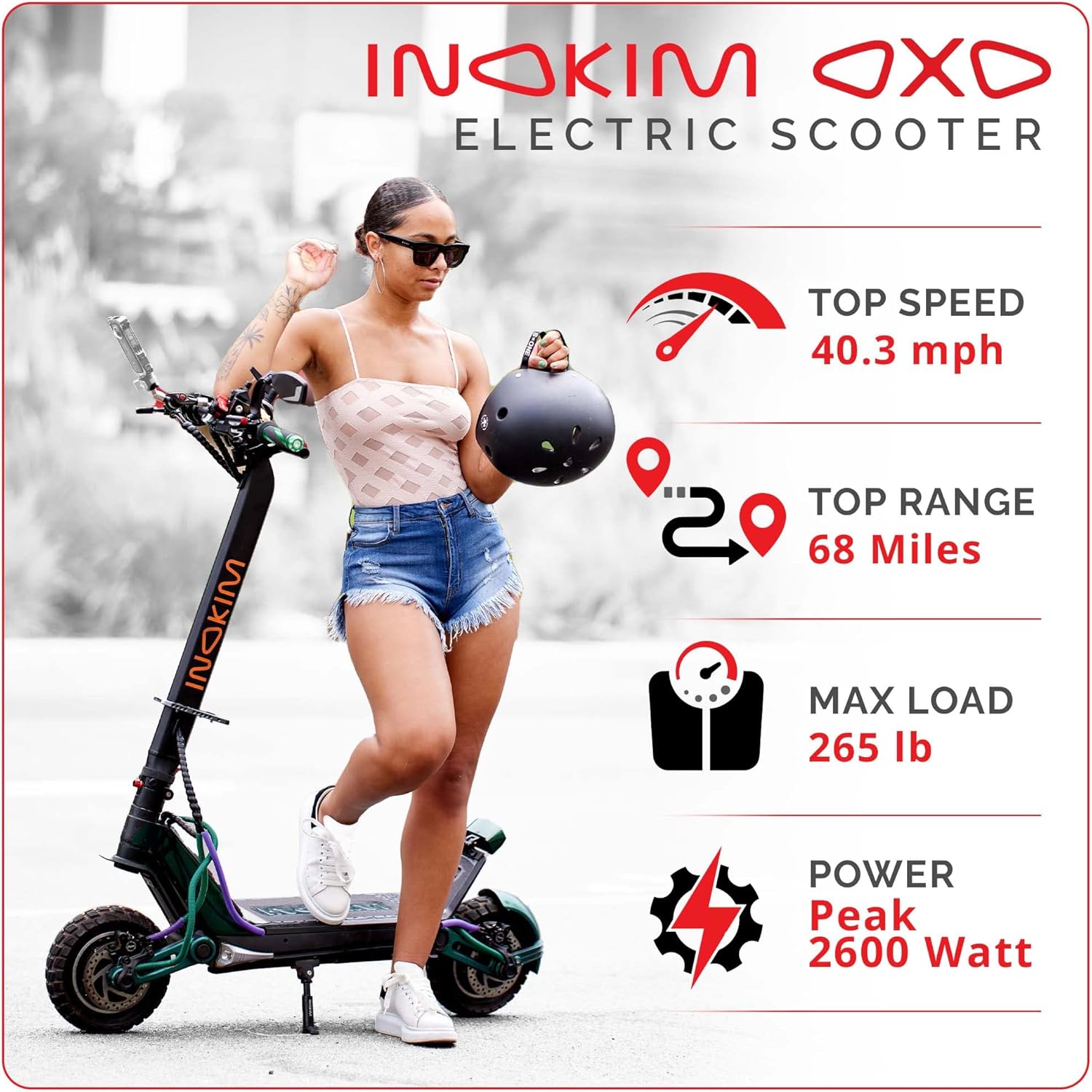
Figure 2: Key specifications including top speed, range, and max load, important for safe operation.
3. Package Contents
Upon opening the package, verify that all items are present and in good condition:
- INOKIM OXO Electric Scooter
- Power Adapter/Charger
- User Manual (this document)
- Tool Kit for minor adjustments
Video 1: An overview of the INOKIM brand story, showcasing the product and its design philosophy. This video also briefly shows the packaging of the OXO scooter.
4. Assembly
The INOKIM OXO Electric Scooter features a quick-folding design, meaning minimal assembly is required out of the box. Typically, only the rear fender needs to be attached, if desired, and the handlebars secured.
- Carefully remove the scooter and all components from the packaging.
- Unfold the scooter by releasing the quick-release lever on the stem. Ensure it locks securely into place.
- Attach the handlebars, ensuring they are firmly secured.
- If not pre-attached, secure the rear fender using the provided tools.
- Inspect all screws and connections to ensure they are tight before first use.
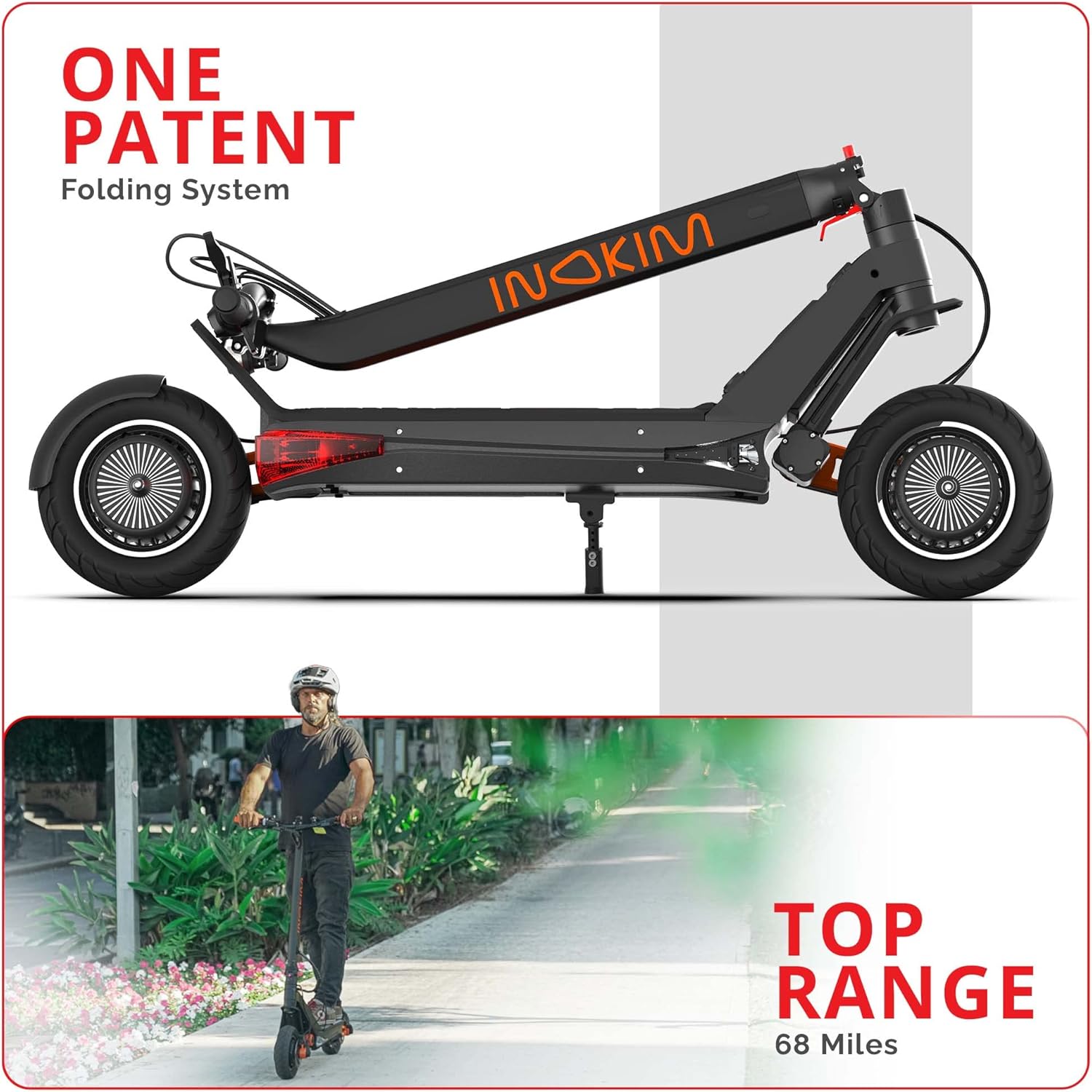
Figure 3: The patented one-patent folding system allows for quick and easy portability.
5. Initial Setup
5.1 Charging the Battery
Before your first ride, fully charge the scooter's battery. The super high-capacity 57.6V 25.6Ah battery offers a long range, and proper charging ensures its longevity.
- Locate the charging port on the scooter.
- Connect the power adapter to the charging port, then plug it into a power outlet.
- The charging indicator on the charger will change (e.g., from red to green) when charging is complete.
- Charging time is approximately 3 hours for up to 80% capacity and 6 hours for 100% capacity.
5.2 Digital Display and Controls
The scooter is equipped with a smart control digital display that shows speed, battery level, trip distance, and other vital information.
- Press the power button to turn the scooter on/off.
- Familiarize yourself with the display readings and control buttons for speed modes and lighting.
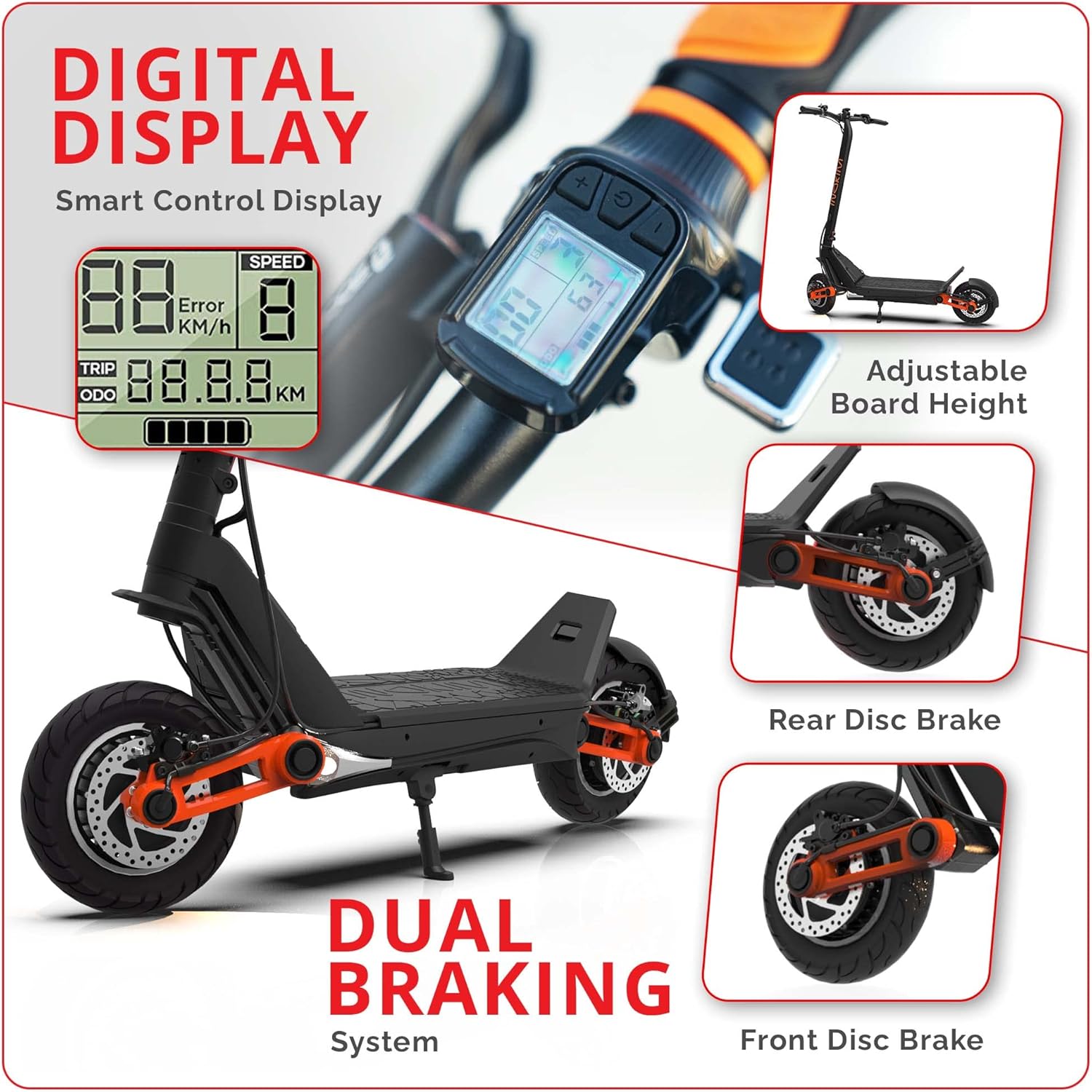
Figure 4: The digital display provides essential ride information, and the image highlights the dual braking system.
6. Operating Instructions
6.1 Riding the Scooter
The INOKIM OXO is powered by dual 1000W brushless hub motors (2600W peak), offering a top speed of 40 MPH.
- Place one foot firmly on the wide deck and push off with the other foot to gain initial momentum.
- Gently press the thumb throttle to accelerate. The scooter has 3 speed modes.
- To slow down or stop, use the front and rear full hydraulic disc brakes. Apply both brakes smoothly for controlled stopping.
- The patented adjustable suspension design provides stability and comfort on various terrains. Adjust the height for city riding (low setting) or off-road conditions (high setting).
6.2 Lighting System
The OXO features a comprehensive 6-light system for enhanced visibility:
- 2 Headlights for forward illumination.
- 2 Side Mood Lights for increased side visibility.
- 1 Tail Light at the rear.
- 1 Brake Light that illuminates when brakes are applied.
- Lights can be activated via the control panel.

Figure 5: Illustration of the scooter's 6-light system, ensuring visibility during day and night rides.
7. Maintenance
Regular maintenance ensures the longevity and safe operation of your INOKIM OXO scooter.
7.1 Tires and Wheels
The scooter is equipped with 10-inch pneumatic tires and a dual shock absorption system.
- Check tire pressure regularly (refer to tire sidewall for recommended PSI).
- Inspect tires for wear, punctures, or damage before each ride.
- Ensure wheel nuts are tight.
7.2 Brakes
The hydraulic disc brakes require periodic inspection.
- Check brake levers for proper tension and responsiveness.
- Inspect brake pads for wear and replace as needed.
- Ensure brake calipers are clean and free of debris.
7.3 Battery Care
- Avoid completely draining the battery before recharging.
- Store the scooter in a cool, dry place when not in use, and ensure the battery is partially charged (around 50-70%) for long-term storage.
- Charge the battery at least once every three months if stored for extended periods.
7.4 General Cleaning
- Wipe down the scooter with a damp cloth. Do not use high-pressure water or immerse any part of the scooter in water.
- Keep the folding mechanism clean and lubricated.

Figure 6: Close-up view of the 10-inch pneumatic tires and the dual shock absorption system, crucial for ride comfort and maintenance.
8. Troubleshooting
This section addresses common issues you might encounter with your INOKIM OXO scooter.
| Problem | Possible Cause | Solution |
|---|---|---|
| Scooter does not power on. | Low battery, loose connections, power button issue. | Charge the battery. Check all cable connections. Contact support if issue persists. |
| Reduced range or power. | Under-inflated tires, heavy load, riding uphill frequently, cold weather, battery degradation. | Check tire pressure. Reduce load. Ride in optimal conditions. Consider battery replacement if old. |
| Brakes feel weak or noisy. | Worn brake pads, air in hydraulic line, misaligned calipers. | Inspect and replace brake pads. Consult a professional for hydraulic system issues. Adjust calipers. |
| Unusual noises during operation. | Loose components, debris in wheels, motor issue. | Inspect all parts for looseness. Clean wheels. If motor noise, contact support. |
If you encounter issues not listed here or if solutions do not resolve the problem, please contact INOKIM customer support.
9. Specifications
| Feature | Detail |
|---|---|
| Brand | INOKIM |
| Model Name | OXO |
| Motor Power | 2x1000W Brushless Hub Motor (1300W Max Peak) |
| Top Speed | Up to 40 MPH |
| Max Range | Up to 68 Miles (Eco Mode) |
| Battery | 57.6V 25.6Ah Lithium-Ion |
| Charging Time | 3 hours (80%), 6 hours (100%) |
| Tire Size | 10 Inches |
| Tire Type | Pneumatic |
| Suspension Type | Dual Suspension (Adjustable) |
| Brake Style | Front & Rear Full Hydraulic Disc Brakes |
| Frame Material | 6061 T6 Aluminum Alloy |
| Item Weight | 73.8 Pounds (approx. 33.5 kg) |
| Product Dimensions (LxWxH) | 47"L x 23.2"W x 51.2"H |
| Max Load | 265 lbs |
| Lighting System | 6 lights (2 headlights, 2 side mood, 1 tail, 1 brake) |
10. Warranty and Support
The INOKIM OXO Electric Scooter comes with a Limited Warranty. For specific terms and conditions, please refer to the warranty card included with your product or visit the official INOKIM website.
For any questions, technical assistance, or warranty claims, please contact INOKIM Customer Support. They are committed to providing high-quality service and resolving any issues you may encounter.
You can visit the official INOKIM Store for more information: INOKIM Official Store
Related documentsOXO


Ask a question about this manual
Ask about setup, troubleshooting, compatibility, parts, safety, or missing instructions. Manuals+ will review the question and use this page’s manual context to help answer it.