
Introduction
The Tribesigns Modern Computer Desk (Model: TB-YS0033) is a versatile and robust workstation designed for various environments, including home offices, studios, and conference rooms. Its spacious 70.8 x 35.4 inch desktop provides ample room for computers, monitors, and other office essentials, making it suitable for a wide range of activities from studying and writing to gaming and professional meetings. Constructed with a heavy-duty powder-coated steel frame, this desk offers exceptional stability and durability, capable of supporting up to 1000 lbs. Adjustable leg pads ensure stability on uneven surfaces, and its modern rustic and black design complements diverse interior aesthetics.

Figure 1: Front view of the Tribesigns Modern Computer Desk, showcasing its spacious desktop and sturdy design.
Setup and Assembly
The Tribesigns Modern Computer Desk is designed for straightforward assembly. All necessary hardware, tools, and clear instructions are included in the package. Each component is labeled to facilitate an easy and efficient setup process. It is recommended that assembly be performed on a soft, clean surface to prevent scratches to the desk components.
Assembly Steps:
- Unpack Components: Carefully remove all parts from the packaging. Verify that all pieces listed in the instruction manual are present and undamaged.
- Identify Parts: Refer to the included diagram to identify each labeled part (e.g., desktop, leg frames, support bars, screws, adjustable leg pads).
- Assemble Frame: Begin by attaching the horizontal support bars to the vertical leg frames using the provided screws. Ensure all connections are secure but do not fully tighten screws until the entire frame is assembled.
- Attach Desktop: Carefully place the desktop onto the assembled frame, aligning the pre-drilled holes. Secure the desktop to the frame using the designated screws.
- Tighten All Screws: Once all components are in place, systematically tighten all screws to ensure maximum stability. Avoid over-tightening to prevent damage.
- Adjust Leg Pads: Install the adjustable leg pads at the bottom of each leg. These can be rotated to level the desk on uneven floors, preventing wobbling.
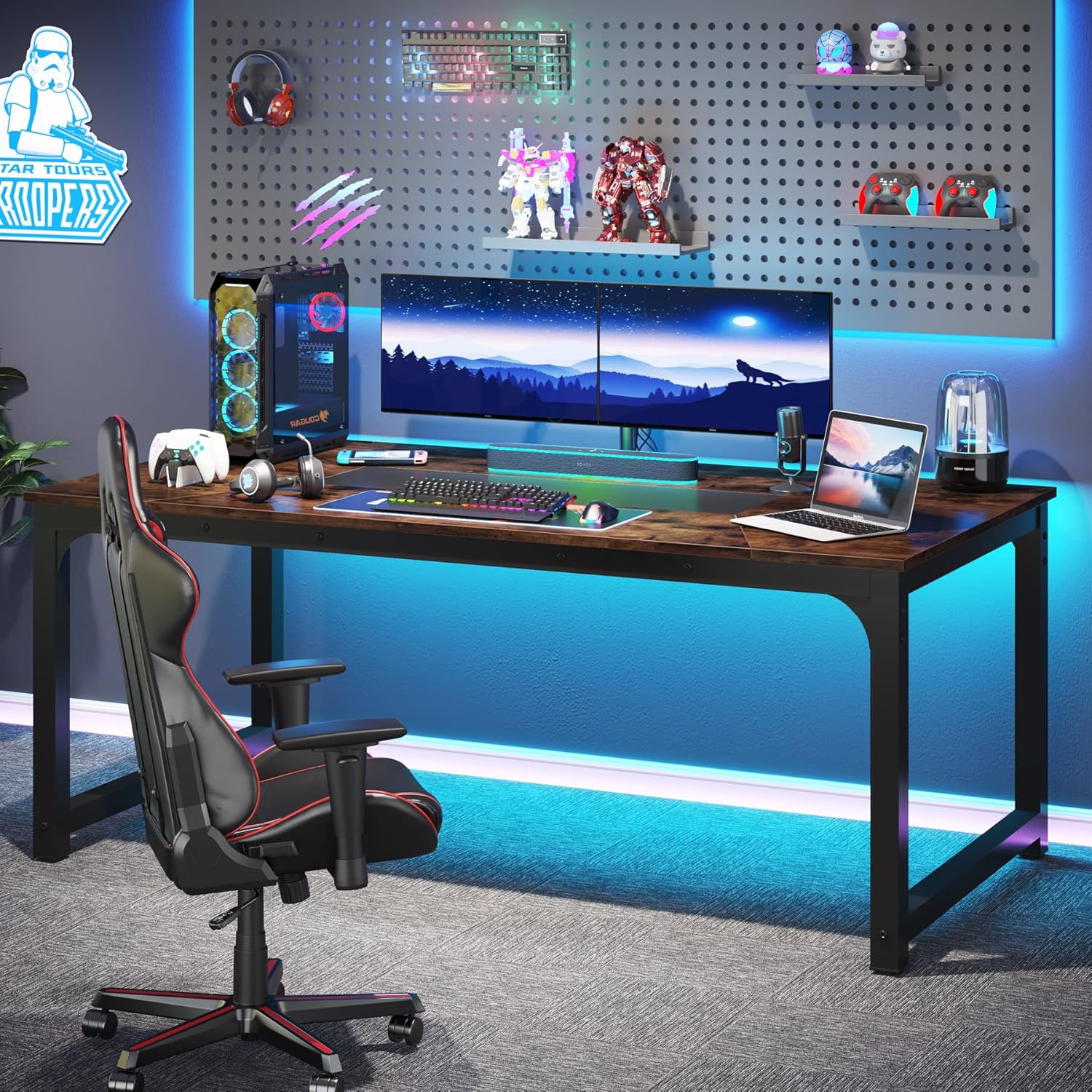
Figure 2: Detailed view of the desk's sturdy construction, highlighting key stability features like the triangular junction design and adjustable leg pads.
Operating Instructions
The Tribesigns Modern Computer Desk is designed for versatile use in various settings. Its large surface area and robust construction make it ideal for a multitude of tasks.
Recommended Uses:
- Home Office/Study Desk: Utilize the expansive desktop for your computer, multiple monitors, printer, and other office accessories. The ample space supports efficient workflow for working, studying, or drafting.
- Executive Office Desk: Its modern design and large size make it an excellent choice for executive offices, providing a professional and functional workspace.
- Conference/Meeting Table: The desk's dimensions and sturdy build are perfect for small to medium-sized meetings, accommodating multiple individuals comfortably.
- Gaming Workstation: Gamers will appreciate the generous space for multiple screens, gaming peripherals, and comfortable movement.
- Dining Table: The desk can also serve as a contemporary dining table, suitable for family meals or entertaining guests.
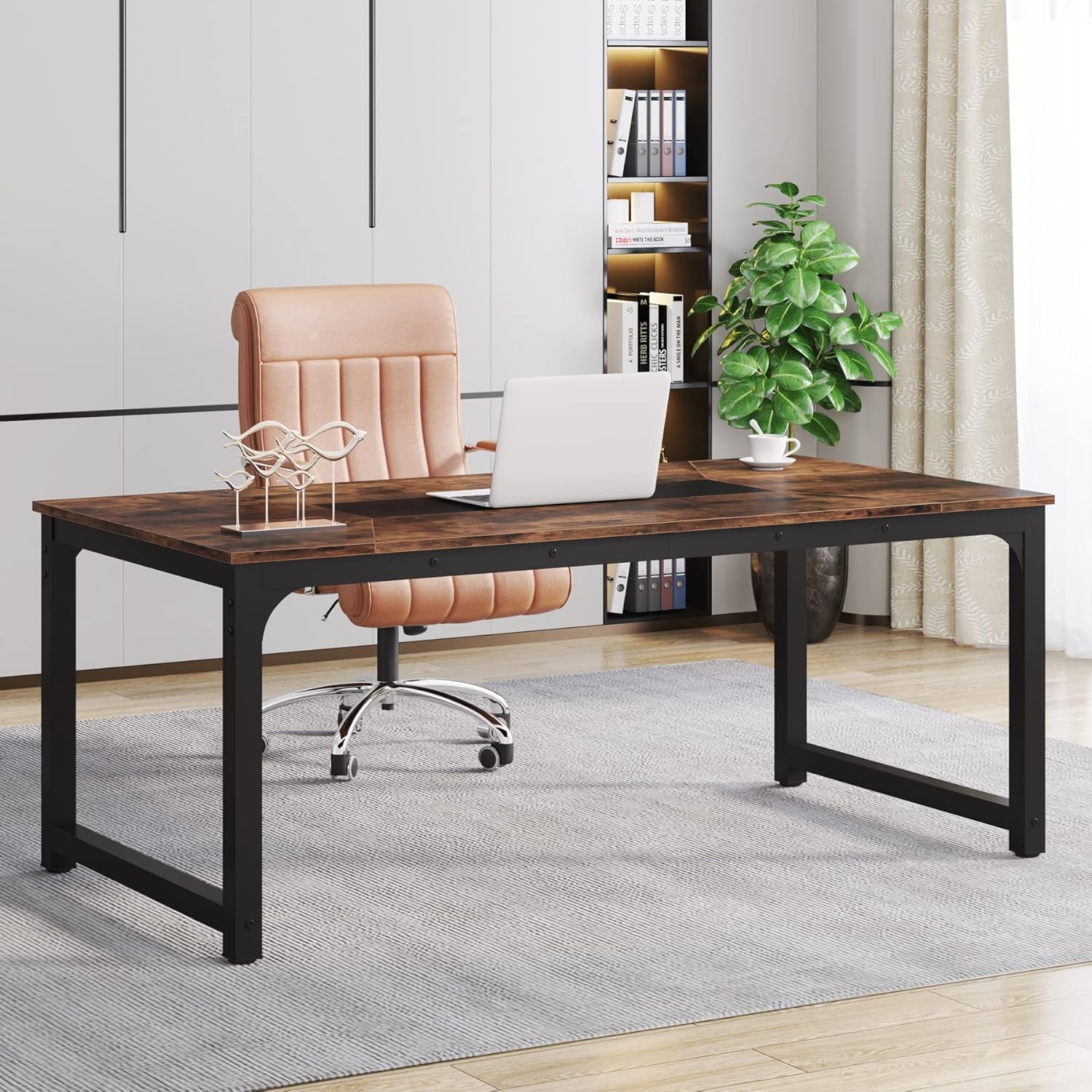
Figure 3: The desk configured as a home office workstation.

Figure 4: The desk serving as a spacious conference table.
Maintenance and Care
Proper maintenance will ensure the longevity and appearance of your Tribesigns Modern Computer Desk. Follow these guidelines for optimal care:
- Cleaning: Wipe the desktop and metal frame with a soft, damp cloth. For stubborn marks, a mild soap solution can be used, followed by drying with a clean, dry cloth. Avoid abrasive cleaners or harsh chemicals, as these can damage the finish.
- Spills: Immediately wipe up any spills to prevent staining or damage to the desktop material.
- Heat and Moisture: Use coasters for drinks and heat pads for hot items to protect the surface from rings and heat damage.
- Sunlight Exposure: While durable, prolonged direct sunlight exposure may cause fading over time. Position the desk away from direct, intense sunlight if possible.
- Regular Checks: Periodically check all screws and connections to ensure they remain tight. Re-tighten if necessary to maintain stability.
Troubleshooting
If you encounter any issues with your Tribesigns Modern Computer Desk, refer to the following common troubleshooting tips:
- Desk Wobbles:
- Ensure all assembly screws are fully tightened.
- Adjust the leg pads at the bottom of each leg. Rotate them clockwise or counter-clockwise until the desk is stable on your floor surface.
- Verify that the desk is placed on a flat, even surface.
- Parts Missing or Damaged:
- Carefully re-check all packaging materials to ensure no small parts were overlooked.
- Contact Tribesigns customer support (refer to the Warranty and Support section) with details of the missing or damaged parts. Provide your model number and purchase information for faster assistance.
- Difficulty During Assembly:
- Review the assembly instructions carefully, paying close attention to diagrams and part labels.
- Ensure that components are oriented correctly before attempting to fasten them.
- Do not force parts together. If a part does not fit, re-check the instructions for proper alignment.
Specifications
Detailed specifications for the Tribesigns Modern Computer Desk (Model: TB-YS0033):

Figure 5: Key dimensions of the desk.
| Feature | Detail |
|---|---|
| Brand | Tribesigns |
| Model Number | TB-YS0033 |
| Product Dimensions (D x W x H) | 35.4"D x 70.9"W x 30.31"H |
| Item Weight | 74.8 Pounds |
| Color | Rustic + Black |
| Style | Modern |
| Base Material | Metal |
| Top Material Type | Engineered Wood |
| Finish Type | Powder Coated |
| Maximum Weight Recommendation | 1000 Pounds |
| Required Assembly | Yes |
| Recommended Number of People for Assembly | 1 |
Safety Information
It is crucial to adhere to the following safety guidelines to ensure safe and proper use of your Tribesigns Modern Computer Desk:
- This desk can support up to 1000 lbs. Do not exceed this maximum weight recommendation to prevent structural damage or injury.
- It is recommended to assemble the desk on a level surface and ensure that it is stable before use.
- Always use sturdy chairs that are appropriate for desk use.
- Avoid leaning or hanging items on the desk that may exceed its weight limit or compromise its stability.
- Keep small children and pets away from the assembly area to prevent accidents.
- Do not stand or sit on the desk.
Warranty and Support
Tribesigns stands behind the quality of its products. Your Tribesigns Modern Computer Desk comes with a limited manufacturer's warranty.
- Warranty Period: The desk is covered by a 1-year manufacturer's warranty. Additionally, Tribesigns provides 18 months' warranty and friendly customer service as stated in the product features. Please retain your proof of purchase for warranty claims.
- Warranty Coverage: This limited warranty covers defects in materials and workmanship under normal use. It does not cover damage resulting from misuse, abuse, accidents, unauthorized repairs, or normal wear and tear.
- Customer Service: For any questions, concerns, or assistance with assembly, missing parts, or warranty claims, please contact Tribesigns customer support. Refer to the contact information provided with your product packaging or visit the official Tribesigns website for support details.


