Introduction
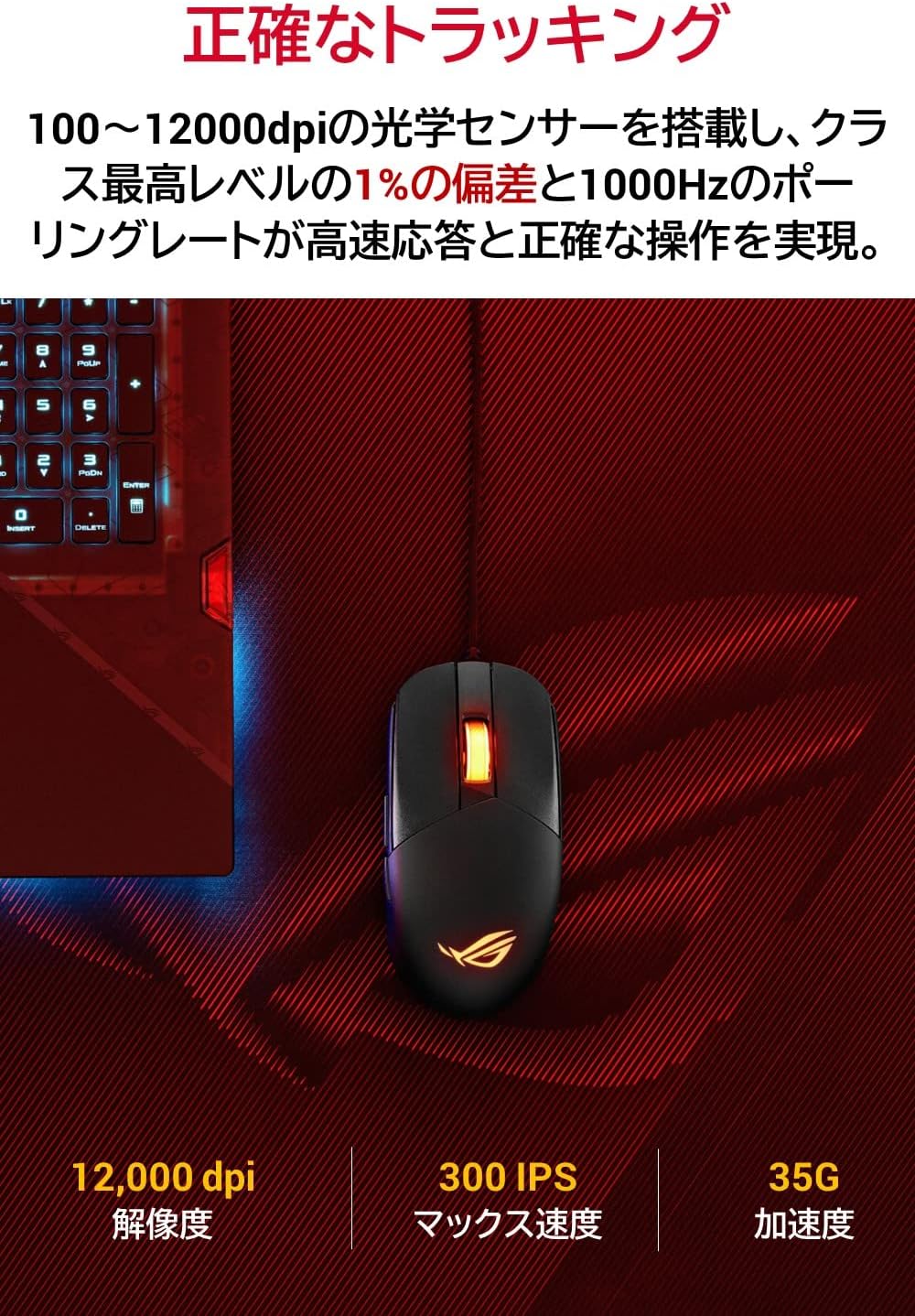
The ASUS ROG Strix Impact III is a lightweight gaming mouse designed for precision and flexibility. It features a 12,000 DPI optical sensor for accurate tracking and an exclusive push-fit hot-swappable switch socket design to extend its lifespan. This manual provides essential information for setting up, operating, maintaining, and troubleshooting your gaming mouse.
What's in the Box
- P518 ROG STRIX IMPACT III mouse
- Quick Start Guide
- Warranty Card
Setup
Follow these steps to set up your ASUS ROG Strix Impact III wired gaming mouse:
- Connect the Mouse: Plug the USB connector of the ROG Strix Impact III mouse into an available USB port on your computer.
- Software Installation: For full customization options, including button programming and DPI settings, download and install the ASUS Armoury Crate software from the official ASUS support website.

The ASUS ROG Strix Impact III wired gaming mouse, showcasing its sleek black design and ergonomic shape.
An official product overview video demonstrating the key features and design of the ASUS ROG Strix Impact III wired gaming mouse.
Operating
The ROG Strix Impact III is designed for optimal gaming performance and comfortable use.
DPI Adjustment
The mouse features a 12,000 DPI optical sensor. You can adjust the DPI sensitivity on-the-fly using the dedicated DPI button located on the underside of the mouse. This allows for quick changes to suit different gaming scenarios or tasks.
The bottom of the mouse features a dedicated DPI button for quick sensitivity adjustments and the high-precision optical sensor.
Programmable Buttons
The mouse is equipped with 5 programmable buttons. These can be customized using the ASUS Armoury Crate software to assign macros, shortcuts, or specific in-game commands, enhancing your control and efficiency.
Ergonomic Design and Grip Styles
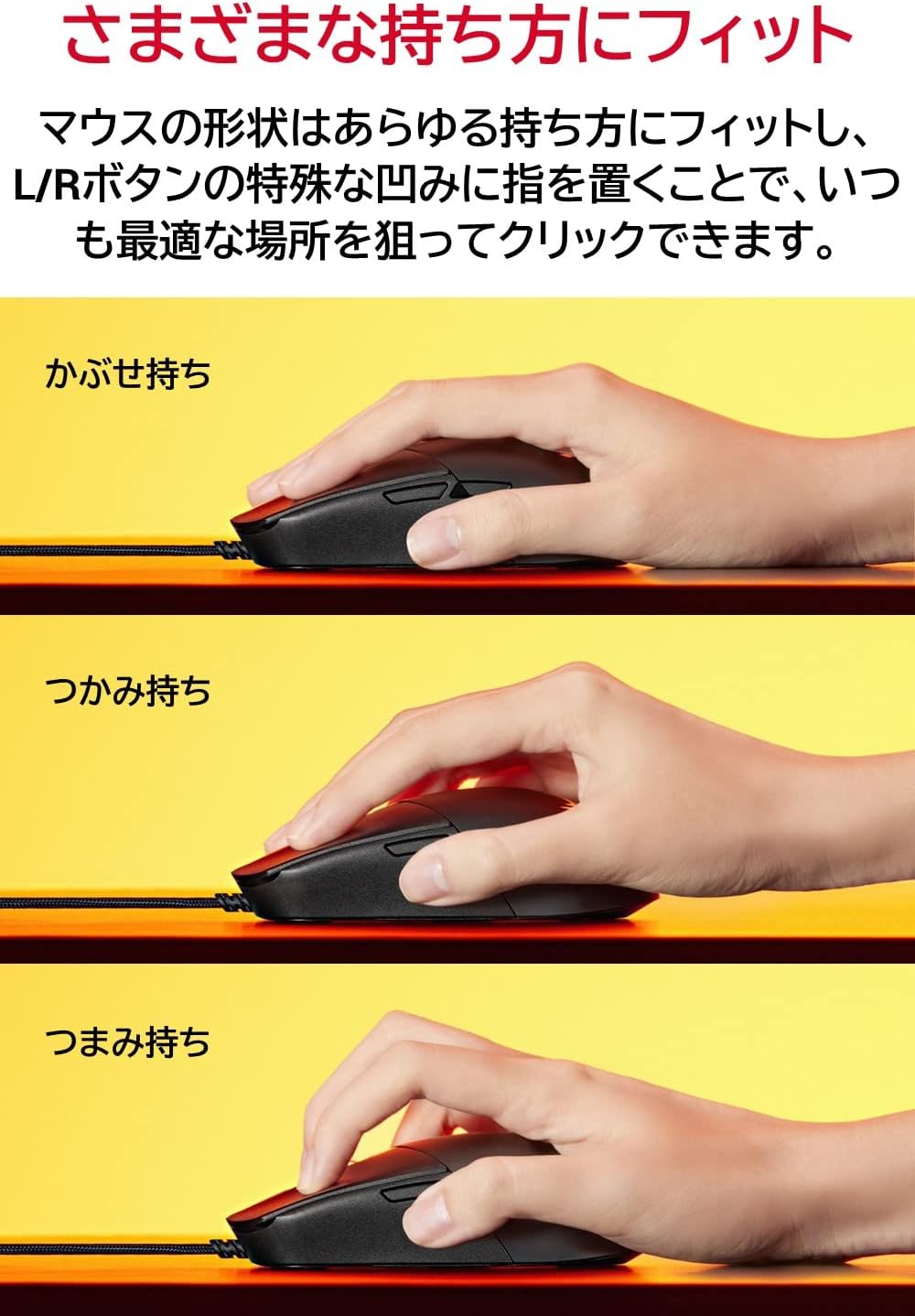
The semi-ambidextrous design ensures comfort for various hand sizes and grip styles, including palm, claw, and fingertip grips, minimizing fatigue during extended use.

This image illustrates how the semi-ambidextrous design of the mouse accommodates various grip styles for comfortable use.
Maintenance
Proper maintenance ensures the longevity and optimal performance of your ROG Strix Impact III mouse.
Cleaning
- Use a soft, dry cloth to wipe the surface of the mouse.
- For stubborn dirt, slightly dampen the cloth with water or a mild cleaning solution. Avoid harsh chemicals.
- Clean the optical sensor regularly with a cotton swab to ensure accurate tracking.
Replaceable Switches
The mouse features exclusive push-fit hot-swappable switch sockets, allowing you to easily replace the ROG Micro Switches. This extends the mouse's lifespan and allows for customization of click force.
- Carefully open the mouse casing (refer to the detailed guide in the Armoury Crate software or ASUS support website for specific instructions).
- Gently pull out the existing switch from its socket.
- Insert a new compatible 3-pin mechanical switch into the socket, ensuring it is seated correctly.
- Close the mouse casing securely.
An internal diagram highlighting the exclusive push-fit hot-swappable switch socket design, allowing users to easily replace mechanical switches.
Troubleshooting
If you encounter issues with your ROG Strix Impact III mouse, try the following solutions:
- No Response: Ensure the USB cable is securely connected to your computer. Try a different USB port.
- Inaccurate Tracking: Clean the optical sensor on the underside of the mouse. Ensure your mouse pad or surface is clean and suitable for optical mice.
- DPI Issues: Use the DPI button on the mouse or adjust settings within the ASUS Armoury Crate software.
- Button Malfunction: If a button is not responding, consider replacing the switch if you have compatible spares and are comfortable doing so.
- Software Issues: Reinstall the ASUS Armoury Crate software. Ensure your operating system and drivers are up to date.
For further assistance, visit the official ASUS support website or contact customer service.
Specifications
| Feature | Specification |
|---|---|
| Brand | ASUS |
| Model Number | P518 ROG STRIX IMPACT III |
| Connectivity Technology | USB (Wired) |
| Movement Detection Technology | Optical |
| DPI Sensor | 12,000 DPI |
| Polling Rate | 1000 Hz |
| Buttons | 5 programmable buttons |
| Switches | ROG Micro Switches, Hot-swappable |
| Cable | ROG Paracord |
| Mouse Feet | 100% PTFE |
| Weight | 59 grams (without cable) |
| Dimensions (LxWxH) | 4.96 x 2.44 x 1.54 inches |
| Operating System | Windows |
Warranty and Support
Your ASUS ROG Strix Impact III Gaming Mouse comes with a manufacturer's warranty. Please refer to the included Warranty Card for specific terms and conditions, including warranty duration and coverage details.
For technical support, driver downloads, FAQs, and additional product information, please visit the official ASUS support website: www.asus.com/support/
You may also find helpful resources and community forums on the ASUS Republic of Gamers (ROG) website: rog.asus.com/


