
VCK LE-TF004A
VCK Tower Fan User Manual
Model: LE-TF004A
Brand: VCK
Introduction
Thank you for choosing the VCK Tower Fan. This compact and powerful fan is designed to provide efficient and quiet cooling for your home or office. With multiple speed settings, versatile modes, and convenient features like a timer and remote control, it offers a personalized cooling experience. Its bladeless design ensures safety, making it ideal for households with children and pets. Please read this manual thoroughly before operation to ensure proper use and maintenance.
Important Safety Instructions
- Always place the fan on a stable, flat surface to prevent tipping.
- Do not insert fingers or foreign objects into the fan grille. The bladeless design enhances safety, but caution is still advised.
- Keep the fan away from water or excessive moisture. Do not use in bathrooms or wet environments.
- Ensure the power cord is not damaged or pinched. Do not operate the fan with a damaged cord or plug.
- Unplug the fan from the power outlet before cleaning or performing any maintenance.
- This appliance is not intended for use by persons (including children) with reduced physical, sensory or mental capabilities, or lack of experience and knowledge, unless they have been given supervision or instruction concerning use of the appliance by a person responsible for their safety.
- Children should be supervised to ensure that they do not play with the appliance.
Package Contents
- VCK Tower Fan Unit
- Remote Control (1 Lithium Ion battery included)
- User Manual

Image: VCK Tower Fan and its remote control.
Setup
- Unpack the VCK Tower Fan and all accessories from the box.
- Place the fan on a firm, level surface.
- Insert the included Lithium Ion battery into the remote control.
- Plug the power cord into a standard 120V AC electrical outlet.

Image: The compact design of the VCK Tower Fan, showing its 12.9-inch height and 4.4-inch base, making it suitable for various spaces.
Operating Instructions
The VCK Tower Fan can be operated using the touch control panel on top of the unit or with the included remote control.
Control Panel Overview

Image: Close-up of the VCK Tower Fan's top control panel with LED display and touch buttons for various functions.
Remote Control
The remote control allows you to operate all fan functions from a distance of up to 27 feet.

Image: The remote control for the VCK Tower Fan, showing its buttons for power, mode, speed, oscillation, timer, and temperature unit.
Video: Demonstrates the compact size of the VCK Tower Fan and its suitability for various room settings, including office and bedroom.
Video: Overview of the VCK 13-inch Tower Fan, highlighting its remote control functionality and various features.
Functions:
- Power On/Off: Press the power button (⏻) on the control panel or remote to turn the fan on or off. The LED display will show the ambient temperature when first powered on.
- Speed Settings: The fan offers 3 adjustable speed settings (Low, Medium, High). Press the fan speed button (⑱) to cycle through the speeds.

Image: Visual representation of the VCK Tower Fan's 3 speed settings (Low, Medium, High) and 4 wind modes (Normal, Natural, AI, Sleep).
- Modes: Choose from 4 distinct modes by pressing the mode button (M):
- Normal Mode: Provides a consistent airflow for daily cooling.
- Natural Mode: Simulates a natural breeze with varying fan speeds.

Image: A person relaxing in a room with the VCK Tower Fan operating in Natural Mode, creating a gentle, nature-like breeze.
- AI Mode: Automatically adjusts fan speed based on the ambient room temperature to optimize energy saving.

Image: Diagram illustrating how the VCK Tower Fan's AI Mode adjusts fan speed based on indoor temperature, leading to over 40% energy savings.
- Sleep Mode: Decreases fan speed and mutes operation sounds for a quiet and comfortable sleeping environment.

Image: The VCK Tower Fan in Sleep Mode, designed to provide quiet cooling for a comfortable night's rest, with a noise level below 30dB.
- Oscillation: Activate the 80° wide oscillation by pressing the oscillation button (⟳). This spreads airflow over a larger area.

Image: The VCK Tower Fan demonstrating its 80-degree widespread oscillation, effectively circulating air across a room.
- Timer: Set the fan to automatically turn off after a specified period (up to 12 hours) by pressing the timer button (◷). Each press increases the timer by 1 hour.
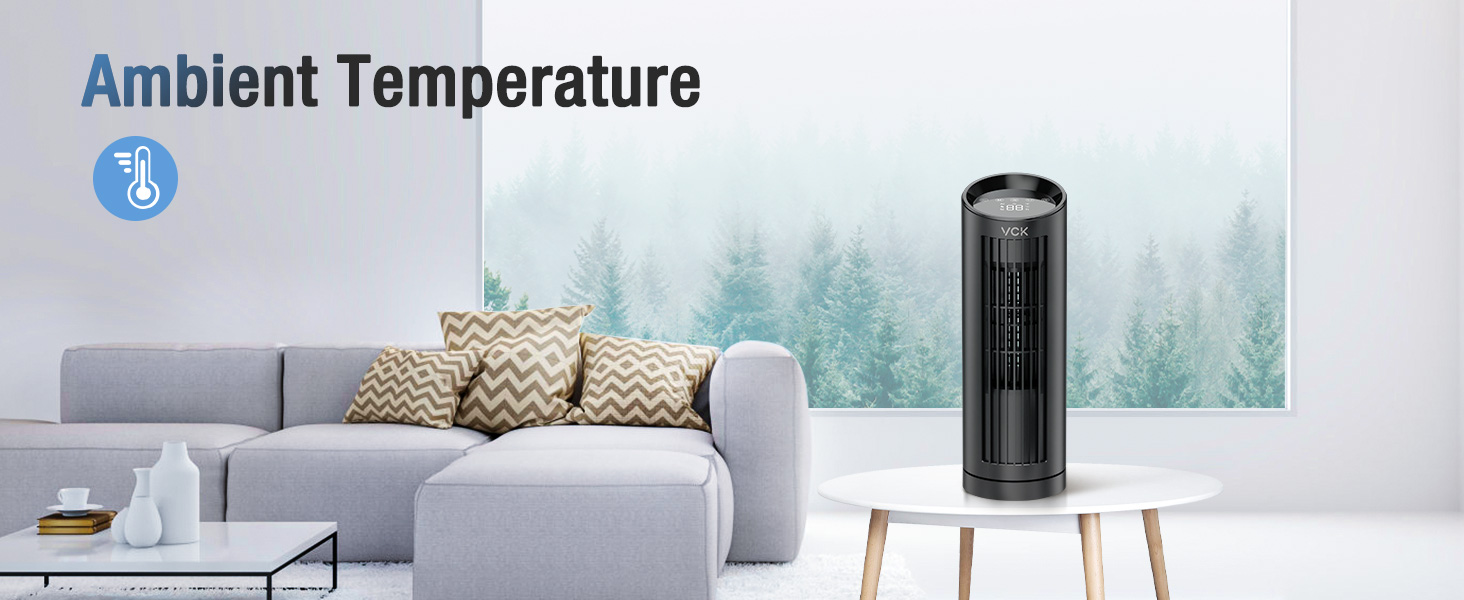
Image: The VCK Tower Fan with its 12-hour timer function displayed, allowing users to schedule automatic shutdown for energy saving.
- Temperature Unit Switch: On the remote control, press the F/C button to switch the temperature display between Fahrenheit and Celsius.
Maintenance
Regular cleaning will help maintain the fan's performance and extend its lifespan.
- Always unplug the fan before cleaning.
- Use a soft, damp cloth to wipe the exterior surfaces of the fan. Do not use abrasive cleaners or solvents.
- For the air inlet/outlet grilles, use a vacuum cleaner with a brush attachment to remove dust and debris.
- The bladeless design minimizes dust accumulation on internal components, but ensure air pathways remain clear.
- Store the fan in a cool, dry place when not in use.

Image: The VCK Tower Fan's bladeless design, emphasizing safety for children and pets by preventing access to moving parts.
Troubleshooting
| Problem | Possible Cause | Solution |
|---|---|---|
| Fan does not turn on. | No power supply; power cord not properly plugged in. | Ensure the fan is plugged into a working outlet. Check the power cord for damage. |
| Weak airflow. | Air inlets/outlets are blocked by dust or debris. | Clean the air inlets and outlets as described in the Maintenance section. |
| Fan is noisy. | Fan is on a high-speed setting; internal components may need cleaning. | Reduce the fan speed. Ensure the fan is on a stable surface. Clean the fan thoroughly. |
| Remote control not working. | Battery is dead or incorrectly inserted; remote is too far or obstructed. | Replace the battery. Ensure correct battery polarity. Use the remote within range and without obstructions. |
Specifications
| Feature | Detail |
|---|---|
| Brand | VCK |
| Model Name | Tower fan (LE-TF004A) |
| Color | Black |
| Product Dimensions | 4.5"D x 13"W x 4.5"H |
| Item Weight | 3 Pounds |
| Power Source | Corded Electric |
| Wattage | 25 watts |
| Voltage | 227 Volts |
| Control Method | Remote |
| Special Features | Bladeless, 80° Oscillating, AI & Sleep Mode, 12-hour Timer |
| Room Type | Bedroom, Office |
| Indoor/Outdoor Usage | Indoor |
| Batteries | 1 Lithium Ion batteries required (included) |
Warranty and Support
For warranty information or technical support, please contact VCK customer service through the retailer's platform or visit the official VCK website. Please have your model number (LE-TF004A) and purchase details ready when contacting support.
Related documentsLE-TF004A


Ask a question about this manual
Ask about setup, troubleshooting, compatibility, parts, safety, or missing instructions. Manuals+ will review the question and use this page’s manual context to help answer it.