
Introduction
This manual provides comprehensive instructions for the Fisher-Price Mix & Learn DJ Table, an interactive musical activity table designed to support early childhood development. Please read this manual thoroughly before assembly and use to ensure proper operation and safety.
Safety Information
Safety Warning: Not applicable. This product is designed with child safety in mind. Always supervise children during play. Ensure all parts are securely assembled before use.
Product Features
The Fisher-Price Mix & Learn DJ Table offers a variety of engaging features:
- Musical Activity Table: Features 3 modes for piano play, multi-colored lights, and 12 fine motor activities for aspiring DJs.
- Interactive Sounds: Over 100 songs, sounds, and developmental phrases. Children can press 8 piano keys, spin the light-up Puppy disc, or press the light-up number pad.
- Smart Stages Technology: 3 progressive learning levels guide children through learning colors, shapes, numbers, counting, opposites, the alphabet, and English words.
- Record & Remix: Record a fun message, and your child can remix it into their own musical creation.

Image 1: The Fisher-Price Mix & Learn DJ Table, showcasing its various interactive elements including the piano keys, DJ turntable, and activity levers.
Setup
- Unpacking: Carefully remove all components from the packaging. Ensure all parts are present: the main table unit and four legs.
- Leg Assembly: Insert each leg firmly into the designated slots on the underside of the main table unit until you hear a click, indicating it is securely locked.
- Battery Installation: The product includes batteries (AA type). Locate the battery compartment, usually on the underside of the table. Use a screwdriver to open the compartment, insert the batteries according to the polarity indicators (+/-), and close the compartment securely.
- Power On: Locate the power switch, typically on the side or back of the unit, and slide it to the "On" position.

Image 2: The product packaging, illustrating the table in both sit and stand configurations, and highlighting key features.
Operating Instructions
The DJ Table offers multiple ways to play and learn:
- Piano Keys: Press the 8 colorful piano keys to hear musical notes, melodies, and learn about colors and shapes.
- DJ Turntable: Spin the large, round turntable to activate sounds, music, and learn the alphabet.

Image 3: A close-up view of the DJ turntable with alphabet letters and a character, demonstrating its interactive design.
- Number Pad: Press the light-up number pad to learn numbers and counting.
- Record & Remix Microphone: Use the microphone to record short phrases. Press the remix button to hear your recording integrated into a song.

Image 4: A close-up of the piano keys, the record button, and the microphone, highlighting the interactive musical elements.
- Activity Levers: Manipulate the shape-sorter levers to trigger sounds and develop fine motor skills.

Image 5: A close-up of the red, yellow, and orange activity levers, designed for shape sorting and fine motor skill development.
- Smart Stages Selector: Use the Smart Stages switch to select the appropriate learning level for your child.
- Level 1 - Explore (6M+): Introduces first words and sounds.
- Level 2 - Encourage (12M+): Prompts children with questions and simple directions.
- Level 3 - Pretend (18M+): Encourages imaginative play and role-playing.
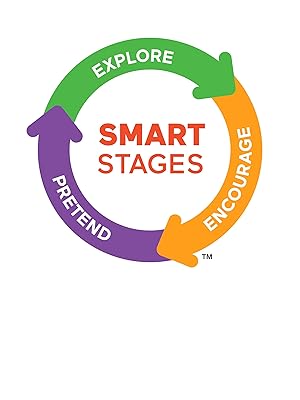
Image 6: Diagram illustrating the three Smart Stages: Explore, Encourage, and Pretend, indicating the progressive learning approach.

Image 7: A child interacting with the Fisher-Price Mix & Learn DJ Table, demonstrating its use in a standing position.
Maintenance
- Cleaning: Wipe the surface of the DJ Table with a damp cloth and mild soap. Do not immerse the product in water. Avoid using harsh chemicals or abrasive cleaners.
- Storage: Store the product in a cool, dry place away from direct sunlight when not in use.
- Battery Replacement: If the sounds become faint or the lights dim, it is time to replace the batteries. Follow the battery installation steps in the "Setup" section.
Troubleshooting
| Problem | Solution |
|---|---|
| No sound or lights. |
|
| Incorrect language output (e.g., German instead of English). | This product is specified to be in German. If you require a different language version, please verify the product's language specification before purchase. There is no user-adjustable language setting on this model. |
| Buttons or features are unresponsive. |
|
Specifications
| Attribute | Detail |
|---|---|
| Product Dimensions (L x W x H) | 13.33 x 50.8 x 33.02 cm |
| Product Weight | 2.45 kilograms |
| Recommended Age | 6 months - 3 years |
| Educational Value | Numeracy and Literacy |
| Language | German (as per product specifications) |
| Manufacturer Reference | HRB63 |
| Batteries Required | No (Batteries included) |
| Battery Type | AA Battery |
| Main Material | Not applicable (Plastic/Electronic Toy) |
| Color | Green |
Warranty and Support
For warranty information and customer support, please refer to the contact details provided on the product packaging or visit the official Fisher-Price website. Keep your purchase receipt as proof of purchase.
Online Resources: For additional information, FAQs, or to register your product, please visit the official Fisher-Price website.