
1. Introduction
Welcome to the Marsail Electric Standing Desk instruction manual. This document provides essential information for the safe and efficient assembly, operation, and maintenance of your new adjustable height desk. Please read this manual thoroughly before use and retain it for future reference.
2. Important Safety Instructions
- Ensure all components are present and undamaged before assembly. Do not use if any parts are missing or faulty.
- Assembly should be performed by at least one person. Refer to the 'Recommended Number of People for Assembly' in the specifications.
- Keep children and pets away from the desk during operation to prevent injury.
- Do not overload the desk. Adhere to the 'Maximum Weight Recommendation' specified.
- Ensure all cables are properly managed to avoid entanglement or damage during height adjustments.
- Only use the provided power adapter and ensure it is connected to a grounded outlet.
- Avoid placing liquids directly on the control panel or near electrical components.
- If the desk malfunctions or makes unusual noises, discontinue use immediately and consult the troubleshooting section or contact customer support.
3. Package Contents
Your Marsail Electric Standing Desk package includes the following components:
- Desktop (48x24 inches, Rustic Brown)
- Desk Frame (Iron, Black)
- Electric Lifting Mechanism and Control Panel
- Ergonomic Keyboard Tray
- Headphone Hook
- Storage Bag
- Mounting Accessories (screws, tools)
- Instruction Manual
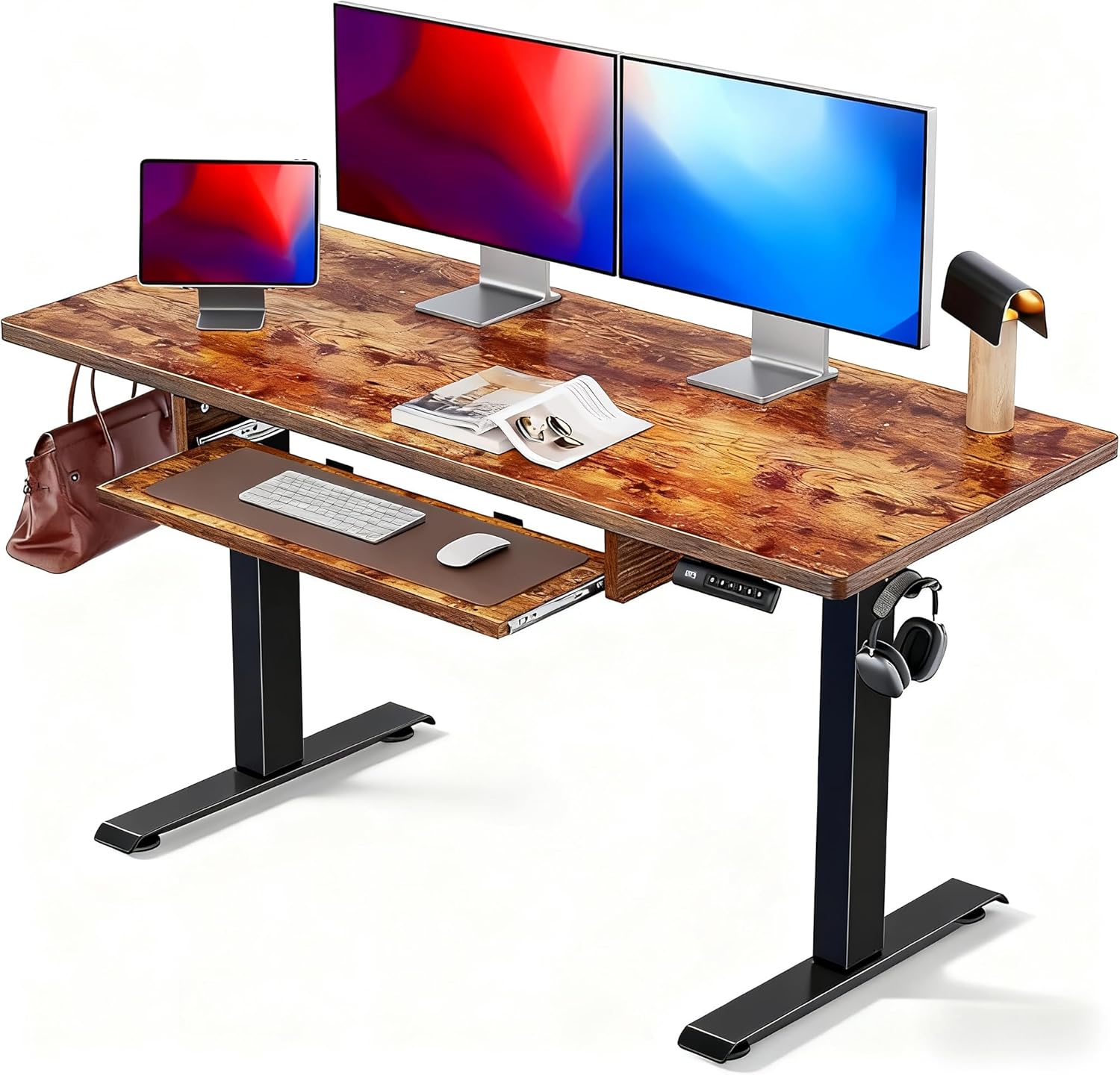
Figure 3.1: Marsail Electric Standing Desk with Keyboard Tray.
Video 3.1: Unboxing and packaging of the Marsail Electric Standing Desk.
4. Setup & Assembly
The Marsail Electric Standing Desk is designed for straightforward assembly. Follow the step-by-step instructions provided in the included manual. Ensure you have adequate space and the recommended tools (Drill, Screw Driver) for assembly.
Video 4.1: Step-by-step installation guide for the standing desk.

Figure 4.1: Illustration of attaching the desk legs to the frame.

Figure 4.2: Illustration of securing the desktop to the assembled frame.
5. Operating Instructions
5.1 Height Adjustment
The desk features a one-touch height adjustment system, allowing seamless transitions between sitting and standing positions. The adjustable height range is 27.5" to 46.7".

Figure 5.1: The desk offers a flexible height adjustment range from 27.5 to 46.7 inches.
5.2 Control Panel Functions
The intuitive control panel allows you to easily adjust and save your preferred desk heights:
- Up/Down Arrows: Press to manually raise or lower the desk.
- Memory Presets (1, 2, 3, 4): Press and hold a numbered button to save the current height. Tap the button to automatically move the desk to the saved height.
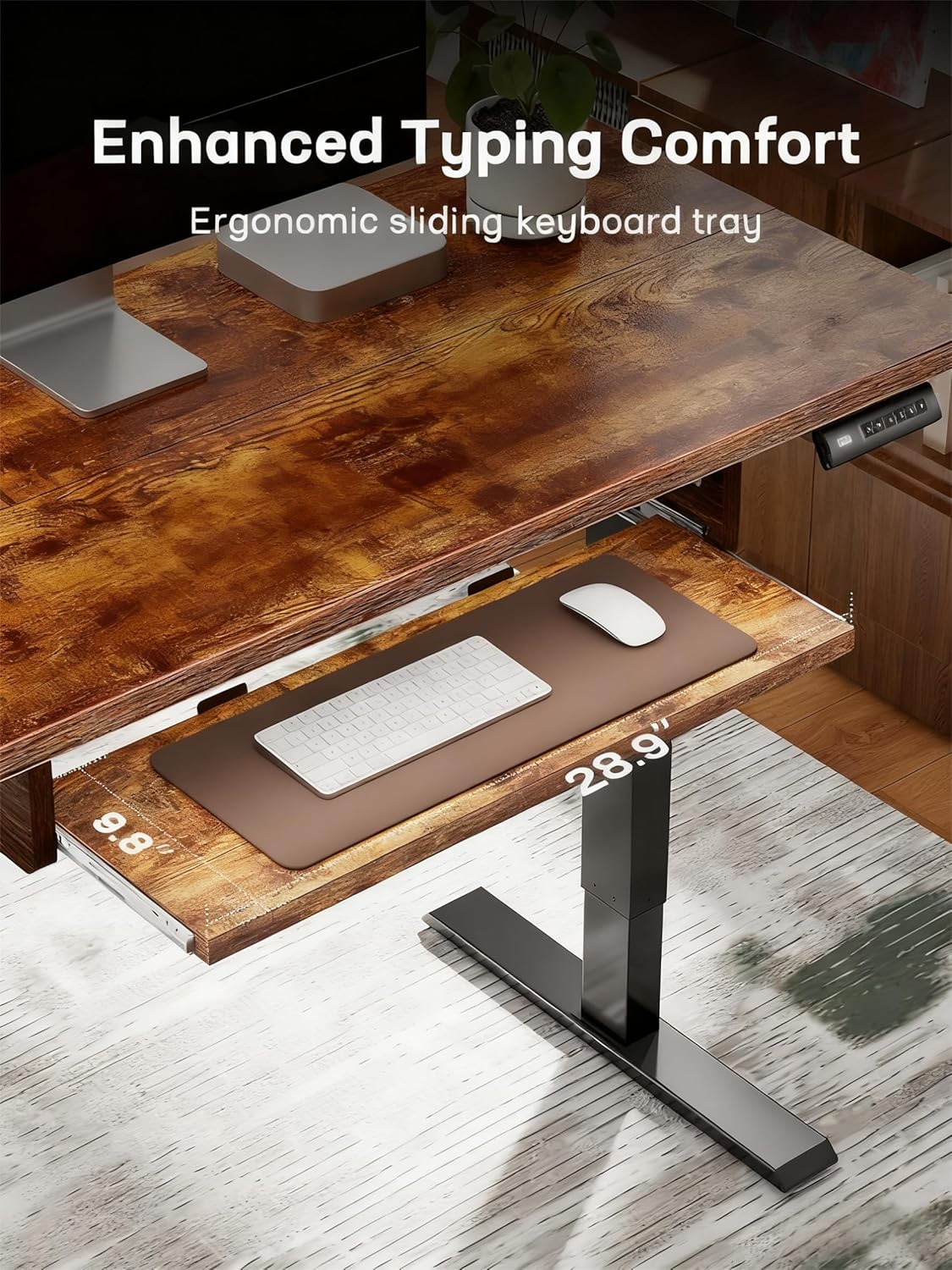
Figure 5.2: Detail of the control panel showing up/down arrows and four memory preset buttons.

Figure 5.3: The desk's strong motor ensures smooth and stable lifting without wobbling.
Video 5.1: Demonstration of the desk's stable and smooth height adjustment.
Video 5.2: Overview of the adjustable height desk features and operation.
5.3 Ergonomic Keyboard Tray
The integrated ergonomic sliding keyboard tray provides enhanced typing comfort and helps free up desktop space. It is designed to accommodate a keyboard and mouse comfortably.
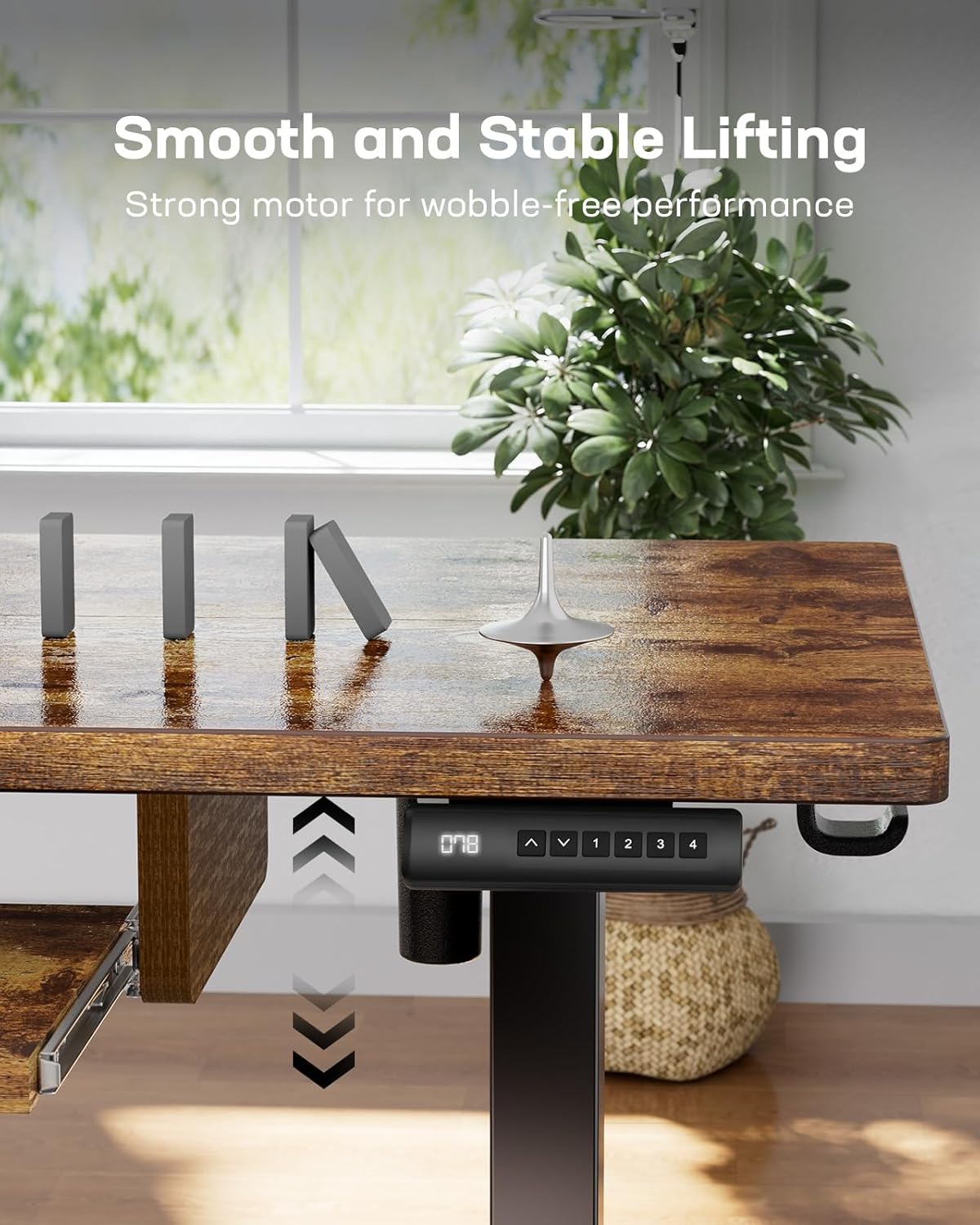
Figure 5.4: The ergonomic sliding keyboard tray provides comfortable typing and saves desktop space.
6. Features and Organization
6.1 Multifunctional Side Storage Pocket
The double-layered side storage pocket offers convenient organization for folders, notebooks, and office supplies, keeping your workspace tidy and essentials within reach.

Figure 6.1: The side storage pocket provides ample space for organizing office items.
6.2 Cable Management
The desk includes cable clips to help manage and organize power cords and other cables, contributing to a cleaner and safer workspace.

Figure 6.2: Integrated cable clips help keep your desk area tidy.
7. Maintenance & Care
To maintain the appearance and functionality of your Marsail Electric Standing Desk, follow these simple care instructions:
- Wipe the desktop and frame with a damp cloth. Avoid harsh chemicals or abrasive cleaners.
- Regularly check all screws and connections to ensure they are tight.
- Keep the motor and electrical components free from dust and moisture.
8. Troubleshooting
If you encounter any issues with your Marsail Electric Standing Desk, please refer to the following common troubleshooting tips:
- Desk not moving: Check all power connections. Ensure the power cable is securely plugged into both the desk and a working wall outlet.
- Unusual noises during operation: Verify that no objects are obstructing the lifting mechanism. Ensure all assembly screws are tightened.
- Height presets not working: Re-program the memory presets by pressing and holding the desired numbered button until the display confirms the setting.
- Desk is unstable: Ensure the desk is placed on a flat, even surface. Check that all leg components and desktop connections are securely fastened.
If the problem persists, please contact Marsail customer support for further assistance.
9. Technical Specifications
| Feature | Specification |
|---|---|
| Brand | Marsail |
| Model Number | VC TZESD14V-N1-US |
| Product Dimensions | 24"D x 48"W x 27.5"H |
| Adjustable Height Range | 27.5" to 46.7" |
| Maximum Weight Recommendation | 176 Pounds |
| Motor Noise Level | Below 50 dB |
| Top Material Type | Engineered Wood (CARB Certified) |
| Base Material | Iron |
| Color | Rustic Brown |
| Special Features | Adjustable Height, Electric, Ergonomic, Scratch Resistant, 4 Memory Presets |
| Required Assembly | Yes |
| Recommended Number of People for Assembly | 1 |
10. Warranty & Support
The Marsail Electric Standing Desk comes with a 5-year manufacturer warranty. This warranty covers defects in materials and workmanship under normal use.
For warranty claims, technical support, or any questions regarding your product, please contact Marsail customer service through the retailer where the product was purchased or visit the official Marsail website for contact information.
Please have your model number (VC TZESD14V-N1-US) and proof of purchase ready when contacting support.


