
1. Introduction
This manual provides essential information for the setup, operation, and maintenance of your Wearable4U Garmin Instinct Crossover Solar Tactical Edition smartwatch. Please read these instructions carefully to ensure optimal performance and longevity of your device.
2. What's in the Box
- 1x Garmin Instinct Crossover Solar Tactical Smartwatch
- 1x Charging/Data Cable
- 1x Wearable4U E-Bank 2200 mAh (wa001)
- Documentation

Image: Contents of the product package, including the smartwatch, charging cable, and E-Bank.
3. Product Overview
The Garmin Instinct Crossover Solar Tactical Edition is a rugged hybrid GPS smartwatch designed for demanding environments. It combines classic analog timekeeping with advanced smart functionality and a high-resolution digital screen. Key features include:
- Hybrid Display: Luminescent analog watch hands with a digital display.
- Rugged Design: Built to MIL-STD-810 for thermal and shock resistance, water-rated to 10 ATM.
- Tactical Features: Stealth mode, night vision goggle compatibility, Jumpmaster activity, kill switch, and dual-format GPS.
- Health & Wellness: 24/7 monitoring of heart rate, sleep score, respiration, and more.
- Sports Apps: Built-in apps for strength training, running, mountain biking, and other activities.
- Smart Connectivity: Notifications from compatible Android or Apple smartphones.
- Garmin Pay: Contactless payments (where supported).
- Solar Charging: Extends battery life in battery saver mode with sufficient solar exposure.

Image: The smartwatch displayed from various perspectives, highlighting its robust construction and design.

Image: Examples of the digital display interface, illustrating different data screens and notifications.
4. Setup
4.1 Initial Setup
- Charge the Device: Before first use, fully charge your smartwatch using the provided charging/data cable and the Wearable4U E-Bank or a compatible USB power source.
- Power On: Press and hold the CTRL button (top left) to power on the device.
- Pair with Smartphone: Download the Garmin Connect app on your smartphone (Android or Apple). Follow the on-screen instructions in the app to pair your smartwatch.
- Basic Settings: During the initial setup, you will be prompted to set language, time format, and other preferences.
4.2 Solar Charging
The Instinct Crossover Solar Tactical Edition features solar charging capabilities to extend battery life. Exposure to sunlight will passively charge the device. For optimal solar charging, ensure the watch face is directly exposed to sunlight. The watch face includes a 'Lux Hours' widget to monitor solar intensity.
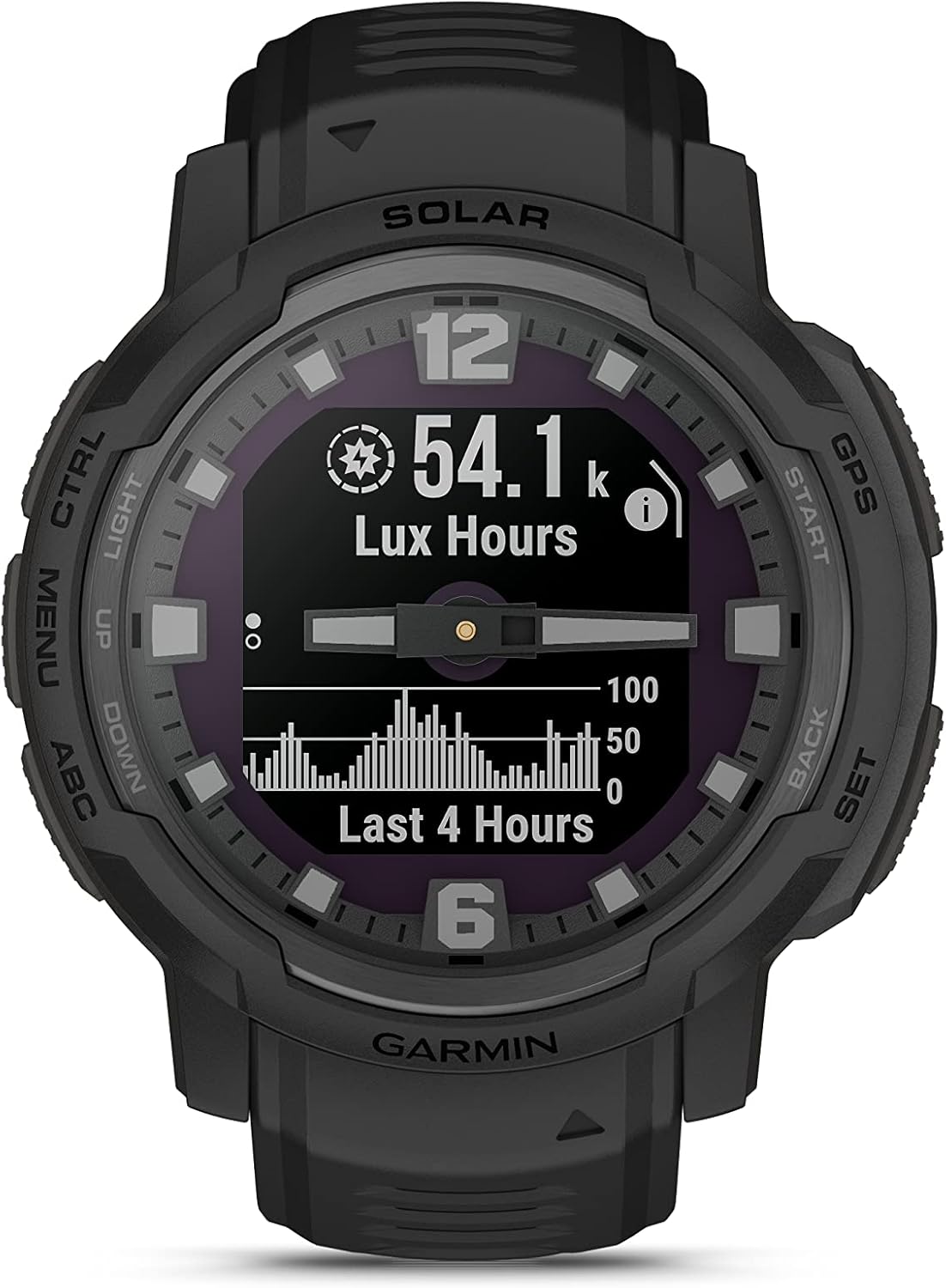
Image: The watch display showing solar intensity data, indicating the amount of light exposure received.
5. Operating Instructions
5.1 Basic Navigation
- LIGHT (Top Left): Press to turn the backlight on/off. Hold to access the controls menu.
- MENU/UP (Middle Left): Press to scroll through widgets and menus. Hold to view the menu.
- ABC/DOWN (Bottom Left): Press to scroll through widgets and menus. Hold to view the ABC (Altimeter, Barometer, Compass) widget.
- GPS/START (Top Right): Press to select options or start an activity. Hold to view the GPS coordinates.
- BACK/SET (Bottom Right): Press to return to the previous screen. Hold to view the watch face settings.
5.2 Tactical Features
The Tactical Edition includes specialized features for tactical operations:
- Stealth Mode: Disables GPS position saving and sharing, and wireless connectivity.
- Night Vision Goggle Compatibility: Reduces backlight intensity for use with night vision devices.
- Jumpmaster: Calculates high-altitude release points according to military guidelines.
- Kill Switch: Wipes all user data from the device.
- Dual-Format GPS: Displays two sets of coordinate systems on a single screen.
5.3 Health and Wellness Features
Monitor your body's metrics with integrated sensors:
- Heart Rate: Continuous heart rate monitoring.
- Sleep Score: Analyzes sleep stages and quality.
- Respiration: Tracks breathing rate throughout the day and during sleep.
- Sports Apps: Access various preloaded sports activities.
- Pulse Oximeter (Pulse Ox): Measures blood oxygen saturation.
Pulse Oximeter (Pulse Ox) Operation
The Pulse Oximeter feature measures your blood oxygen saturation. You can set it to measure all day, during sleep, or manually. For manual readings, ensure you remain still during the measurement process.
To take a manual Pulse Ox reading:
- From the watch face, press the UP or DOWN button to scroll to the Pulse Ox glance.
- Press the GPS button to enter the Pulse Ox widget.
- The watch will begin measuring. Keep your arm still. The reading typically takes about 30 seconds.
- Your blood oxygen saturation will be displayed as a percentage. Ideally, readings should be between 95% and 100%.
5.4 Smart Features
- Notifications: Receive alerts for calls, texts, and app notifications directly on your wrist when paired with your smartphone.
- Garmin Pay: Make contactless payments with your watch (requires setup with a supported bank and payment network).
5.5 Storm Alert
The Storm Alert feature notifies you of rapid changes in barometric pressure, which can indicate impending weather changes. This feature can be enabled or disabled and its sensitivity adjusted.
To manage Storm Alert settings:
- From any watch face, press and hold the BACK button (bottom right).
- Scroll down using the DOWN button until you find 'Alerts'. Press GPS to select.
- Scroll down to 'Storm Alert'. Press GPS to enter.
- Toggle 'Status' to 'On' or 'Off' using the GPS button.
- To adjust sensitivity, select 'Rate' and choose the desired barometric pressure change per hour (e.g., 3.000 mmHg per 3 hr).
- Press the BACK button multiple times to return to the watch face.
5.6 Changing Temperature Units
You can change the temperature units displayed on your watch (e.g., for weather or sensor data) between Celsius and Fahrenheit.
To change temperature units:
- From any watch face, press and hold the MENU button (middle left) to access the menu.
- Scroll down to 'System' and press GPS to select.
- Scroll down to 'Format' and press GPS to select.
- Select 'Units' and press GPS.
- Scroll down to 'Temperature'. Press GPS to select.
- Use the UP or DOWN buttons to toggle between 'Celsius' and 'Fahrenheit'. Press GPS to confirm.
- Press the BACK button multiple times to return to the watch face.
Video: An overview of the Garmin Instinct Crossover Solar, highlighting its rugged design and hybrid smartwatch features.
6. Maintenance
- Cleaning: Regularly clean the device and strap with a soft, damp cloth. Avoid harsh chemicals.
- Charging: Ensure the charging contacts are clean and dry before charging to prevent corrosion.
- Storage: Store the device in a cool, dry place when not in use.
- Software Updates: Periodically check for software updates via the Garmin Connect app to ensure optimal performance and access to new features.
7. Troubleshooting
- Device Not Powering On: Ensure the device is fully charged. Connect it to the charging cable and a power source.
- Connectivity Issues: Verify Bluetooth is enabled on your smartphone and the watch. Try restarting both devices and re-pairing through the Garmin Connect app.
- Inaccurate Readings (e.g., Heart Rate, Pulse Ox): Ensure the watch is worn snugly on your wrist, above the wrist bone. Clean the sensor on the back of the watch.
- Storm Alert Too Frequent/Infrequent: Adjust the 'Rate' setting for barometric pressure change in the Storm Alert menu (Section 5.5).
- Screen Unresponsive: Perform a soft reset by holding the LIGHT button until the device powers off, then power it back on.
8. Specifications
| Product Dimensions | 1.77 x 1.77 x 0.64 inches |
| Item Weight | 2.29 ounces |
| Item Model Number | A04348 |
| Batteries | 1 Lithium Ion batteries required. (included) |
| Battery Life | 28 days (up to infinite in battery saver mode with solar charging) |
| Screen Size | 1.27 Inches |
| Resolution | 176 x 176 |
| Operating System | Android |
| Memory Storage Capacity | 64 MB |
| Connectivity Technology | USB |
| Special Features | Built-in sports apps, GPS, GLONASS and Galileo navigation support |
9. Warranty and Support
For warranty information and customer support, please refer to the documentation included in your product package or visit the official Wearable4U or Garmin support websites. This device is not a medical device and is not intended for use in the diagnosis or monitoring of any medical condition; see Garmin.com/ataccuracy.